The house is competing with the work
A home office shares its connection with everything else in the house, and household demand is highest during exactly the hours that matter least to the household and most to the person working. Streaming, gaming, backups, and connected devices all contend for the same circuit and, if the office is on wireless, for the same airtime.
The second factor is position. Home offices frequently end up in a spare bedroom at the far corner of the house, which is often the worst wireless position in the building — furthest from the router, through the most walls.
- Household traffic peaking during working hours
- Office often located at the far edge of wireless coverage
- Video calls being the least tolerant workload in the house
- Work equipment sharing a flat network with household devices
Wire the desk, then fix the coverage
The single highest-value change for a home office is a wired connection to the desk. It removes wireless variability entirely for the machine that matters, and it is usually one cable run.
After that: an access point positioned to serve the office area properly for the devices that stay wireless, and enough separation that work equipment is not sharing a flat network with everything else in the house.
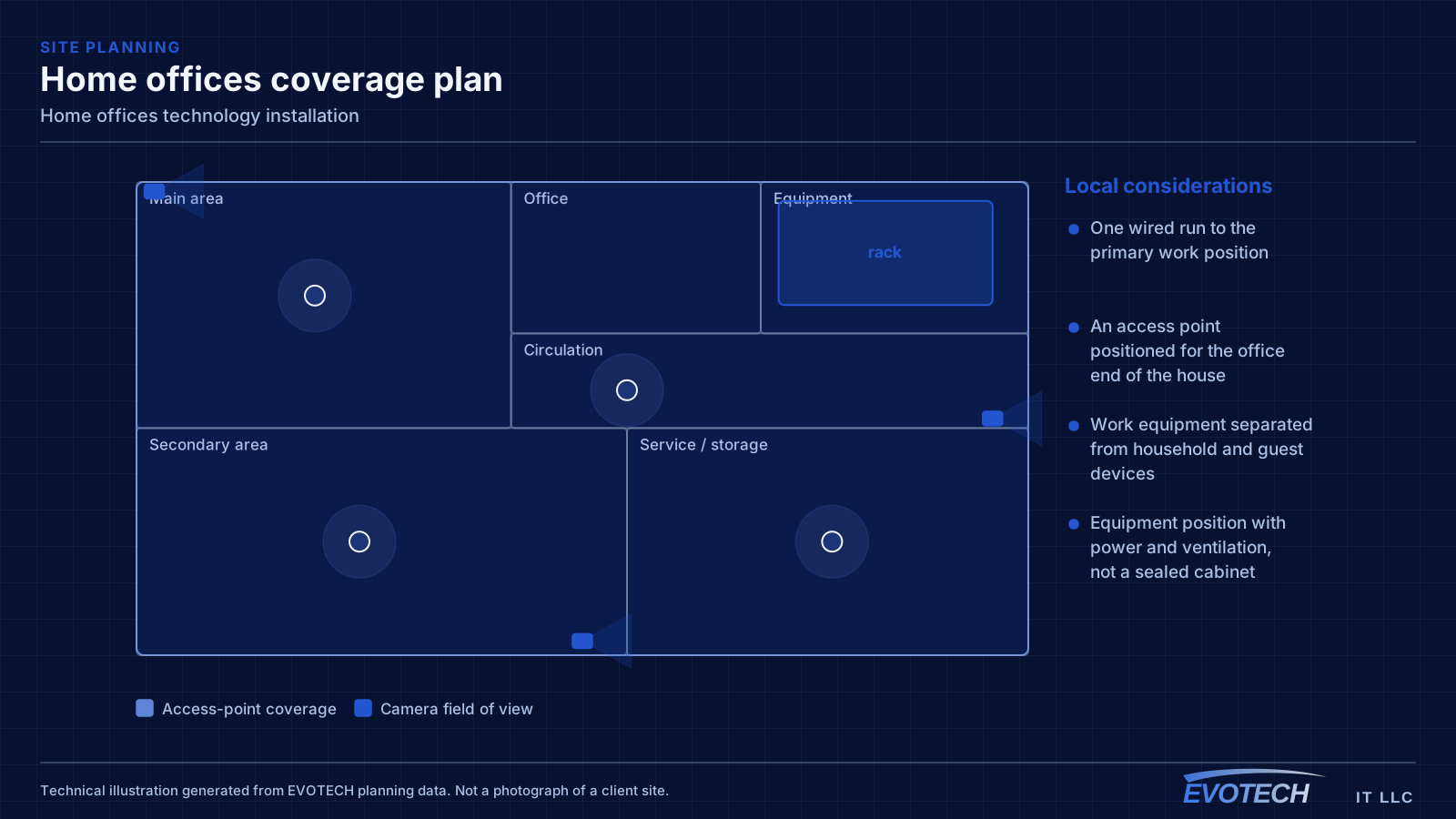
- One wired run to the primary work position
- An access point positioned for the office end of the house
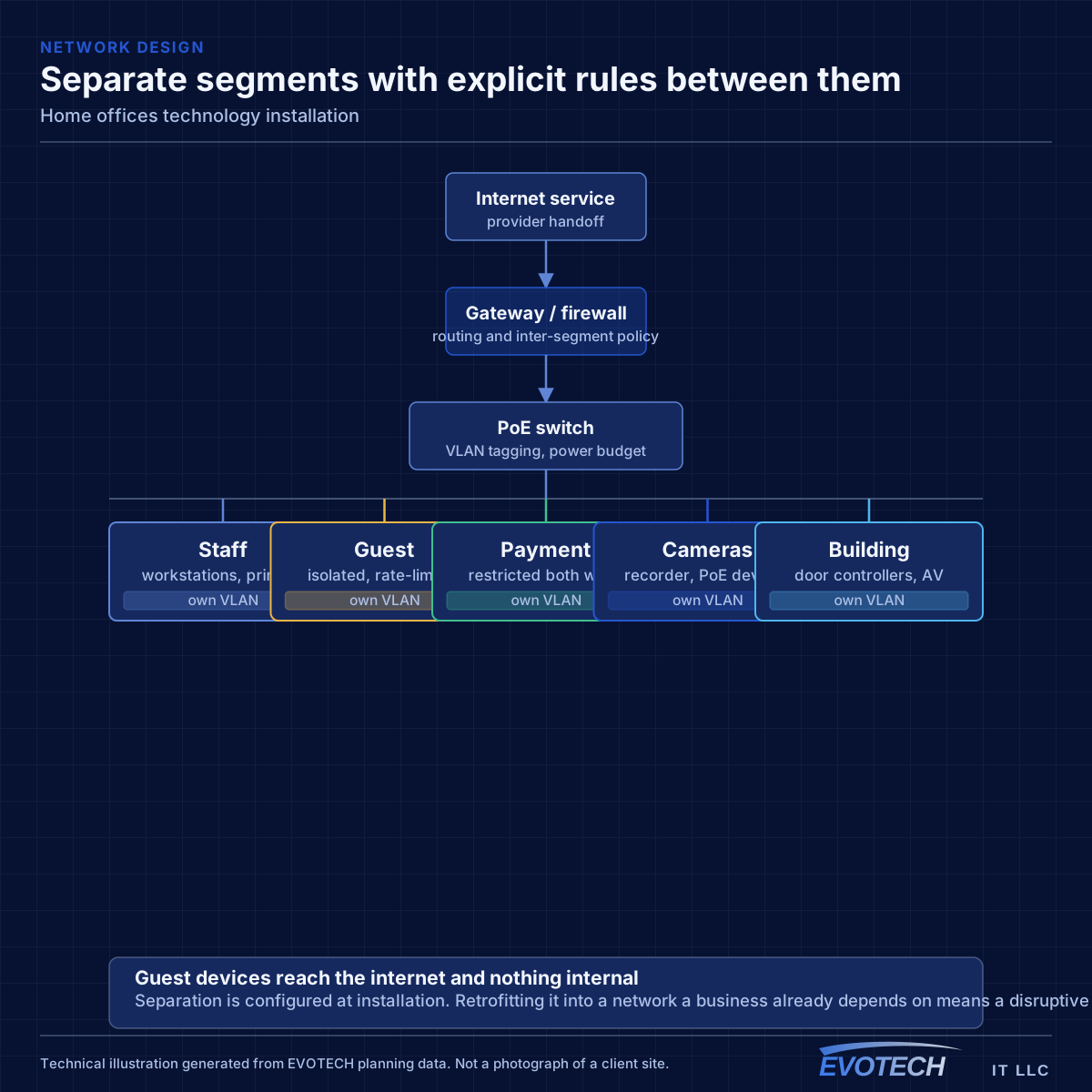
- Work equipment separated from household and guest devices
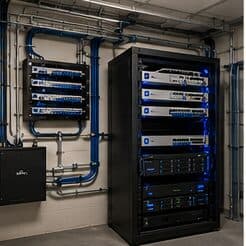
- Equipment position with power and ventilation, not a sealed cabinet
- Wired connections for stationary devices elsewhere that compete for airtime
The single cable that fixes most of it
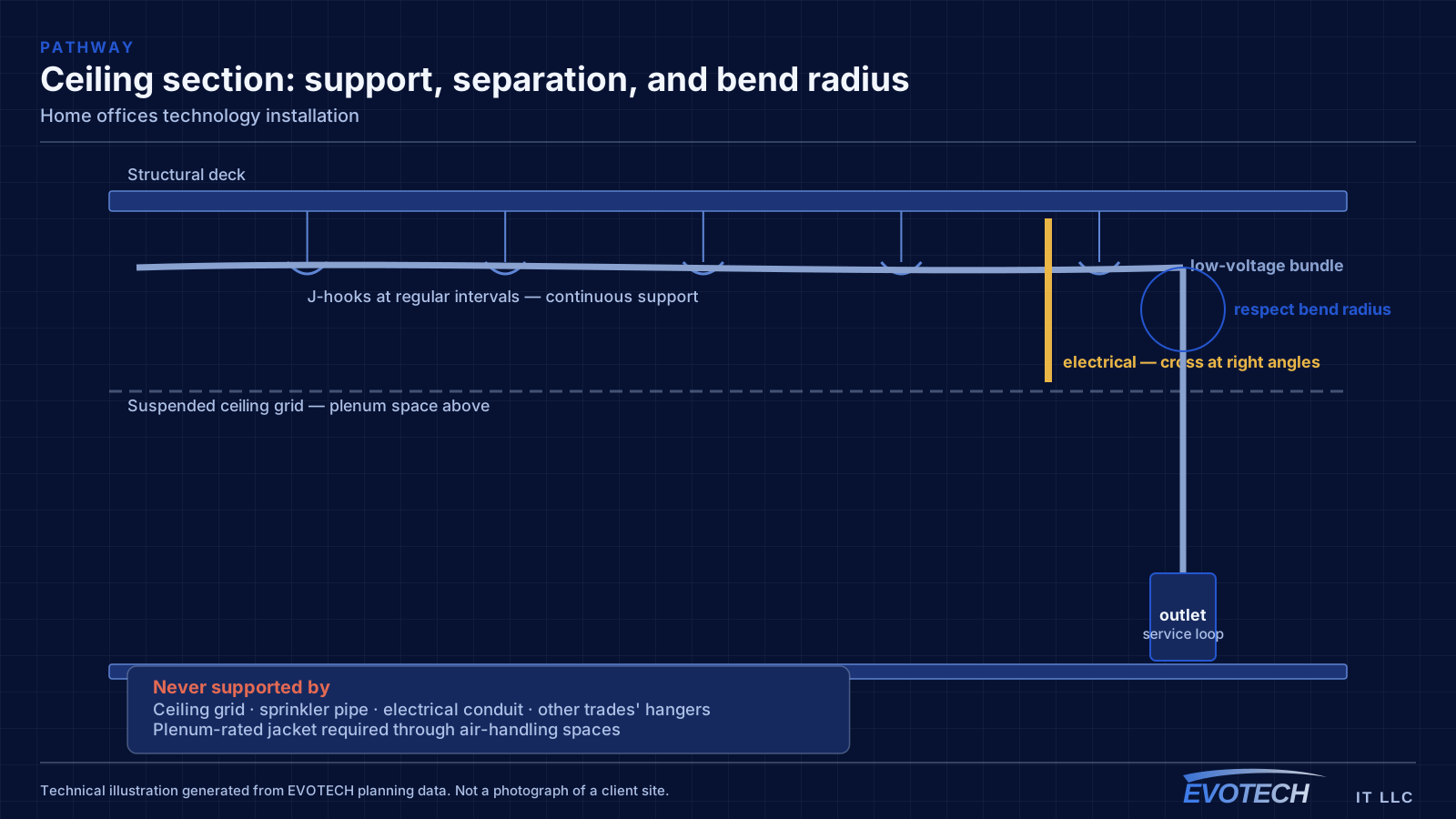
A wired connection to the desk eliminates the variables that cause most home-office call problems: signal strength, interference from neighbouring networks, and contention with household devices for airtime. In slab-foundation construction the run typically goes up into the attic and down an interior wall, which is why the destination wall matters more than the distance.
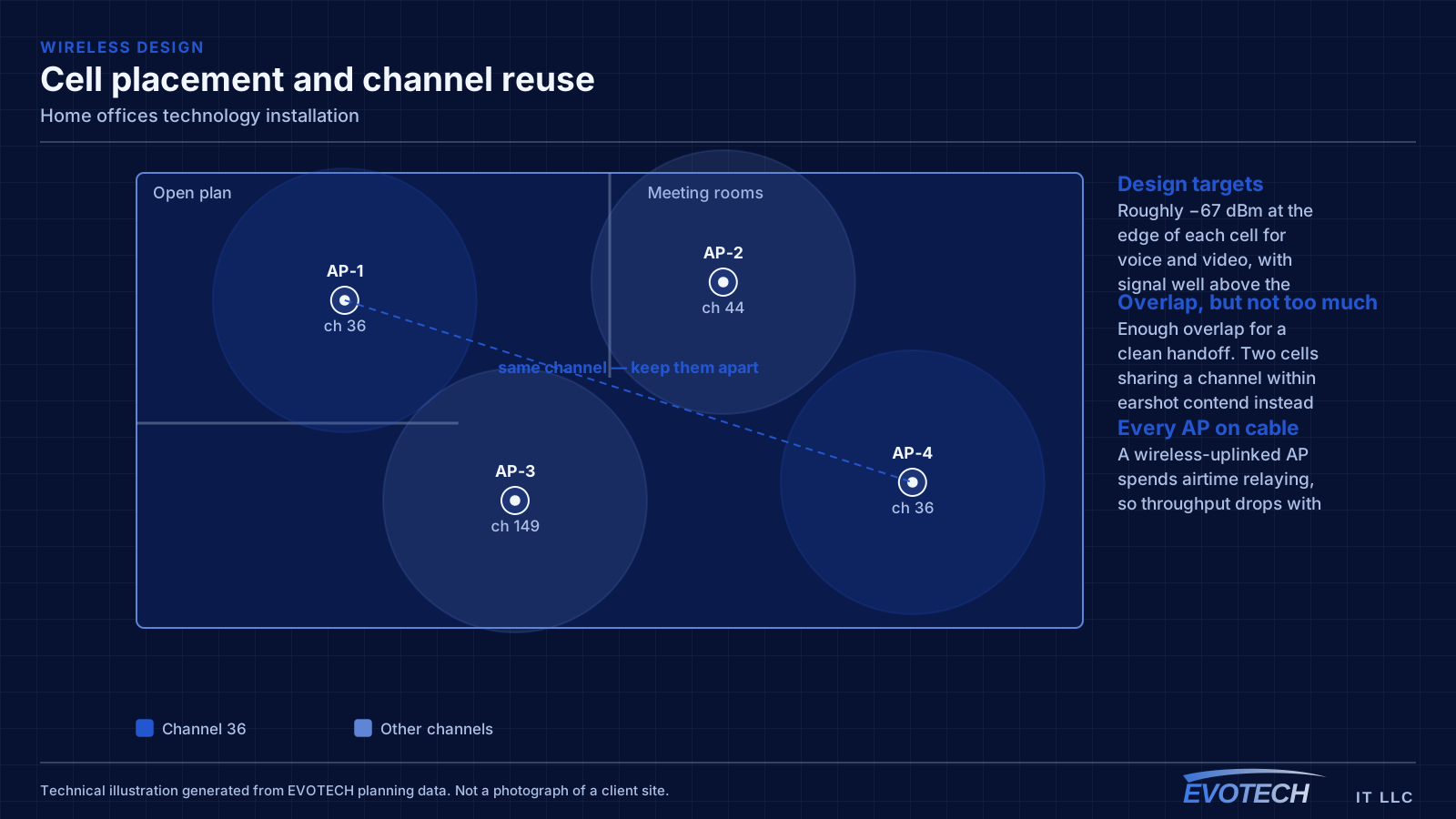
Where the office must stay wireless, the fix is placement rather than power. An access point in the hallway near the office, mounted on the ceiling and connected by cable, serves the room far better than a more powerful router at the other end of the house. Turning up transmit power on a distant router mostly raises interference.
Separation is worth doing even at home. A separate network for work equipment, distinct from household devices and from guests, limits what a compromised household device can reach. This is straightforward on most current equipment and costs nothing but configuration.
- Wired run to the desk as the highest-value single change
- Access point placed near the office rather than more power from a distant router
- Attic-to-interior-wall routing in slab-foundation homes
- Separate network segment for work equipment
- Stationary household devices wired to free up airtime
Related residential work
Home office projects frequently expand slightly, because the same attic access and the same equipment position serve other things. A doorbell run, a camera at the driveway approach, a wired connection to a television, and an access point for the upstairs are all much cheaper done in the same visit than separately.
The equipment position is the common dependency. Somewhere with power, ventilation, and access — a closet shelf or a small wall cabinet — serves the office network, any cameras, and the doorbell, and getting it right once avoids revisiting it three times.
- Doorbell and driveway camera runs sharing the same attic access
- Television and media positions wired at the same time
- Upstairs access point added while the pathway is open
- A single equipment position serving all of it
- Spare runs terminated for future use
Working in an occupied house
Residential work happens in an occupied home, which means dust control, furniture protection, and leaving each area clean at the end of the day. Attic work in this region is constrained by heat and is generally scheduled early in the day during summer months.
Finish expectations are higher than in commercial work. A cable route that involves any drywall access needs a clear conversation about patching and paint before the first cut, not after.
- Dust control and furniture protection in occupied rooms
- Attic work scheduled early during summer months
- Drywall access, patching, and paint agreed before cutting
- Work sequenced so the household is not without connectivity overnight
- Equipment position agreed with the household, not just chosen for convenience
Explore everything in this section
All 76 pages under Home office connectivity that holds up during the working day.
- Cat6 cabling for home offices
- Data-jack installation for home offices
- Ethernet installation for home offices
- Fiber-optic cabling for home offices
- Fireplace TV mounting for home offices
- Floodlight camera installation for home offices
- Gate & license-plate cameras for home offices
- Home theater installation for home offices
- In-wall cable concealment for home offices
- Intercom installation for home offices
- Low-voltage installation for home offices
- Network cabling for home offices
- Network troubleshooting for home offices
- NVR installation for home offices
- Outdoor & patio speakers for home offices
- Outdoor TV installation for home offices
- PoE camera installation for home offices
- Projector & screen installation for home offices
- Residential Wi-Fi for home offices
- Samsung Frame TV installation for home offices
- Security-camera installation for home offices
- Smart home & smart locks for home offices
- Soundbar mounting for home offices
- Technology for home offices in Atascocita and Eagle Springs
- Technology for home offices in Baytown
- Technology for home offices in Bellaire
- Technology for home offices in Brookshire
- Technology for home offices in Cypress
- Technology for home offices in EaDo (East Downtown)
- Technology for home offices in east Kingwood
- Technology for home offices in First Colony and Riverstone
- Technology for home offices in Friendswood
- Technology for home offices in Fulshear
- Technology for home offices in Kingwood
- Technology for home offices in Memorial and Bunker Hill
- Technology for home offices in Meyerland
- Technology for home offices in Midtown and the Museum District
- Technology for home offices in Missouri City
- Technology for home offices in Montrose
- Technology for home offices in Oak Forest and Garden Oaks
- Technology for home offices in Old Katy and Cane Island
- Technology for home offices in Pasadena
- Technology for home offices in Richmond
- Technology for home offices in River Oaks
- Technology for home offices in Rosenberg
- Technology for home offices in Sharpstown
- Technology for home offices in south Kingwood
- Technology for home offices in Spring Branch
- Technology for home offices in Stafford
- Technology for home offices in Sugar Creek and old Sugar Land
- Technology for home offices in the 77338 Humble area
- Technology for home offices in the 77505 southeast Pasadena area
- Technology for home offices in the Aliana and Harvest Green area
- Technology for home offices in the Braeswood area
- Technology for home offices in the Champions area
- Technology for home offices in the Coles Crossing area of Cypress
- Technology for home offices in the Grand Central Park area of Conroe
- Technology for home offices in The Heights
- Technology for home offices in the Kelliwood and Nottingham Country area
- Technology for home offices in the Klein area
- Technology for home offices in the Lake Conroe side of Conroe
- Technology for home offices in the Pecan Grove and west Richmond area
- Technology for home offices in the Rose Hill and Tomball area
- Technology for home offices in the Shepherd Park and west Oak Forest area
- Technology for home offices in the Spring Valley area
- Technology for home offices in the Sterling Ridge and Alden Bridge villages
- Technology for home offices in Tomball
- Technology for home offices in Webster
- Technology for home offices in West University Place
- Technology for home offices in Woodland Heights and Near Northside
- TV mounting for home offices
- Ubiquiti UniFi installation for home offices
- Video-doorbell installation for home offices
- Whole-home & multi-zone audio for home offices
- Wi-Fi installation for home offices
- Wireless bridge (point-to-point) for home offices
Frequently asked questions
Why do work calls degrade in the afternoon?
Usually contention. Household demand rises when people are home, and if the office is on wireless it competes both for the internet circuit and for airtime on the same radio channel. A wired connection to the desk removes the airtime half of that immediately, which is why it is the first thing worth doing.
Is a faster internet plan the answer?
Only if the circuit is genuinely saturated. If the problem is weak wireless signal in a far corner of the house or airtime contention with household devices, a faster plan changes nothing, because the bottleneck is between the office and the router rather than between the router and the internet. Measuring both distinguishes them quickly.
Can one cable to the desk really make that much difference?
For the machine doing video calls, yes. It removes signal variability, interference from neighbouring networks, and competition for airtime in one step. It is usually a single run from the equipment position up through the attic and down an interior wall, and it is the most reliable improvement available in most homes.
Should work devices be on a separate network at home?
It is worth doing and costs nothing but configuration on most current equipment. A separate segment means a compromised household or guest device cannot reach work equipment. It also makes troubleshooting simpler, because work traffic and household traffic are visibly distinct.