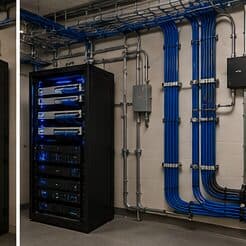
The building changes its own radio environment
A warehouse surveyed empty and a warehouse full of stock are different radio environments. Metal racking reflects, palletised inventory absorbs, and coverage that measured well across an open floor can disappear once the aisles fill. Any design based on an empty-building survey should be treated as provisional.
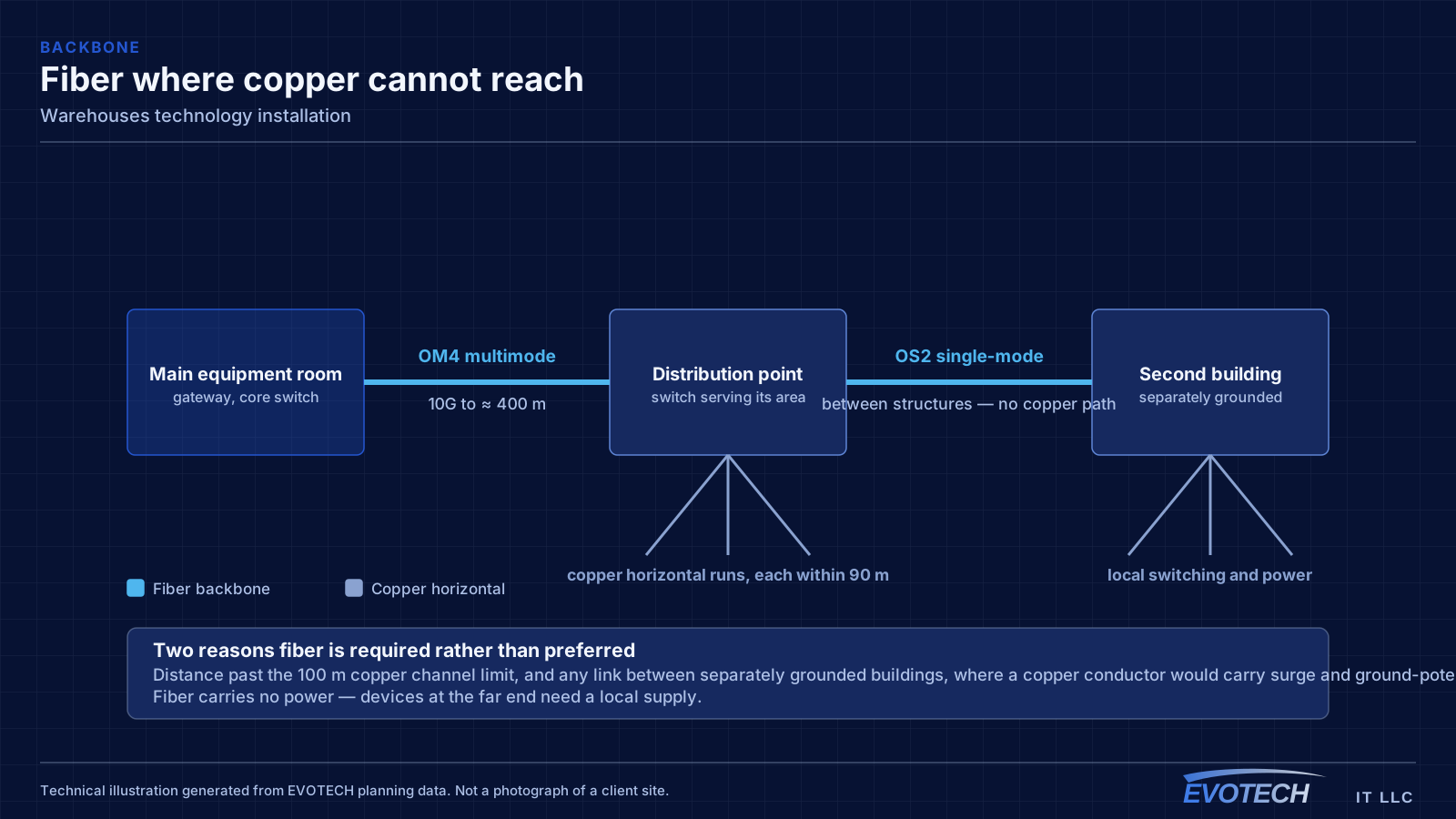
The second defining feature is distance. Warehouse footprints regularly exceed what a single equipment room can serve within the 100-metre copper limit, which means either intermediate equipment positions connected by fiber or a deliberately distributed design.
- Racking and stock materially change coverage after the survey
- Distances frequently exceed the 100 m copper channel limit
- High ceilings complicate mounting, access, and coverage geometry
- Dock doors, yard, and office areas each have distinct requirements
Cover the aisles, reach the far end, watch the docks
Warehouse projects come down to three things: wireless that works down the aisles with stock in place, a network topology that reaches the far end of the building properly, and camera coverage at the points where goods and vehicles move.
Office areas within the warehouse are comparatively ordinary and are usually the easiest part of the project.
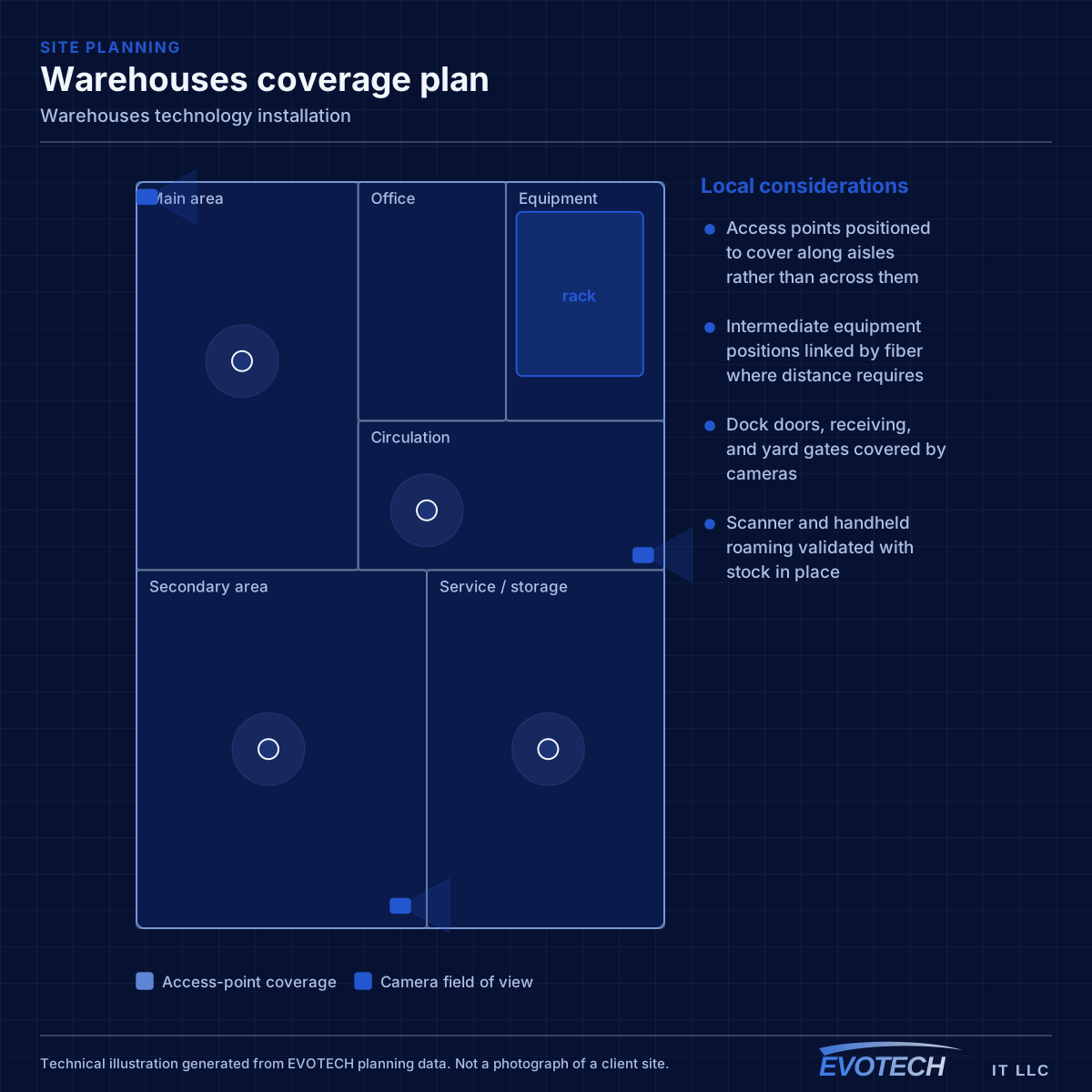
- Access points positioned to cover along aisles rather than across them
- Intermediate equipment positions linked by fiber where distance requires
- Dock doors, receiving, and yard gates covered by cameras
- Scanner and handheld roaming validated with stock in place
- Equipment protected from dust and temperature in unconditioned areas
Topology, mounting height, and roaming for handhelds
Where a building exceeds copper reach from a single position, the usual answer is one or more intermediate distribution points fed by fiber, each serving its area with copper within the limit. This is standard structured-cabling practice and it is far more reliable than attempting to stretch copper or bridge wirelessly across the building.
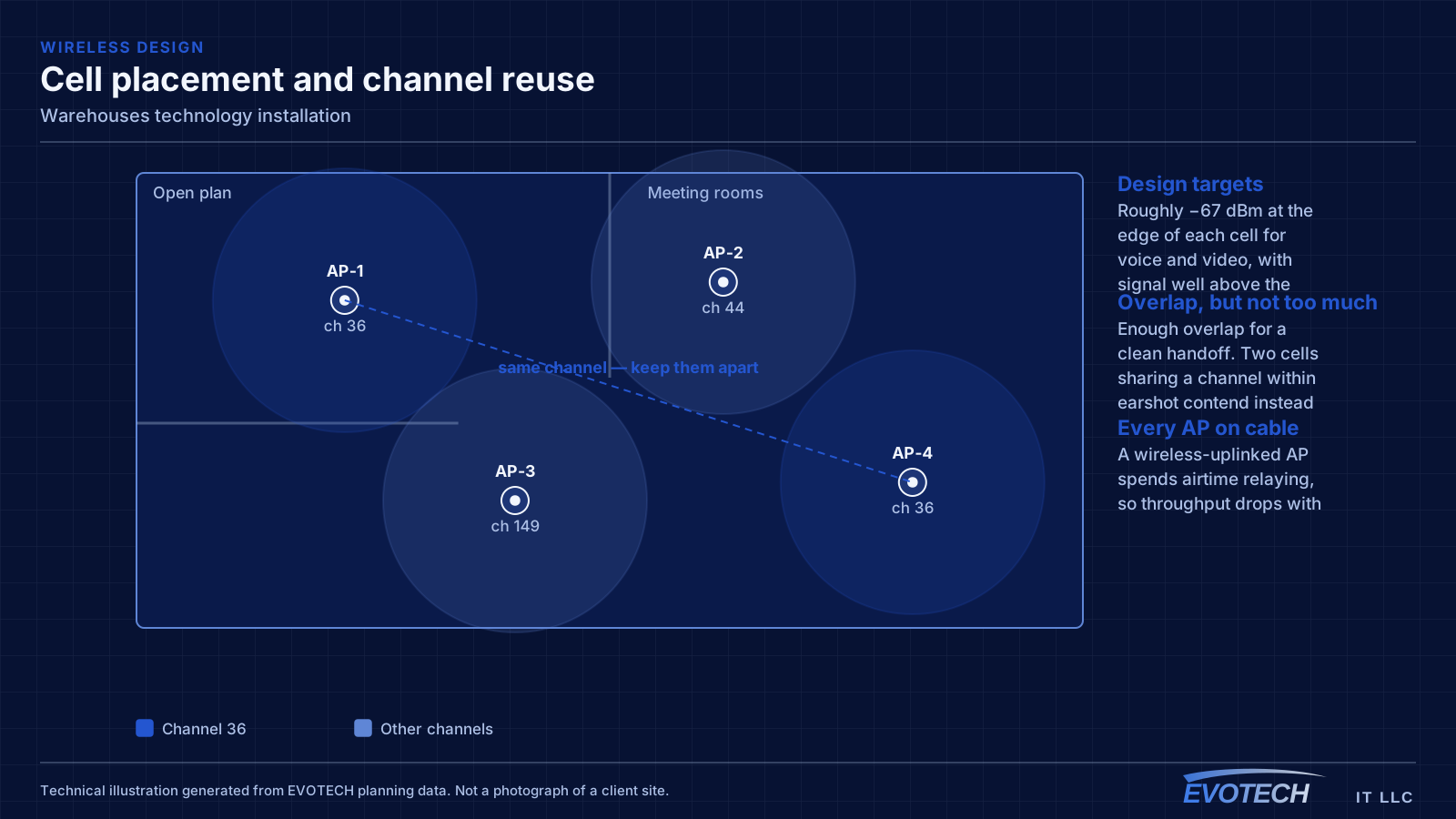
Access-point mounting height is a genuine design decision in high-ceiling spaces, not a default. Mounting at the roof deck maximises line of sight but puts the access point far from the devices and often above the racking, where the signal has to travel down through stock. Mounting lower — at or just above racking height, aimed along the aisles — frequently produces better coverage where the scanners actually are.
Roaming matters because the primary clients are mobile. A forklift-mounted or handheld scanner moving down an aisle needs clean handoffs between cells. That is a function of overlap and channel planning, and it is best validated by walking the aisles with the racking loaded.
- Fiber to intermediate distribution points where distance exceeds copper limits
- Mounting height chosen deliberately rather than defaulting to the roof deck
- Coverage designed along aisles, with directional antennas where useful
- Roaming validated by walking loaded aisles, not an empty floor
- Office, operations, and building-system traffic segmented
Docks, yard, and inventory movement
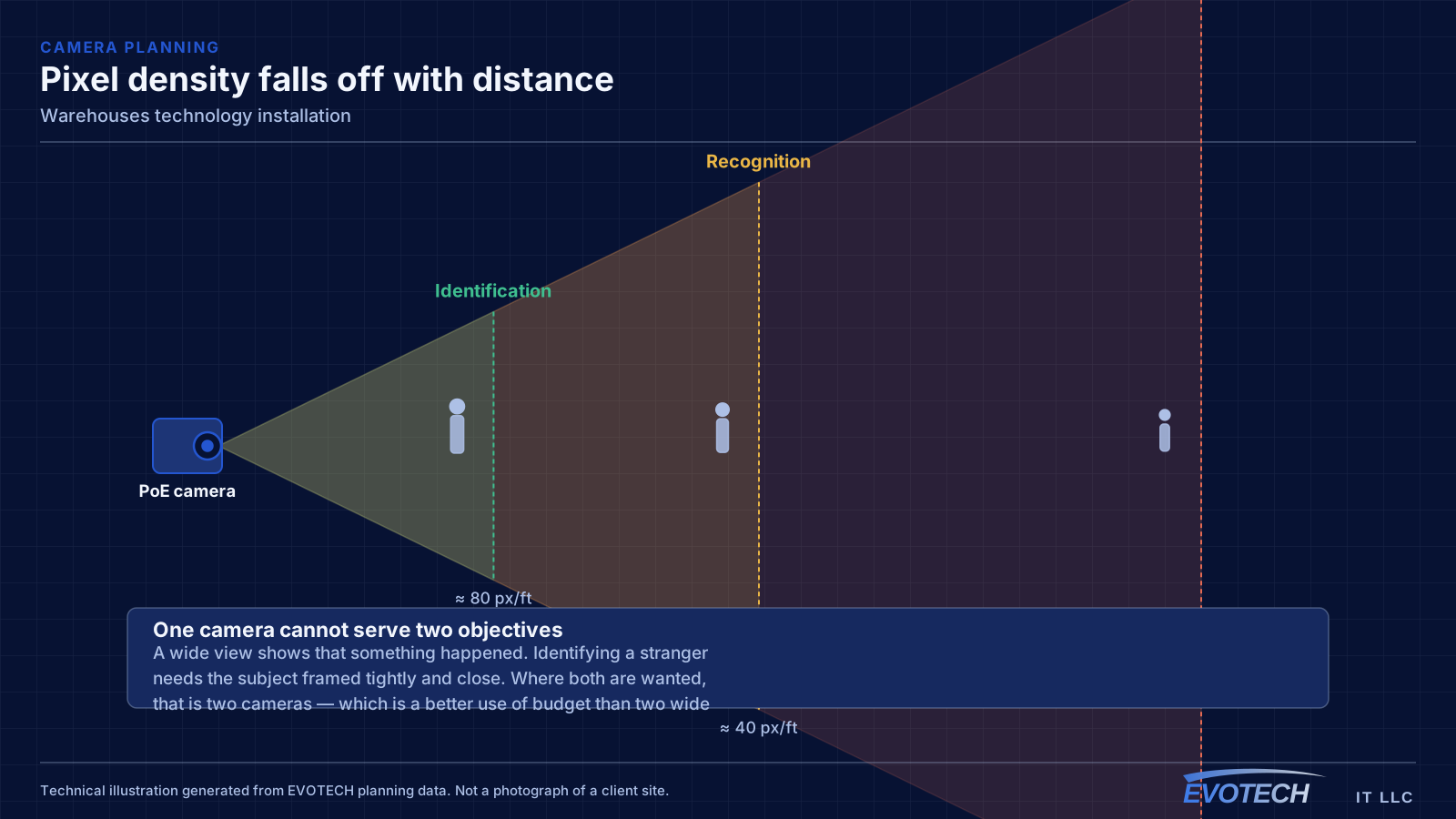
Warehouse camera coverage concentrates where goods and vehicles move: dock doors, receiving and shipping areas, yard gates, and the boundary between operational and office space. These views answer the questions warehouse footage is actually asked — what arrived, what left, and when.
Dock doors present a specific lighting challenge. A camera facing an open dock door in daylight is looking at a bright rectangle with a dark interior, which is the worst case for dynamic range. Positioning so the camera views along the dock rather than straight into the opening, or accepting a camera specifically chosen for high contrast, addresses it.
Yard and perimeter coverage runs into distance and power. Positions beyond copper reach need fiber and local power, or a designed wireless link — and either way, the power question has to be answered before the camera is specified.
- Dock doors, receiving, and shipping framed for vehicle and goods movement
- Camera positions that avoid shooting straight into a bright dock opening
- Yard gates and perimeter, with the power and distance question resolved first
- Boundary between operational and office areas
- Retention long enough to cover inventory reconciliation cycles
Height, forklifts, and unconditioned space
High-level work needs lift access, and lift access needs floor space clear of racking, stock, and traffic. Coordinating that with warehouse operations is usually the single biggest scheduling constraint, and it is why warehouse installs often happen during shutdowns or quieter shifts.
Environmental conditions matter for equipment placement. Much of a warehouse is unconditioned, and equipment placed in that environment is subject to summer temperatures and dust. Enclosures, filtration, or siting equipment in a conditioned office area are the usual responses.
- Lift access requiring clear floor space coordinated with operations
- Work often scheduled during shutdowns or quieter shifts
- Equipment sited in conditioned space or protected enclosures
- Dust protection for anything in the operational area
- Cable pathways kept clear of forklift and racking impact zones
Explore everything in this section
All 39 pages under Warehouse networks, aisle coverage, and dock-area cameras.
- Access-control installation for warehouses
- Business phone & VoIP for warehouses
- Cat6 cabling for warehouses
- Cat6A cabling for warehouses
- Commercial IT solutions for warehouses
- Commercial Wi-Fi for warehouses
- Conference-room AV for warehouses
- Data-jack installation for warehouses
- Digital signage for warehouses
- Ethernet installation for warehouses
- Fiber-optic cabling for warehouses
- Floodlight camera installation for warehouses
- Gate & license-plate cameras for warehouses
- In-wall cable concealment for warehouses
- Intercom installation for warehouses
- Low-voltage installation for warehouses
- Network cabling for warehouses
- Network troubleshooting for warehouses
- Network-rack installation for warehouses
- NVR installation for warehouses
- Outdoor & patio speakers for warehouses
- Paging & PA systems for warehouses
- PoE camera installation for warehouses
- Projector & screen installation for warehouses
- Security-camera installation for warehouses
- Soundbar mounting for warehouses
- Technology for warehouses in Brookshire
- Technology for warehouses in EaDo (East Downtown)
- Technology for warehouses in Katy
- Technology for warehouses in Pasadena
- Technology for warehouses in Richmond
- Technology for warehouses in the 77505 southeast Pasadena area
- Technology for warehouses in the Galleria and Uptown
- Technology for warehouses in the Westchase District
- TV mounting for warehouses
- Ubiquiti UniFi installation for warehouses
- Video wall installation for warehouses
- Wi-Fi installation for warehouses
- Wireless bridge (point-to-point) for warehouses
Frequently asked questions
Why did warehouse Wi-Fi get worse after the racking was stocked?
Because the stock changed the radio environment. Metal racking reflects and palletised goods absorb, so coverage measured across an open floor no longer applies. This is why warehouse designs should assume loaded conditions and why validation should happen with the aisles full.
Do access points go on the roof deck?
Not automatically. Roof-deck mounting is convenient but puts the access point far above the devices and often above the racking, forcing the signal down through stock. Mounting at or near racking height and covering along the aisles frequently works better for handheld and forklift-mounted scanners.
How do you network the far end of a large building?
With intermediate distribution points fed by fiber. Once a device location exceeds the 100-metre copper channel limit there is no compliant copper answer, and a secondary equipment position serving its own area with copper is both standard practice and more reliable than any attempt to stretch the run.
What is the hardest part of warehouse camera coverage?
Dock doors, because of contrast. A camera facing an open door in daylight sees a bright rectangle and a dark interior. Positioning to view along the dock rather than into it, and choosing cameras for the contrast range, produce far better footage than adjusting settings on a poorly placed camera.