The short version
A video doorbell is a small camera with a doorbell button, and the three things that make it work well are adequate power, a sensible viewing angle, and a solid network connection at the door. Existing doorbell wiring often provides power, but many older transformers were sized for a mechanical chime and do not supply enough for a camera that streams and records.
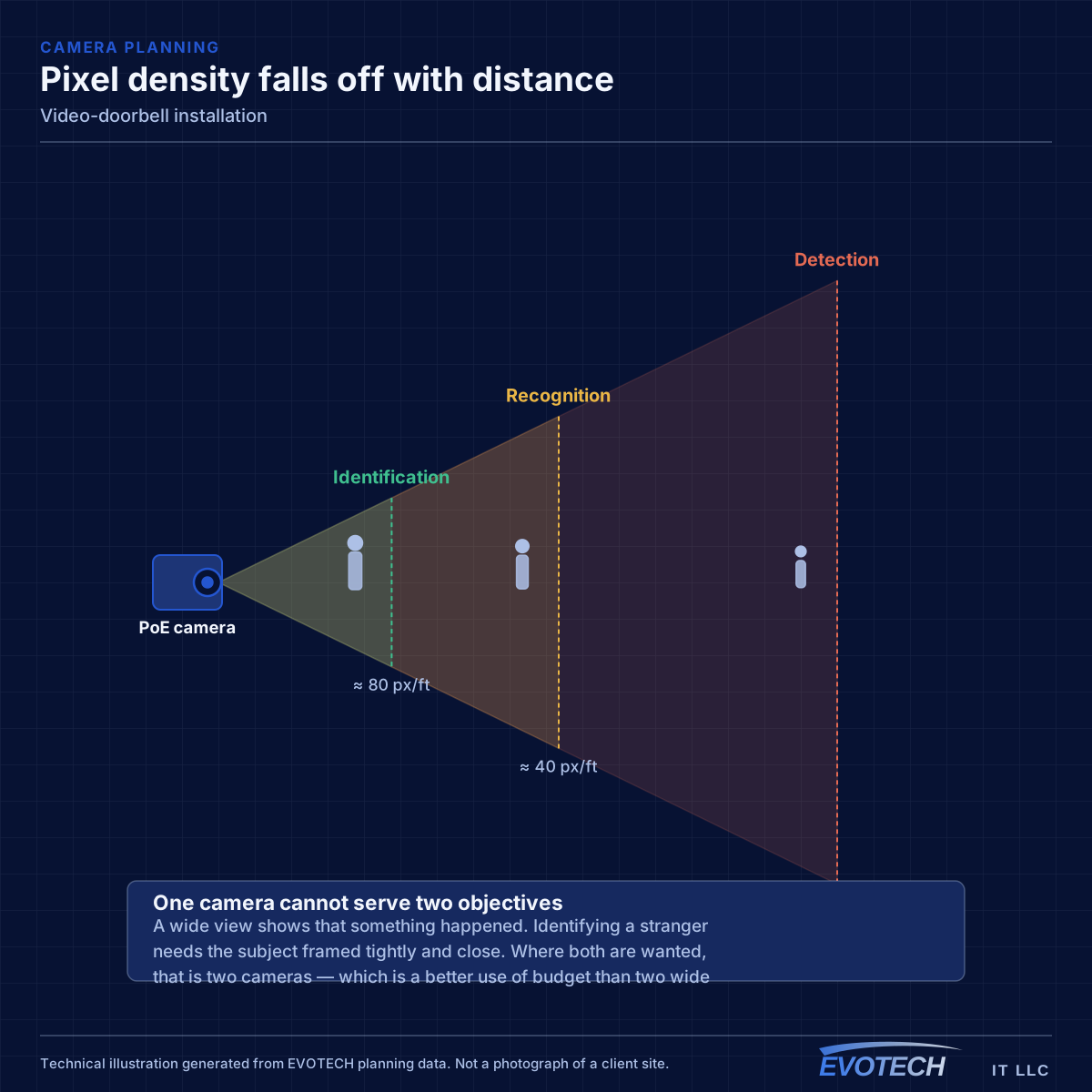
The other two are physical. A doorbell mounted at standard button height sees a close-up of a visitor's chest rather than their face, and one mounted around a corner or behind a column watches the wall. Mounting height and angle — with a wedge or angled bracket where the approach is off to one side — is what turns an installed doorbell into a useful one.
What tends to go wrong
The most common failure is a doorbell that works intermittently, drops its video, or reboots when someone presses the button. That pattern almost always indicates insufficient power — either a transformer below the required rating or a chime configuration the device cannot work with.
The second is wireless. The front door is frequently the furthest point from the router, often through an exterior wall and sometimes behind brick veneer. A device with a marginal connection produces delayed notifications and choppy video, and no amount of doorbell configuration fixes a signal problem.
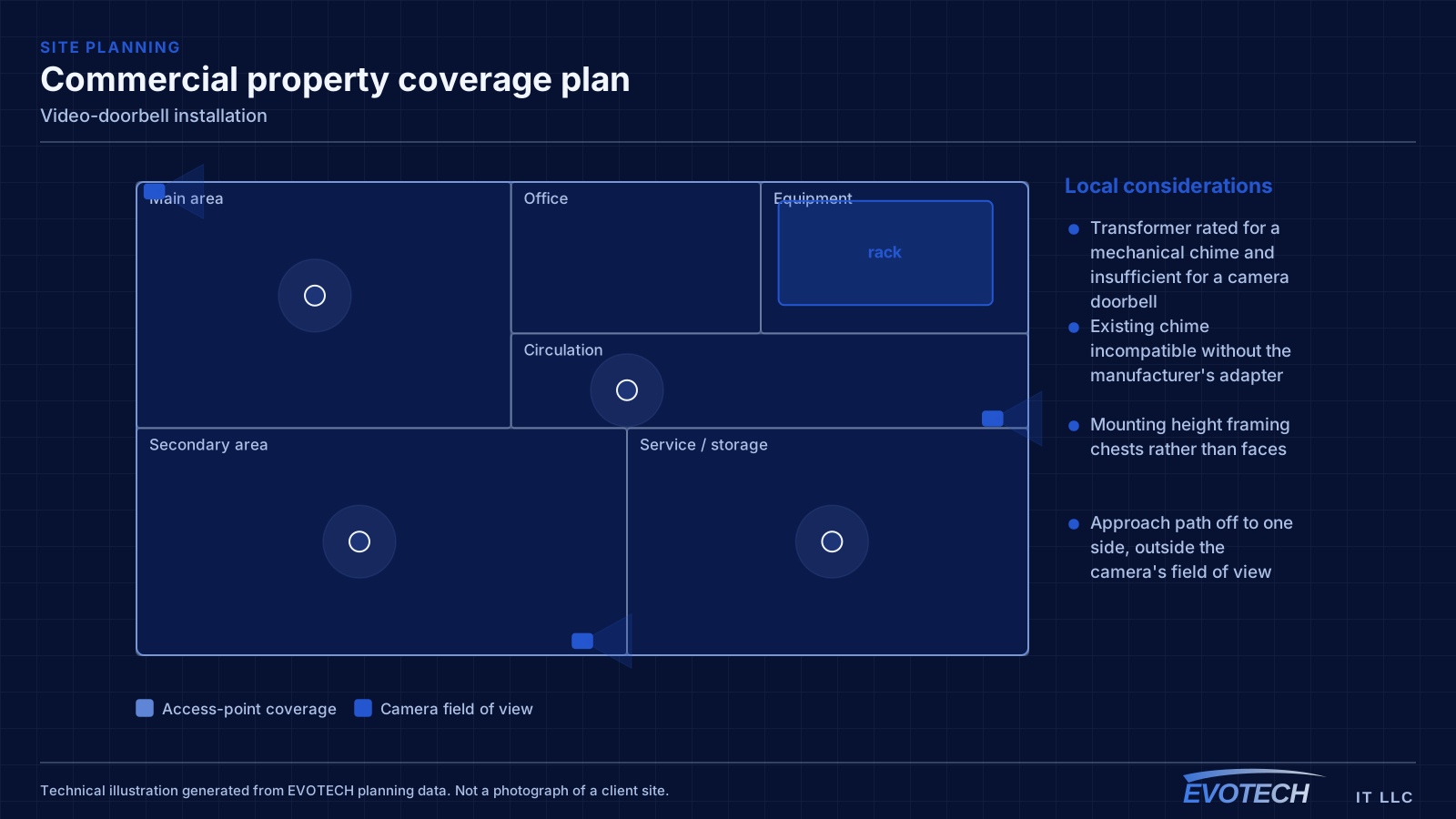
- Transformer rated for a mechanical chime and insufficient for a camera doorbell
- Existing chime incompatible without the manufacturer's adapter
- Mounting height framing chests rather than faces
- Approach path off to one side, outside the camera's field of view
- Weak wireless signal at the door causing delays and dropped clips
- Direct sun or a bright background silhouetting visitors at certain times of day
Transformer capacity, chime handling, and mounting angle
Camera doorbells specify a voltage and minimum VA rating for their transformer. Many houses have transformers sized only for a mechanical chime, which is a much smaller load. When the supply is marginal the device may appear to work and then fail when the camera and radio draw peak current — typically at the moment the button is pressed. Replacing the transformer with one meeting the device specification resolves a large share of these cases.
The chime itself needs handling. Mechanical chimes generally require the manufacturer's bypass module or an equivalent arrangement so the doorbell circuit behaves correctly. Digital chimes have their own requirements. Where the existing chime is not compatible or not wanted, a wireless chime plus notifications is a reasonable alternative, but it should be a decision rather than a discovery.
Mounting is where the useful footage is won. Standard button height puts the lens roughly at torso level for an adult standing close. Mounting higher, or using an angled wedge to aim toward the approach path, produces recognisable faces. Where the visitor approaches from one side — common on porches and recessed entries — an angled bracket is what brings them into frame at all.
- Transformer must meet the device's voltage and VA specification
- Mechanical chimes generally need the manufacturer's bypass module
- Mount for the approach path, not just for button convenience
- Angled wedges for side approaches and recessed entries
- Verify wireless signal strength at the door before finalising the position
- Consider sun direction and bright backgrounds at the times that matter
How the work runs
The install is short; the checks beforehand are what make it work.
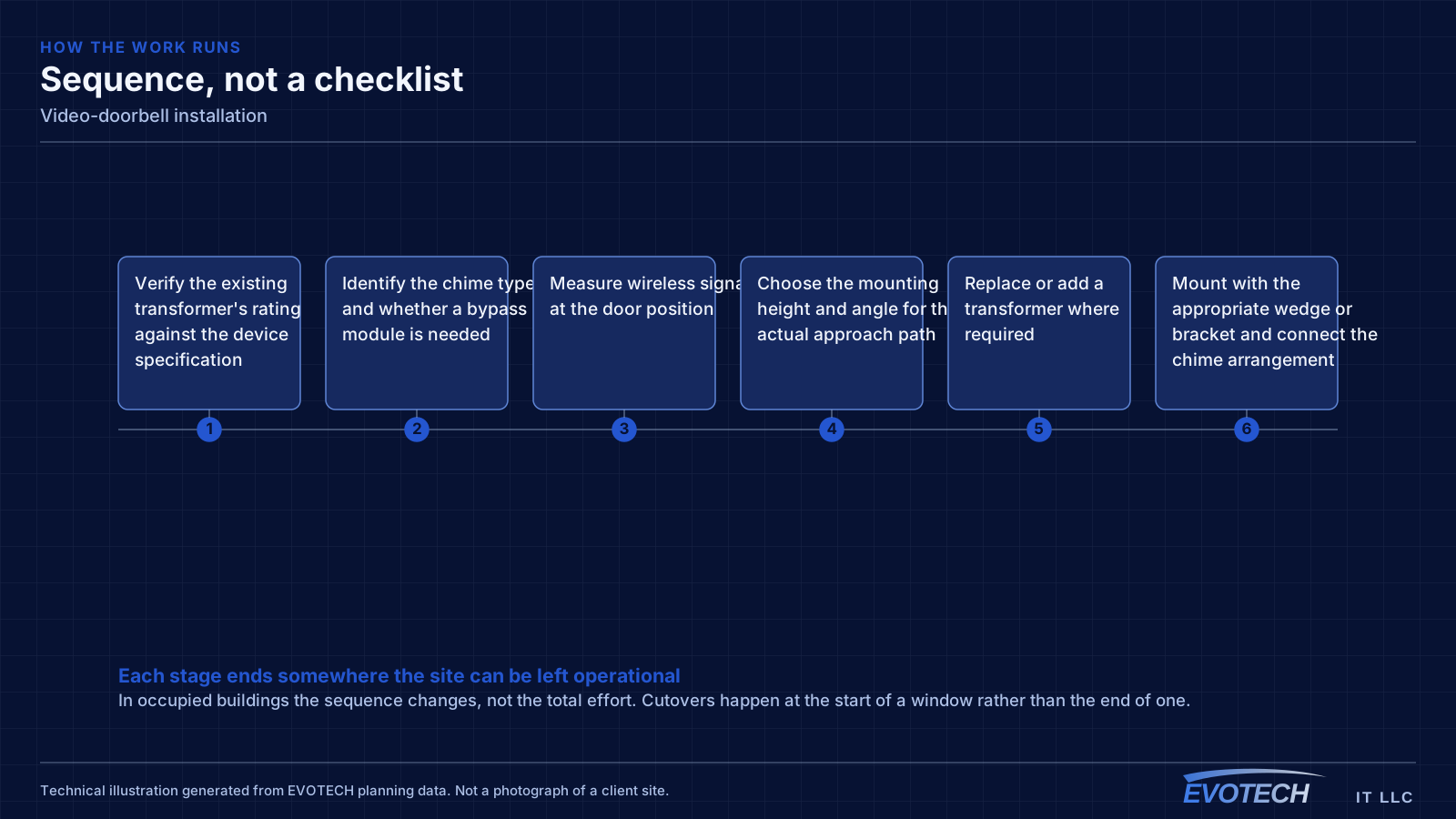
- Verify the existing transformer's rating against the device specification
- Identify the chime type and whether a bypass module is needed
- Measure wireless signal at the door position
- Choose the mounting height and angle for the actual approach path
- Replace or add a transformer where required
- Mount with the appropriate wedge or bracket and connect the chime arrangement
- Configure the device, motion zones, and notifications
- Review captured footage at different times of day and adjust angle or zones
Testing and verification
Verification is about the recording and the notification path, not just the button working.
- Confirm the button triggers the chime arrangement reliably
- Review footage for face-height framing on the actual approach
- Check daytime backlighting and night-time illumination
- Verify notification delivery time on a phone away from the property
- Confirm wireless signal strength at the installed position
- Tune motion zones to avoid constant street or sidewalk triggering
Who this work is for
The requests are usually simple, and the complications are usually electrical or wireless.
- Homes replacing a mechanical doorbell with a camera doorbell
- Properties where the existing transformer cannot support a camera doorbell
- Entries where the approach angle means the standard mounting position does not work
- Front doors at the far edge of the house's wireless coverage
- Households adding a doorbell alongside a wider camera system
What changes the scope
Small job, several possible complications.
- Existing transformer rating and its accessibility
- Chime type and compatibility
- Wireless coverage at the door and whether an access point needs adding
- Mounting surface: wood trim, brick, stone, stucco, or fiber cement
- Approach geometry and whether an angled mount is needed
- Whether the doorbell joins a wider camera system
Common mistakes
Doorbell installs go wrong in a small number of consistent ways.
- Fitting the device to an under-rated transformer and chasing intermittent faults
- Mounting at button height and getting torso footage
- Ignoring an off-centre approach path that leaves visitors out of frame
- Not checking wireless signal at the door before mounting
- Leaving motion zones at default so the street triggers constant alerts
- Drilling into brick or stone without the right anchors and creating a leak path
What drives the cost
The doorbell is rarely the biggest line item.
- Whether the transformer needs replacing and how accessible it is
- Chime adapter or wireless chime requirements
- Whether wireless coverage at the door needs improving
- Mounting surface and hardware, including angled brackets
- Any cable run required if a wired network connection is preferred
Honest limitations
These are the boundaries of what this service can do, stated up front rather than discovered later.
- Video doorbells depend on wireless coverage at the door; where signal is inadequate, that has to be addressed separately.
- Cloud recording and notification features depend on the manufacturer's service and any associated subscription.
- A doorbell covers the door approach. It is not a substitute for a designed camera system covering a property.
- Recording law and notice requirements vary by situation and are the property owner's responsibility to confirm.
Frequently asked questions
Why does the doorbell keep going offline or restarting?
Most often the transformer. Many houses have a transformer sized for a mechanical chime, which is a much smaller load than a camera doorbell. The device appears to work until it draws peak current — usually at the button press — and then drops. Confirming the transformer meets the device's stated voltage and VA rating resolves a large share of these cases.
Can a video doorbell use the existing chime?
Usually, with the manufacturer's bypass module for a mechanical chime. Digital chimes have their own requirements and some are not supported at all. Where the existing chime cannot be used, a wireless chime plus phone notifications works — it is just better to know that before the old chime is disconnected.
Why does the footage show visitors from the chest down?
Mounting height. A doorbell at standard button height sits below face level for most adults standing close to the door. Mounting higher, or fitting an angled wedge to tilt the lens, brings faces into frame. On porches where people approach from one side, a horizontal wedge is what gets them in shot at all.
Does a video doorbell need strong Wi-Fi?
Yes, and the front door is often the weakest spot in a house's coverage — furthest from the router, through an exterior wall, sometimes behind brick. Marginal signal shows up as delayed notifications and choppy clips. Measuring signal at the door before mounting is a two-minute check that prevents a frustrating outcome.