The short version
A PoE camera takes its power from the same Ethernet cable that carries its video, which removes the need for a local outlet at every mounting position. That is the entire practical appeal: one run per camera, no electrician at each soffit, and centralised power that can sit behind a UPS so the cameras stay up during a short outage.
The design consequence is that the switch is now a power supply. Each camera draws a certain class of power, and the total across every powered device has to fit within the switch's PoE budget with room to spare. A switch with enough ports but not enough watts produces intermittent camera reboots that look like network faults.
Who this work is for
PoE is the default for networked camera work now, and it shows up wherever a camera position lacks convenient power.
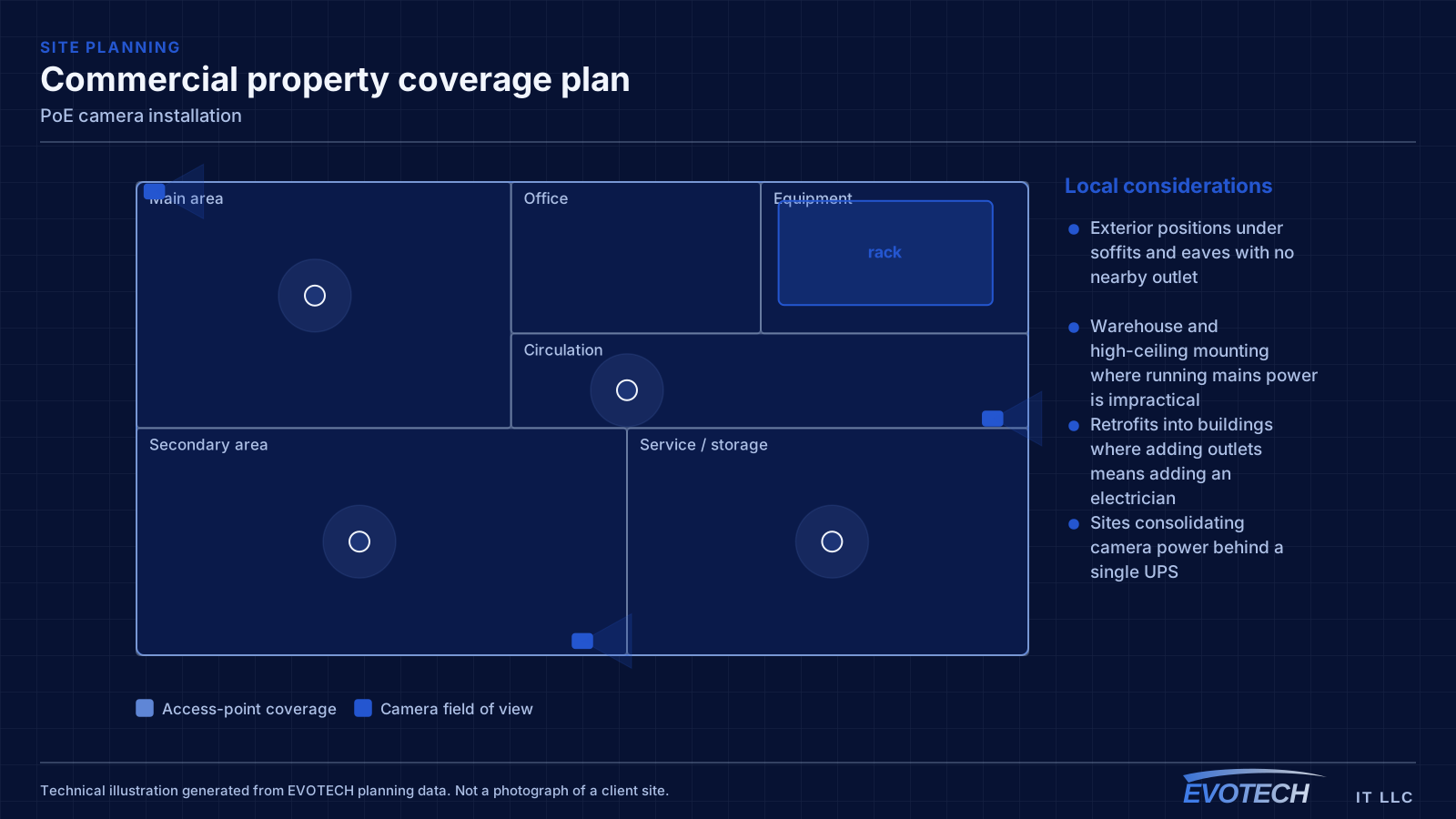
- Exterior positions under soffits and eaves with no nearby outlet
- Warehouse and high-ceiling mounting where running mains power is impractical
- Retrofits into buildings where adding outlets means adding an electrician
- Sites consolidating camera power behind a single UPS
- Camera systems being added to an existing structured cabling installation
What tends to go wrong
The characteristic PoE problem is a camera that reboots under specific conditions — usually at night when its infrared illuminator switches on and its draw rises. If the switch is near its budget, the additional load pushes it over and devices drop. Because it happens after dark, it often gets reported as an intermittent network fault.
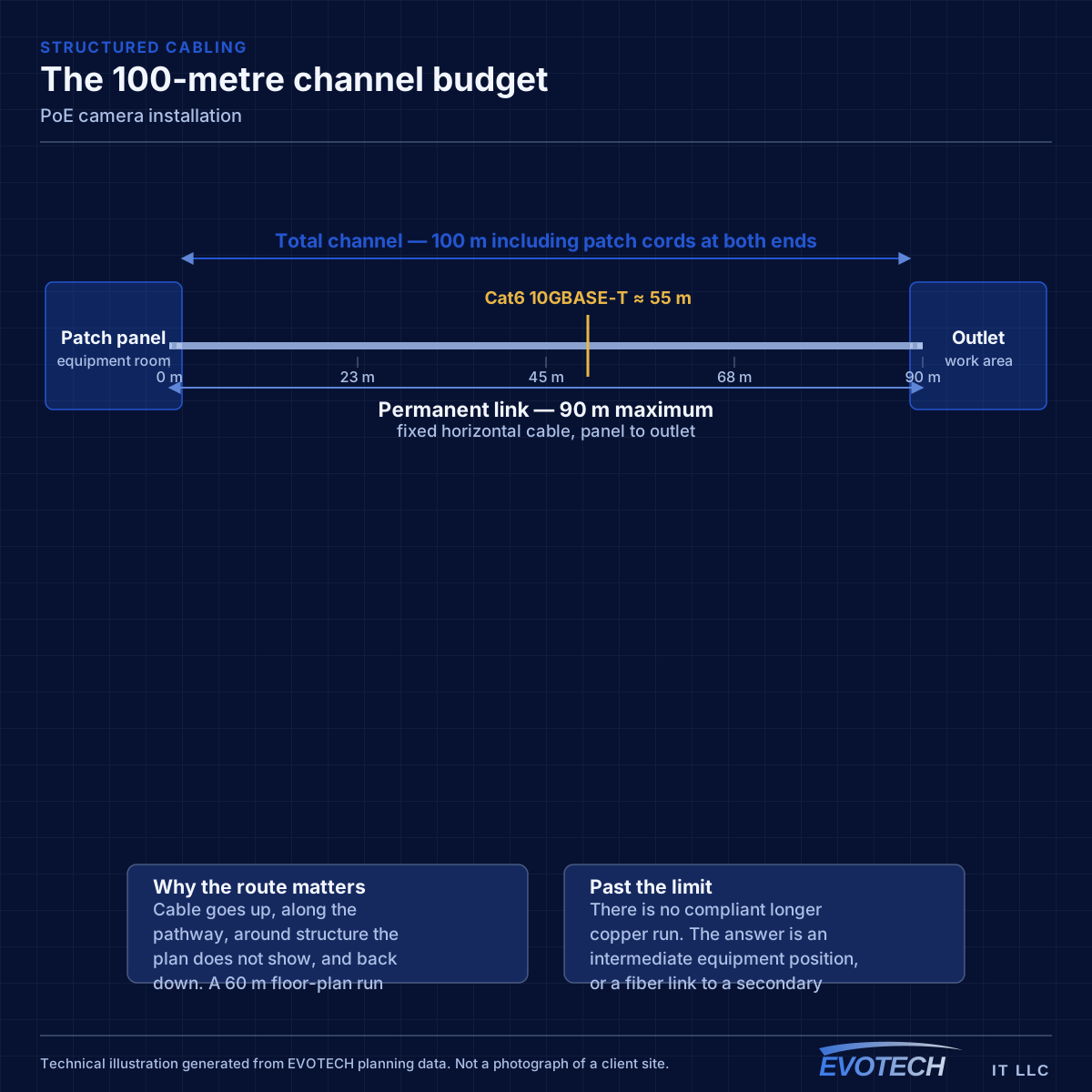
The second problem is distance. PoE inherits the same 100-metre channel limit as any Ethernet run, and voltage drop over long runs on thin conductors reduces the power actually reaching the camera. A run that works at 60 metres may be marginal at 95 with a high-draw device on the end.
- Switch PoE budget exceeded once illuminators or heaters engage at night
- Long runs delivering less power at the camera than the switch reports sending
- Higher-draw devices such as PTZ cameras and heated housings mis-budgeted
- Thin or copper-clad-aluminium cable increasing resistance and voltage drop
- Dense PoE bundles heating and raising insertion loss
- No UPS on the switch, so cameras drop with any brief power interruption
PoE classes, budget arithmetic, and distance
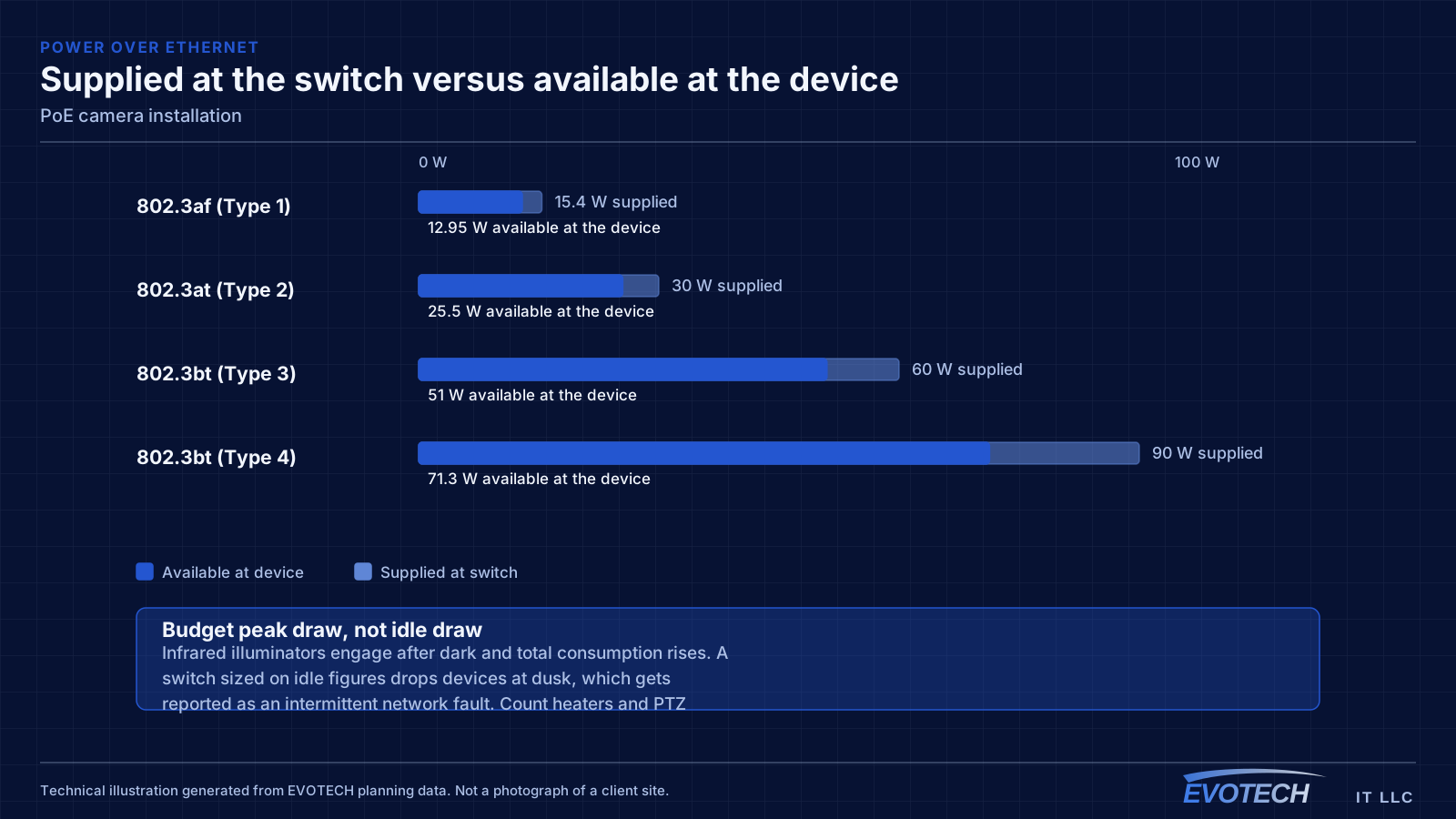
The standards define escalating power classes. Type 1 (802.3af) supplies up to about 15.4 W at the switch with roughly 12.95 W available at the device. Type 2 (802.3at) raises that to about 30 W supplied and 25.5 W available. Type 3 and Type 4 under 802.3bt reach roughly 60 W and 90 W supplied, with about 51 W and 71 W available respectively. The gap between supplied and available is the loss in the cable, and it grows with length and with thinner conductors.
Budgeting works from the switch side. Add the supplied-power figure for every device, include headroom for peak draw rather than idle draw, and confirm the total sits comfortably inside the switch's stated budget. A fixed camera might sit in the low single-digit watts idle and rise substantially with illumination; a pan-tilt-zoom unit with a heater is in another class entirely. Budgeting on idle figures is how the night-time reboot problem gets designed in.
Cable quality matters more here than on data-only runs, because current is flowing. Full-copper conductors of the correct gauge behave predictably; copper-clad aluminium has higher resistance and drops more voltage over the same distance. In a dense bundle of PoE runs the centre cables also run warmer, which raises resistance further — one reason bundle size appears in the design of large camera installations.
- 802.3af up to ~15.4 W supplied; 802.3at up to ~30 W; 802.3bt to ~60 W and ~90 W
- Budget on peak draw with illuminators, heaters, and motors engaged
- Same 100 m channel limit as any Ethernet run
- Full-copper conductors of correct gauge; avoid copper-clad aluminium on PoE runs
- Keep PoE bundles loose enough to shed heat
- Put the switch on a UPS so cameras survive short outages
How the work runs
PoE camera installation front-loads the power calculation, because it constrains the equipment choice.
- List every camera and its peak power class, not its idle draw
- Total the load and select a switch with genuine headroom
- Measure realistic cable distances to each camera position
- Confirm pathway and exterior penetration points for each run
- Pull cable, keeping PoE bundles loose and supported
- Terminate, mount, and power each camera, verifying draw as devices come up
- Verify night-time behaviour with illuminators active and all cameras powered
- Place the switch on a UPS and confirm runtime expectations
Testing and verification
The meaningful PoE test is under peak load after dark, because that is the condition that exposes budget problems.
- Confirm per-port power draw at the switch with every device connected
- Verify total consumption against the switch budget with illuminators active
- Check link speed and stability on the longest runs
- Confirm each camera survives a switch power cycle and comes back cleanly
- Verify UPS runtime with the full camera load
- Re-check after dark for reboots or dropouts
What changes the scope
Scope depends on the power profile as much as the camera count.
- Camera count and the class each one requires
- Whether any devices need higher-power classes for motors, heaters, or illuminators
- Cable distance to each position
- Switch selection and whether existing switching has budget available
- Exterior penetrations, junction boxes, and weather sealing
- UPS capacity for the desired runtime
- Access requirements for elevated mounting
What drives the cost
The power design and the cable routes dominate.
- Camera count and their power classes
- Switch capacity, both ports and PoE budget
- Cable run count, length, and route difficulty
- Exterior mounting hardware and weather sealing
- UPS sizing
- Elevated access requirements
Common mistakes
PoE mistakes are almost always arithmetic mistakes made early.
- Sizing the switch on port count and ignoring the PoE budget
- Budgeting idle draw and being surprised by the night-time load
- Using copper-clad aluminium cable on long PoE runs
- Tightly bundling many high-power runs with no thought to heat
- Leaving the switch off a UPS so a brief flicker takes the whole system down
- Assuming a mid-span injector solves a budget problem it does not address
Honest limitations
These are the boundaries of what this service can do, stated up front rather than discovered later.
- PoE does not extend the 100-metre Ethernet channel limit; longer positions need an intermediate powered location or fiber plus local power.
- Available power at the device is always less than supplied at the switch, and the gap grows with distance.
- High-draw devices such as PTZ cameras with heaters may exceed what a general-purpose switch can supply.
- Cameras remain powered only as long as the switch is; UPS runtime is a separate calculation.
Frequently asked questions
Why do cameras reboot at night but work fine during the day?
Almost always PoE budget. Infrared illuminators engage after dark and the total draw rises, pushing the switch past its budget. It presents as intermittent camera dropouts and gets misdiagnosed as a network fault. The fix is a switch with sufficient budget and headroom, calculated from peak draw rather than idle.
How far can a PoE camera be from the switch?
The same 100-metre channel limit applies as for any Ethernet run. Within that, longer runs deliver less power at the device because of voltage drop, so a high-draw camera at 95 metres has less margin than the same camera at 30. Positions beyond the limit need an intermediate powered location or a fiber link with local power.
Does PoE camera cable need to be a particular type?
It needs full-copper conductors of the correct gauge. Copper-clad aluminium has higher resistance, drops more voltage under load, and is a poor choice where current is flowing. Beyond that, keeping high-power bundles loose enough to shed heat matters more on camera runs than on data-only runs.
Can PoE cameras be added to an existing switch?
If the switch has available ports, the right PoE standard for those cameras, and enough remaining budget once peak draw is counted. That third condition is the one that fails most often. Checking the switch's current consumption against its rating before adding devices takes a minute and avoids a confusing fault later.