The short version
The mount has to transfer the display's weight into something structural. In wood-framed walls that means lag bolts into studs. In masonry it means appropriate anchors set into solid material rather than mortar joints. In metal-stud walls — common in commercial buildings — standard wood-stud technique does not apply, and larger displays generally need backing or a purpose-made metal-stud anchoring system.
The second decision is height, and it is the one most often regretted. A display mounted above a fireplace usually sits well above comfortable seated viewing angle, which means looking up for the length of anything watched there. Sometimes the fireplace is the only option; it is worth being clear that it is a compromise before the holes are drilled.
What tends to go wrong
The serious problem is anchoring. A large display cantilevered on an articulating arm exerts substantial leverage on its fixings, and an arm anchored into drywall alone or into a single stud is a genuine hazard rather than an aesthetic issue. Metal-stud walls are the common commercial version of this, where fixings that feel solid during installation are not rated for sustained load.
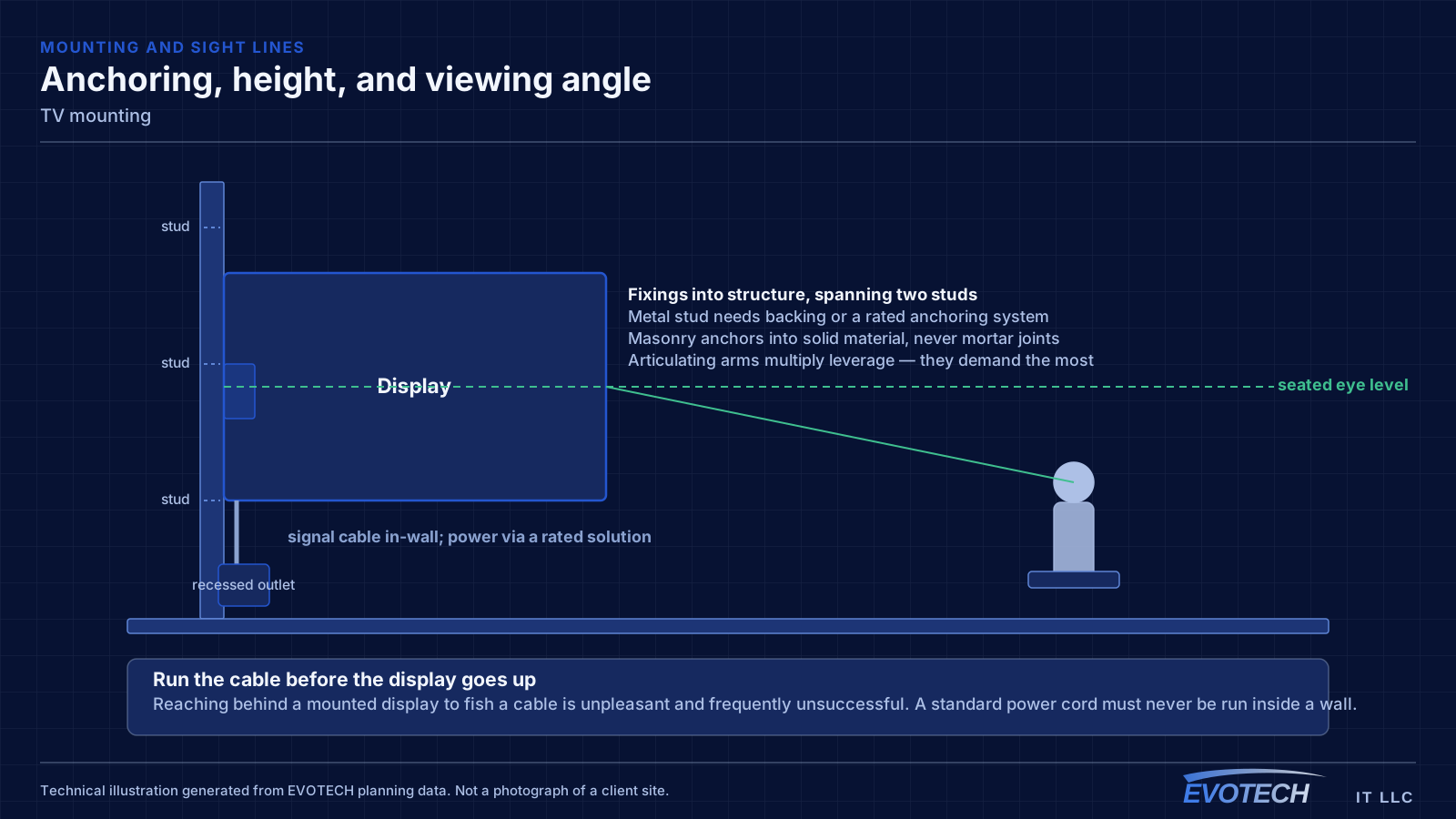
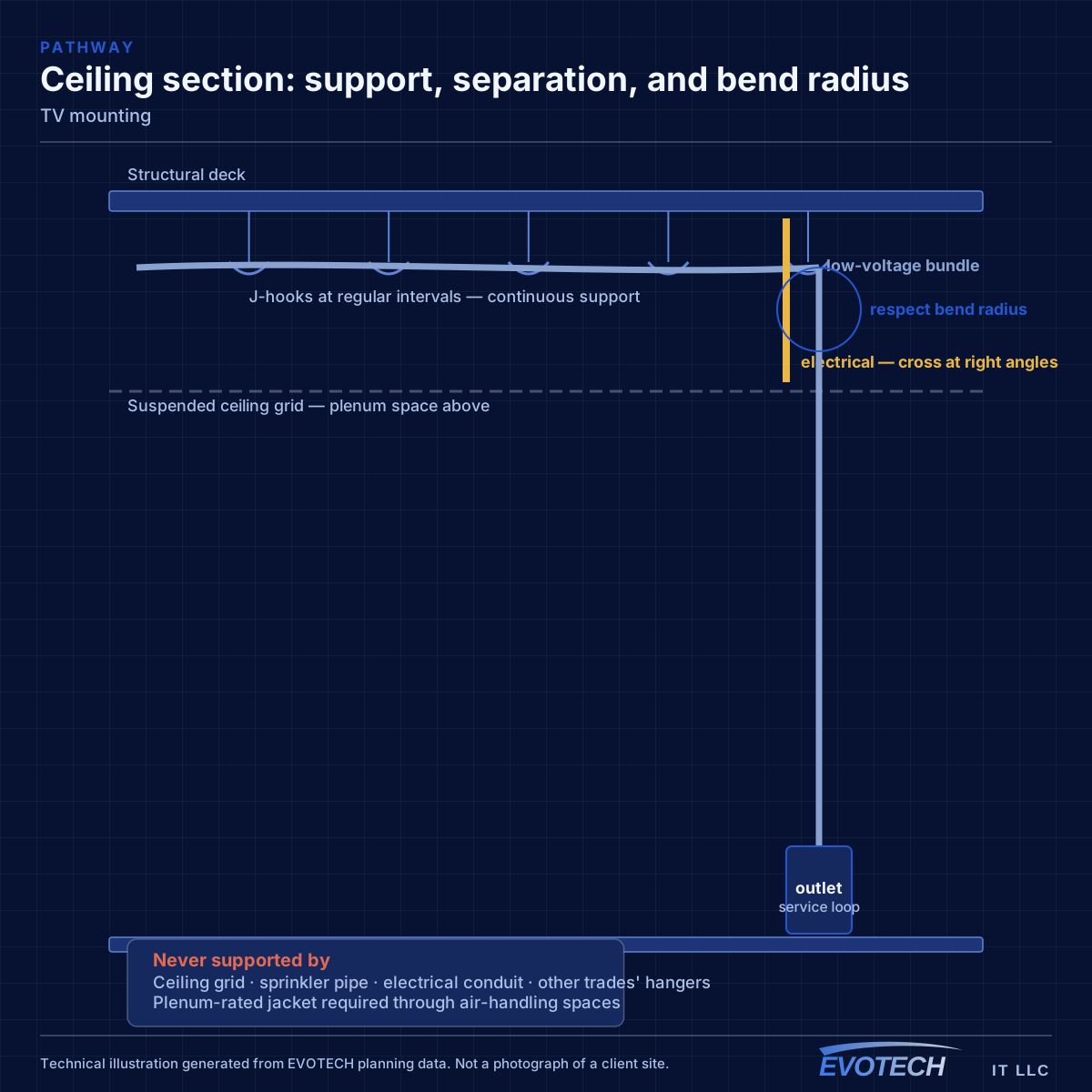
The second problem is cabling. Running a power cord through a wall is not appropriate; the correct approach is either an in-wall rated power solution or a recessed outlet behind the display. Signal cables can be routed in-wall, but they need to be in place before the display goes up, because reaching behind a mounted display to fish a cable is unpleasant and often unsuccessful.
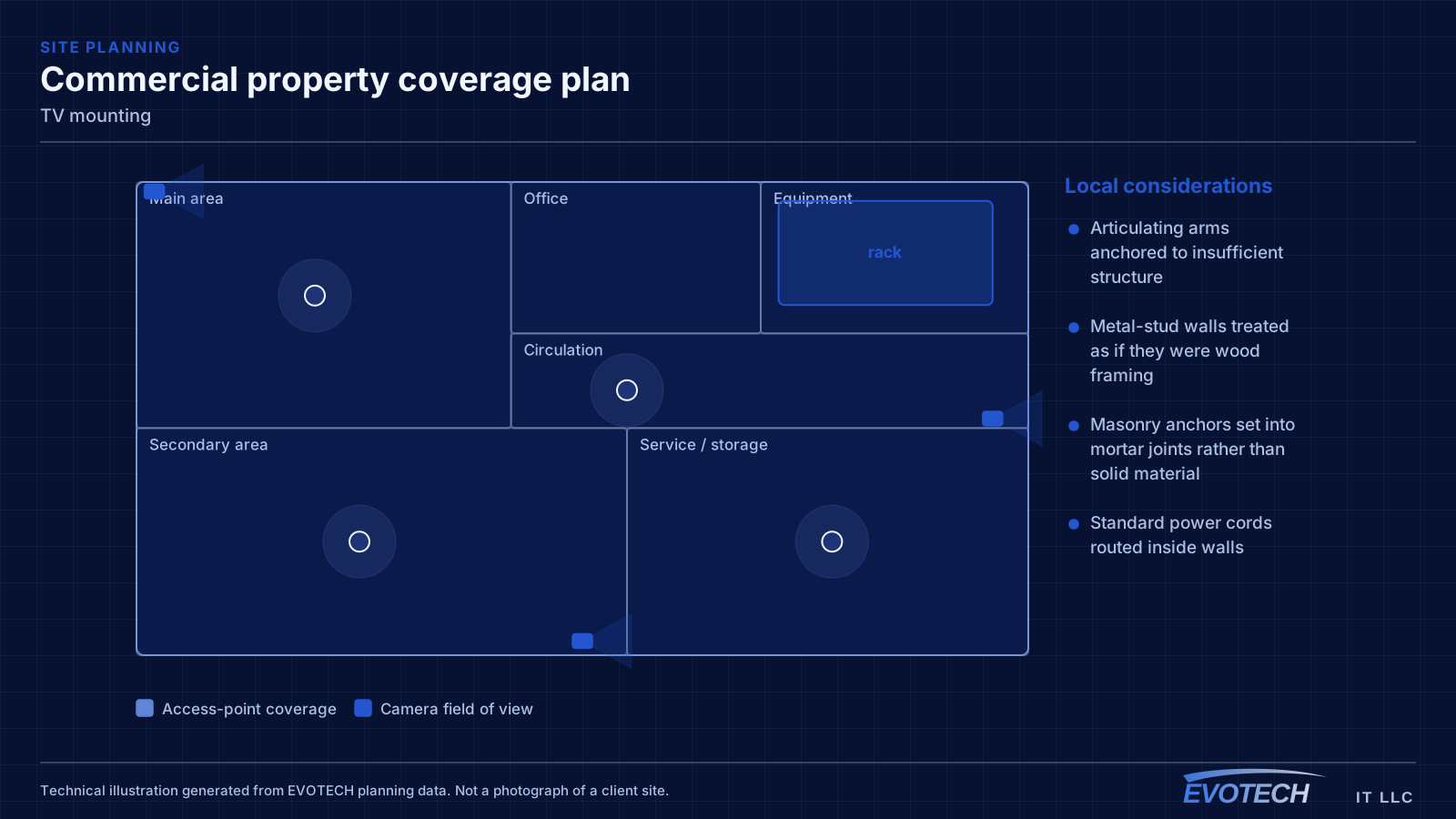
- Articulating arms anchored to insufficient structure
- Metal-stud walls treated as if they were wood framing
- Masonry anchors set into mortar joints rather than solid material
- Standard power cords routed inside walls
- Signal cables not run before mounting, leaving no route afterwards
- Viewing height chosen for the wall rather than for the seating
- Outdoor installations using indoor mounts that corrode
Who this work is for
Display mounting spans residential comfort and commercial durability.
- Homes mounting displays in living rooms, bedrooms, and media rooms
- Fireplace installations where routing and height both need discussion
- Restaurants and bars mounting multiple displays with concealed cabling
- Retail and waiting areas mounting displays for signage
- Offices mounting displays in meeting rooms and common areas
- Outdoor covered patios where the display and mount must suit the exposure
Anchoring by wall type, and getting the height right
In wood framing, fixings go into studs with lag bolts sized for the mount and the display weight, spanning two studs where the mount allows. In solid masonry, appropriate anchors go into the brick or block itself rather than the mortar, which is weaker. Metal-stud walls need either plywood backing installed behind the drywall — straightforward during construction, more involved afterwards — or a metal-stud anchoring system designed for the load, particularly for anything articulating.
Mount type changes the loading substantially. A flat mount holds the display close to the wall and puts most of the load straight down. A tilting mount adds modest leverage. A full-motion articulating arm extended out from the wall multiplies the leverage considerably, which is why it demands the most from the anchoring. Choosing the mount type is therefore partly a structural decision, not only a convenience one.
For height, the comfortable reference is the display centred near seated eye level for the primary viewing position. Above a fireplace that is rarely achievable, and the compromise is real — a tilting or pull-down mount reduces the neck angle but does not eliminate it. Commercial installations often mount deliberately high for sight lines over standing crowds, which is a different and valid objective.
- Wood framing: lag bolts into studs, spanning two where possible
- Masonry: anchors into solid material, not mortar joints
- Metal stud: plywood backing or a rated metal-stud anchoring system
- Articulating arms multiply leverage and demand the most anchoring
- Centre the display near seated eye level where the layout allows
- In-wall rated power solutions or a recessed outlet — never a standard cord in the wall
How the work runs
A mount goes up quickly once the wall is understood; understanding the wall is the job.
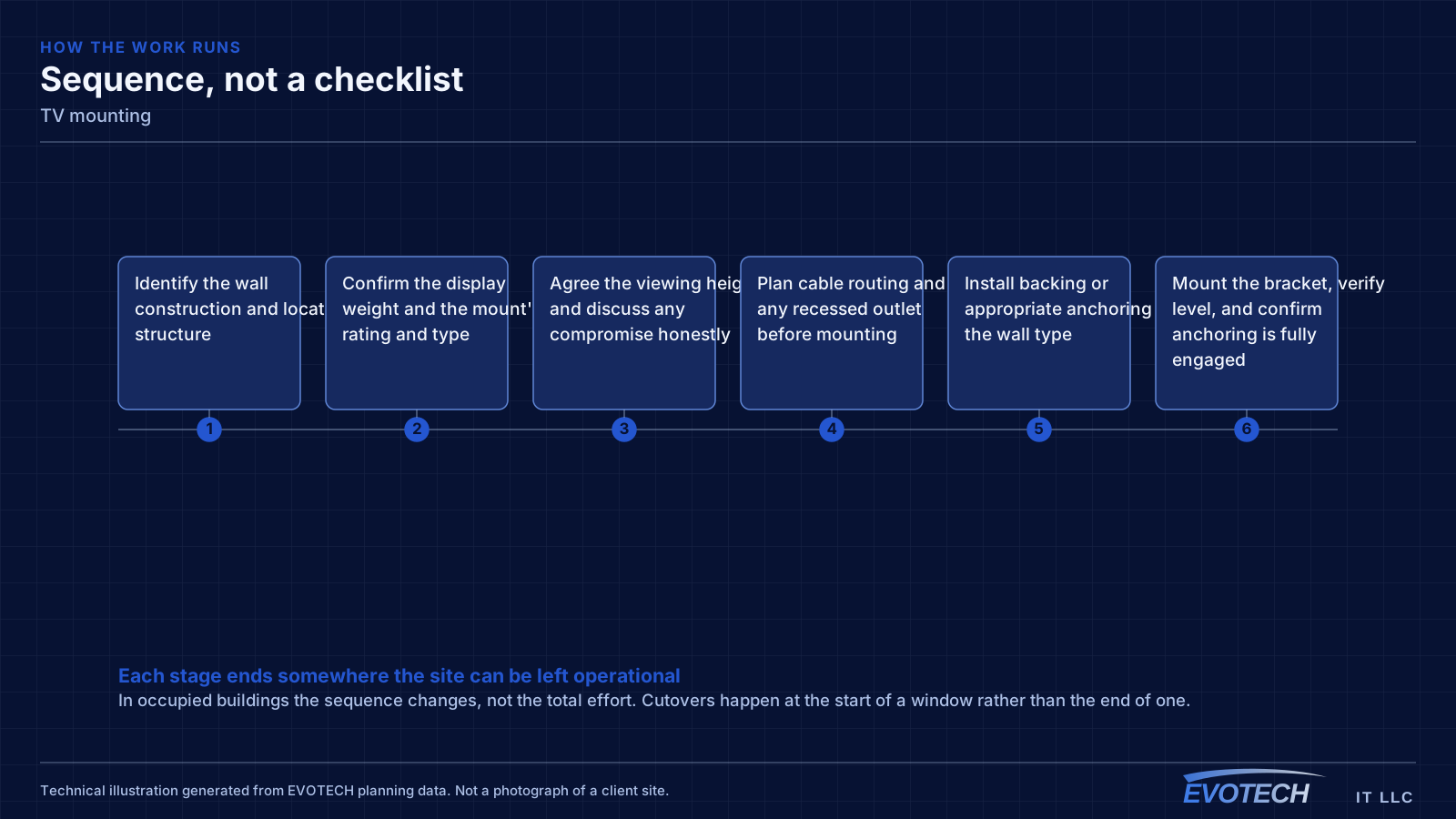
- Identify the wall construction and locate structure
- Confirm the display weight and the mount's rating and type
- Agree the viewing height and discuss any compromise honestly
- Plan cable routing and any recessed outlet before mounting
- Install backing or appropriate anchoring for the wall type
- Mount the bracket, verify level, and confirm anchoring is fully engaged
- Route cables, hang the display, and dress the connections
- Verify stability, tilt, and articulation through the full range of movement
Testing and verification
Verification is mechanical and visual, done before the installation is called finished.
- Confirm every fixing is fully engaged in structure
- Check level and alignment, and consistency across grouped displays
- Move articulating mounts through their full range under load
- Verify cable service loops allow the full movement without strain
- Confirm signal and power at the display
- Check viewing angle from the actual seating position
What changes the scope
Wall construction and display size are the two big drivers.
- Wall type: wood stud, metal stud, masonry, or stone veneer
- Display size and weight
- Mount type: flat, tilting, or full-motion articulating
- Whether cabling is concealed and whether a recessed outlet is added
- Fireplace or high mounting and any tilt or pull-down requirement
- Number of displays and their alignment where several are grouped
- Outdoor exposure and the hardware appropriate to it
Common mistakes
Mounting mistakes range from cosmetic to genuinely unsafe.
- Anchoring an articulating mount into drywall or a single stud
- Treating metal studs like wood framing
- Setting masonry anchors into mortar joints
- Running a standard power cord inside the wall
- Mounting before running signal cable, leaving no route afterwards
- Choosing height for the wall's convenience rather than the seating
- Using indoor hardware on a covered patio and watching it corrode
What drives the cost
Wall type and concealment drive the cost more than the display does.
- Wall construction and any backing or reinforcement required
- Display size, weight, and mount type
- Cable concealment and recessed outlet installation
- Height and whether elevated access is needed
- Number of displays and alignment requirements
- Outdoor-rated hardware where applicable
Honest limitations
These are the boundaries of what this service can do, stated up front rather than discovered later.
- Anchoring depends entirely on what the wall is made of; some walls need backing or reinforcement before a large display can be mounted safely.
- In-wall power requires a rated solution or a recessed outlet installed by the appropriate trade.
- Mounting above a fireplace is a compromise on viewing angle that no mount fully resolves.
- Outdoor positions require hardware suited to the exposure; indoor mounts corrode.
Popular services nearby
Frequently searched near this area — the pages people look for most.
Frequently asked questions
Can a TV be mounted on a metal-stud wall?
Yes, but not with wood-stud technique. Metal studs are thin and will not hold lag bolts under sustained load. The reliable approaches are plywood backing behind the drywall — easy during construction, more involved afterwards — or an anchoring system made for metal studs and rated for the display weight. This matters most with articulating arms, which multiply the load considerably.
Is mounting above a fireplace a bad idea?
It is a compromise, and worth naming as one. The display usually ends up well above comfortable seated eye level, which means looking up throughout. A tilting or pull-down mount reduces the angle but does not remove it. Heat is a secondary consideration depending on the fireplace type. Sometimes it is genuinely the only wall available — it is just better to choose it knowingly.
Can the cables be hidden inside the wall?
Signal cables, yes — routed in-wall to a recessed box behind the display. Power is different: a standard power cord should not be run inside a wall. The correct solutions are an in-wall rated power kit or a recessed outlet installed behind the display. Either way, the routing has to happen before the display is mounted.
What height should a display be mounted at?
For seated viewing at home, roughly centred on eye level from the primary seat, which is usually lower than instinct suggests. In restaurants and commercial spaces, higher mounting is often correct because sight lines have to clear standing people. The right height comes from the actual viewing position rather than from a general rule.