The short version
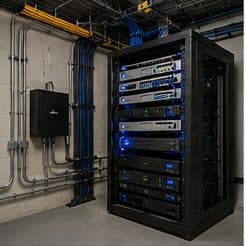
A network video recorder receives streams from the cameras, writes them to disk, and serves them back for review. Its capacity determines how far back the footage goes, and that number is arithmetic, not a product feature: camera count, resolution, frame rate, compression efficiency, and how much of the day actually gets recorded all multiply together against the drive capacity.
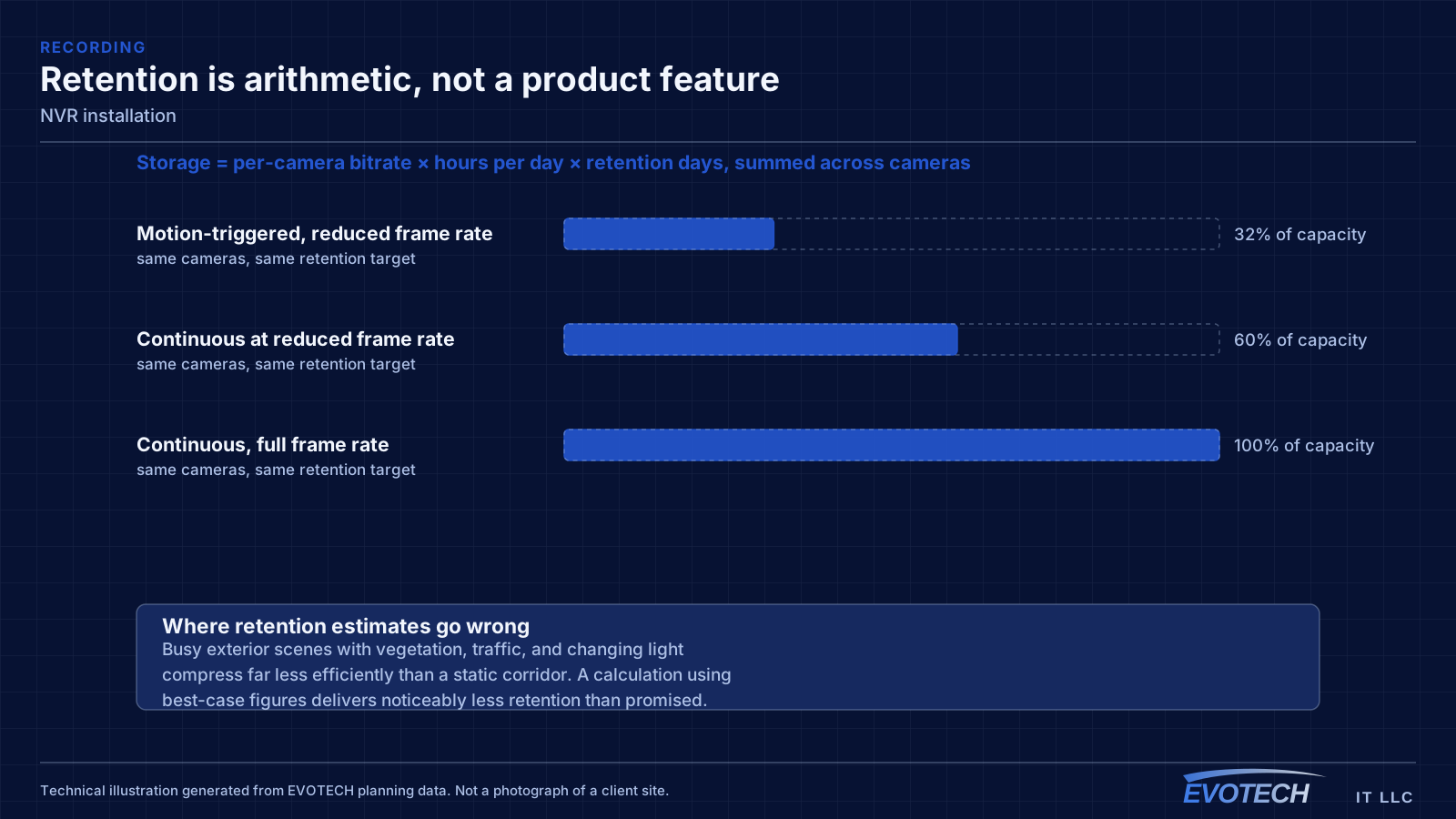
The most common disappointment is discovering that a system advertised as recording for a month is actually holding eight days, because the calculation assumed motion-only recording and the cameras are recording continuously, or assumed a compression efficiency the scene does not achieve. Doing the arithmetic before purchase, with the intended settings, avoids that.
Who this work is for
Recorder work comes up whenever retention, reliability, or access needs to change.
- New camera systems needing a recorder sized to a stated retention target
- Existing systems where footage is being overwritten sooner than expected
- Businesses with a specific retention requirement to satisfy
- Sites replacing a failed or failing recorder drive
- Properties adding remote review for owners or managers
What tends to go wrong
The recurring problem is retention that does not match the expectation. It is rarely deception — it is usually that the estimate assumed motion-triggered recording, a modest frame rate, or a compression ratio that busy outdoor scenes do not deliver. A camera watching a parking area with moving trees generates far more data than one watching a quiet corridor.
The second problem is drive selection. Recorders write continuously to their drives, which is a different duty cycle from a desktop computer. Drives designed for continuous surveillance write loads last considerably longer in that role than general-purpose drives, and a recorder with no drive health monitoring will simply stop recording one day without announcing it.
- Retention overestimated because the calculation assumed motion-only recording
- Busy scenes compressing far less efficiently than the estimate assumed
- General-purpose drives used for a continuous-write workload
- No monitoring, so a failed drive is discovered when footage is needed
- Recorder exposed directly to the internet for remote viewing
- Default credentials left in place
Storage arithmetic, recording modes, and access control
Storage need is the product of per-camera bitrate, hours recorded per day, and retention days, summed across cameras. Bitrate rises with resolution and frame rate, and falls with more efficient compression — but compression efficiency depends on the scene. Static indoor views compress well; exterior views with moving foliage, traffic, or changing light compress poorly. A safe calculation uses the higher end of the expected bitrate range rather than the marketing figure.
Recording mode is the biggest lever. Continuous recording captures everything and consumes the most. Motion-triggered recording consumes far less but depends on detection working reliably, and in outdoor scenes it can trigger constantly on shadows and vegetation. A common middle path records continuously at a lower frame rate and raises it on motion, keeping full coverage while cutting the total.
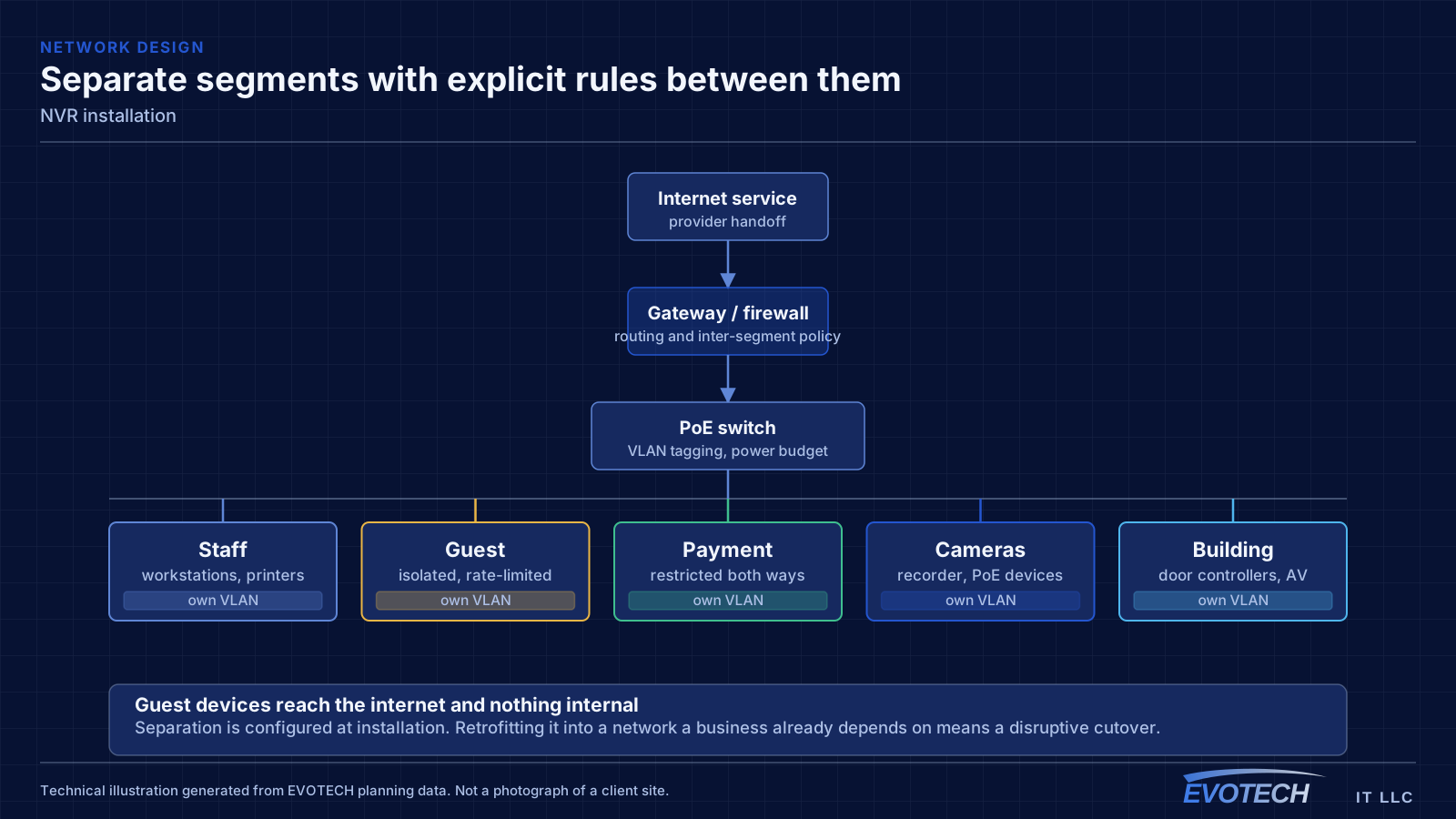
Remote access should go through the manufacturer's supported mechanism or a controlled network path, with individual accounts and appropriate permission levels. Forwarding a port straight to a recorder puts a device with a history of vulnerabilities directly on the public internet, and default credentials on such a device are a well-known exposure.
- Storage = per-camera bitrate × hours per day × retention days, summed
- Use realistic bitrates for the actual scenes, not best-case figures
- Continuous, motion-triggered, or a hybrid rate — the choice dominates capacity
- Drives rated for continuous surveillance workloads
- Individual user accounts with appropriate permissions; no shared default logins
- Supported remote-access path rather than direct port exposure
How the work runs
Recorder setup starts with the retention requirement and works back to the hardware.
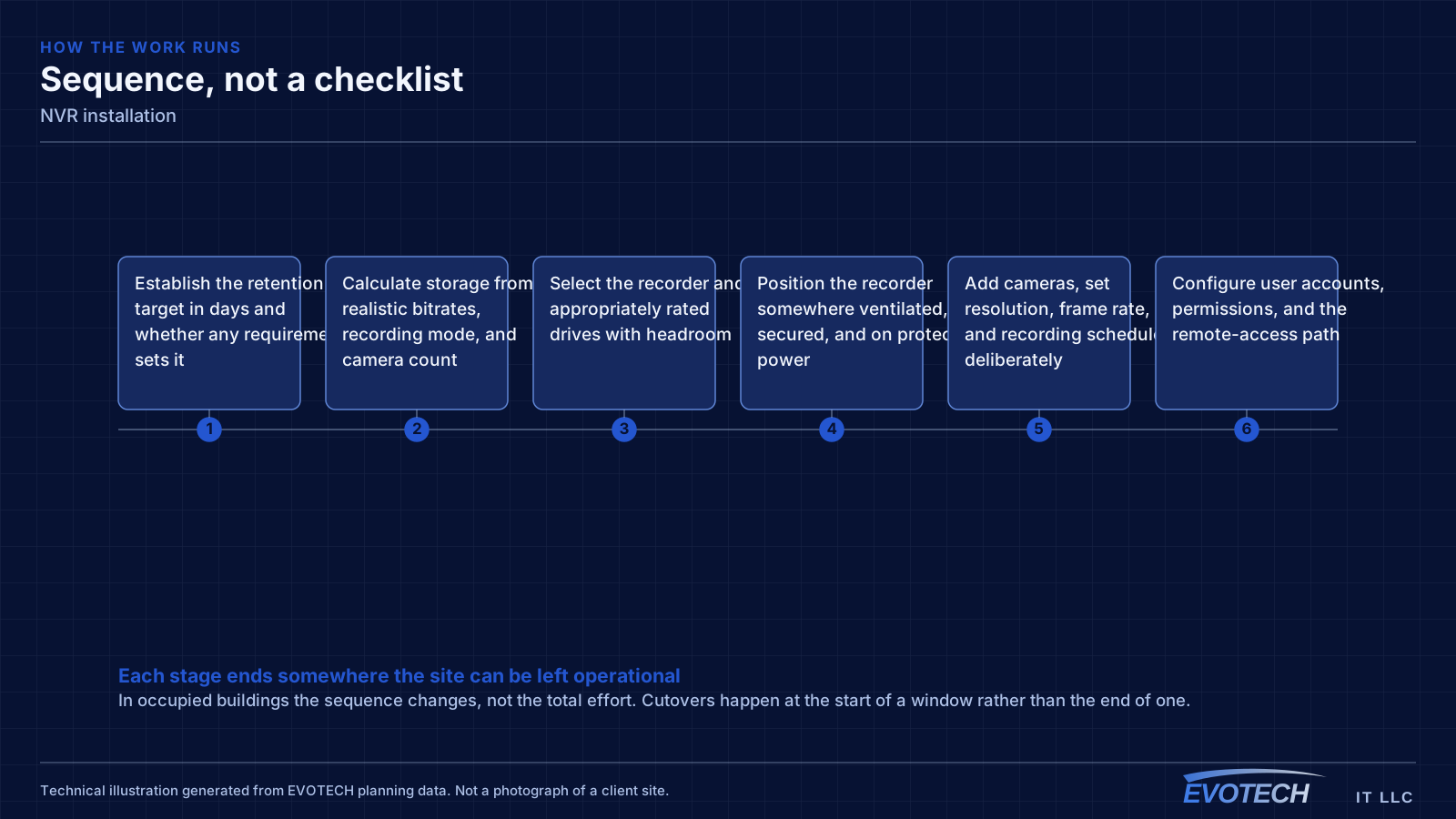
- Establish the retention target in days and whether any requirement sets it
- Calculate storage from realistic bitrates, recording mode, and camera count
- Select the recorder and appropriately rated drives with headroom
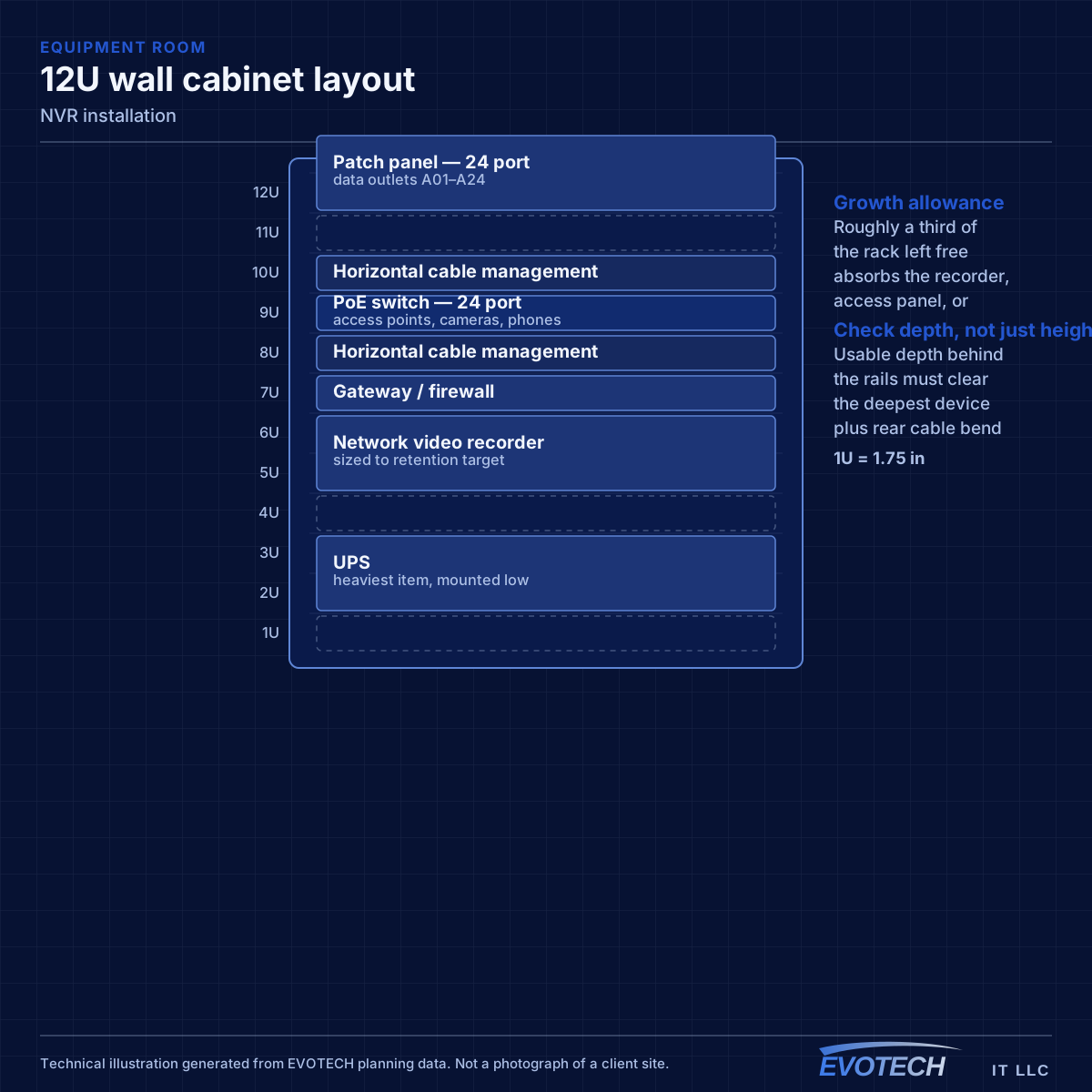
- Position the recorder somewhere ventilated, secured, and on protected power
- Add cameras, set resolution, frame rate, and recording schedule deliberately
- Configure user accounts, permissions, and the remote-access path
- Verify actual consumption over several days and confirm projected retention
- Enable drive health monitoring and alerting
Testing and verification
Verification means letting the system run and measuring, because the calculation is a projection until real footage lands on the disk.
- Measure actual consumption over several days across day and night conditions
- Project real retention from measured consumption and compare to the target
- Confirm playback and export work for the required period
- Verify every camera is recording on its intended schedule
- Test remote access and each account's permission level
- Confirm drive health monitoring and alerting are active
What changes the scope
Retention target and scene activity are the two dominant inputs.
- Camera count, resolution, and frame rate
- Retention target in days
- Recording mode and schedule
- Scene complexity, which drives real compression efficiency
- Drive capacity, count, and whether redundancy is required
- Recorder location, ventilation, and physical security
- Remote-access requirements and number of users
What drives the cost
Storage capacity is the main variable, and it is set by the retention decision.
- Retention target, which drives total capacity
- Camera count, resolution, and frame rate
- Drive capacity, count, and any redundancy
- Recorder capability, including supported channel count
- UPS protection for the recorder
- Remote-access setup and user configuration
Common mistakes
Recorder mistakes usually surface weeks later, which is what makes them expensive.
- Sizing storage from a marketing retention figure rather than a calculation
- Assuming motion-only recording and then configuring continuous
- Fitting general-purpose drives to a continuous-write workload
- Putting the recorder in a sealed cabinet where it overheats
- Forwarding a port directly to the recorder for remote viewing
- Leaving default credentials and never creating individual accounts
- Never testing an export until an incident requires one
Honest limitations
These are the boundaries of what this service can do, stated up front rather than discovered later.
- Retention is bounded by storage. Longer retention needs more capacity, lower bitrate, or fewer cameras — there is no other lever.
- A recorder is a single point of failure unless drives are redundant and the configuration is backed up.
- Remote viewing depends on the internet connection and, for cloud-assisted paths, on the manufacturer's service.
- Legal requirements around retention, notice, and audio recording vary and are the property owner's responsibility to confirm.
Frequently asked questions
How much storage is needed for 30 days of footage?
It is a calculation, not a fixed number: per-camera bitrate multiplied by hours recorded per day multiplied by thirty, summed across cameras. Resolution, frame rate, recording mode, and how busy each scene is all move the result substantially. Two eight-camera systems can differ by a factor of three for the same retention target.
Should recording be continuous or motion-triggered?
Continuous captures everything and never misses an event that detection did not classify as motion. Motion-triggered uses far less space but depends on reliable detection, which outdoor scenes with vegetation and shadows make difficult. A practical middle path records continuously at a reduced frame rate and increases it on motion.
Do recorders need special hard drives?
They benefit from drives designed for continuous write workloads, because that duty cycle differs from a desktop's. General-purpose drives work initially and tend to fail sooner in this role. Whatever is fitted, drive health monitoring matters — a recorder with a dead drive looks exactly like a working one until someone asks for footage.
How should remote viewing be set up safely?
Through the manufacturer's supported remote mechanism or a controlled network path, with individual accounts at appropriate permission levels and credentials changed from the defaults. Forwarding a port directly to the recorder exposes a device class with a poor security history to the public internet, and is worth avoiding even when it is the quickest option.