The short version
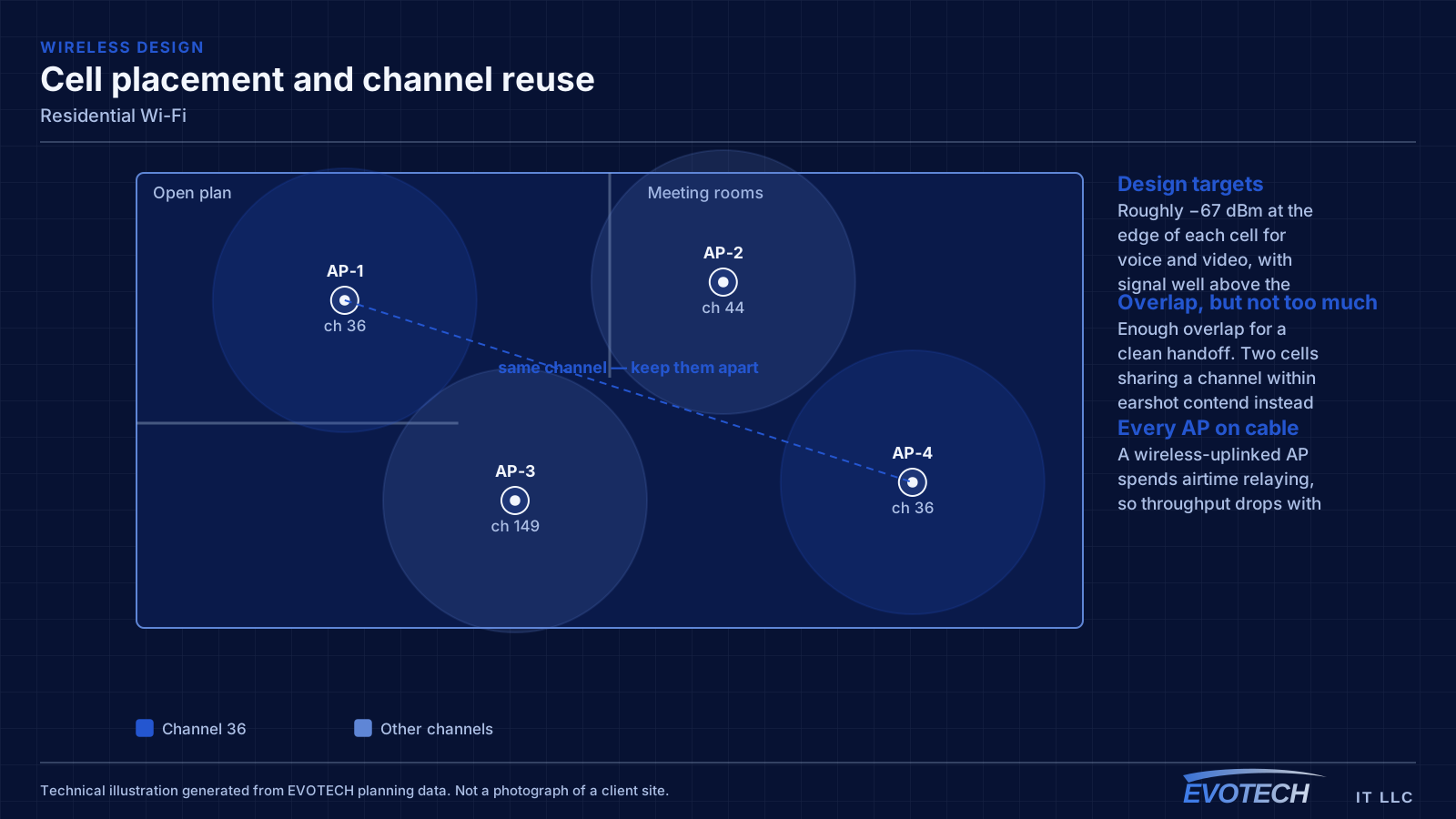
A single router placed wherever the internet service happens to enter the house is the root of most residential wireless complaints. That position is frequently a corner of the garage or a front closet, which means a large share of the signal is heading outdoors. Coverage improves dramatically when access points are placed centrally in the areas people use, and fed by cable.
For a larger two-storey house, two or three well-placed access points usually outperform any single device regardless of specification. The reason is physical: signal weakens through floors and walls, and no amount of transmit power at one end of a house creates a usable signal at the other without also creating interference everywhere in between.
What tends to go wrong
Range extenders are the most common cause of a network that looks fine and behaves badly. An extender receives and retransmits on the same radio, so throughput drops with each hop, and devices often stay connected to the extender long after they have walked back within range of the main router.
The second cause is construction. Tile, masonry, brick veneer, foil-backed insulation, mirrors, and metal-framed glass all attenuate signal noticeably. A floor plan will not tell you which wall is the problem — walking the house with a measurement tool will.
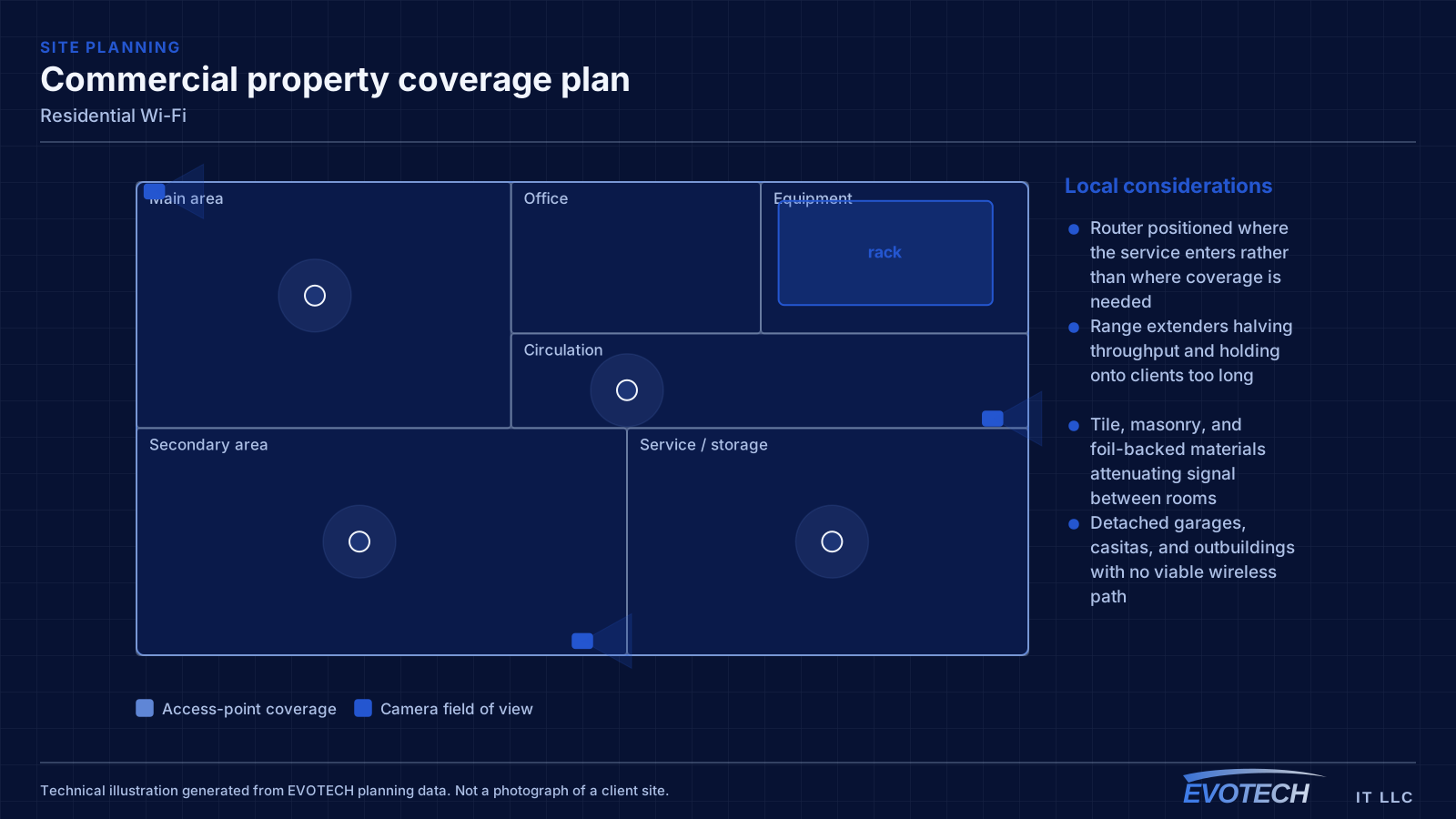
- Router positioned where the service enters rather than where coverage is needed
- Range extenders halving throughput and holding onto clients too long
- Tile, masonry, and foil-backed materials attenuating signal between rooms
- Detached garages, casitas, and outbuildings with no viable wireless path
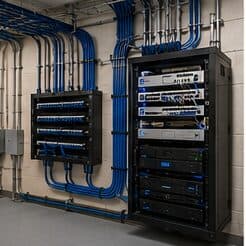
- Equipment stacked in a closed cabinet with no ventilation
- Neighbouring networks congesting 2.4 GHz in dense subdivisions
Placement, floors, and why the wired run matters more than the hardware
Signal passes through a floor with significant loss, which is why a downstairs router rarely serves upstairs bedrooms properly. The reliable arrangement in a two-storey home is one access point per floor, positioned centrally in the used areas rather than at the perimeter, with the two connected by cable.
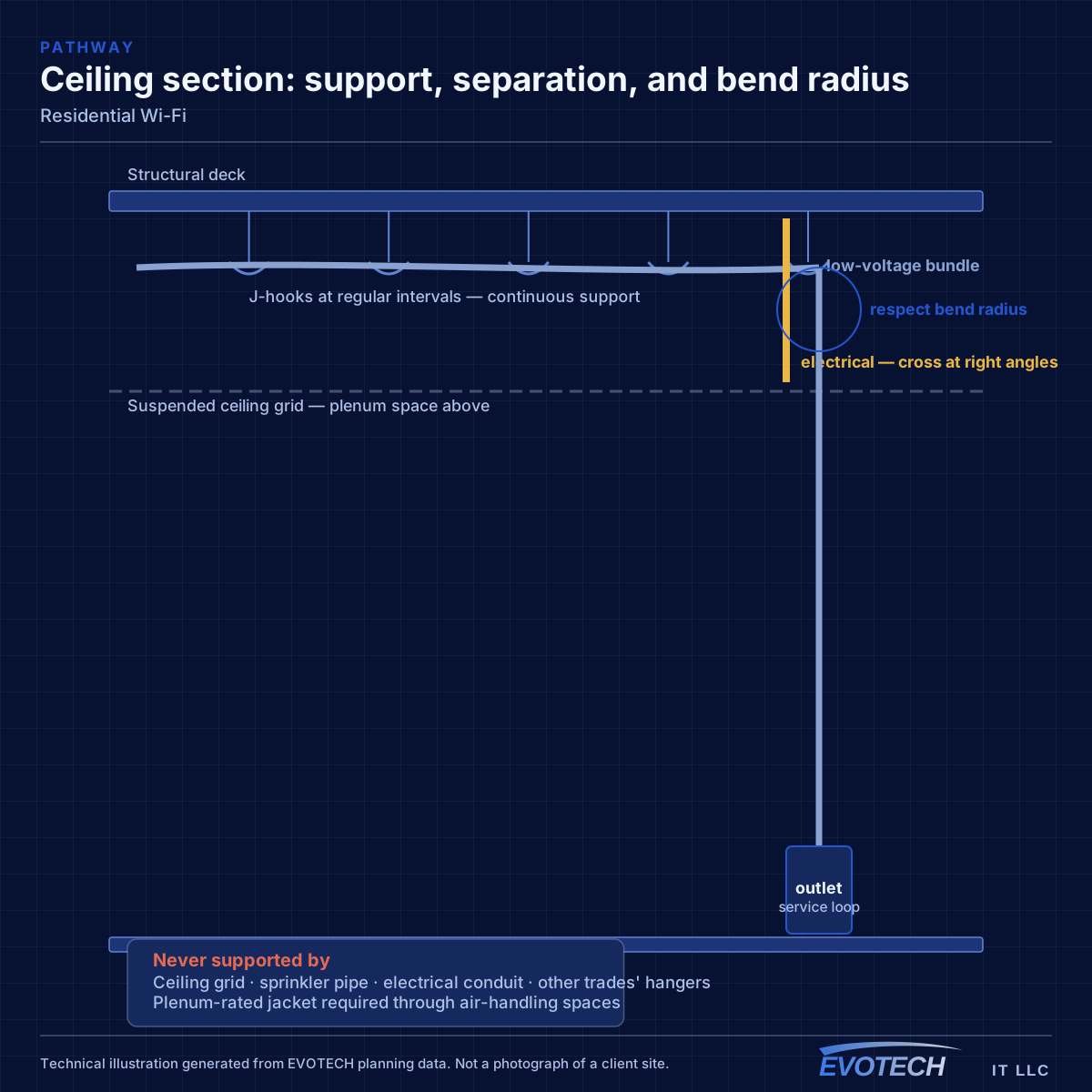
That cable is the part that makes the difference. A wired access point delivers its full radio capacity to devices; a wireless-uplinked one spends a large share of its airtime relaying. In slab-foundation construction, which is the norm across much of the Houston area, the practical route is up into the attic and down an interior wall — so attic access is often the deciding factor in where an access point can go.
Mounting matters too. Access points designed for ceiling mounting radiate downward and outward; sitting one on a bookshelf against an exterior wall wastes much of its pattern. Central ceiling positions in hallways or landings tend to serve adjacent rooms better than a position inside any single room.
- One access point per floor as the baseline in two-storey homes
- Central placement in used areas rather than at the building perimeter
- Wired backhaul via attic and interior wall in slab construction
- Ceiling mounting to use the intended radiation pattern
- Outdoor and detached-structure coverage planned separately, not as an afterthought
Who this work is for
The requests are consistent, and so are the underlying causes.
- Two-storey houses where upstairs bedrooms have unusable coverage
- Larger homes where the far wing or garage apartment drops out
- Home offices where video calls fail during the working day
- Households replacing a chain of range extenders with something predictable
- Properties adding cameras, doorbells, or outdoor coverage for a patio or pool area
How the work runs
Residential work is short but benefits from measuring before deciding.
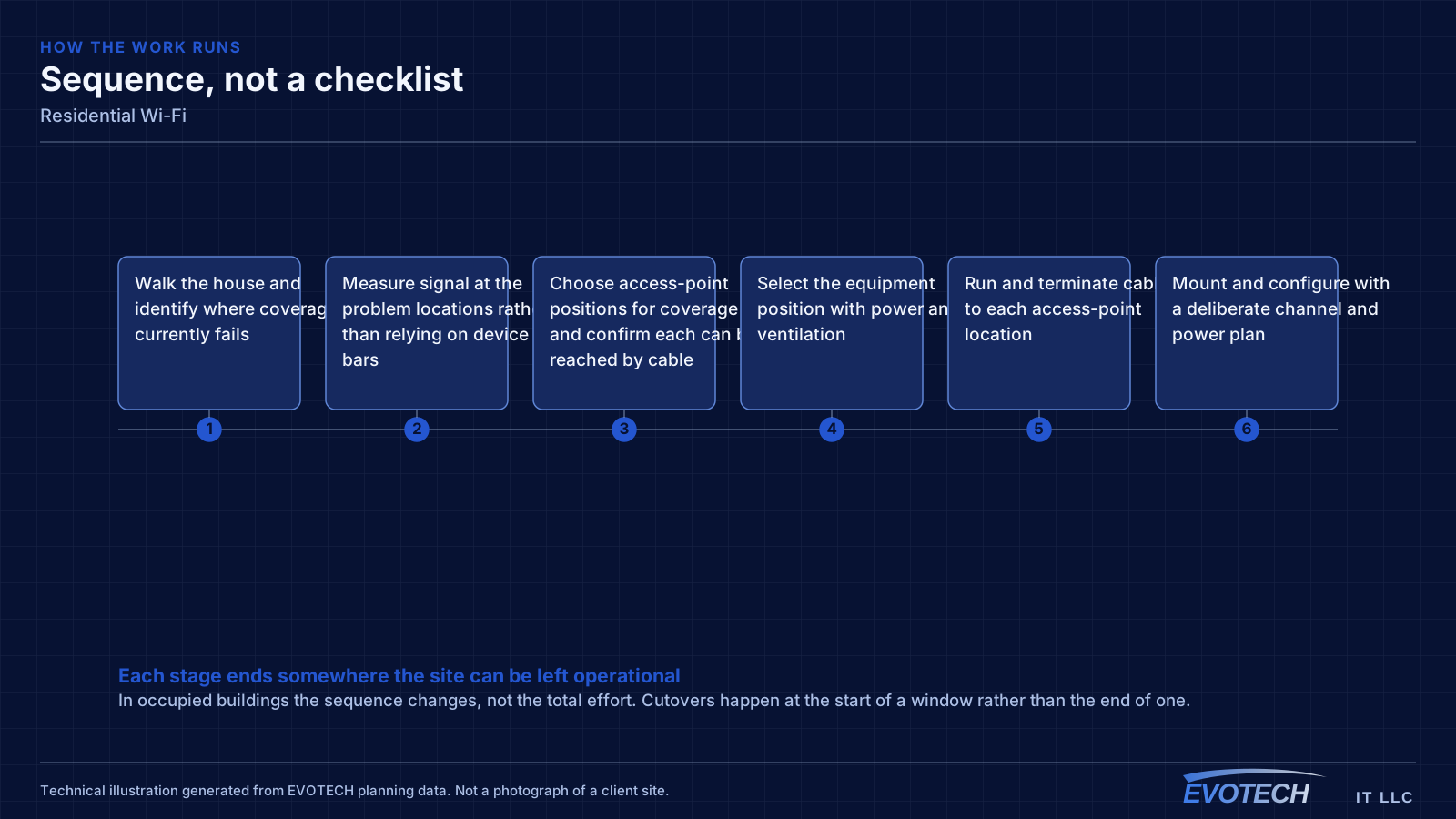
- Walk the house and identify where coverage currently fails
- Measure signal at the problem locations rather than relying on device bars
- Choose access-point positions for coverage and confirm each can be reached by cable
- Select the equipment position with power and ventilation
- Run and terminate cable to each access-point location
- Mount and configure with a deliberate channel and power plan
- Re-walk the house and confirm coverage and roaming at the previously failing spots
What changes the scope
Residential scope is driven by the building more than by the household.
- Number of storeys and total area needing coverage
- Construction materials, particularly masonry, tile, and foil-backed insulation
- Attic access and whether destination walls are interior
- Where the internet service enters and whether the equipment can move
- Outdoor areas: patios, pool decks, detached garages, and workshops
- Number of access points the coverage design calls for
- Finish expectations in occupied living space
Testing and verification
Validation is a walk through the house with a measurement tool, checking the rooms that prompted the call in the first place.
- Signal and noise measured at the previously failing locations
- Roaming checked by walking between floors during an active call
- Throughput checked at the far edge of coverage rather than beside an access point
- Wired link to each access point verified
- Outdoor coverage confirmed at the intended patio or yard positions
Common mistakes
Household wireless problems usually persist because of a small set of choices.
- Replacing a router with a more expensive router instead of adding a second location
- Chaining extenders and expecting the throughput to hold
- Leaving the equipment in a sealed cabinet where it overheats
- Mounting an access point on a shelf against an exterior wall
- Covering an outdoor patio by turning the indoor access point's power up
- Skipping the cable run because the wireless uplink appeared to work on the day
What drives the cost
The cabling drives residential cost far more than the access points do.
- Number of access points required
- Difficulty of each cable run, which depends on attic access and wall type
- Whether the equipment position needs to move
- Enclosure or shelf, switch, and power at the equipment position
- Any drywall access and patching required
- Outdoor or detached-structure coverage
Honest limitations
These are the boundaries of what this service can do, stated up front rather than discovered later.
- Some rooms cannot be served well from an adjacent space; the answer is an access point in or near that area rather than more power elsewhere.
- Detached structures generally need their own cable or a deliberate point-to-point link, not extended house coverage.
- Wireless improvements do not raise the internet plan's capacity.
- Neighbouring networks in dense subdivisions can be planned around but not removed.
Frequently asked questions
Why is upstairs Wi-Fi bad when the router is right below?
Signal loses a meaningful amount of strength passing through a floor, and the router's pattern is not aimed upward. Turning the power up mostly increases interference. The dependable arrangement is a second access point upstairs, placed centrally and connected by cable to the equipment position downstairs.
Are mesh systems good enough, or is cable necessary?
A mesh node fed by cable is simply a well-placed access point, and that works very well. A mesh node relaying wirelessly gives up a large share of its throughput to the relay. If cable can reach the position — and in most slab-foundation houses an attic route can — the wired version is substantially better for the same hardware.
How many access points does a large house need?
It depends on layout and construction rather than square footage alone. A rough starting point is one per floor for a typical two-storey home, with additional coverage for a far wing, a detached structure, or an outdoor area. Walking the house with a measurement tool settles it much faster than any table of numbers.
Will better Wi-Fi fix buffering on streaming devices?
If the cause is weak signal or contention, yes. If the internet circuit is saturated at peak times, no — the device will still buffer with a perfect wireless connection. Measuring both is what separates the two, and for stationary devices such as a television or console, a wired run removes the wireless variable entirely.