The short version
An intercom connects an entry station to one or more answering points, so someone inside can see and speak to a visitor and release the door or gate without walking to it. The design work is deciding where the answering points are, whether they are physical stations or applications on phones, and how the door release is wired.
Where an intercom differs meaningfully from a doorbell is scale and integration. A doorbell serves one entry and one household. An intercom serves entries where multiple people or multiple tenants need to answer, where a gate is involved, or where release should be tied into an access-control system that logs the event.
What tends to go wrong
The most common problem is intelligibility rather than video. Entry stations sit outdoors near traffic, air-conditioning units, and hard reflective surfaces, and a station positioned without regard to that produces audio nobody can understand. Placement away from noise sources and out of direct wind exposure does more than any setting.
The second is exposure. An entry station on a west-facing wall in this climate takes sustained afternoon sun and heat, and a gate station takes driven rain. Stations installed without appropriate rating or without a hood weather badly, and the failure shows up as a dead station months later.
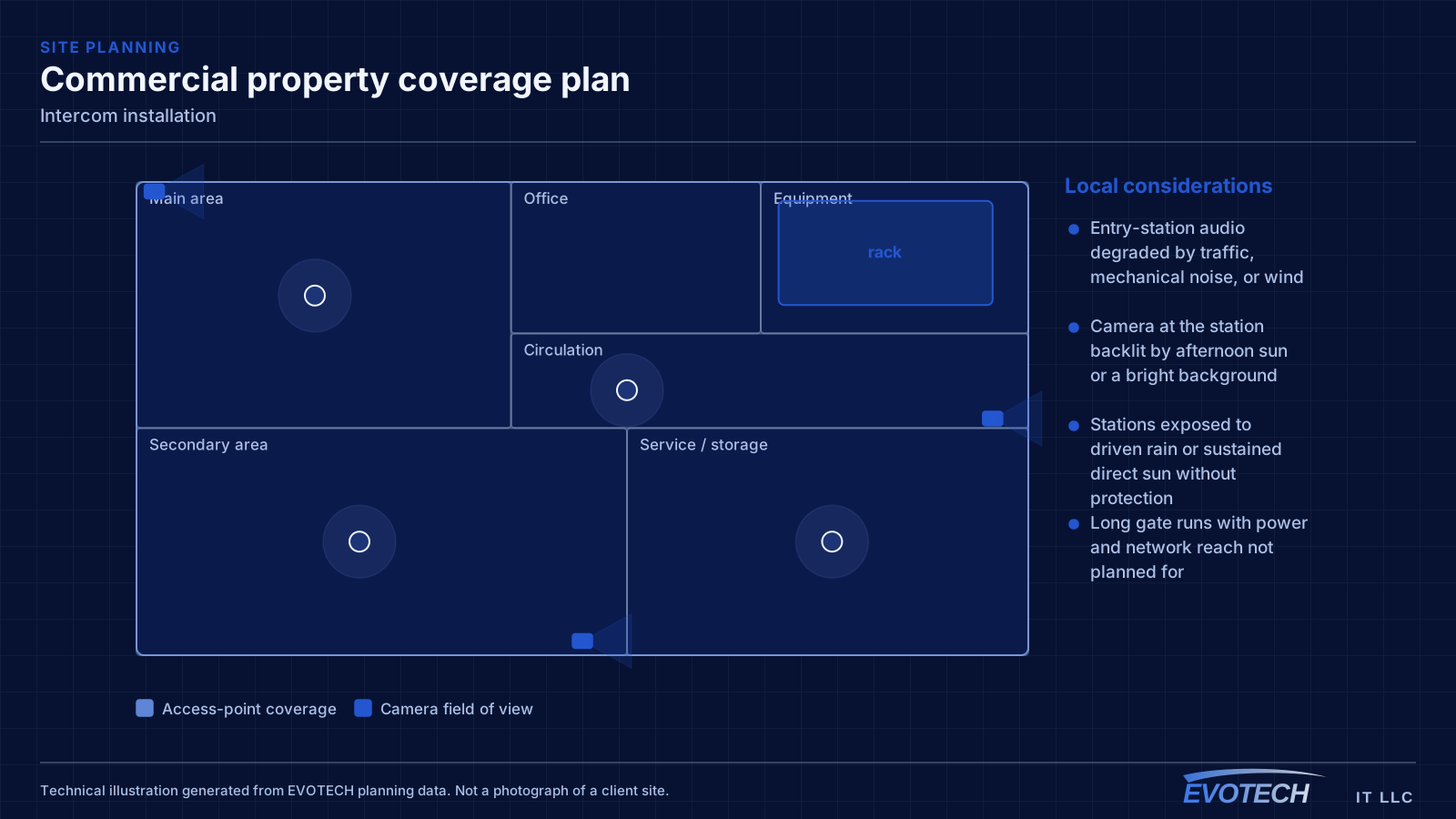
- Entry-station audio degraded by traffic, mechanical noise, or wind
- Camera at the station backlit by afternoon sun or a bright background
- Stations exposed to driven rain or sustained direct sun without protection
- Long gate runs with power and network reach not planned for
- Door release wired without regard to egress requirements
- No answering point where people actually are during the day
Station placement, release wiring, and getting to the gate
Entry stations should sit at a height that frames a standing adult's face, sheltered where possible, and away from the loudest nearby sources. A recessed or hooded mount helps with both sun and rain. Where the station faces west, a hood is close to essential in this climate.
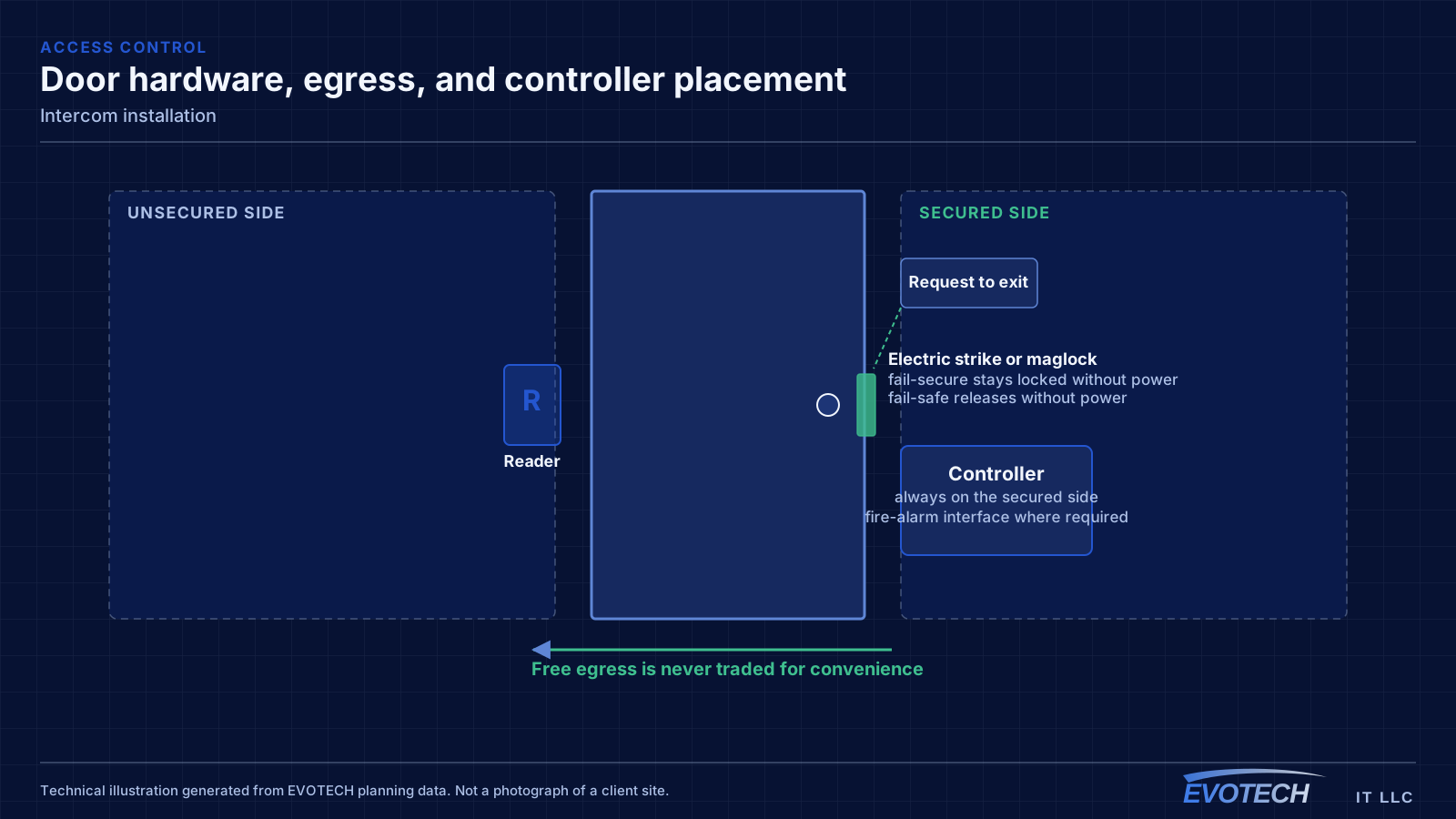
Door release wiring follows the same rules as any controlled door: the release must not compromise egress, and the lock type chosen determines the power-loss behaviour. Where the intercom is releasing a door that is also part of an access-control system, the two need to be coordinated so an event is logged and so the two systems do not fight over the same lock.
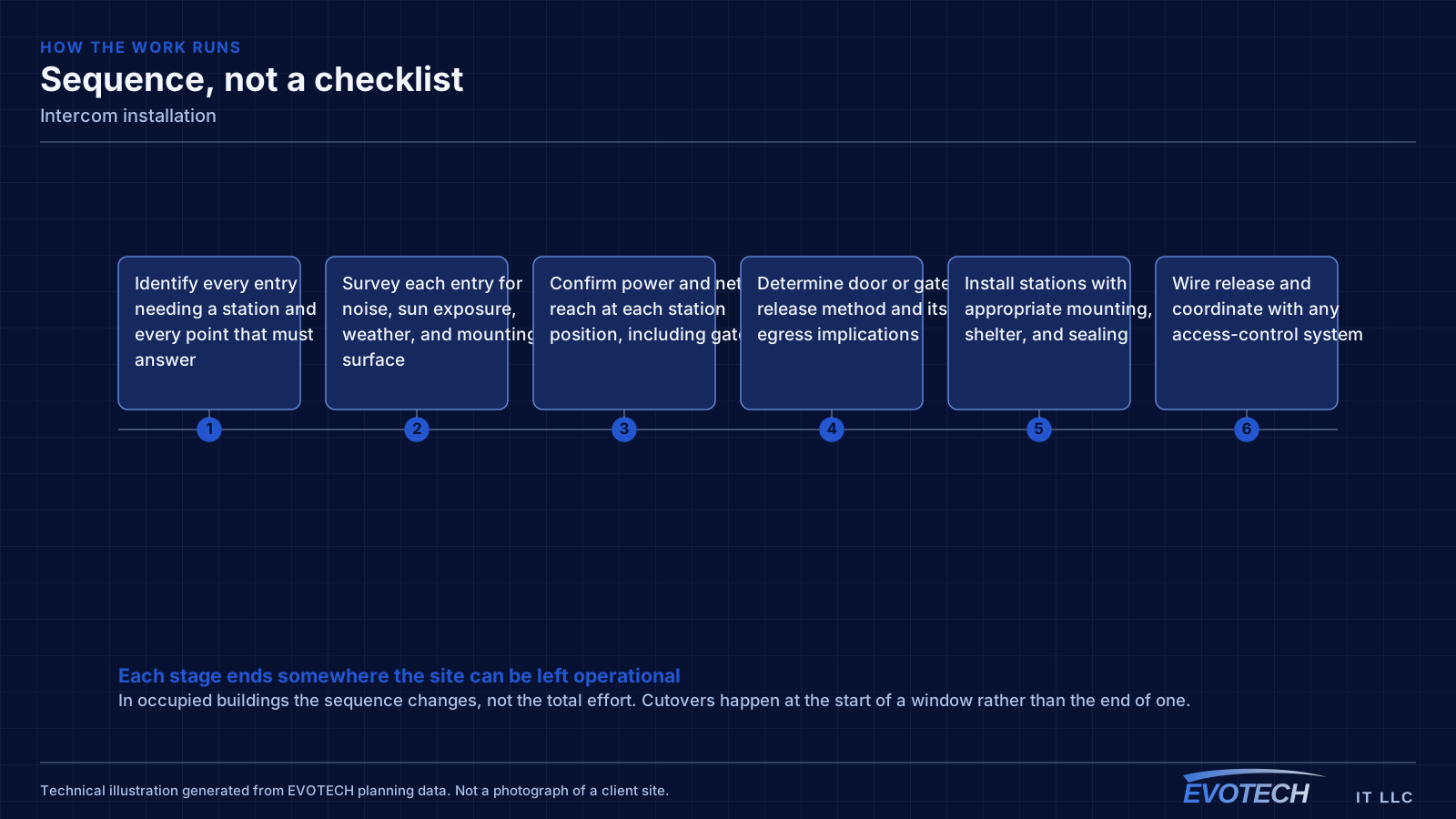
Gate entries introduce distance. A gate station typically needs both power and a network or system connection over a run that may be long, outdoors, and shared with the gate operator's own wiring. That means planning conduit, considering surge protection at both ends, and treating the run as an outdoor installation rather than an extension of indoor cabling.
- Mount stations at face height, sheltered, and away from noise sources
- Hood or recess west-facing and rain-exposed stations
- Coordinate door release with egress requirements and any access-control system
- Plan gate runs as outdoor installations with conduit and surge protection
- Place answering points where people actually are, including mobile answering where useful
- Confirm network reach and power at the entry position before committing
How the work runs
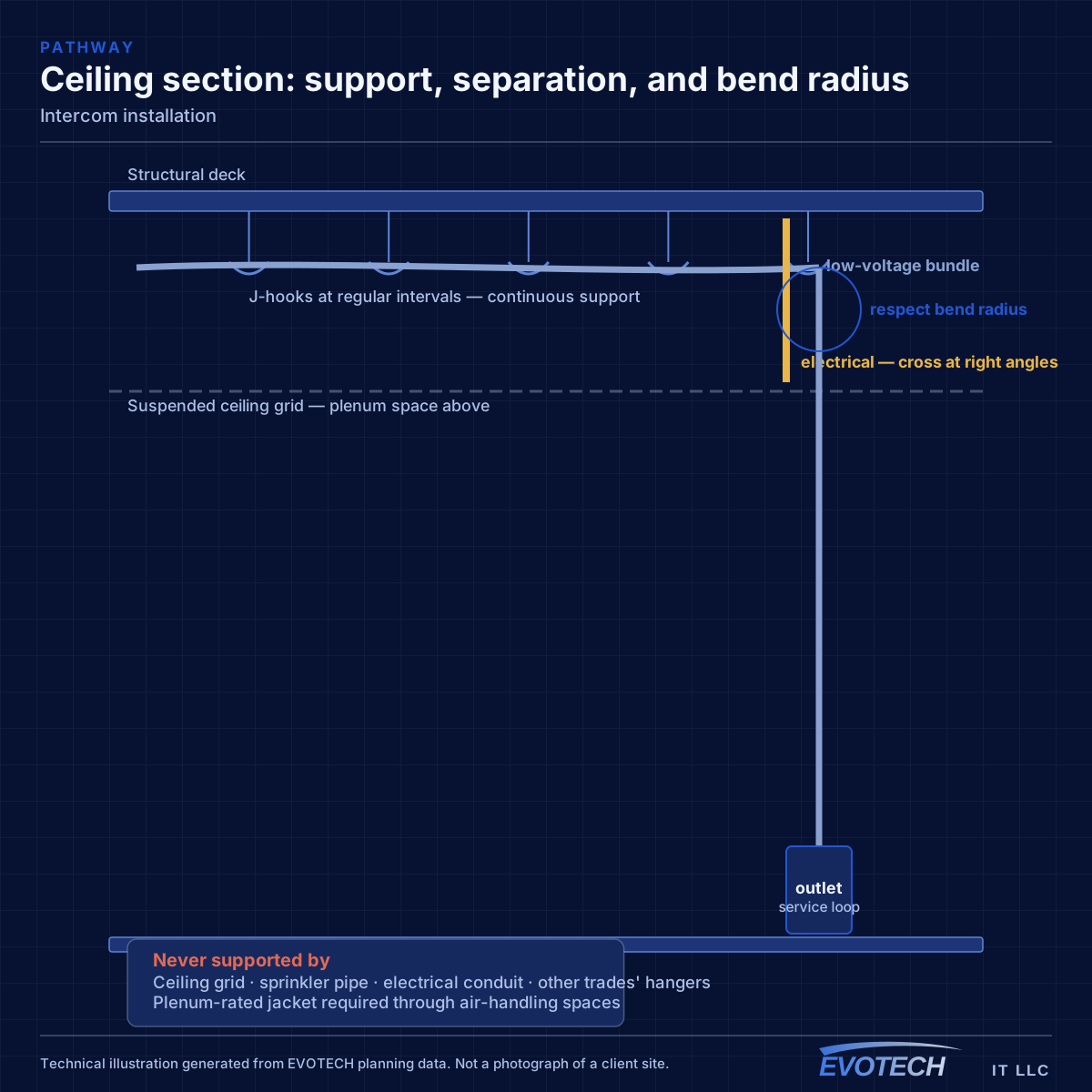
Intercom design starts with who answers and where they are.
- Identify every entry needing a station and every point that must answer
- Survey each entry for noise, sun exposure, weather, and mounting surface
- Confirm power and network reach at each station position, including gates
- Determine door or gate release method and its egress implications
- Install stations with appropriate mounting, shelter, and sealing
- Wire release and coordinate with any access-control system
- Configure call routing, answering points, and any mobile answering
- Test audio intelligibility, video framing, and release from every answering point
Testing and verification
Intercom commissioning is mostly listening and looking, from both ends.
- Test audio intelligibility at the station under realistic ambient noise
- Check video framing and exposure at the times of day that matter
- Confirm call routing reaches every intended answering point
- Verify door or gate release from each answering point
- Confirm egress behaviour is unaffected by the release arrangement
- Verify weather sealing at every exterior penetration
Who this work is for
Intercom requirements come from geometry and from tenancy.
- Offices with a locked lobby door and reception elsewhere in the building
- Warehouses with a personnel door away from the office area
- Gated properties where the gate is not visible from the house or office
- Multi-tenant buildings needing per-tenant call and release
- Medical and professional offices controlling entry to treatment or records areas
- Properties combining entry video with an existing access-control system
What changes the scope
Distance and exposure drive intercom scope.
- Number of entry stations and answering points
- Distance from equipment to each station, particularly gates
- Outdoor exposure and required weather protection
- Whether door release is included and what lock hardware exists
- Integration with an existing access-control system
- Multi-tenant call routing requirements
- Mounting surface and whether recessing is required
Common mistakes
Intercom disappointments are usually placement decisions.
- Mounting a station beside an air-conditioning unit or facing a busy road
- Leaving a west-facing station unhooded in full afternoon sun
- Running gate cable without conduit or surge protection
- Wiring release without confirming the egress arrangement
- Installing answering points where nobody spends the working day
- Assuming an existing gate operator's wiring can carry the intercom too
What drives the cost
Station count and run distance dominate.
- Number of entry stations and answering points
- Cable and conduit runs, especially to gates
- Weather protection and mounting hardware
- Door or gate release hardware and any lock changes
- Access-control integration
- Surge protection on outdoor runs
Honest limitations
These are the boundaries of what this service can do, stated up front rather than discovered later.
- Intercom audio quality is bounded by the acoustic environment at the entry; placement mitigates it but cannot remove traffic or mechanical noise.
- Door and gate release must preserve egress; life-safety requirements take precedence over convenience.
- Mobile answering depends on the manufacturer's service and on network connectivity at both ends.
- Long gate runs may require trenching or conduit work and any permissions that involves.
Frequently asked questions
Can an intercom release the door as well as show who is there?
Yes, and that is usually the point. The release is wired to the door's lock hardware, and the choice of lock determines power-loss behaviour. Where the door is also part of an access-control system, the two should be coordinated so the release is logged and the systems do not conflict over the same hardware.
Why is the entry station hard to hear?
Usually placement. Stations near traffic, air-conditioning equipment, or hard reflective surfaces pick up everything around them, and wind across a microphone makes it worse. Moving the station away from the noise source and providing some shelter improves intelligibility more reliably than adjusting settings.
Can the intercom be answered from a phone?
Many systems support it, which is useful when there is no fixed answering point staffed all day. The caveats are that it depends on the manufacturer's service and on connectivity at both ends, so it is worth keeping at least one fixed answering point where reliability matters.
What does a gate station need that a door station does not?
Distance planning. A gate station typically needs power and a system connection over a long outdoor run, which means conduit, surge protection at both ends, and treating the whole path as an exterior installation. It is a different job from mounting a station beside a lobby door, and it is worth scoping as one.