The short version
The complaint that ends meetings early is almost always audio. Remote participants tolerate a mediocre picture indefinitely and abandon a call with poor sound within minutes. So microphone coverage — enough pickup for everyone in the room, positioned for the actual seating, in a room whose acoustics do not fight it — is the first design decision, ahead of the display.
The second is joining. A room where starting a meeting requires knowing which input to select, which remote to use, and which cable to find is a room that starts five minutes late every time. One obvious control that starts the meeting is worth more than a specification upgrade anywhere else in the room.
What tends to go wrong
Room acoustics cause more audio failures than microphones do. Glass walls, hard tables, and bare drywall reflect sound, and a microphone in that environment picks up the reflections along with the speech. The remote participants hear a room rather than a person. Some soft surface — acoustic panels, carpet, fabric furnishings — improves intelligibility more reliably than upgrading the microphone.
The second recurring problem is coverage geometry. A single table microphone in a twelve-person room serves the four people nearest to it well and everyone else poorly. People at the far end get asked to repeat themselves, and the meeting slows down.
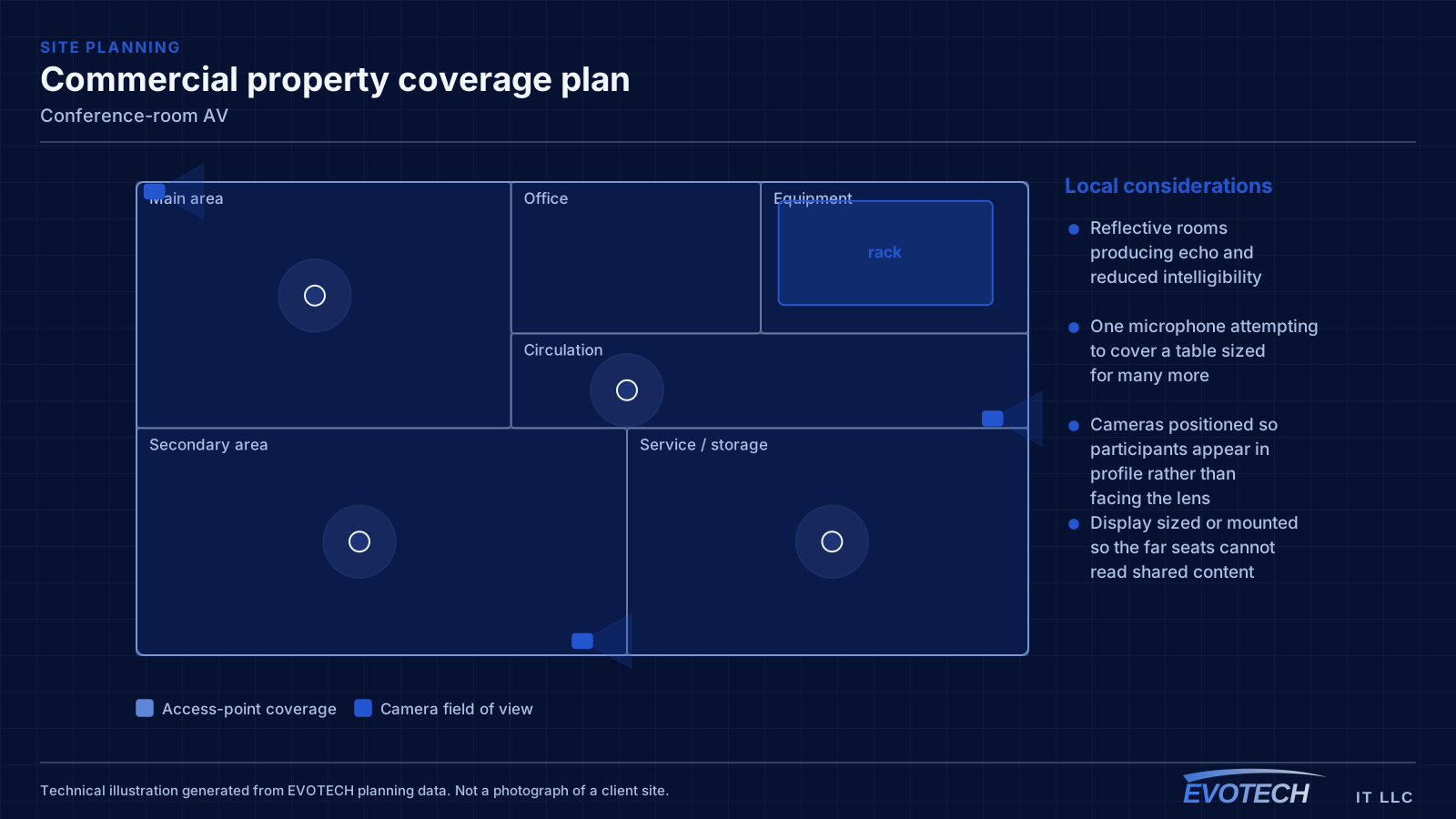
- Reflective rooms producing echo and reduced intelligibility
- One microphone attempting to cover a table sized for many more
- Cameras positioned so participants appear in profile rather than facing the lens
- Display sized or mounted so the far seats cannot read shared content
- Cable clutter on the table because connections were not planned
- Joining procedures complex enough that meetings start late
Who this work is for
Room requirements scale sharply with size and seating arrangement.
- Small huddle rooms for two to four people with a single display
- Standard conference rooms seating eight to twelve around a table
- Boardrooms with longer tables needing distributed microphone coverage
- Training rooms where a presenter moves and the audience asks questions
- Multipurpose and church spaces used for both presentation and gathering
Microphone coverage, camera placement, and display sizing
Microphone selection follows the room. Table microphones give close pickup for seats near them and suit smaller rooms. Ceiling microphones cover a defined zone and keep the table clear, which suits larger rooms and rooms where the table layout changes — provided the ceiling height and room acoustics suit them. Larger rooms usually need multiple pickup points rather than one better microphone.
Camera placement should put the lens where a remote participant would sit, which is normally centred on the display wall at roughly seated eye level. A camera mounted high above a display looks down on the room; one mounted to the side shows everyone in profile. In rooms where the presenter moves, a second camera or a camera with a wider framing option handles the presentation position.
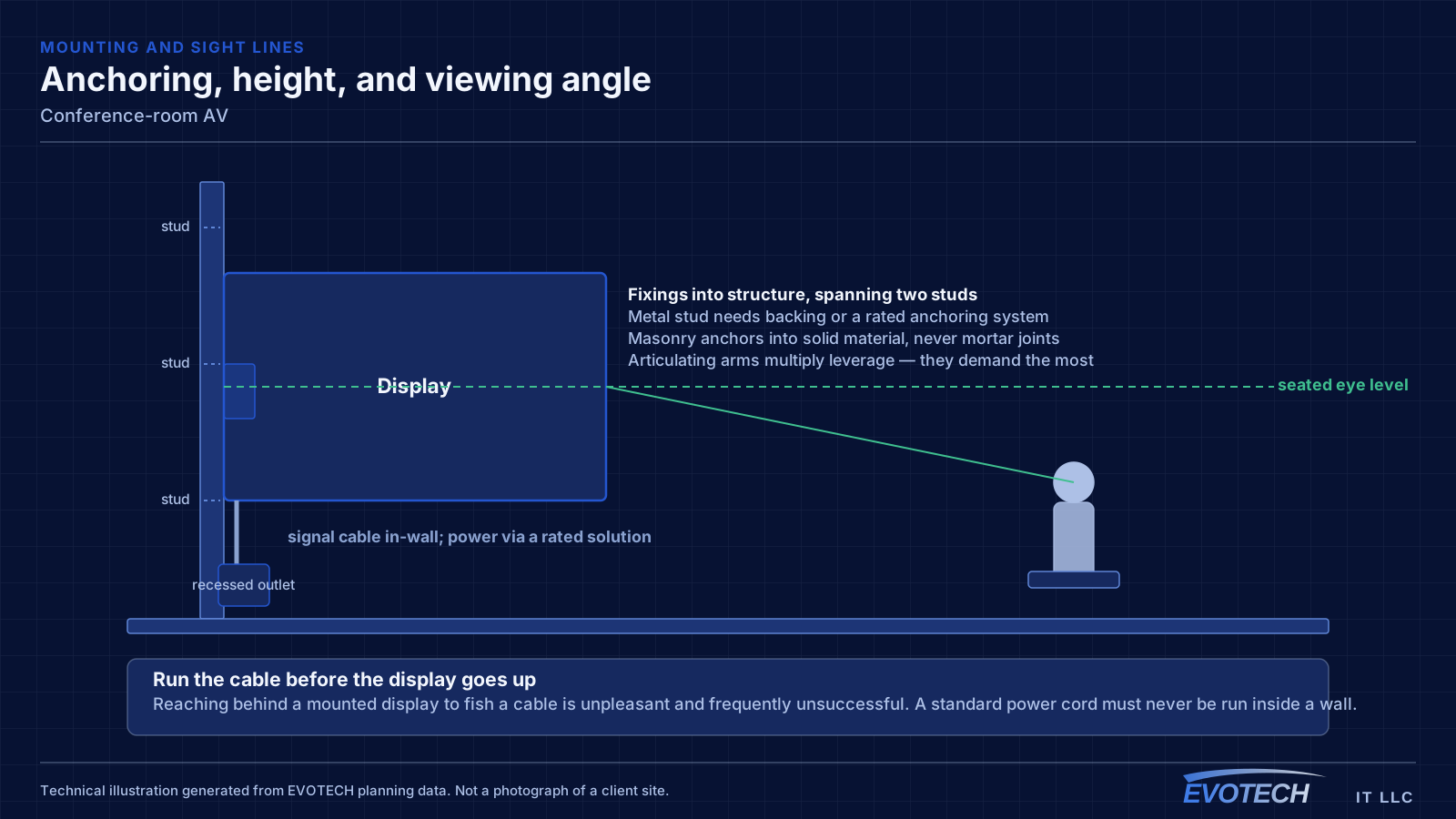
Display sizing works back from the furthest seat. The practical test is whether shared content — a spreadsheet, a document, small text — is legible from the back of the room, not whether the picture looks large from the doorway. Mounting height matters too: a display centred too high forces people to look up for the whole meeting and pushes the camera position higher with it.
- Match microphone type and count to room size, seating, and acoustics
- Camera at the display wall, near seated eye level, framing faces rather than profiles
- Size the display for legibility from the furthest seat
- Treat reflective rooms acoustically rather than compensating electronically
- Plan table connectivity so cables are not improvised
- One obvious control that starts the meeting
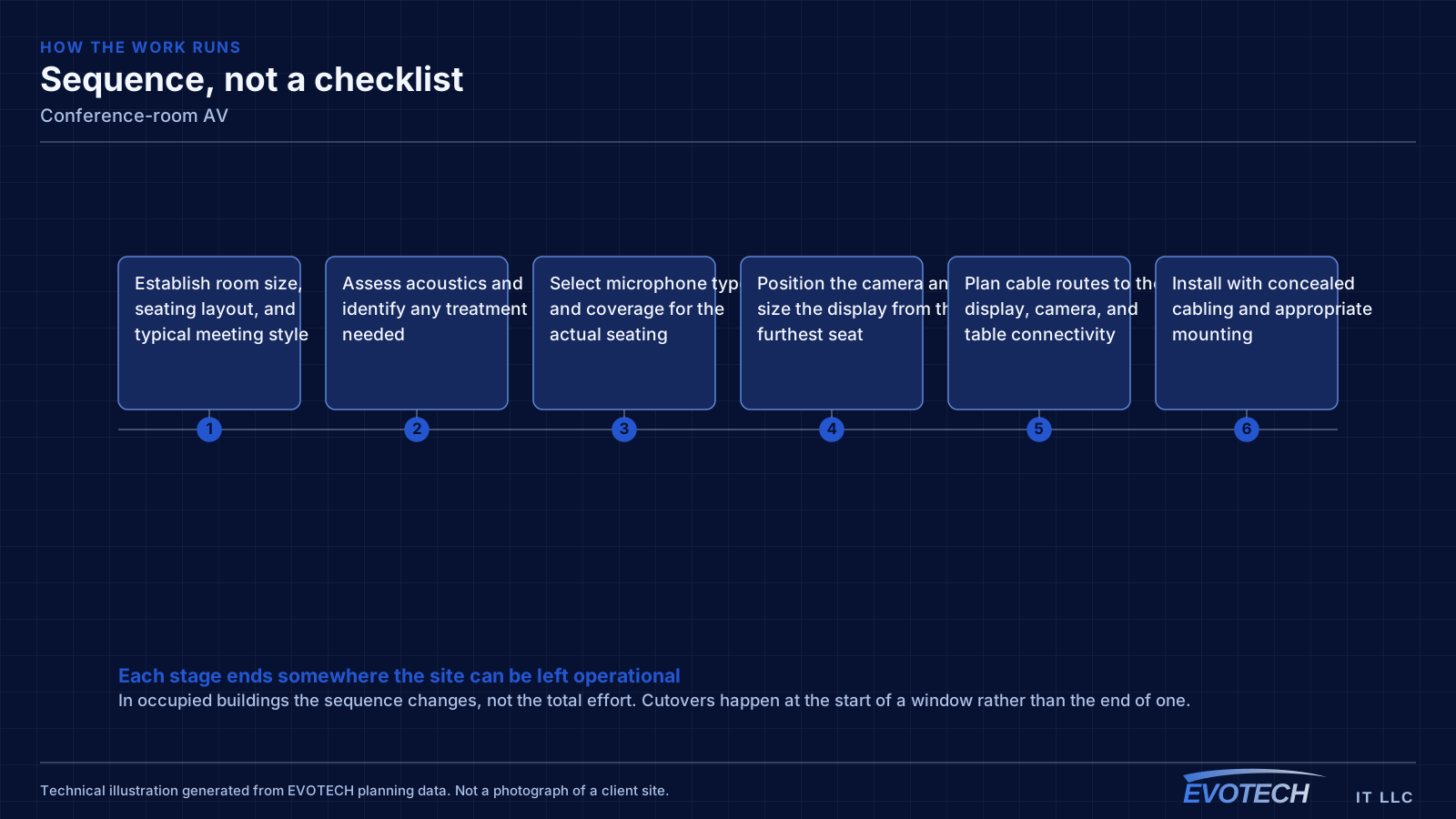
How the work runs
Room design starts from where people sit and what they need to see and be heard doing.
- Establish room size, seating layout, and typical meeting style
- Assess acoustics and identify any treatment needed
- Select microphone type and coverage for the actual seating
- Position the camera and size the display from the furthest seat
- Plan cable routes to the display, camera, and table connectivity
- Install with concealed cabling and appropriate mounting
- Configure the control system for a single obvious joining action
- Test with real remote participants and adjust levels and framing
Testing and verification
Rooms are commissioned from the far end, because that is where the problems are audible.
- Test audio with a remote participant listening from every seat in turn
- Confirm camera framing from the far-end view rather than the local preview
- Check content legibility from the furthest seat
- Verify the joining sequence with someone who has not been trained on it
- Test wireless presentation from typical devices
- Confirm levels are consistent between quiet and loud speakers
What changes the scope
Room geometry and construction drive the scope.
- Room dimensions, ceiling height, and seating count
- Acoustic conditions and whether treatment is required
- Table type and whether in-table connectivity is wanted
- Wall construction behind the display and its mounting requirements
- Cable routing options for concealed installation
- Which meeting platform the room must support
- Whether presenters move or remain seated
- Control complexity and how much automation is wanted
Common mistakes
Meeting rooms fail in ways that are obvious in hindsight.
- Buying a larger display before solving the audio
- Fitting one microphone to a room seating twelve
- Mounting the camera above the display so the room is viewed from above
- Ignoring a glass-walled room's acoustics
- Leaving joining complex enough that meetings start late
- Running cables across the table because connectivity was not designed in
What drives the cost
Microphone coverage and cable concealment usually cost more than the display.
- Room size and the microphone coverage it requires
- Ceiling microphone installation versus table microphones
- Display size and mounting requirements
- Camera selection and mounting
- Cable concealment, including in-wall and in-table routing
- Control system and its configuration
- Any acoustic treatment
Honest limitations
These are the boundaries of what this service can do, stated up front rather than discovered later.
- Room acoustics set a ceiling on audio quality; equipment mitigates reflection but does not remove it.
- Meeting-platform features and certification requirements change over time and should be confirmed against current documentation.
- Display mounting on some wall constructions requires backing or reinforcement.
- Network capacity and quality affect call performance independently of the room equipment.
Frequently asked questions
Why do remote participants say the room sounds echoey?
Reflections. Glass, hard tables, and bare walls send sound back into the microphone alongside the speech, and the far end hears the room. Adding some soft surface — panels, carpet, fabric furnishings — usually improves intelligibility more than changing microphones, because it addresses the cause rather than compensating for it.
Ceiling microphones or table microphones?
Table microphones give close pickup and suit smaller rooms and fixed seating. Ceiling microphones cover a zone, keep the table clear, and suit larger rooms or flexible layouts — provided ceiling height and acoustics are suitable. Larger rooms generally need multiple pickup points either way; one microphone rarely covers a long table well.
How big should the display be?
Large enough that shared content is legible from the furthest seat. The useful test is putting a realistic document or spreadsheet on screen and reading it from the back of the room, rather than judging the picture from the doorway. Mounting height matters as well — too high and everyone spends the meeting looking up.
What makes meetings start on time?
A single obvious action that starts the meeting, with the room already knowing which display, which camera, and which microphones to use. Rooms that require selecting an input, finding a remote, and locating a cable lose several minutes every time, and the cost of that is much larger over a year than any equipment difference.