Why this page exists
Residential Wi-Fi for home offices is shaped by how the space is used, not just by the service itself. Home offices bring their own operating constraints, and this page pairs what residential wi-fi actually involves with what that environment changes about it.
A single router placed wherever the internet service happens to enter the house is the root of most residential wireless complaints. That position is frequently a corner of the garage or a front closet, which means a large share of the signal is heading outdoors. Coverage improves dramatically when access points are placed centrally in the areas people use, and fed by cable.
The house is competing with the work
A home office shares its connection with everything else in the house, and household demand is highest during exactly the hours that matter least to the household and most to the person working. Streaming, gaming, backups, and connected devices all contend for the same circuit and, if the office is on wireless, for the same airtime.
The second factor is position. Home offices frequently end up in a spare bedroom at the far corner of the house, which is often the worst wireless position in the building — furthest from the router, through the most walls.
- Household traffic peaking during working hours
- Office often located at the far edge of wireless coverage
- Video calls being the least tolerant workload in the house
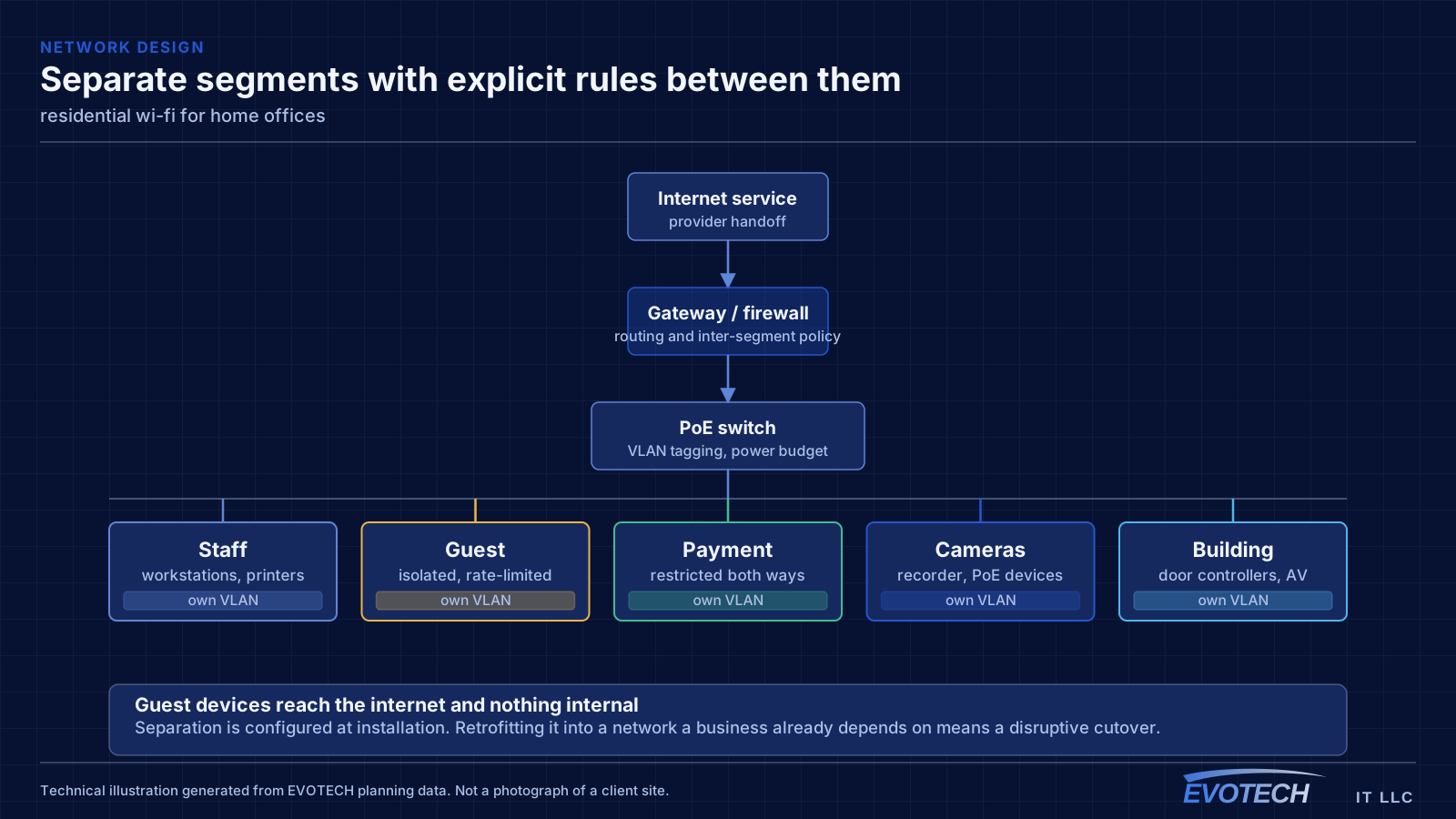
- Work equipment sharing a flat network with household devices
What residential wi-fi usually involves
Range extenders are the most common cause of a network that looks fine and behaves badly. An extender receives and retransmits on the same radio, so throughput drops with each hop, and devices often stay connected to the extender long after they have walked back within range of the main router.
The second cause is construction. Tile, masonry, brick veneer, foil-backed insulation, mirrors, and metal-framed glass all attenuate signal noticeably. A floor plan will not tell you which wall is the problem — walking the house with a measurement tool will.
- Router positioned where the service enters rather than where coverage is needed
- Range extenders halving throughput and holding onto clients too long
- Tile, masonry, and foil-backed materials attenuating signal between rooms
- Detached garages, casitas, and outbuildings with no viable wireless path
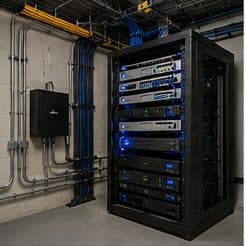
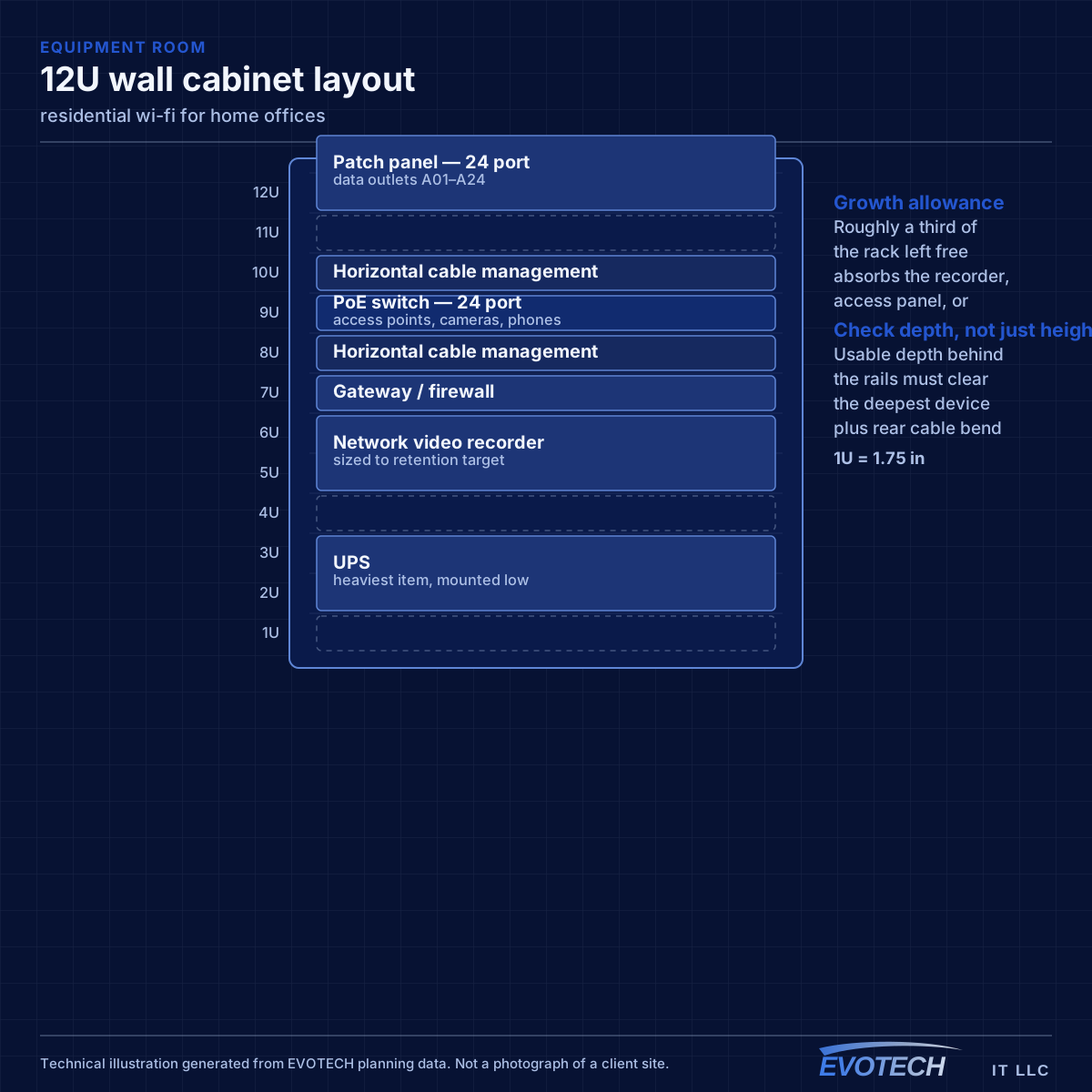
- Equipment stacked in a closed cabinet with no ventilation
- Neighbouring networks congesting 2.4 GHz in dense subdivisions
The single cable that fixes most of it
A wired connection to the desk eliminates the variables that cause most home-office call problems: signal strength, interference from neighbouring networks, and contention with household devices for airtime. In slab-foundation construction the run typically goes up into the attic and down an interior wall, which is why the destination wall matters more than the distance.
Where the office must stay wireless, the fix is placement rather than power. An access point in the hallway near the office, mounted on the ceiling and connected by cable, serves the room far better than a more powerful router at the other end of the house. Turning up transmit power on a distant router mostly raises interference.
Separation is worth doing even at home. A separate network for work equipment, distinct from household devices and from guests, limits what a compromised household device can reach. This is straightforward on most current equipment and costs nothing but configuration.
- Wired run to the desk as the highest-value single change
- Access point placed near the office rather than more power from a distant router
- Attic-to-interior-wall routing in slab-foundation homes
- Separate network segment for work equipment
- Stationary household devices wired to free up airtime
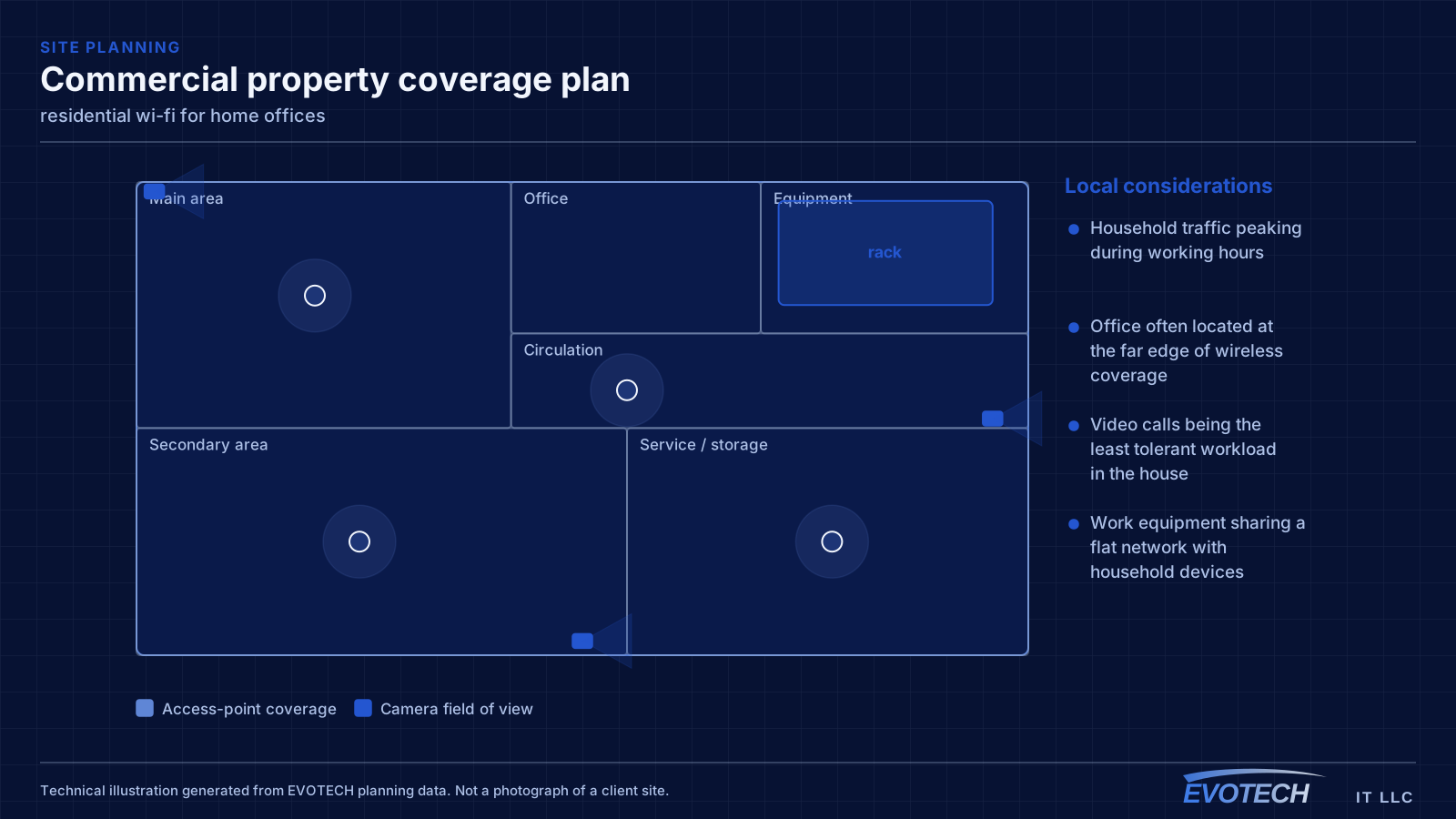
Placement, floors, and why the wired run matters more than the hardware
Signal passes through a floor with significant loss, which is why a downstairs router rarely serves upstairs bedrooms properly. The reliable arrangement in a two-storey home is one access point per floor, positioned centrally in the used areas rather than at the perimeter, with the two connected by cable.
- One access point per floor as the baseline in two-storey homes
- Central placement in used areas rather than at the building perimeter
- Wired backhaul via attic and interior wall in slab construction
- Ceiling mounting to use the intended radiation pattern
- Outdoor and detached-structure coverage planned separately, not as an afterthought
Frequently asked questions
What changes about residential wi-fi in home offices?
The operating environment does. Home offices bring specific constraints — how the space is used, when work can happen, and what has to keep running — and those shape the residential wi-fi plan as much as the service's own technical requirements.
Why is upstairs Wi-Fi bad when the router is right below?
Signal loses a meaningful amount of strength passing through a floor, and the router's pattern is not aimed upward. Turning the power up mostly increases interference. The dependable arrangement is a second access point upstairs, placed centrally and connected by cable to the equipment position downstairs.
Why do work calls degrade in the afternoon?
Usually contention. Household demand rises when people are home, and if the office is on wireless it competes both for the internet circuit and for airtime on the same radio channel. A wired connection to the desk removes the airtime half of that immediately, which is why it is the first thing worth doing.