Why this page exists
Outdoor TV installation for home offices is shaped by how the space is used, not just by the service itself. Home offices bring their own operating constraints, and this page pairs what outdoor tv installation actually involves with what that environment changes about it.
An outdoor television has to do two things a living-room set does not: survive the environment and stay readable in bright ambient light. On a Gulf Coast patio that means an outdoor-rated display built to tolerate heat, humidity, and moisture, with brightness high enough to read against daylight — a regular indoor TV on a covered patio is dim in the day and degrades in the humidity within a season or two.
The house is competing with the work
A home office shares its connection with everything else in the house, and household demand is highest during exactly the hours that matter least to the household and most to the person working. Streaming, gaming, backups, and connected devices all contend for the same circuit and, if the office is on wireless, for the same airtime.
The second factor is position. Home offices frequently end up in a spare bedroom at the far corner of the house, which is often the worst wireless position in the building — furthest from the router, through the most walls.
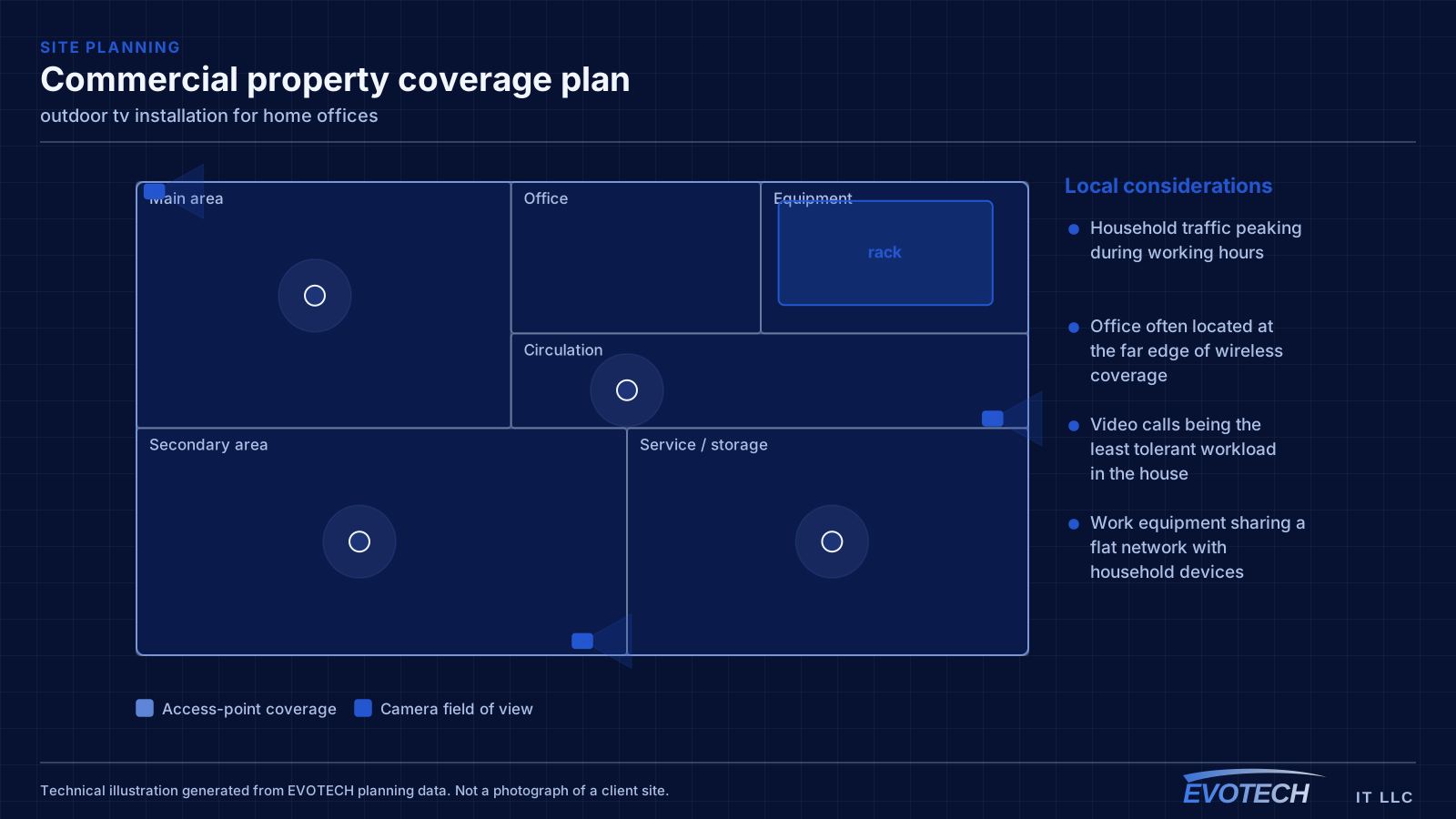
- Household traffic peaking during working hours
- Office often located at the far edge of wireless coverage
- Video calls being the least tolerant workload in the house
- Work equipment sharing a flat network with household devices
What outdoor tv installation usually involves
The first problem is using an indoor television outdoors. It is too dim to read in daylight, and the humidity and temperature swings degrade it quickly — internal condensation and corrosion that an indoor set was never built to resist. Even under a cover, an exterior environment is harsh in this climate.
The second is everything around the display: mounts that corrode, cable entries that let moisture into connections, and a patio that sits at the weak edge of the home's Wi-Fi so streaming stutters. Each is straightforward to get right and costly to ignore.
- Indoor televisions too dim for daylight and degrading in humidity
- Non-rated mounts corroding in the exterior environment
- Cable entries letting moisture into connections
- Weak Wi-Fi at the patio causing streaming to stutter
- Direct sun and glare on a screen not bright enough to counter it
- Heat build-up on a display in an enclosed or sun-exposed position
The single cable that fixes most of it
A wired connection to the desk eliminates the variables that cause most home-office call problems: signal strength, interference from neighbouring networks, and contention with household devices for airtime. In slab-foundation construction the run typically goes up into the attic and down an interior wall, which is why the destination wall matters more than the distance.
Where the office must stay wireless, the fix is placement rather than power. An access point in the hallway near the office, mounted on the ceiling and connected by cable, serves the room far better than a more powerful router at the other end of the house. Turning up transmit power on a distant router mostly raises interference.
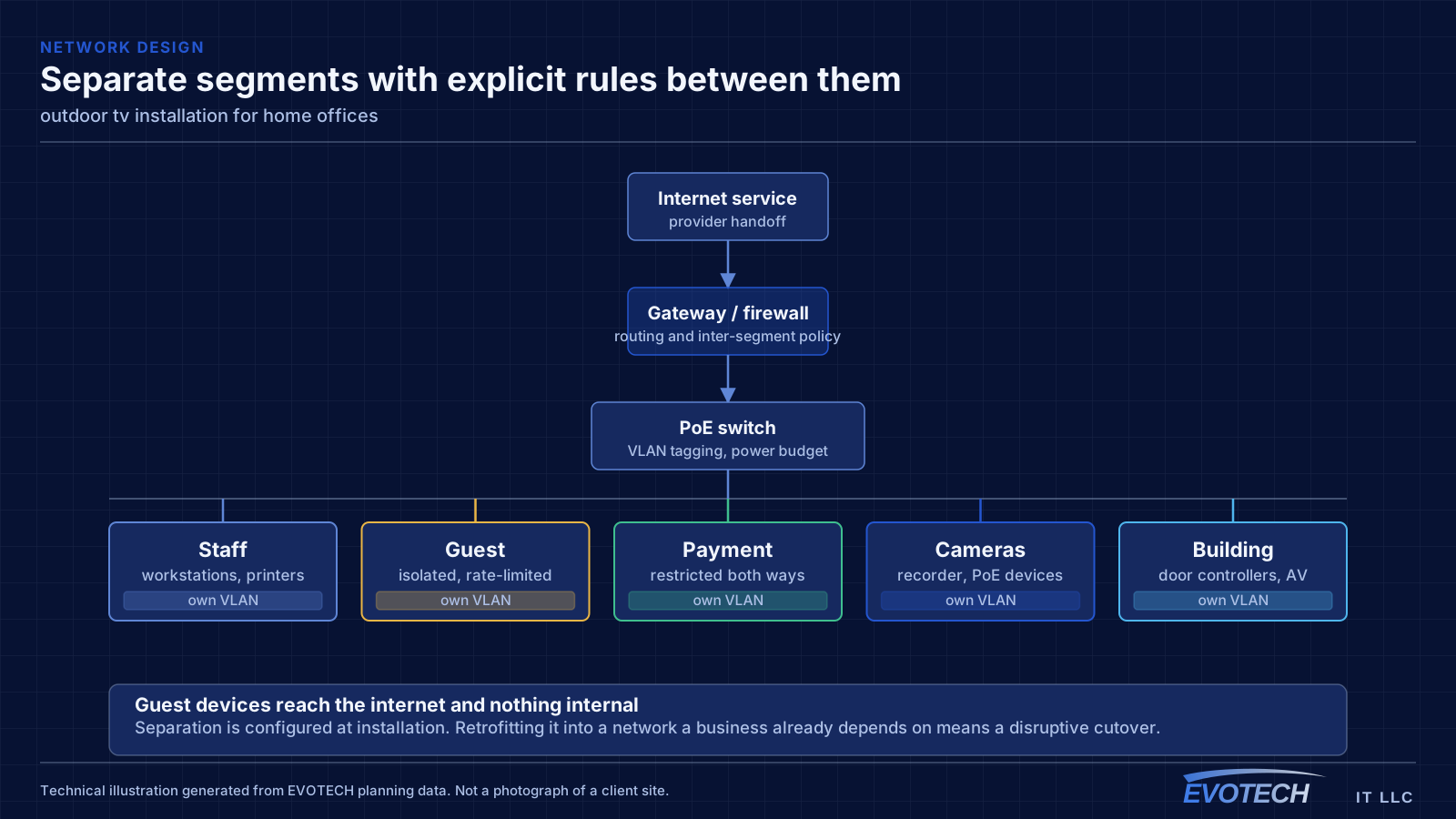
Separation is worth doing even at home. A separate network for work equipment, distinct from household devices and from guests, limits what a compromised household device can reach. This is straightforward on most current equipment and costs nothing but configuration.
- Wired run to the desk as the highest-value single change
- Access point placed near the office rather than more power from a distant router
- Attic-to-interior-wall routing in slab-foundation homes
- Separate network segment for work equipment
- Stationary household devices wired to free up airtime
Outdoor-rated displays, brightness, sealing, and signal
The display has to be built for outdoors. Outdoor-rated televisions tolerate the temperature and humidity range and resist moisture ingress, and they come in brightness classes for different exposures — a fully shaded patio needs less than a partial-sun position, which needs less than full sun. Matching the brightness to the actual light is what keeps the screen readable through the day.
- An outdoor-rated display for the temperature, humidity, and moisture
- Brightness class matched to shade, partial sun, or full sun
- Outdoor-rated, corrosion-resistant mount
- Sealed cable entries with proper drip loops
- Position chosen to avoid heat build-up and direct glare
- Real Wi-Fi coverage at the patio, often a dedicated access point
Frequently asked questions
What changes about outdoor tv installation in home offices?
The operating environment does. Home offices bring specific constraints — how the space is used, when work can happen, and what has to keep running — and those shape the outdoor tv installation plan as much as the service's own technical requirements.
Can I just put a regular TV on my covered patio?
It rarely lasts or reads well. Even under a cover, a Gulf Coast patio subjects an indoor television to heat and humidity it was not built for, and it is usually too dim to see in daylight. An outdoor-rated display for the temperature and moisture, with brightness matched to the exposure, is what survives and stays watchable through the day.
Why do work calls degrade in the afternoon?
Usually contention. Household demand rises when people are home, and if the office is on wireless it competes both for the internet circuit and for airtime on the same radio channel. A wired connection to the desk removes the airtime half of that immediately, which is why it is the first thing worth doing.