Why this page exists
Smart home & smart locks for home offices is shaped by how the space is used, not just by the service itself. Home offices bring their own operating constraints, and this page pairs what smart home & smart locks actually involves with what that environment changes about it.
Smart-home devices are easy to buy and easy to end up with a drawer of apps that half-work. Getting a home that actually behaves means three decisions up front: which ecosystem everything lives in — a voice platform, a phone platform, or a manufacturer's own app — so devices cooperate instead of each needing their own login; whether devices talk over Wi-Fi or through a hub using a low-power protocol; and which functions must keep working when the internet drops. A smart lock that only unlocks from the cloud is a problem the first time the connection goes down.
The house is competing with the work
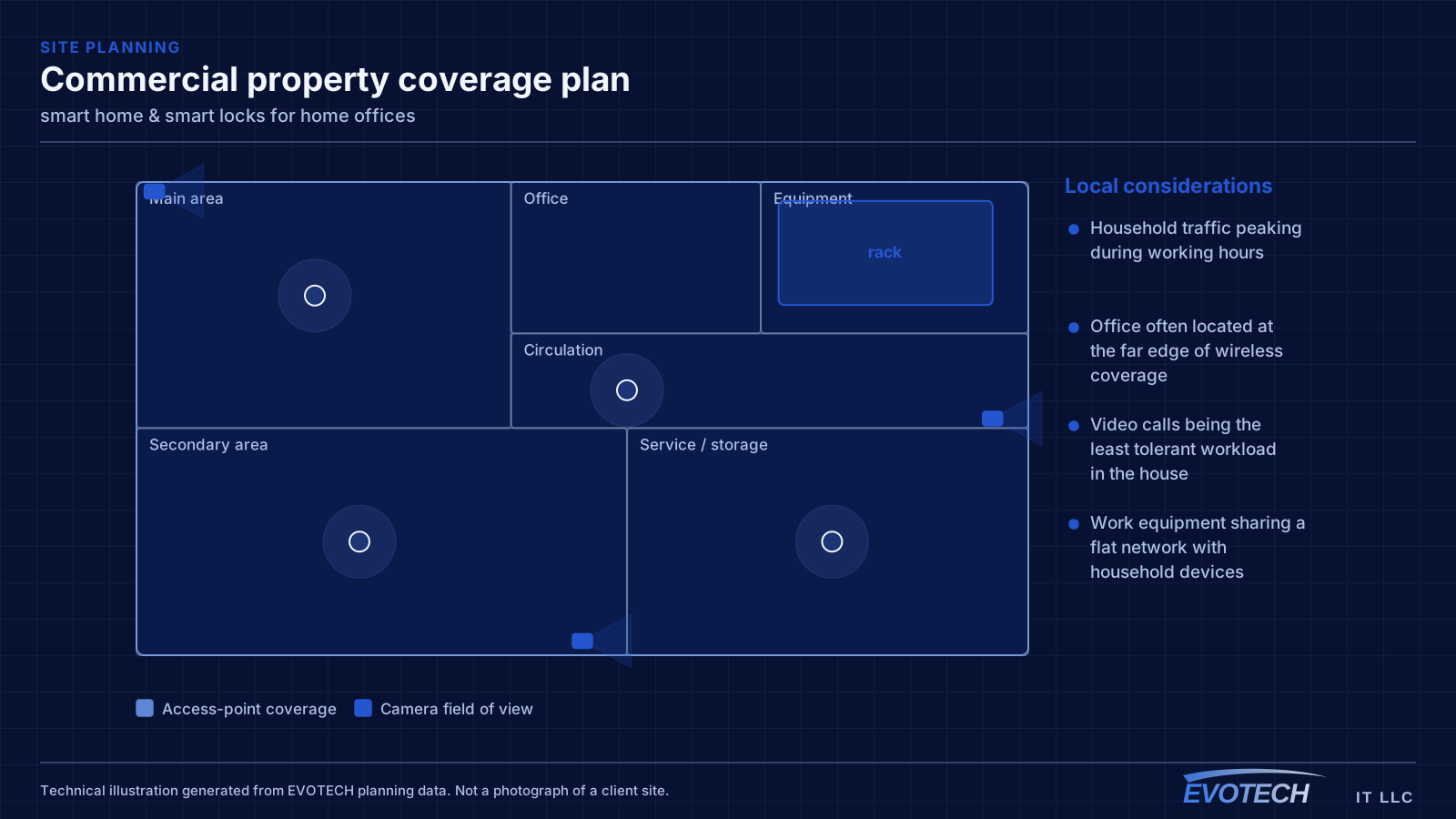
A home office shares its connection with everything else in the house, and household demand is highest during exactly the hours that matter least to the household and most to the person working. Streaming, gaming, backups, and connected devices all contend for the same circuit and, if the office is on wireless, for the same airtime.
The second factor is position. Home offices frequently end up in a spare bedroom at the far corner of the house, which is often the worst wireless position in the building — furthest from the router, through the most walls.
- Household traffic peaking during working hours
- Office often located at the far edge of wireless coverage
- Video calls being the least tolerant workload in the house
- Work equipment sharing a flat network with household devices
What smart home & smart locks usually involves
The characteristic smart-home problem is a device that works most of the time — which, for a lock or a camera, is not good enough. The usual causes are weak wireless at the device's location, a cloud dependency that fails when the connection blips, and automations that quietly stop firing without telling anyone.
The second is ecosystem sprawl: five brands, five apps, and no way to make a routine span them. Deciding on one platform, and choosing devices that speak to it, turns a pile of gadgets into a system.
- Locks and cameras that work intermittently because of weak Wi-Fi at the door
- Cloud-only devices failing when the internet drops
- Automations that stop running silently, with no alert
- A different app for every brand and no unified control
- Smart locks fitted to doors that are misaligned or swollen, so they jam
- Dead batteries with no monitoring, locking people out
The single cable that fixes most of it
A wired connection to the desk eliminates the variables that cause most home-office call problems: signal strength, interference from neighbouring networks, and contention with household devices for airtime. In slab-foundation construction the run typically goes up into the attic and down an interior wall, which is why the destination wall matters more than the distance.
Where the office must stay wireless, the fix is placement rather than power. An access point in the hallway near the office, mounted on the ceiling and connected by cable, serves the room far better than a more powerful router at the other end of the house. Turning up transmit power on a distant router mostly raises interference.
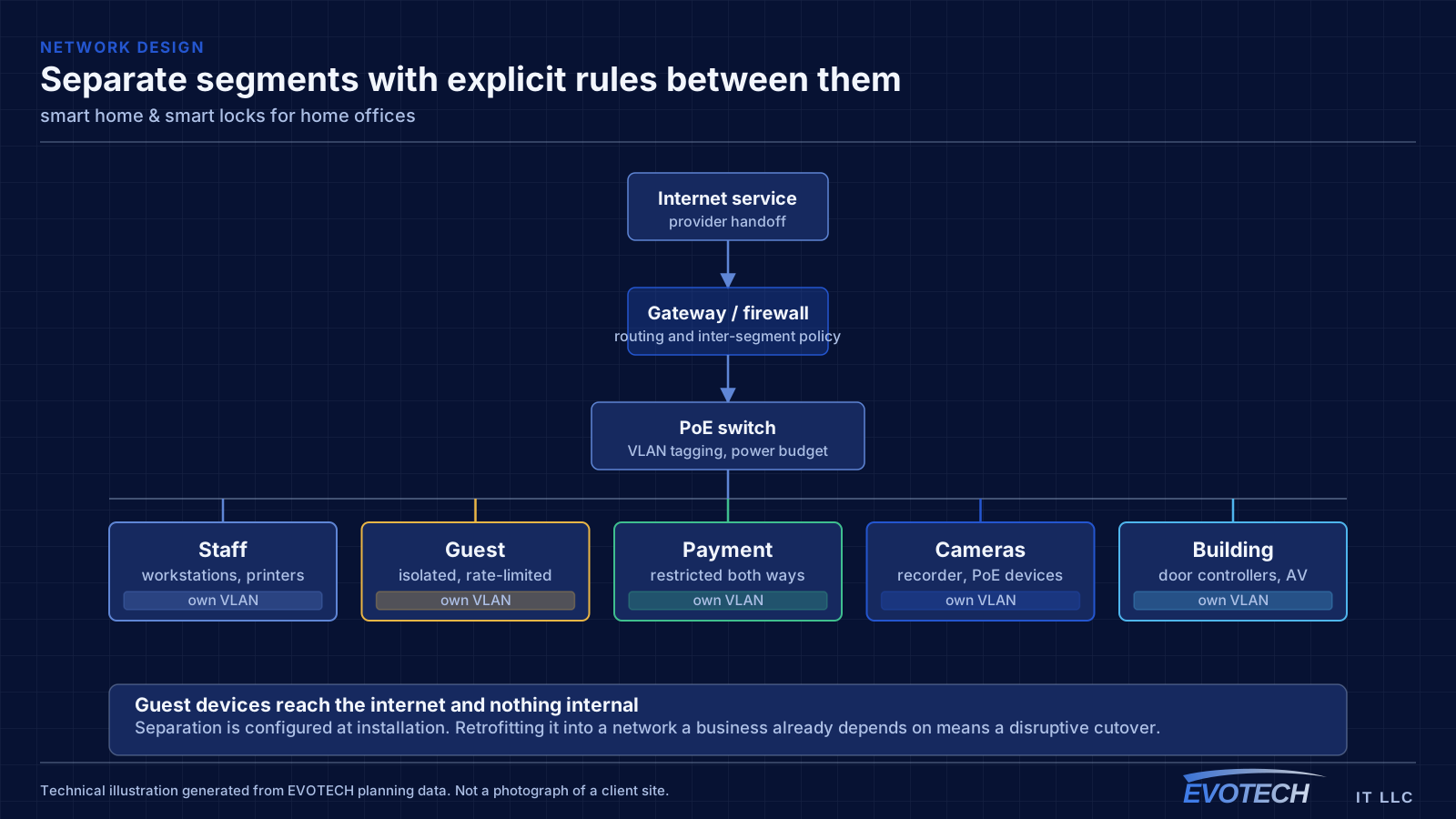
Separation is worth doing even at home. A separate network for work equipment, distinct from household devices and from guests, limits what a compromised household device can reach. This is straightforward on most current equipment and costs nothing but configuration.
- Wired run to the desk as the highest-value single change
- Access point placed near the office rather than more power from a distant router
- Attic-to-interior-wall routing in slab-foundation homes
- Separate network segment for work equipment
- Stationary household devices wired to free up airtime
Ecosystem, hub versus Wi-Fi, local versus cloud, and door fit
The ecosystem decision is the one that shapes everything else. Committing to a single platform — whichever suits the household's phones and habits — lets devices share routines and one control surface, at the cost of favouring devices that support it. A hub adds a second layer: many reliable smart-home devices use a low-power mesh protocol rather than Wi-Fi, which keeps them off the main network and off the router's client count, and a modern hub bridges those to the chosen platform. Newer interoperability standards are narrowing the gap between ecosystems, but device support still has to be checked rather than assumed.
- One ecosystem chosen for the household, with devices that support it
- A hub for low-power mesh devices, keeping them off the main Wi-Fi
- Local control or an offline fallback for locks, doors, and key cameras
- A physical key or manual override always retained
- Smart locks matched to a door that actually operates smoothly
- Battery monitoring with alerts before a lockout
Frequently asked questions
What changes about smart home & smart locks in home offices?
The operating environment does. Home offices bring specific constraints — how the space is used, when work can happen, and what has to keep running — and those shape the smart home & smart locks plan as much as the service's own technical requirements.
Which smart-home ecosystem should we use?
Usually the one that matches the phones and habits in the house, because that is the control surface everyone already reaches for. Committing to one platform lets devices share routines instead of each needing its own app — the tradeoff is favouring devices that support it. Newer interoperability standards are narrowing the differences, but it is still worth checking that the specific devices you want work with the platform you choose.
Why do work calls degrade in the afternoon?
Usually contention. Household demand rises when people are home, and if the office is on wireless it competes both for the internet circuit and for airtime on the same radio channel. A wired connection to the desk removes the airtime half of that immediately, which is why it is the first thing worth doing.