Why this page exists
Low-voltage installation for home offices is shaped by how the space is used, not just by the service itself. Home offices bring their own operating constraints, and this page pairs what low-voltage installation actually involves with what that environment changes about it.
Low-voltage work covers the systems that run on cable rather than mains power: data, wireless, cameras, door access, intercoms, and audio-visual. In a new build or a fit-out these systems share pathways, share an equipment position, and increasingly share a network — so planning them together during rough-in costs far less than adding each one separately after the walls close.
The house is competing with the work
A home office shares its connection with everything else in the house, and household demand is highest during exactly the hours that matter least to the household and most to the person working. Streaming, gaming, backups, and connected devices all contend for the same circuit and, if the office is on wireless, for the same airtime.
The second factor is position. Home offices frequently end up in a spare bedroom at the far corner of the house, which is often the worst wireless position in the building — furthest from the router, through the most walls.
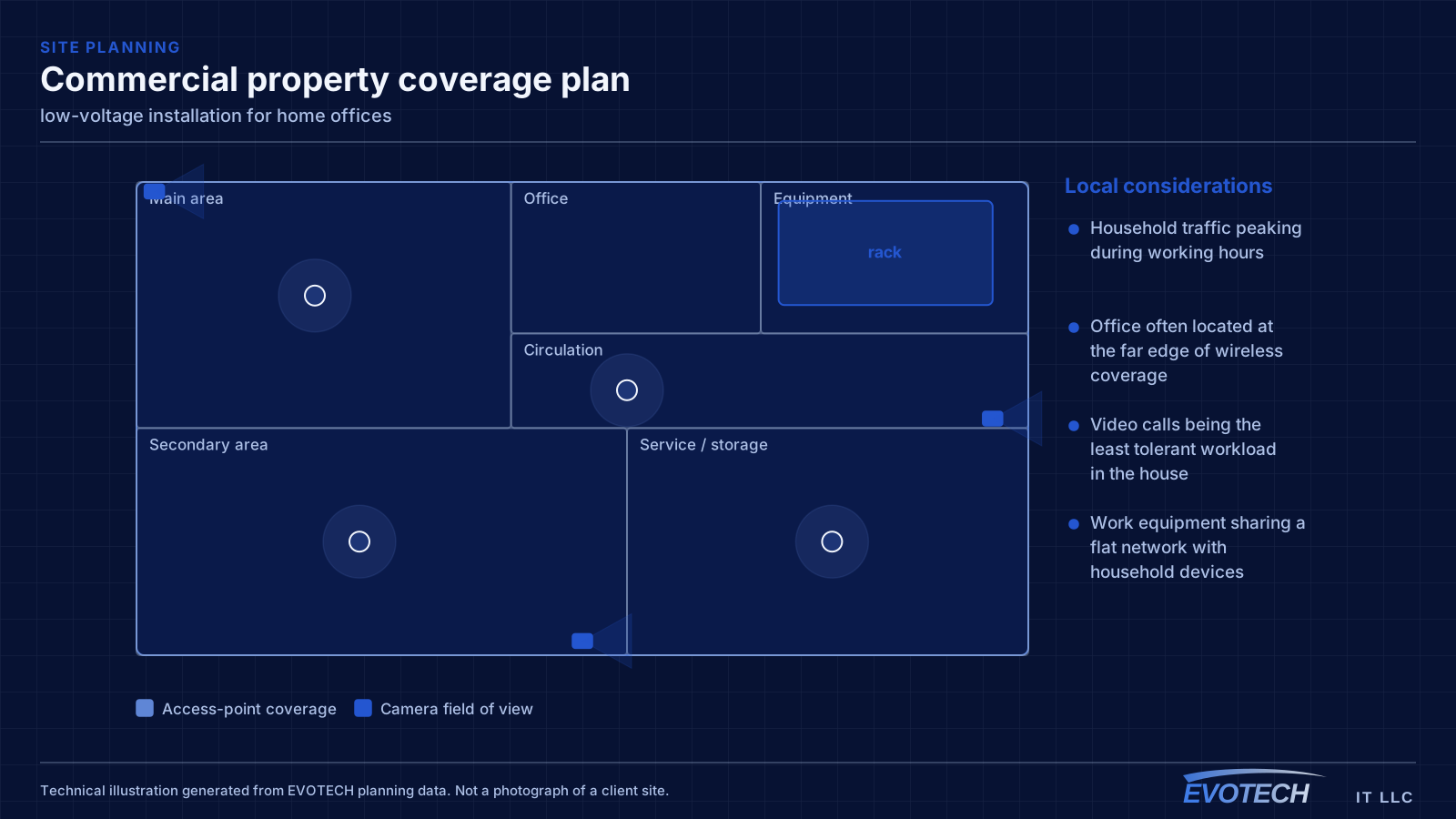
- Household traffic peaking during working hours
- Office often located at the far edge of wireless coverage
- Video calls being the least tolerant workload in the house
- Work equipment sharing a flat network with household devices
What low-voltage installation usually involves
The characteristic problem is systems planned in isolation. Cameras get specified after the ceiling closes, so their cable runs surface-mount. The access-control panel arrives with no allocated space in the equipment room. The AV system needs a run to a wall the network design never considered. Each individually is a small compromise; together they produce a building where nothing is quite where it should be.
The second problem is pathway conflict. Low voltage shares ceiling space with mechanical, electrical, plumbing, and fire protection, and the low-voltage trade is usually last in. Pathways claimed early are pathways available; pathways assumed are frequently full by the time anyone arrives.
- Systems specified at different times, each retrofitting around the last
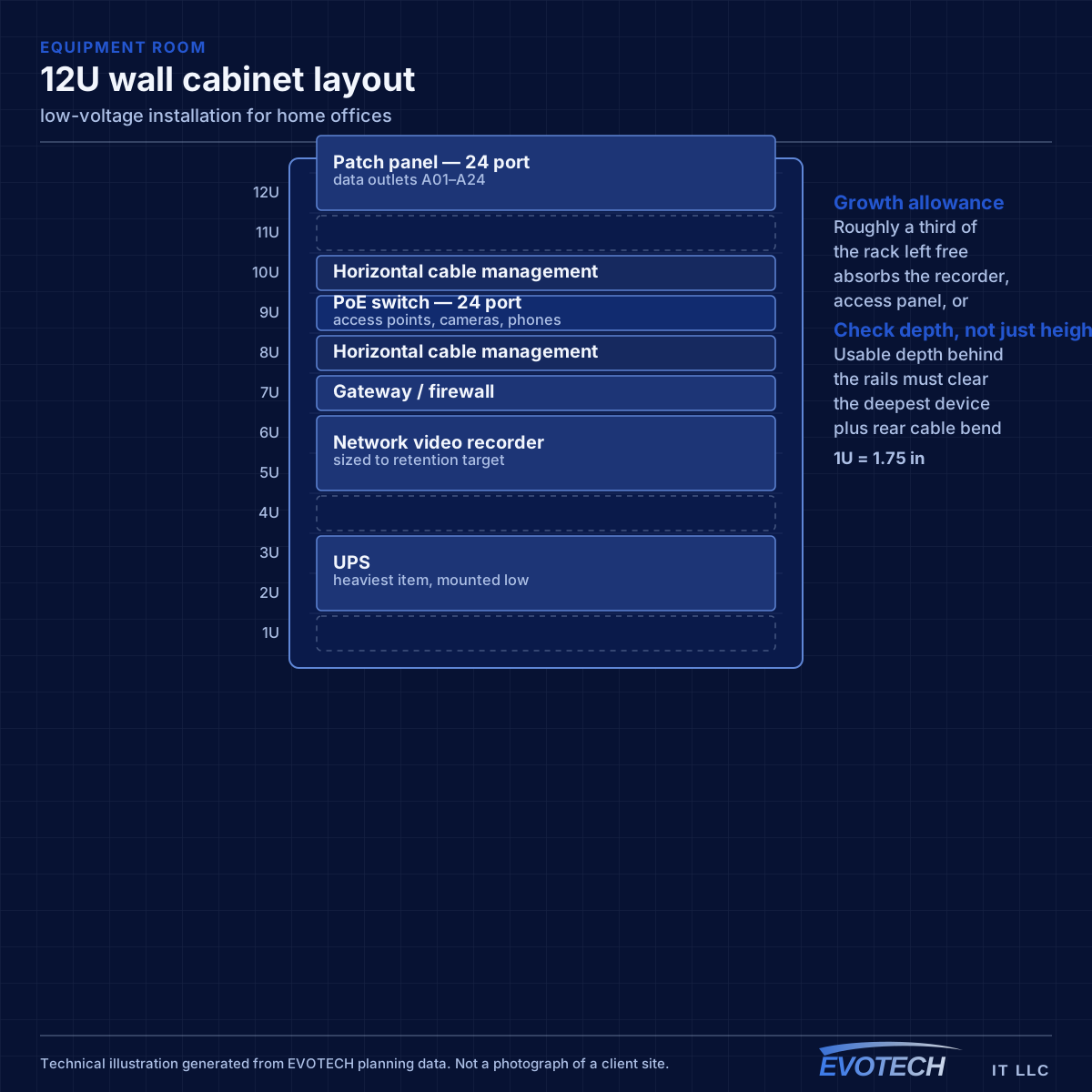
- Equipment room sized for the network and not for recorders, access panels, and AV
- Pathway congestion because low voltage was scheduled after the other trades
- Device locations unresolved at rough-in, forcing best guesses that get moved later
- Fire-rated penetrations made without proper sleeving and firestopping
- Rough-in complete but the finish scope unscheduled, leaving cable coiled in walls for months
The single cable that fixes most of it
A wired connection to the desk eliminates the variables that cause most home-office call problems: signal strength, interference from neighbouring networks, and contention with household devices for airtime. In slab-foundation construction the run typically goes up into the attic and down an interior wall, which is why the destination wall matters more than the distance.
Where the office must stay wireless, the fix is placement rather than power. An access point in the hallway near the office, mounted on the ceiling and connected by cable, serves the room far better than a more powerful router at the other end of the house. Turning up transmit power on a distant router mostly raises interference.
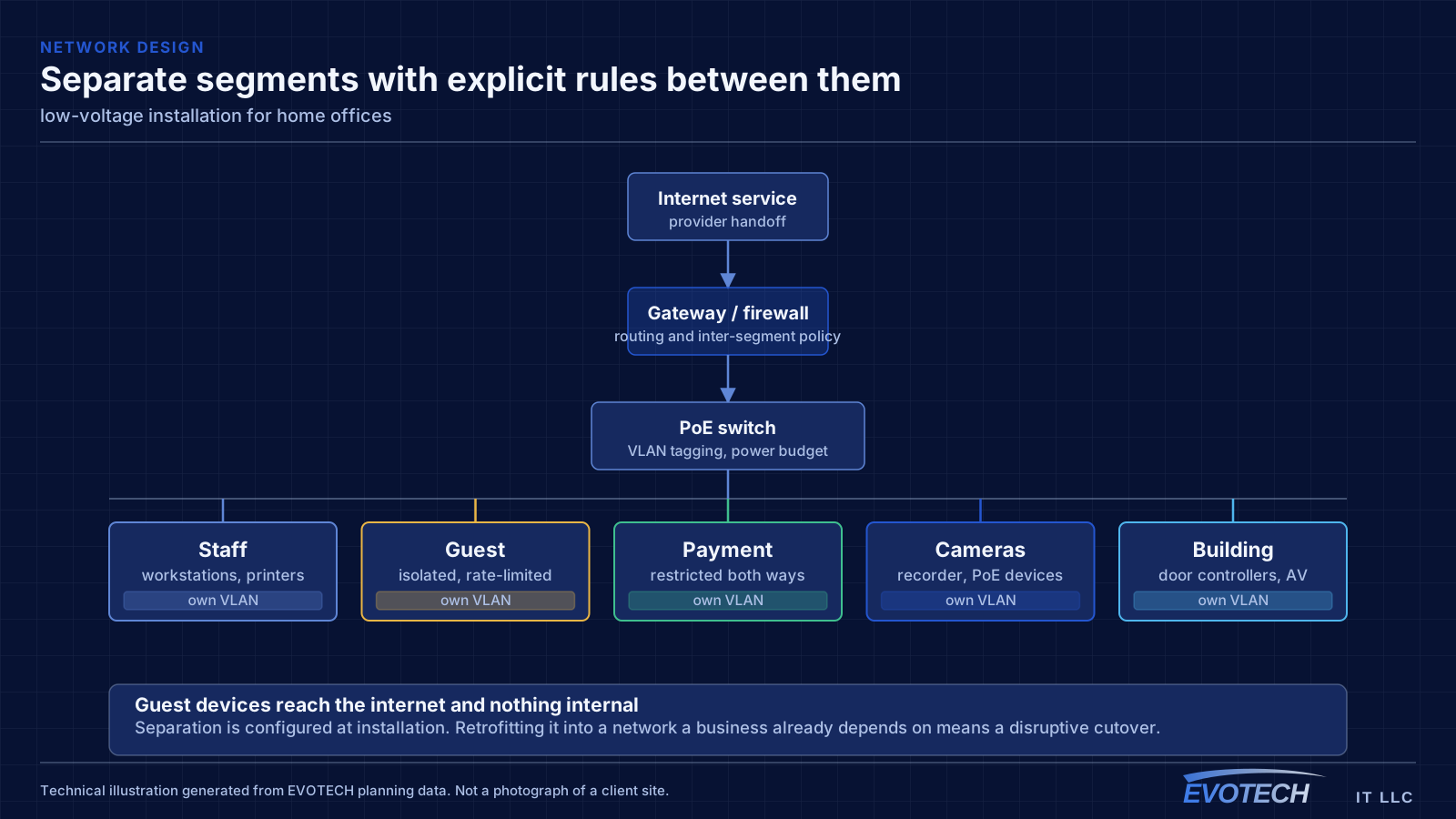
Separation is worth doing even at home. A separate network for work equipment, distinct from household devices and from guests, limits what a compromised household device can reach. This is straightforward on most current equipment and costs nothing but configuration.
- Wired run to the desk as the highest-value single change
- Access point placed near the office rather than more power from a distant router
- Attic-to-interior-wall routing in slab-foundation homes
- Separate network segment for work equipment
- Stationary household devices wired to free up airtime
Pathways, separation, and coordinating with the other trades
Pathway planning is the core technical activity. Low-voltage cable needs continuous support — tray, J-hooks, or conduit — at regular intervals, routed to keep separation from parallel electrical runs and to cross them at right angles where they must meet. Penetrations through fire-rated walls and floors need proper sleeves and firestopping, which is a coordination item and not an afterthought.
- Continuous pathway with support at regular intervals
- Separation from parallel electrical, crossing at right angles where needed
- Proper sleeving and firestopping at rated penetrations
- Rough-in between electrical and drywall; finish after paint and ceiling
- Cable protected and identified during the gap between rough-in and finish
- Equipment room sized for every system, not only the network
Frequently asked questions
What changes about low-voltage installation in home offices?
The operating environment does. Home offices bring specific constraints — how the space is used, when work can happen, and what has to keep running — and those shape the low-voltage installation plan as much as the service's own technical requirements.
When should low-voltage work happen in a construction schedule?
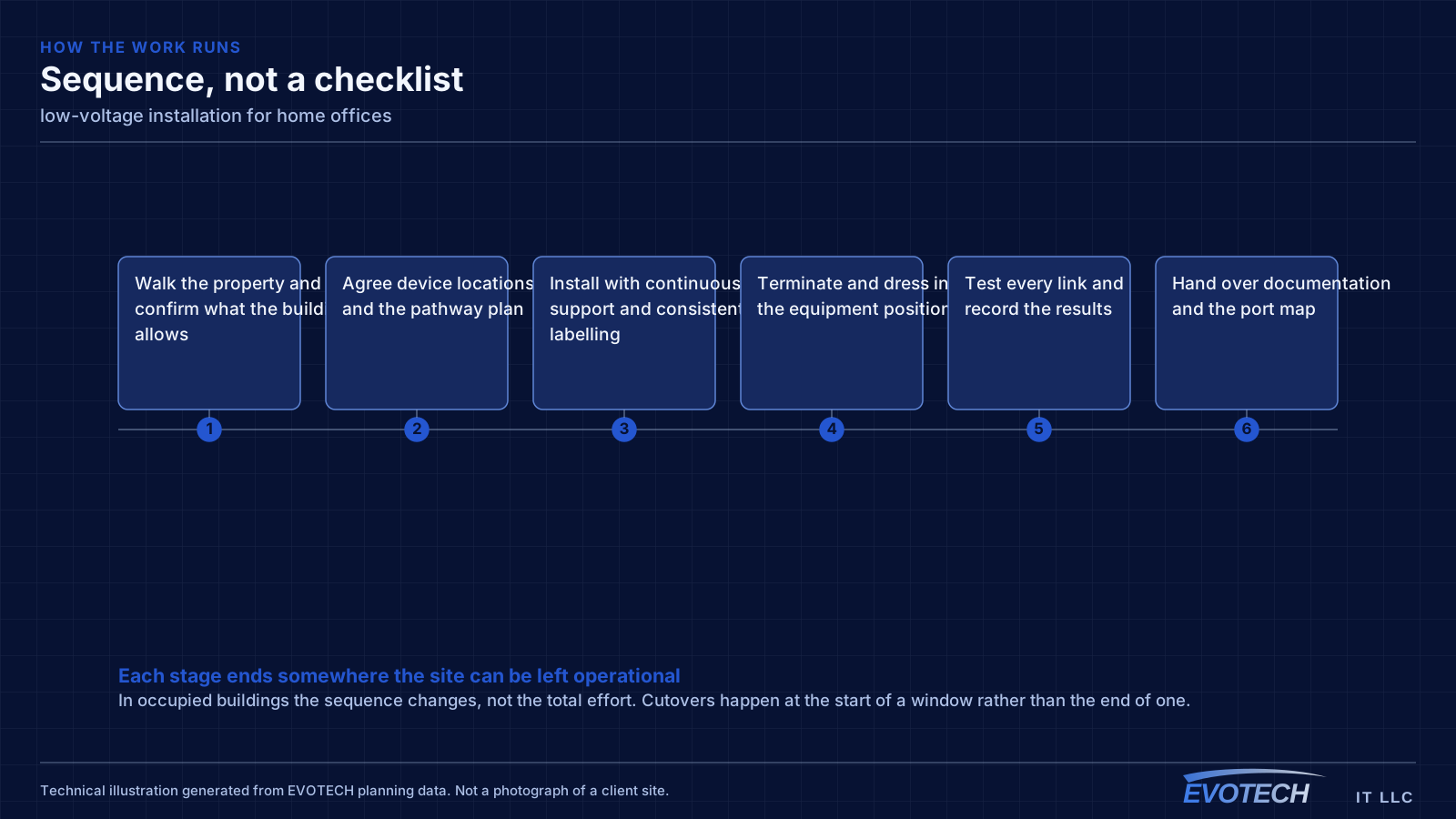
Rough-in sits after electrical and framing and before insulation and drywall. Finish work — terminations, device mounting, and commissioning — happens after paint and ceilings. The risk is that upstream delays compress the rough-in window, so having device locations and pathway plans settled in advance is what keeps that window usable.
Why do work calls degrade in the afternoon?
Usually contention. Household demand rises when people are home, and if the office is on wireless it competes both for the internet circuit and for airtime on the same radio channel. A wired connection to the desk removes the airtime half of that immediately, which is why it is the first thing worth doing.