Why this page exists
Fireplace TV mounting for home offices is shaped by how the space is used, not just by the service itself. Home offices bring their own operating constraints, and this page pairs what fireplace tv mounting actually involves with what that environment changes about it.
Mounting above a fireplace puts the screen higher than comfortable seated viewing and, depending on the fireplace, into rising heat. The height problem is the one people feel first: a TV centred over a mantel usually forces everyone to look up for the whole show. A tilting mount helps a little; a pull-down mount that brings the screen down and forward to near eye level when in use solves it properly, then returns it above the mantel when idle.
The house is competing with the work
A home office shares its connection with everything else in the house, and household demand is highest during exactly the hours that matter least to the household and most to the person working. Streaming, gaming, backups, and connected devices all contend for the same circuit and, if the office is on wireless, for the same airtime.
The second factor is position. Home offices frequently end up in a spare bedroom at the far corner of the house, which is often the worst wireless position in the building — furthest from the router, through the most walls.
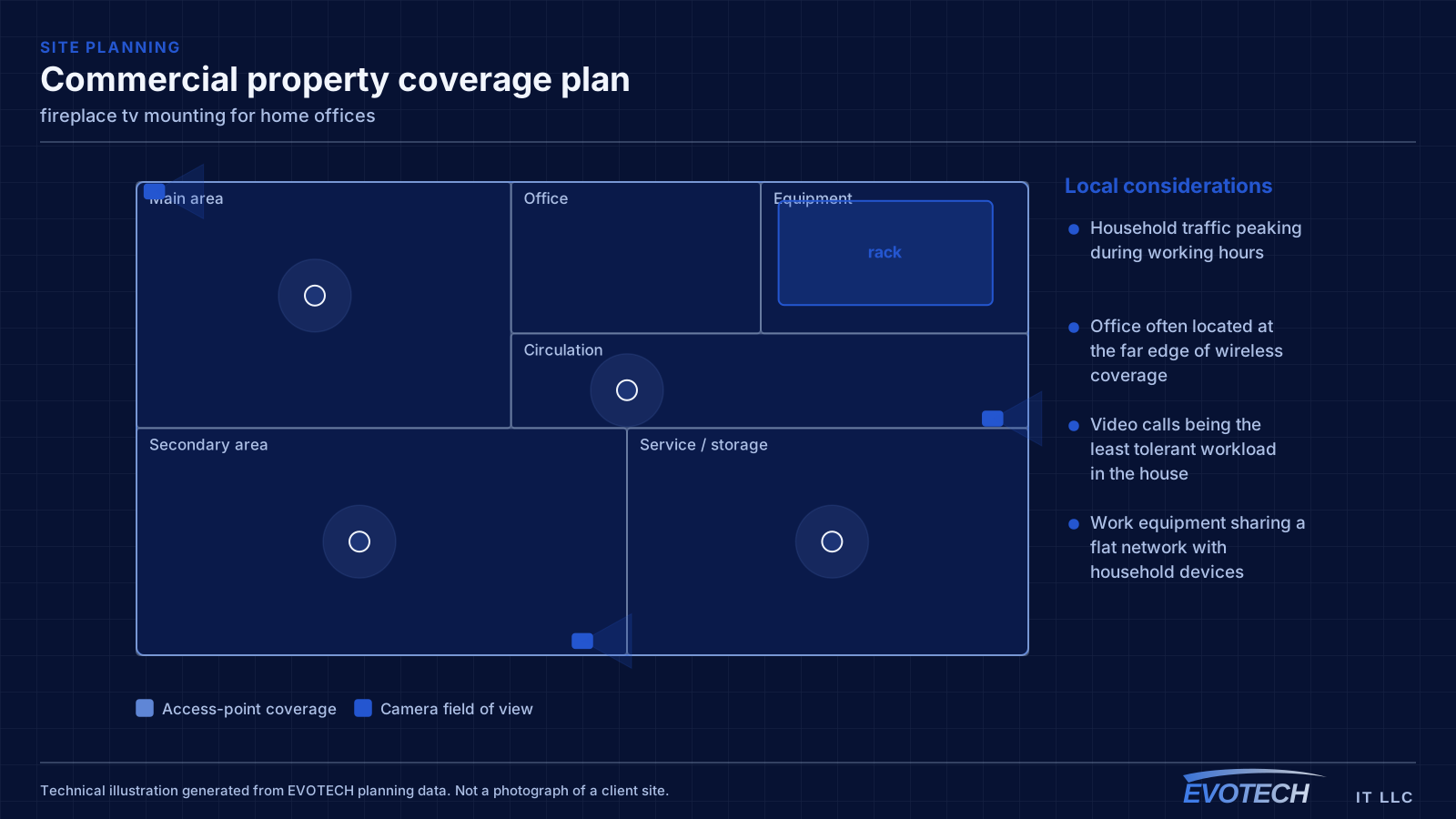
- Household traffic peaking during working hours
- Office often located at the far edge of wireless coverage
- Video calls being the least tolerant workload in the house
- Work equipment sharing a flat network with household devices
What fireplace tv mounting usually involves
The height compromise is the near-universal complaint: mounted above the mantel, the screen sits well above seated eye level, and a whole evening spent looking up is genuinely uncomfortable. Tilting the panel reduces glare and the angle a little but does not bring the screen down.
Heat is the less obvious but more serious issue. Some fireplaces push enough heat up the wall to sit electronics in a warm zone, which shortens their life or worse. And the surround is frequently masonry or stone, which needs different anchoring from drywall — anchors into solid material, not mortar joints.
- Screen height above comfortable seated viewing, causing neck strain
- Heat rising from wood-burning or older gas fireplaces into the mounting zone
- Masonry, brick, or stone surrounds needing anchors into solid material
- Mantel depth blocking a straight-on view or the mount's movement
- In-wall cable routing complicated by the fireplace structure
- A tilt-only mount presented as a fix for the height problem
The single cable that fixes most of it
A wired connection to the desk eliminates the variables that cause most home-office call problems: signal strength, interference from neighbouring networks, and contention with household devices for airtime. In slab-foundation construction the run typically goes up into the attic and down an interior wall, which is why the destination wall matters more than the distance.
Where the office must stay wireless, the fix is placement rather than power. An access point in the hallway near the office, mounted on the ceiling and connected by cable, serves the room far better than a more powerful router at the other end of the house. Turning up transmit power on a distant router mostly raises interference.
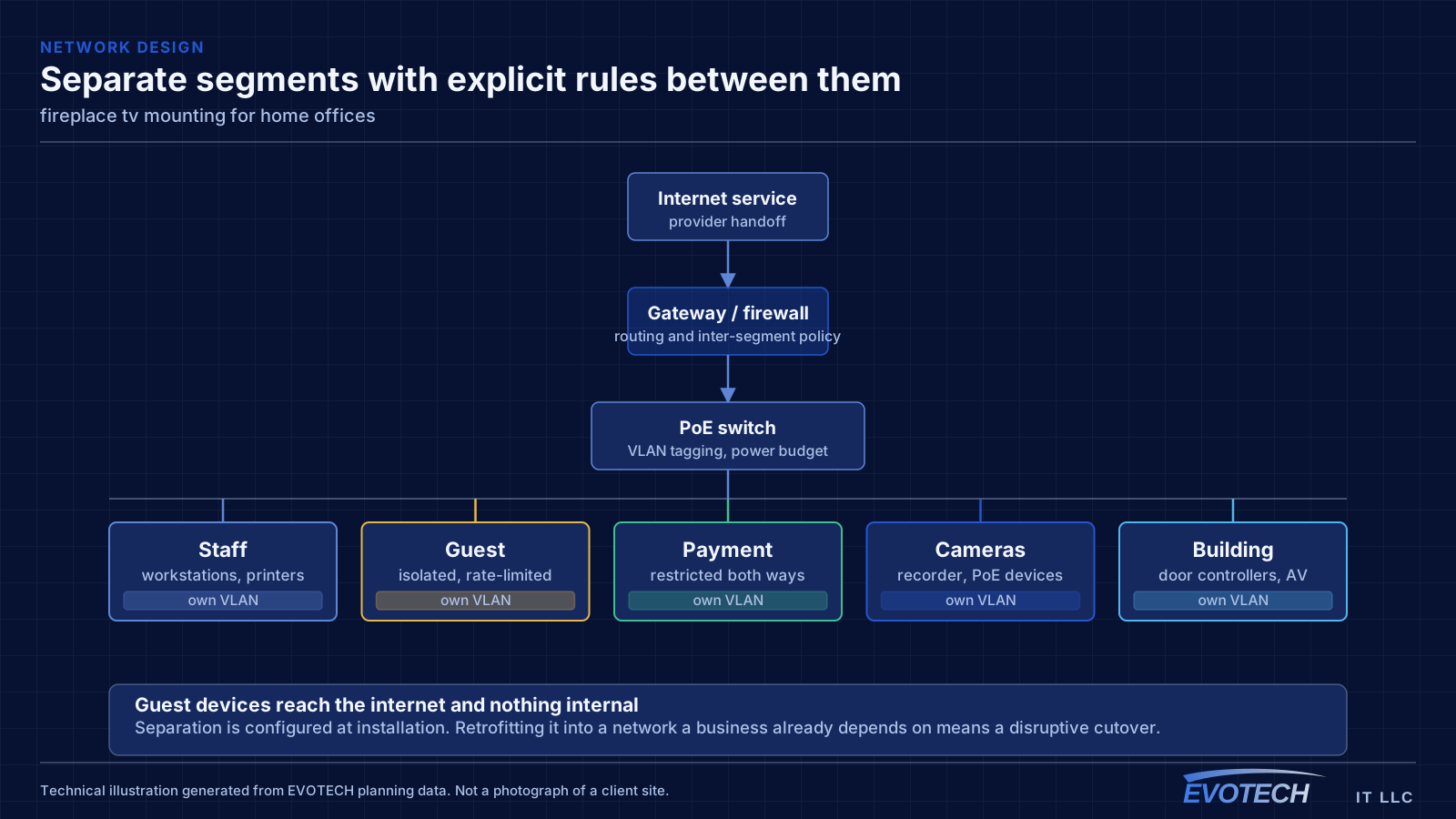
Separation is worth doing even at home. A separate network for work equipment, distinct from household devices and from guests, limits what a compromised household device can reach. This is straightforward on most current equipment and costs nothing but configuration.
- Wired run to the desk as the highest-value single change
- Access point placed near the office rather than more power from a distant router
- Attic-to-interior-wall routing in slab-foundation homes
- Separate network segment for work equipment
- Stationary household devices wired to free up airtime
Viewing angle, heat, and anchoring into masonry
Height is solved by the mount type. A fixed or tilting mount leaves the screen high; a pull-down mount lowers the panel down and out over the mantel to near seated eye level when in use, which is the only arrangement that genuinely resolves the neck angle. Mantel depth matters here — the mount has to clear it through its full range of motion.
- Pull-down mount to bring the screen to eye level; tilt only reduces glare
- Mantel depth checked against the mount's full range of motion
- Heat assessed for the specific fireplace before committing electronics above it
- A projecting mantel and clearance to deflect and escape rising heat
- Masonry anchors into solid material, never mortar joints
- Fixings sized for the pull-down mount's extended leverage
Frequently asked questions
What changes about fireplace tv mounting in home offices?
The operating environment does. Home offices bring specific constraints — how the space is used, when work can happen, and what has to keep running — and those shape the fireplace tv mounting plan as much as the service's own technical requirements.
Is mounting a TV above the fireplace a bad idea?
It is a compromise, and worth naming as one. The screen usually ends up above comfortable seated eye level, and heat can be a concern on some fireplaces. A pull-down mount resolves the height by bringing the screen down to eye level in use, and a heat assessment settles the safety question. Sometimes the honest answer is a different wall, but with the right mount and a suitable fireplace it works well.
Why do work calls degrade in the afternoon?
Usually contention. Household demand rises when people are home, and if the office is on wireless it competes both for the internet circuit and for airtime on the same radio channel. A wired connection to the desk removes the airtime half of that immediately, which is why it is the first thing worth doing.