Why this page exists
Technology for home offices in Bellaire sits where two things meet: how home offices actually operate, and what Bellaire specifically brings to the building. Established older homes alongside larger new construction on compact residential lots.
A home office shares its connection with everything else in the house, and household demand is highest during exactly the hours that matter least to the household and most to the person working. Streaming, gaming, backups, and connected devices all contend for the same circuit and, if the office is on wireless, for the same airtime.
The house is competing with the work
A home office shares its connection with everything else in the house, and household demand is highest during exactly the hours that matter least to the household and most to the person working. Streaming, gaming, backups, and connected devices all contend for the same circuit and, if the office is on wireless, for the same airtime.
The second factor is position. Home offices frequently end up in a spare bedroom at the far corner of the house, which is often the worst wireless position in the building — furthest from the router, through the most walls.
- Household traffic peaking during working hours
- Office often located at the far edge of wireless coverage
- Video calls being the least tolerant workload in the house
- Work equipment sharing a flat network with household devices
Bellaire: what the location adds
In Bellaire, the plan is built outward from the conditions that are actually here. Established older homes alongside larger new construction on compact residential lots. High finish expectations, requiring discreet routing and clean concealment. Slab-on-grade foundations making attic-to-interior-wall the standard retrofit route. Each one changes where cable can run, where equipment can sit, and how coverage is shaped, which is why a walkthrough settles a Bellaire scope faster than any generic estimate.
- Established older homes alongside larger new construction on compact residential lots
- High finish expectations, requiring discreet routing and clean concealment
- Slab-on-grade foundations making attic-to-interior-wall the standard retrofit route
- Ongoing teardown-and-rebuild activity, making prewire valuable on new construction
- Mature trees on many lots affecting outdoor wireless and camera framing
Wire the desk, then fix the coverage
The single highest-value change for a home office is a wired connection to the desk. It removes wireless variability entirely for the machine that matters, and it is usually one cable run.
After that: an access point positioned to serve the office area properly for the devices that stay wireless, and enough separation that work equipment is not sharing a flat network with everything else in the house.
- One wired run to the primary work position
- An access point positioned for the office end of the house
- Work equipment separated from household and guest devices
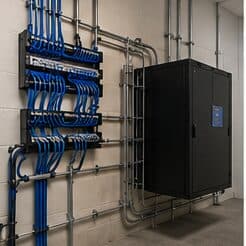
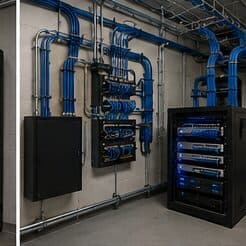
- Equipment position with power and ventilation, not a sealed cabinet
- Wired connections for stationary devices elsewhere that compete for airtime
Installing in Bellaire
A wired connection to the desk eliminates the variables that cause most home-office call problems: signal strength, interference from neighbouring networks, and contention with household devices for airtime. In slab-foundation construction the run typically goes up into the attic and down an interior wall, which is why the destination wall matters more than the distance.
On site, the schedule and working method turn on conditions like these. Ongoing teardown-and-rebuild activity, making prewire valuable on new construction. Mature trees on many lots affecting outdoor wireless and camera framing. Both shape how and when a crew can actually operate, which is why EVOTECH scopes each Bellaire job from the property itself rather than assuming one approach fits every address. Coverage is stated as a service area, never an office claim, and anything about Bellaire that cannot be verified is left out instead of invented.
Explore everything in this section
All 31 pages under Technology for home offices in Bellaire.
- Access-control installation for home offices in Bellaire
- Cat6 cabling for home offices in Bellaire
- Data-jack installation for home offices in Bellaire
- Ethernet installation for home offices in Bellaire
- Fiber-optic cabling for home offices in Bellaire
- Fireplace TV mounting for home offices in Bellaire
- Floodlight camera installation for home offices in Bellaire
- Gate & license-plate cameras for home offices in Bellaire
- Home theater installation for home offices in Bellaire
- In-wall cable concealment for home offices in Bellaire
- Intercom installation for home offices in Bellaire
- Low-voltage installation for home offices in Bellaire
- Network cabling for home offices in Bellaire
- Network troubleshooting for home offices in Bellaire
- Network-rack installation for home offices in Bellaire
- NVR installation for home offices in Bellaire
- Outdoor & patio speakers for home offices in Bellaire
- Outdoor TV installation for home offices in Bellaire
- PoE camera installation for home offices in Bellaire
- Projector & screen installation for home offices in Bellaire
- Residential Wi-Fi for home offices in Bellaire
- Samsung Frame TV installation for home offices in Bellaire
- Security-camera installation for home offices in Bellaire
- Smart home & smart locks for home offices in Bellaire
- Soundbar mounting for home offices in Bellaire
- TV mounting for home offices in Bellaire
- Ubiquiti UniFi installation for home offices in Bellaire
- Video-doorbell installation for home offices in Bellaire
- Whole-home & multi-zone audio for home offices in Bellaire
- Wi-Fi installation for home offices in Bellaire
- Wireless bridge (point-to-point) for home offices in Bellaire
Frequently asked questions
What do home offices in Bellaire usually need first?
It varies by site, but the pattern for home offices holds in Bellaire: get the network and cabling backbone right, then layer cameras and access on top. What Bellaire changes is the physical install — the conditions listed above drive routes and equipment placement more than the sector alone does.
Why do work calls degrade in the afternoon?
Usually contention. Household demand rises when people are home, and if the office is on wireless it competes both for the internet circuit and for airtime on the same radio channel. A wired connection to the desk removes the airtime half of that immediately, which is why it is the first thing worth doing.