Ubiquiti UniFi installation for home offices, in Bellaire
Ubiquiti UniFi installation for home offices in Bellaire is a three-part question: what ubiquiti unifi installation involves, what home offices need from it, and what Bellaire changes about the install. Established older homes alongside larger new construction on compact residential lots.
The tradeoff is ecosystem commitment. Mixed-vendor networks give more freedom to choose the best component for each role; single-vendor networks give a more coherent day-to-day experience and simpler support. Neither is universally correct, and it is worth deciding deliberately rather than by default.
Related residential work
Home office projects frequently expand slightly, because the same attic access and the same equipment position serve other things. A doorbell run, a camera at the driveway approach, a wired connection to a television, and an access point for the upstairs are all much cheaper done in the same visit than separately.
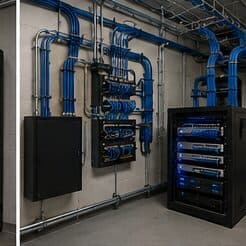
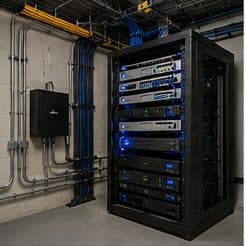
The equipment position is the common dependency. Somewhere with power, ventilation, and access — a closet shelf or a small wall cabinet — serves the office network, any cameras, and the doorbell, and getting it right once avoids revisiting it three times.
- Doorbell and driveway camera runs sharing the same attic access
- Television and media positions wired at the same time
- Upstairs access point added while the pathway is open
- A single equipment position serving all of it
- Spare runs terminated for future use
Where ubiquiti unifi installation goes wrong — and how it's avoided
The recurring UniFi mistakes are configuration mistakes, not hardware mistakes.
- Adopting everything and leaving default settings in place
- Choosing a switch on port count and running out of PoE budget
- Running the controller on a workstation that gets shut down
- Never backing up the controller configuration
- Sizing camera storage for the resolution but not the retention period
- Leaving wireless entirely automatic in a dense multi-tenant building
Bellaire: what the location changes
The starting point for any Bellaire job is one local fact. Established older homes alongside larger new construction on compact residential lots. That single condition shapes where cable can run, where equipment can sit, and how coverage is laid out — more than any spec sheet does. Two more conditions weigh on it. High finish expectations, requiring discreet routing and clean concealment. Slab-on-grade foundations making attic-to-interior-wall the standard retrofit route. Together they make the route specific to this pocket, which is why a short walkthrough or a few clear photos settle the scope faster than a floor plan can.
- Established older homes alongside larger new construction on compact residential lots
- High finish expectations, requiring discreet routing and clean concealment
- Slab-on-grade foundations making attic-to-interior-wall the standard retrofit route
- Ongoing teardown-and-rebuild activity, making prewire valuable on new construction
- Mature trees on many lots affecting outdoor wireless and camera framing
Getting it done in Bellaire
Validation covers the network design as well as the radio coverage, because segmentation that was configured but not tested is not yet segmentation.
A home office shares its connection with everything else in the house, and household demand is highest during exactly the hours that matter least to the household and most to the person working. Streaming, gaming, backups, and connected devices all contend for the same circuit and, if the office is on wireless, for the same airtime.
Execution in Bellaire is planned around real conditions, not a template. Ongoing teardown-and-rebuild activity, making prewire valuable on new construction. Mature trees on many lots affecting outdoor wireless and camera framing. These decide the sequence, the access, and the method as much as the design does. EVOTECH describes Bellaire as coverage rather than a place it occupies, and omits any area detail it cannot confirm — building and site conditions only, no invented landmarks or promised arrival times.
Frequently asked questions
Is ubiquiti unifi installation for home offices different in Bellaire?
The sector needs stay the same, but the install changes with the place. In Bellaire, the conditions above — not the home offices label — decide routes, mounting, and equipment placement, which is why this page pairs all three.
Is UniFi the right choice for a small business?
It suits sites that want proper segmentation, decent wireless, and cameras under one interface without employing a network administrator. The tradeoff is committing to one vendor's ecosystem. A mixed-vendor design gives more freedom to pick the best component for each role; the single-vendor version is easier to live with day to day. Both are defensible — it is worth choosing on purpose.