Residential Wi-Fi for home offices, in Bellaire
Residential Wi-Fi for home offices in Bellaire is a three-part question: what residential wi-fi involves, what home offices need from it, and what Bellaire changes about the install. Established older homes alongside larger new construction on compact residential lots.
A single router placed wherever the internet service happens to enter the house is the root of most residential wireless complaints. That position is frequently a corner of the garage or a front closet, which means a large share of the signal is heading outdoors. Coverage improves dramatically when access points are placed centrally in the areas people use, and fed by cable.
Related residential work
Home office projects frequently expand slightly, because the same attic access and the same equipment position serve other things. A doorbell run, a camera at the driveway approach, a wired connection to a television, and an access point for the upstairs are all much cheaper done in the same visit than separately.
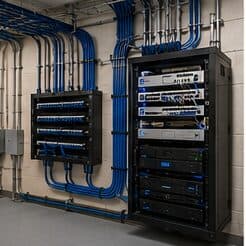
The equipment position is the common dependency. Somewhere with power, ventilation, and access — a closet shelf or a small wall cabinet — serves the office network, any cameras, and the doorbell, and getting it right once avoids revisiting it three times.
- Doorbell and driveway camera runs sharing the same attic access
- Television and media positions wired at the same time
- Upstairs access point added while the pathway is open
- A single equipment position serving all of it
- Spare runs terminated for future use
Where residential wi-fi goes wrong — and how it's avoided
Household wireless problems usually persist because of a small set of choices.
- Replacing a router with a more expensive router instead of adding a second location
- Chaining extenders and expecting the throughput to hold
- Leaving the equipment in a sealed cabinet where it overheats
- Mounting an access point on a shelf against an exterior wall
- Covering an outdoor patio by turning the indoor access point's power up
- Skipping the cable run because the wireless uplink appeared to work on the day
Bellaire: what the location changes
Established older homes alongside larger new construction on compact residential lots. In Bellaire, that is where the plan begins, because it changes cable paths, device placement, and access-point counts before anything else does. High finish expectations, requiring discreet routing and clean concealment. Slab-on-grade foundations making attic-to-interior-wall the standard retrofit route. None of these are generic checklist items — each moves the design in a direction a citywide assumption would miss, and the honest recommendation always depends on what this particular property allows.
- Established older homes alongside larger new construction on compact residential lots
- High finish expectations, requiring discreet routing and clean concealment
- Slab-on-grade foundations making attic-to-interior-wall the standard retrofit route
- Ongoing teardown-and-rebuild activity, making prewire valuable on new construction
- Mature trees on many lots affecting outdoor wireless and camera framing
Getting it done in Bellaire
Validation is a walk through the house with a measurement tool, checking the rooms that prompted the call in the first place.
A home office shares its connection with everything else in the house, and household demand is highest during exactly the hours that matter least to the household and most to the person working. Streaming, gaming, backups, and connected devices all contend for the same circuit and, if the office is on wireless, for the same airtime.
On site, the schedule and working method turn on conditions like these. Ongoing teardown-and-rebuild activity, making prewire valuable on new construction. Mature trees on many lots affecting outdoor wireless and camera framing. Both shape how and when a crew can actually operate, which is why EVOTECH scopes each Bellaire job from the property itself rather than assuming one approach fits every address. Coverage is stated as a service area, never an office claim, and anything about Bellaire that cannot be verified is left out instead of invented.
Frequently asked questions
Is residential wi-fi for home offices different in Bellaire?
The sector needs stay the same, but the install changes with the place. In Bellaire, the conditions above — not the home offices label — decide routes, mounting, and equipment placement, which is why this page pairs all three.
Why is upstairs Wi-Fi bad when the router is right below?
Signal loses a meaningful amount of strength passing through a floor, and the router's pattern is not aimed upward. Turning the power up mostly increases interference. The dependable arrangement is a second access point upstairs, placed centrally and connected by cable to the equipment position downstairs.