Residential Wi-Fi for home offices, in Fulshear
Residential Wi-Fi for home offices in Fulshear is a three-part question: what residential wi-fi involves, what home offices need from it, and what Fulshear changes about the install. Predominantly recent residential construction, so prewire timing rather than retrofit access is the usual constraint.
A single router placed wherever the internet service happens to enter the house is the root of most residential wireless complaints. That position is frequently a corner of the garage or a front closet, which means a large share of the signal is heading outdoors. Coverage improves dramatically when access points are placed centrally in the areas people use, and fed by cable.
Wire the desk, then fix the coverage
The single highest-value change for a home office is a wired connection to the desk. It removes wireless variability entirely for the machine that matters, and it is usually one cable run.
After that: an access point positioned to serve the office area properly for the devices that stay wireless, and enough separation that work equipment is not sharing a flat network with everything else in the house.
- One wired run to the primary work position
- An access point positioned for the office end of the house
- Work equipment separated from household and guest devices
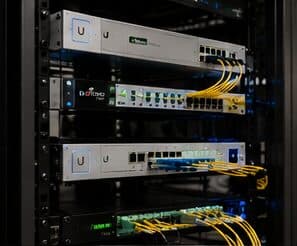
- Equipment position with power and ventilation, not a sealed cabinet
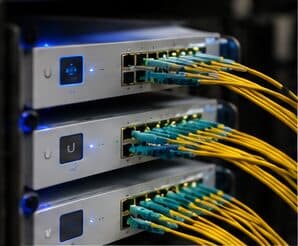
- Wired connections for stationary devices elsewhere that compete for airtime
What changes residential wi-fi from job to job
Residential scope is driven by the building more than by the household.
- Number of storeys and total area needing coverage
- Construction materials, particularly masonry, tile, and foil-backed insulation
- Attic access and whether destination walls are interior
- Where the internet service enters and whether the equipment can move
- Outdoor areas: patios, pool decks, detached garages, and workshops
- Number of access points the coverage design calls for
- Finish expectations in occupied living space
Fulshear: what the location changes
In Fulshear, the plan is built outward from the conditions that are actually here. Predominantly recent residential construction, so prewire timing rather than retrofit access is the usual constraint. Large single-family floor plans requiring multiple wired coverage positions rather than a single router. Builder-provided media enclosures frequently undersized, unventilated, or awkwardly positioned for wireless coverage. Each one changes where cable can run, where equipment can sit, and how coverage is shaped, which is why a walkthrough settles a Fulshear scope faster than any generic estimate.
- Predominantly recent residential construction, so prewire timing rather than retrofit access is the usual constraint
- Large single-family floor plans requiring multiple wired coverage positions rather than a single router
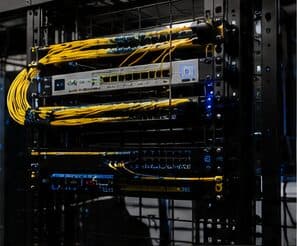
- Builder-provided media enclosures frequently undersized, unventilated, or awkwardly positioned for wireless coverage
- Slab-on-grade foundations with accessible attics for post-construction additions
- Larger lots with detached garages and outbuildings needing their own deliberate connectivity approach
Getting it done in Fulshear
Validation is a walk through the house with a measurement tool, checking the rooms that prompted the call in the first place.
Home office projects frequently expand slightly, because the same attic access and the same equipment position serve other things. A doorbell run, a camera at the driveway approach, a wired connection to a television, and an access point for the upstairs are all much cheaper done in the same visit than separately.
Getting Fulshear work done means planning around the site as it actually is. Slab-on-grade foundations with accessible attics for post-construction additions. Larger lots with detached garages and outbuildings needing their own deliberate connectivity approach. Both matter as much as the design to how and when the work happens. The scope is drawn from the real property, the coverage is stated as a service area rather than an office, and unverifiable specifics about Fulshear are kept off the page on purpose.
Frequently asked questions
Is residential wi-fi for home offices different in Fulshear?
The sector needs stay the same, but the install changes with the place. In Fulshear, the conditions above — not the home offices label — decide routes, mounting, and equipment placement, which is why this page pairs all three.
Why is upstairs Wi-Fi bad when the router is right below?
Signal loses a meaningful amount of strength passing through a floor, and the router's pattern is not aimed upward. Turning the power up mostly increases interference. The dependable arrangement is a second access point upstairs, placed centrally and connected by cable to the equipment position downstairs.