Residential Wi-Fi for home offices, in Cypress
Residential Wi-Fi for home offices in Cypress is a three-part question: what residential wi-fi involves, what home offices need from it, and what Cypress changes about the install. Large newer residential floor plans that exceed single-position wireless coverage.
For a larger two-storey house, two or three well-placed access points usually outperform any single device regardless of specification. The reason is physical: signal weakens through floors and walls, and no amount of transmit power at one end of a house creates a usable signal at the other without also creating interference everywhere in between.
Wire the desk, then fix the coverage
The single highest-value change for a home office is a wired connection to the desk. It removes wireless variability entirely for the machine that matters, and it is usually one cable run.
After that: an access point positioned to serve the office area properly for the devices that stay wireless, and enough separation that work equipment is not sharing a flat network with everything else in the house.
- One wired run to the primary work position
- An access point positioned for the office end of the house
- Work equipment separated from household and guest devices
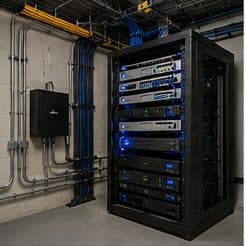
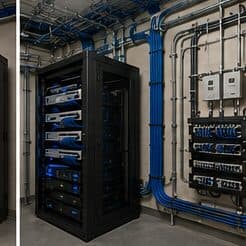
- Equipment position with power and ventilation, not a sealed cabinet
- Wired connections for stationary devices elsewhere that compete for airtime
Where residential wi-fi goes wrong — and how it's avoided
Household wireless problems usually persist because of a small set of choices.
- Replacing a router with a more expensive router instead of adding a second location
- Chaining extenders and expecting the throughput to hold
- Leaving the equipment in a sealed cabinet where it overheats
- Mounting an access point on a shelf against an exterior wall
- Covering an outdoor patio by turning the indoor access point's power up
- Skipping the cable run because the wireless uplink appeared to work on the day
Cypress: what the location changes
The starting point for any Cypress job is one local fact. Large newer residential floor plans that exceed single-position wireless coverage. That single condition shapes where cable can run, where equipment can sit, and how coverage is laid out — more than any spec sheet does. Two more conditions weigh on it. Community and worship facilities with large main spaces and high ceilings requiring distributed coverage. Retail centres with substantial footprints and mixed ceiling construction between units. Together they make the route specific to this pocket, which is why a short walkthrough or a few clear photos settle the scope faster than a floor plan can.
- Large newer residential floor plans that exceed single-position wireless coverage
- Community and worship facilities with large main spaces and high ceilings requiring distributed coverage
- Retail centres with substantial footprints and mixed ceiling construction between units
- Renovation and remodel work common, with pathway discovery a genuine part of the project rather than a formality
- Slab foundations with attic access as the standard residential retrofit route
Getting it done in Cypress
Validation is a walk through the house with a measurement tool, checking the rooms that prompted the call in the first place.
Home office projects frequently expand slightly, because the same attic access and the same equipment position serve other things. A doorbell run, a camera at the driveway approach, a wired connection to a television, and an access point for the upstairs are all much cheaper done in the same visit than separately.
Execution in Cypress is planned around real conditions, not a template. Renovation and remodel work common, with pathway discovery a genuine part of the project rather than a formality. Slab foundations with attic access as the standard residential retrofit route. These decide the sequence, the access, and the method as much as the design does. EVOTECH describes Cypress as coverage rather than a place it occupies, and omits any area detail it cannot confirm — building and site conditions only, no invented landmarks or promised arrival times.
Frequently asked questions
Is residential wi-fi for home offices different in Cypress?
The sector needs stay the same, but the install changes with the place. In Cypress, the conditions above — not the home offices label — decide routes, mounting, and equipment placement, which is why this page pairs all three.
Why is upstairs Wi-Fi bad when the router is right below?
Signal loses a meaningful amount of strength passing through a floor, and the router's pattern is not aimed upward. Turning the power up mostly increases interference. The dependable arrangement is a second access point upstairs, placed centrally and connected by cable to the equipment position downstairs.