Why this page exists
Ubiquiti UniFi installation for home offices is shaped by how the space is used, not just by the service itself. Home offices bring their own operating constraints, and this page pairs what ubiquiti unifi installation actually involves with what that environment changes about it.
A UniFi deployment puts the gateway, switching, wireless, and often cameras and door access under one controller. The practical benefit is operational rather than raw performance: one interface for network configuration, client visibility, firmware updates, and camera review, instead of separate systems that each need their own knowledge.
The house is competing with the work
A home office shares its connection with everything else in the house, and household demand is highest during exactly the hours that matter least to the household and most to the person working. Streaming, gaming, backups, and connected devices all contend for the same circuit and, if the office is on wireless, for the same airtime.
The second factor is position. Home offices frequently end up in a spare bedroom at the far corner of the house, which is often the worst wireless position in the building — furthest from the router, through the most walls.
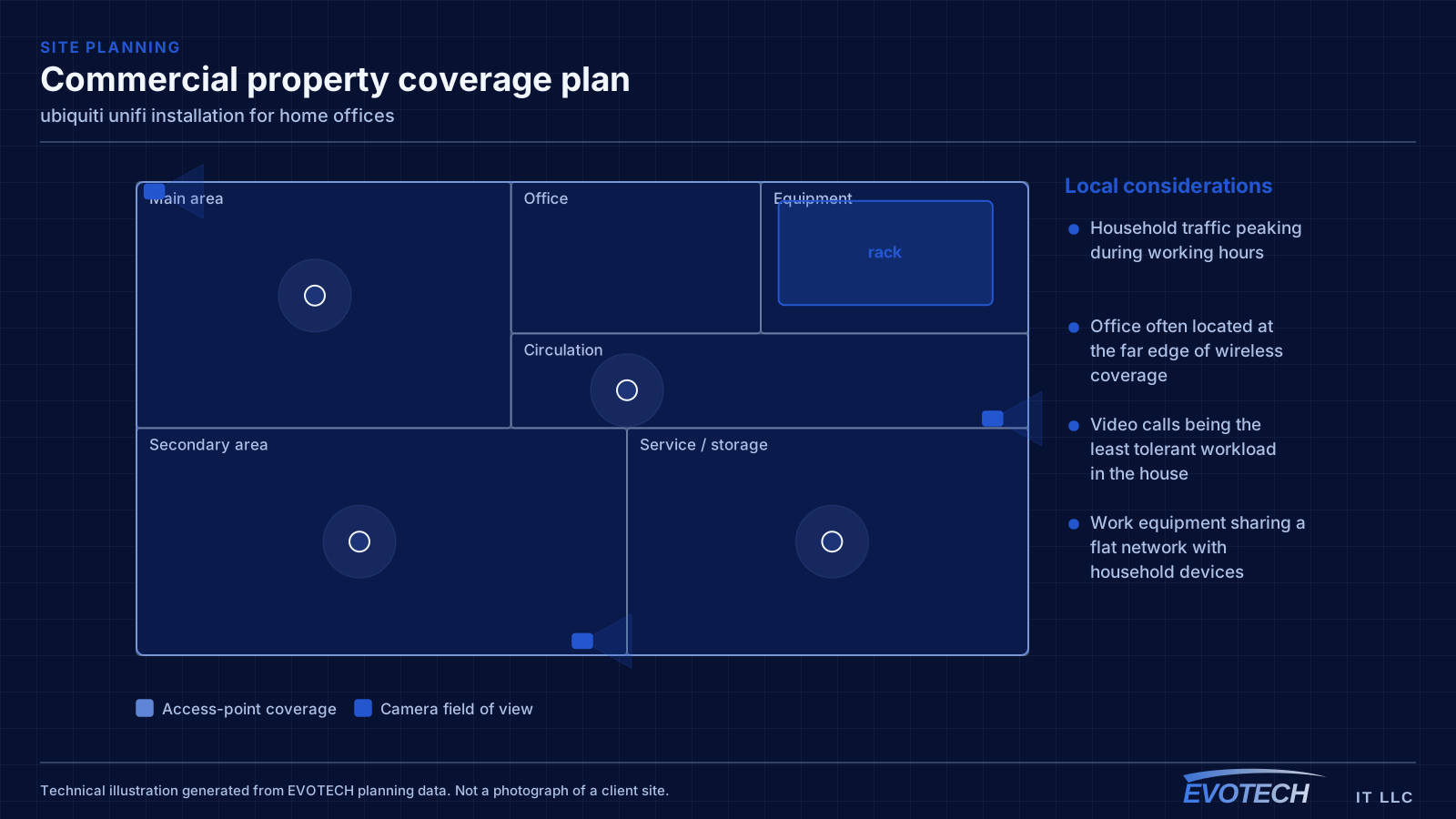
- Household traffic peaking during working hours
- Office often located at the far edge of wireless coverage
- Video calls being the least tolerant workload in the house
- Work equipment sharing a flat network with household devices
What ubiquiti unifi installation usually involves
The most common problem with an existing UniFi installation is that it was deployed as a set of boxes rather than as a design. Adopted devices on default settings, no VLANs, no channel plan, and firmware left wherever it landed will underperform, and the interface makes that easy to overlook because everything reports as online.
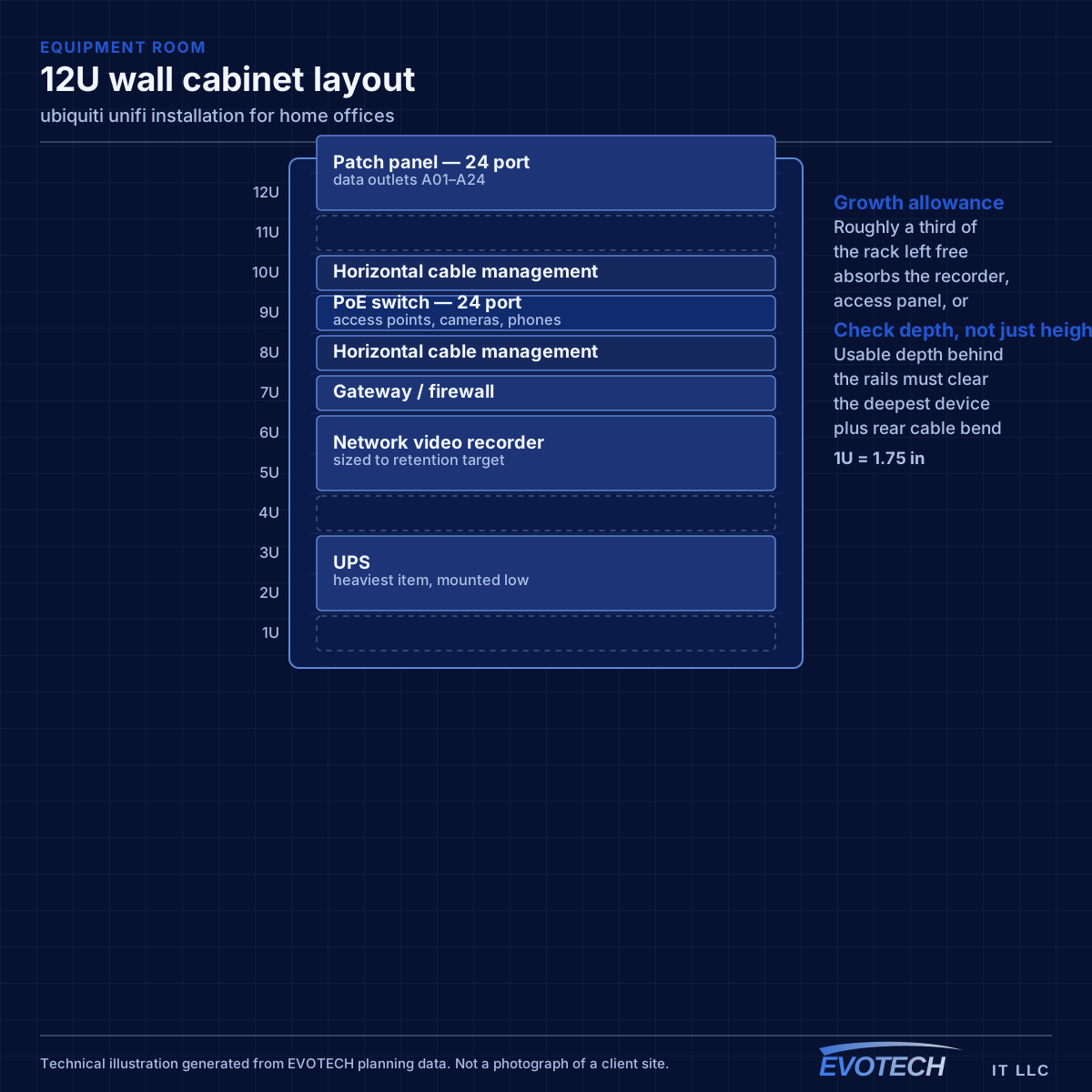
The second is powering. UniFi access points, cameras, and door hardware draw power over Ethernet at different classes, and a switch chosen on port count alone can run out of PoE budget before it runs out of ports. That shows up as devices rebooting under load rather than as an obvious power error.
- Devices adopted with default settings and no segmentation plan
- Switch PoE budget exhausted before the port count is
- Controller running on an unreliable host or with no backup of its configuration
- Firmware versions drifting apart across devices
- Wireless left fully automatic in a dense environment where it needs guidance
- Camera storage sized without regard to retention expectations
The single cable that fixes most of it
A wired connection to the desk eliminates the variables that cause most home-office call problems: signal strength, interference from neighbouring networks, and contention with household devices for airtime. In slab-foundation construction the run typically goes up into the attic and down an interior wall, which is why the destination wall matters more than the distance.
Where the office must stay wireless, the fix is placement rather than power. An access point in the hallway near the office, mounted on the ceiling and connected by cable, serves the room far better than a more powerful router at the other end of the house. Turning up transmit power on a distant router mostly raises interference.
Separation is worth doing even at home. A separate network for work equipment, distinct from household devices and from guests, limits what a compromised household device can reach. This is straightforward on most current equipment and costs nothing but configuration.
- Wired run to the desk as the highest-value single change
- Access point placed near the office rather than more power from a distant router
- Attic-to-interior-wall routing in slab-foundation homes
- Separate network segment for work equipment
- Stationary household devices wired to free up airtime
Gateway, switching, PoE budget, and controller placement
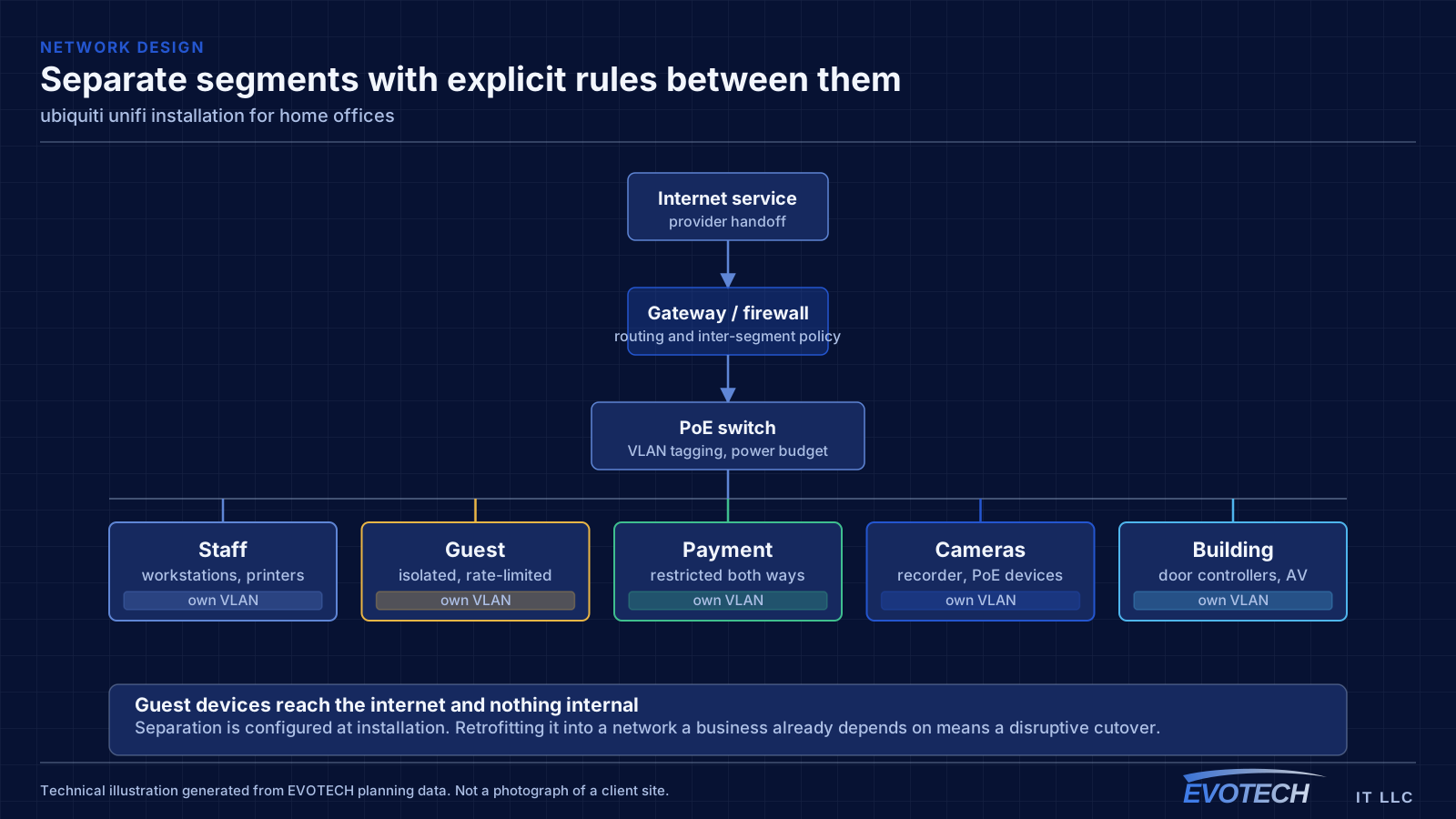
The gateway handles routing, firewalling, and inter-VLAN policy. Segmentation is where most of the practical value sits: separate networks for staff, guests, payment systems, cameras, and building devices, with rules controlling what may talk to what. A guest network that cannot reach the camera recorder is a meaningful improvement over a flat network, and it takes configuration rather than extra hardware.
- Segment staff, guest, payment, camera, and building traffic with explicit inter-network rules
- Size switches on PoE budget as well as port count, with headroom
- Account for higher-draw devices: PTZ cameras, illuminators, and door hardware
- Host the controller on reliable hardware and back up its configuration
- Keep firmware deliberately aligned rather than drifting
Frequently asked questions
What changes about ubiquiti unifi installation in home offices?
The operating environment does. Home offices bring specific constraints — how the space is used, when work can happen, and what has to keep running — and those shape the ubiquiti unifi installation plan as much as the service's own technical requirements.
Is UniFi the right choice for a small business?
It suits sites that want proper segmentation, decent wireless, and cameras under one interface without employing a network administrator. The tradeoff is committing to one vendor's ecosystem. A mixed-vendor design gives more freedom to pick the best component for each role; the single-vendor version is easier to live with day to day. Both are defensible — it is worth choosing on purpose.
Why do work calls degrade in the afternoon?
Usually contention. Household demand rises when people are home, and if the office is on wireless it competes both for the internet circuit and for airtime on the same radio channel. A wired connection to the desk removes the airtime half of that immediately, which is why it is the first thing worth doing.