Why this page exists
Smart home & smart locks for new construction is shaped by how the space is used, not just by the service itself. New construction bring their own operating constraints, and this page pairs what smart home & smart locks actually involves with what that environment changes about it.
Smart-home devices are easy to buy and easy to end up with a drawer of apps that half-work. Getting a home that actually behaves means three decisions up front: which ecosystem everything lives in — a voice platform, a phone platform, or a manufacturer's own app — so devices cooperate instead of each needing their own login; whether devices talk over Wi-Fi or through a hub using a low-power protocol; and which functions must keep working when the internet drops. A smart lock that only unlocks from the cloud is a problem the first time the connection goes down.
One window, and it does not reopen
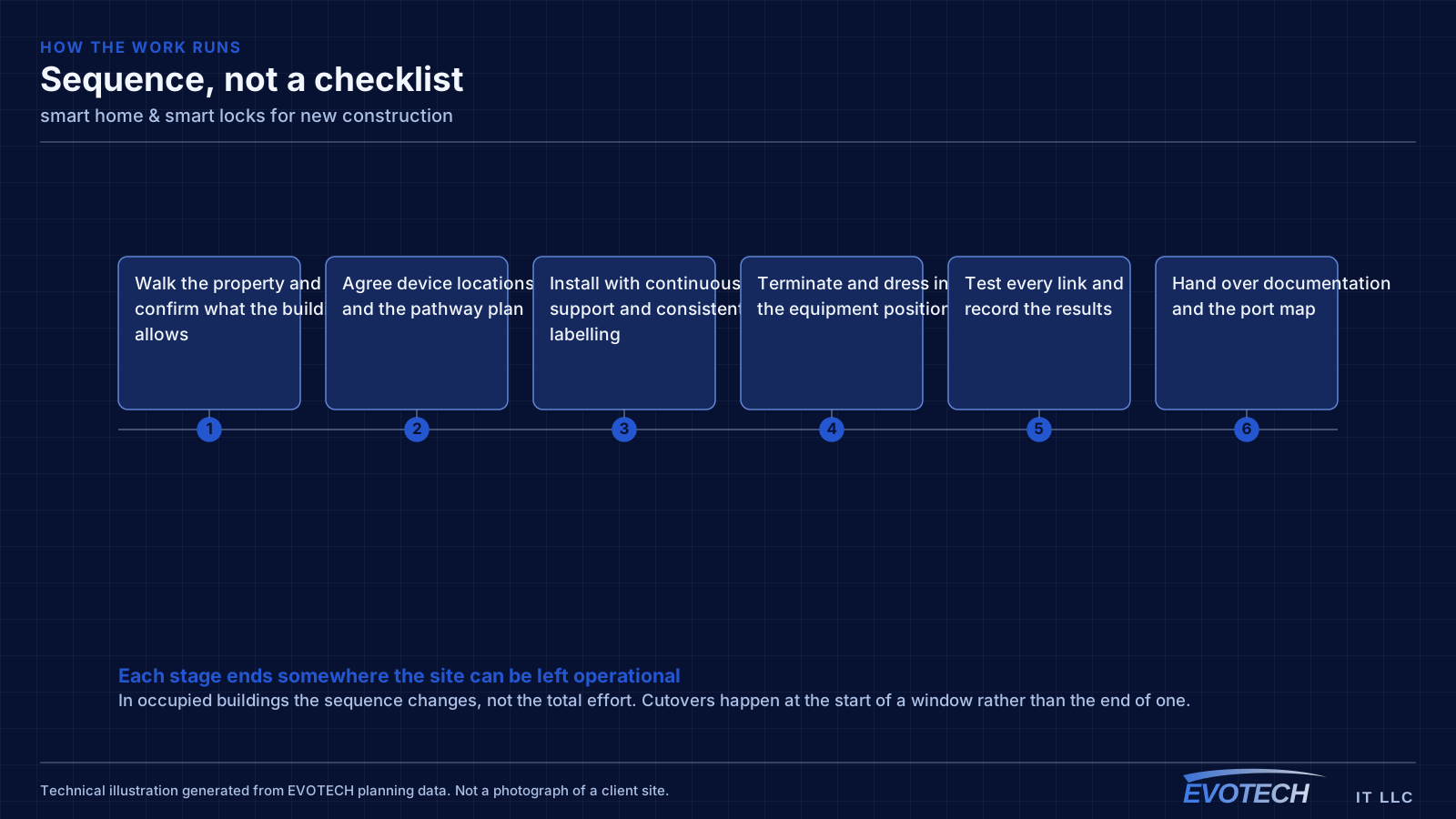
Low-voltage rough-in happens in a specific slot: after framing and electrical, before insulation and drywall. Inside that window, running a cable anywhere is straightforward. Once drywall goes up, the same cable costs many times more and sometimes cannot be run at all.
The asymmetry is the whole story of new-construction low voltage. Decisions made cheaply during rough-in become expensive or impossible afterwards, which is why the pre-rough-in planning conversation is worth more than any equipment choice made later.
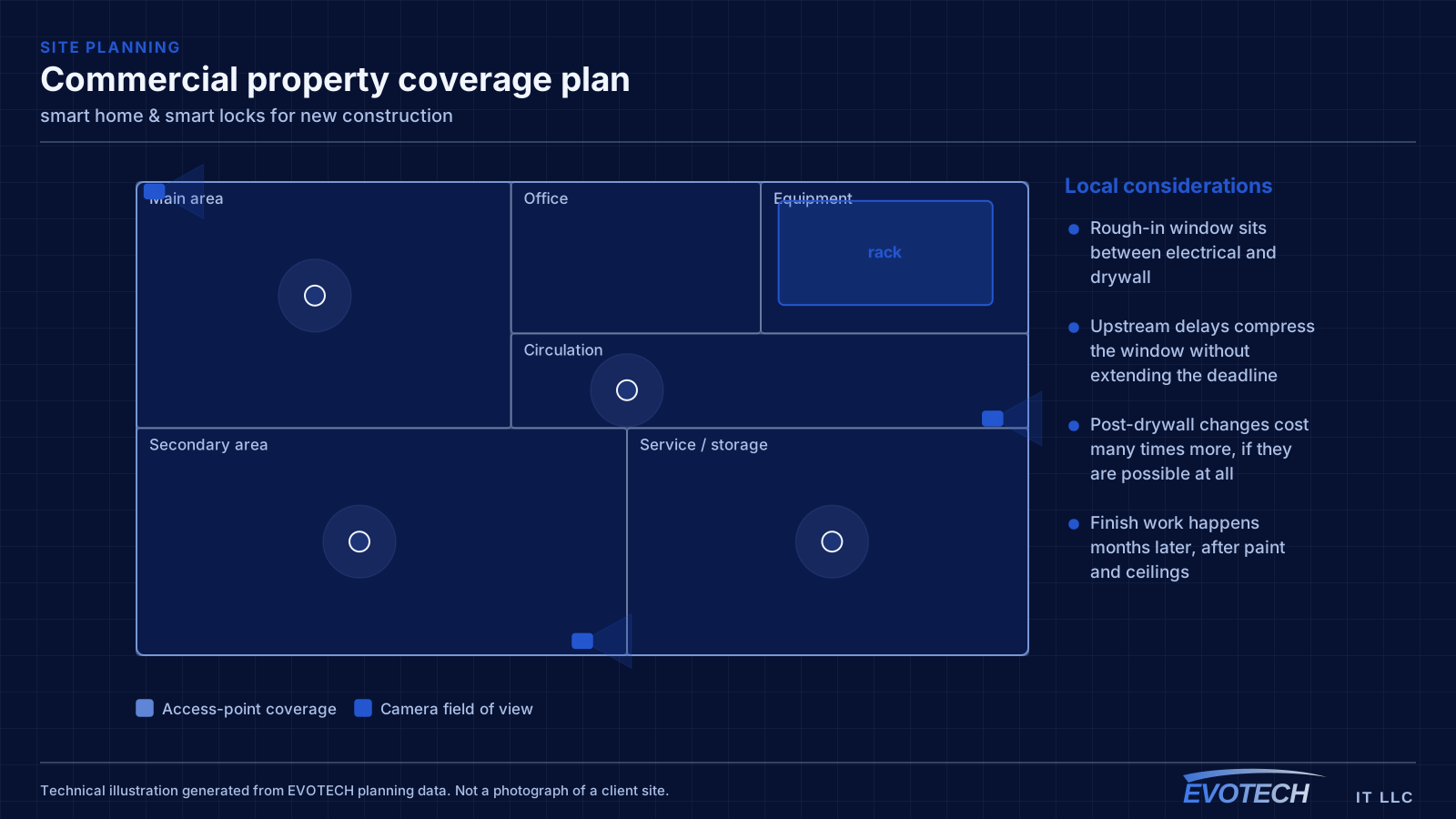
- Rough-in window sits between electrical and drywall
- Upstream delays compress the window without extending the deadline
- Post-drywall changes cost many times more, if they are possible at all
- Finish work happens months later, after paint and ceilings
What smart home & smart locks usually involves
The characteristic smart-home problem is a device that works most of the time — which, for a lock or a camera, is not good enough. The usual causes are weak wireless at the device's location, a cloud dependency that fails when the connection blips, and automations that quietly stop firing without telling anyone.
The second is ecosystem sprawl: five brands, five apps, and no way to make a routine span them. Deciding on one platform, and choosing devices that speak to it, turns a pile of gadgets into a system.
- Locks and cameras that work intermittently because of weak Wi-Fi at the door
- Cloud-only devices failing when the internet drops
- Automations that stop running silently, with no alert
- A different app for every brand and no unified control
- Smart locks fitted to doors that are misaligned or swollen, so they jam
- Dead batteries with no monitoring, locking people out
What to rough in even without a final design
Full system design is often not finished when the rough-in window arrives. That is normal, and it is not a reason to skip the pathway. Running conduit or sleeves to likely positions preserves the option cheaply even when the eventual equipment is undecided.
For a commercial building, the reliable rough-in set is: cable to every likely device outlet, ceiling positions for access points spaced for the intended coverage, camera positions at entries and approaches, door positions with cable to the controller location, and pathway to any likely display or AV position. Plus, in every case, a properly located equipment room.
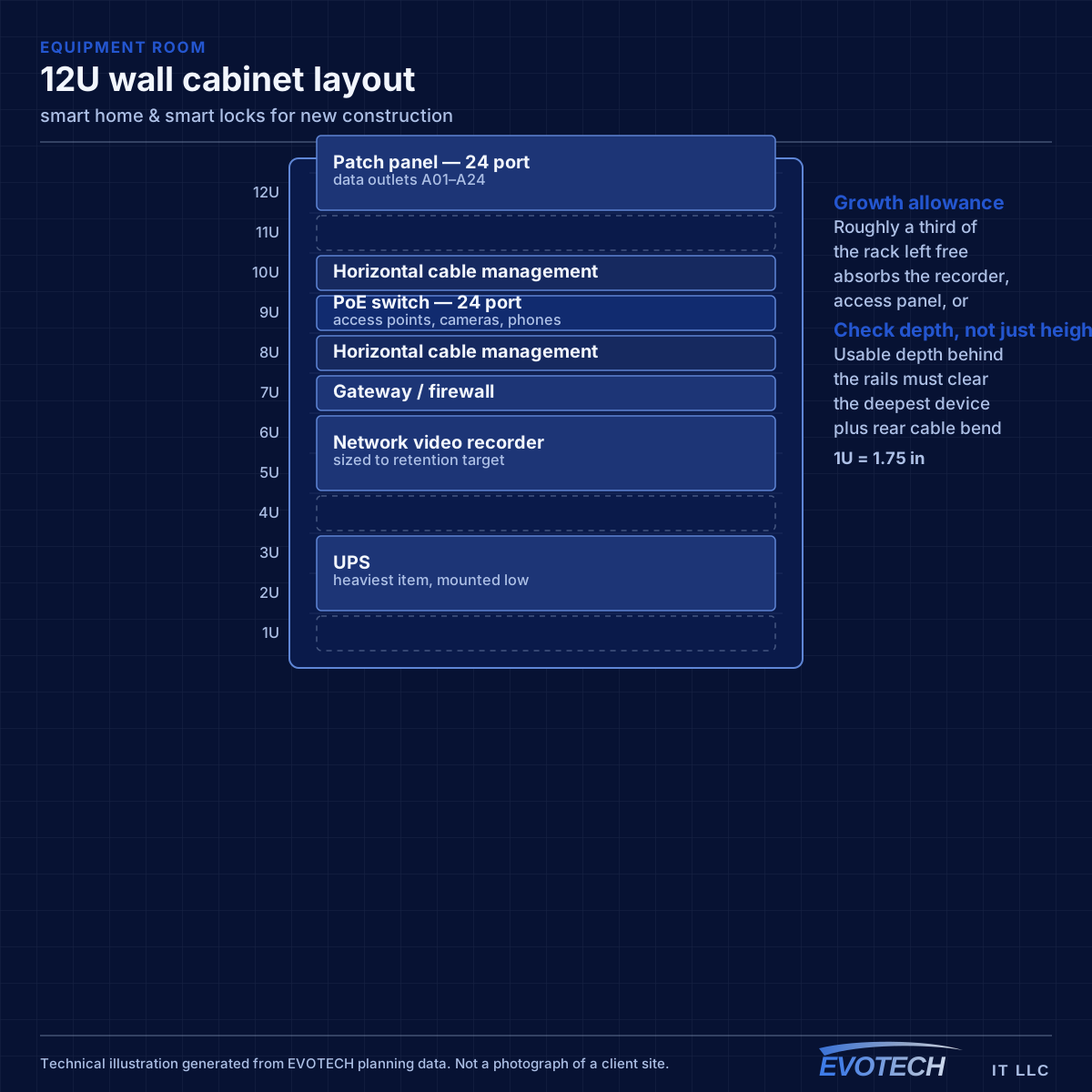
The equipment room deserves particular emphasis because it is the most commonly under-provisioned item. It has to hold the network rack, camera recorder, access-control panel, and any AV equipment, with dedicated power, ventilation, and clearance to work. Sizing it from the network alone is a decision that gets discovered eighteen months later.
- Sleeves and conduit to likely positions even before final design
- Ceiling access-point positions spaced for the intended coverage
- Camera positions at entries, approaches, and service areas
- Cable from every controlled door to the controller position
- Equipment room with dedicated power, ventilation, and working clearance
Ecosystem, hub versus Wi-Fi, local versus cloud, and door fit
The ecosystem decision is the one that shapes everything else. Committing to a single platform — whichever suits the household's phones and habits — lets devices share routines and one control surface, at the cost of favouring devices that support it. A hub adds a second layer: many reliable smart-home devices use a low-power mesh protocol rather than Wi-Fi, which keeps them off the main network and off the router's client count, and a modern hub bridges those to the chosen platform. Newer interoperability standards are narrowing the gap between ecosystems, but device support still has to be checked rather than assumed.
- One ecosystem chosen for the household, with devices that support it
- A hub for low-power mesh devices, keeping them off the main Wi-Fi
- Local control or an offline fallback for locks, doors, and key cameras
- A physical key or manual override always retained
- Smart locks matched to a door that actually operates smoothly
- Battery monitoring with alerts before a lockout
Frequently asked questions
What changes about smart home & smart locks in new construction?
The operating environment does. New construction bring specific constraints — how the space is used, when work can happen, and what has to keep running — and those shape the smart home & smart locks plan as much as the service's own technical requirements.
Which smart-home ecosystem should we use?
Usually the one that matches the phones and habits in the house, because that is the control surface everyone already reaches for. Committing to one platform lets devices share routines instead of each needing its own app — the tradeoff is favouring devices that support it. Newer interoperability standards are narrowing the differences, but it is still worth checking that the specific devices you want work with the platform you choose.
What has to be decided before rough-in?
Device locations, the equipment room position, and the pathway plan. Equipment selection can wait — you can run cable to a position without knowing which camera or access point will go there. What cannot wait is the decision about where things go, because that is what determines where cable is pulled while the walls are open.