

Why this page exists
Wi-Fi installation in Richmond is scoped around the same physical realities EVOTECH weighs everywhere — but read through Richmond's specific conditions: high proportion of new residential and commercial construction, making rough-in timing the dominant scheduling factor. This page pairs what the service actually involves with what the Richmond market changes about it.
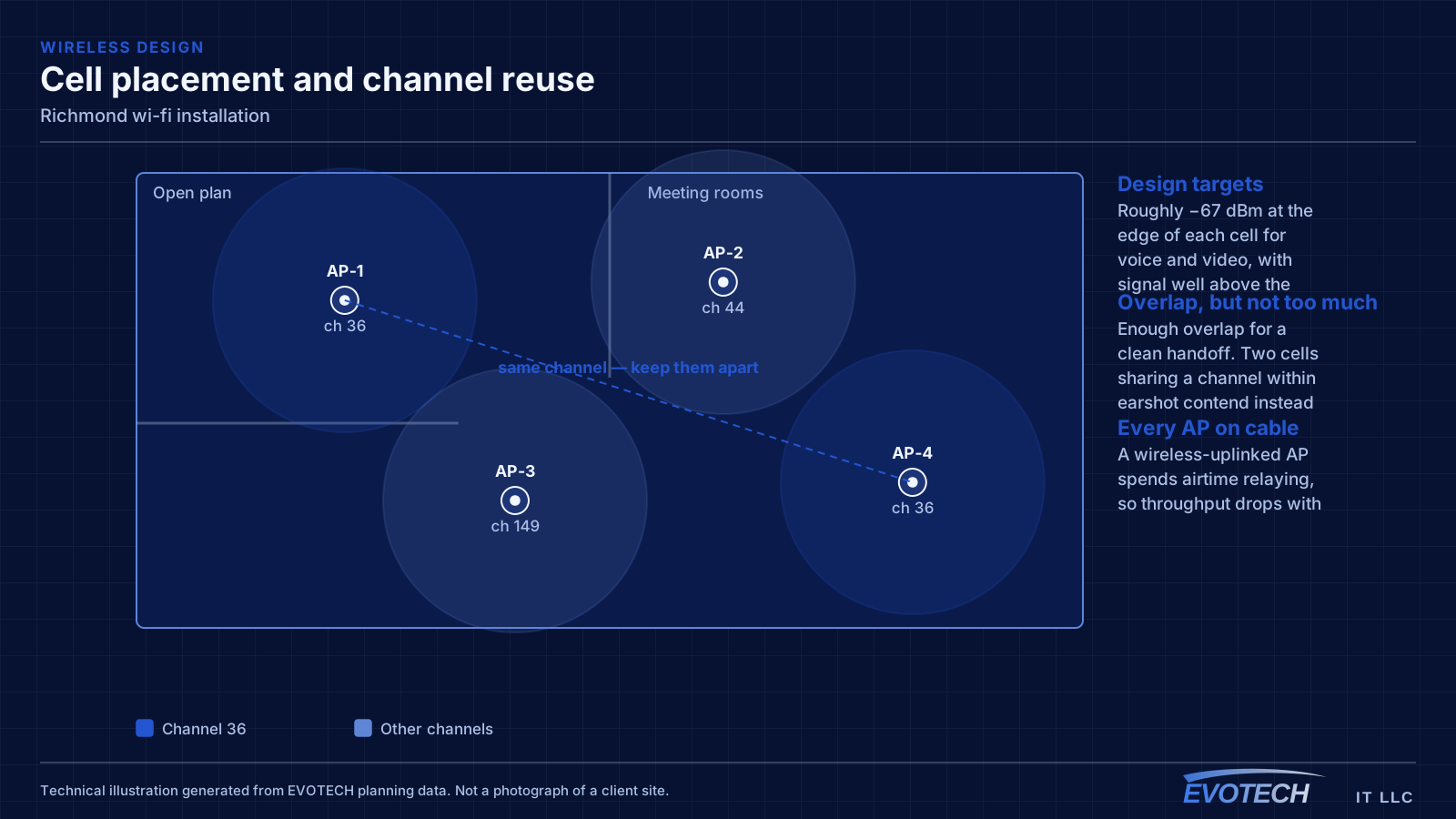
Good Wi-Fi comes from deciding where signal needs to be strong, then placing access points so that each area gets a solid signal from one AP without excessive overlap from others. The target most designs work to is around -67 dBm at the edge of each coverage area for voice and video, with signal comfortably above the local noise floor. Placement follows from that number and from the walls between the AP and the users.
What wi-fi installation usually involves
The most common complaint is a call dropping when someone walks from one room to another. That is a roaming problem, and it usually traces back to coverage design: either the cells overlap too little, so the client hangs onto a dying signal, or they overlap too much on the same channel, so everything is contending.
The second recurring problem is that the wireless network is blamed for a wired or internet issue. A device showing full signal bars and still performing badly is pointing at something past the access point — an oversubscribed uplink, a saturated internet circuit, or a switch port negotiating incorrectly.
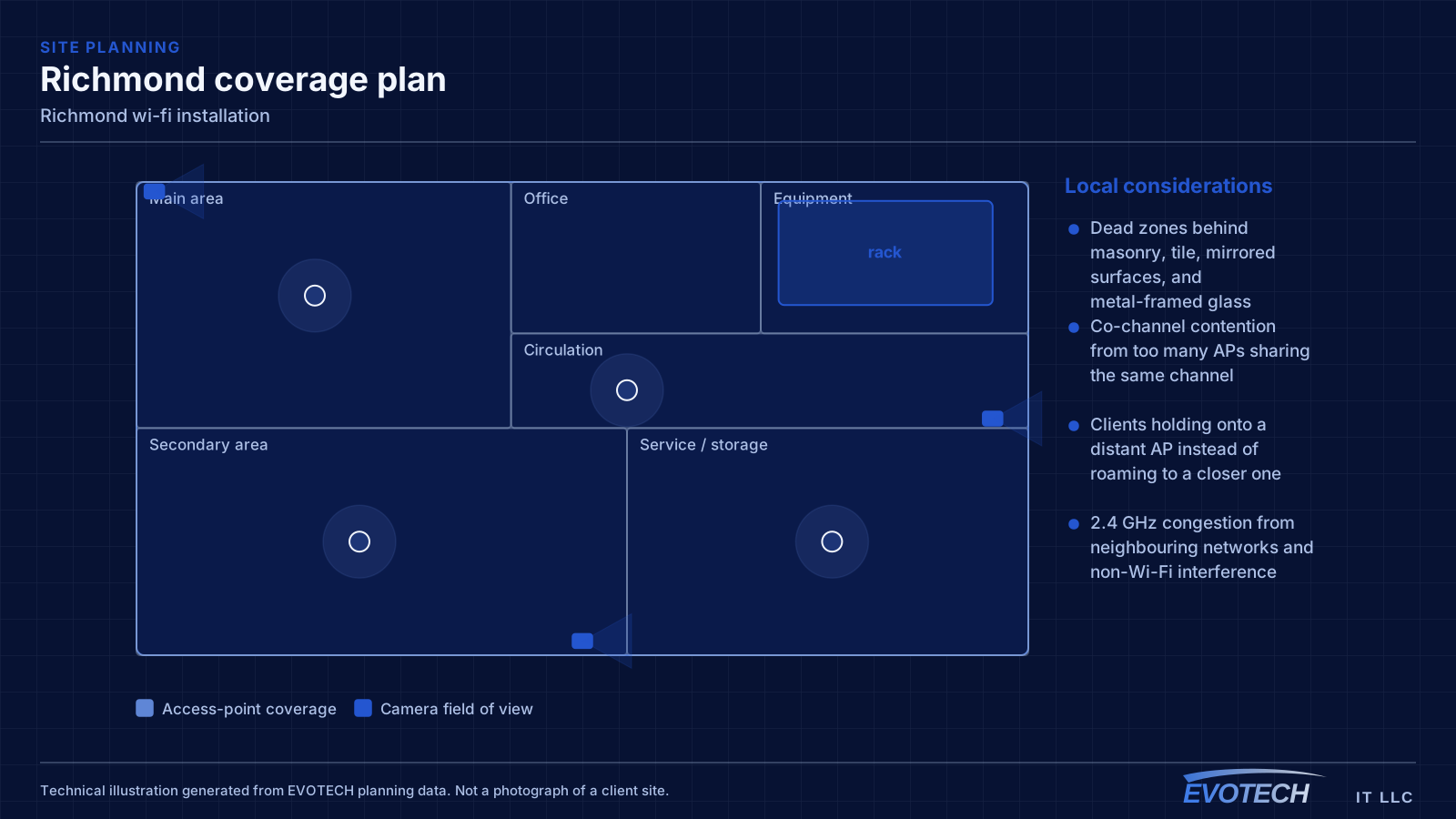
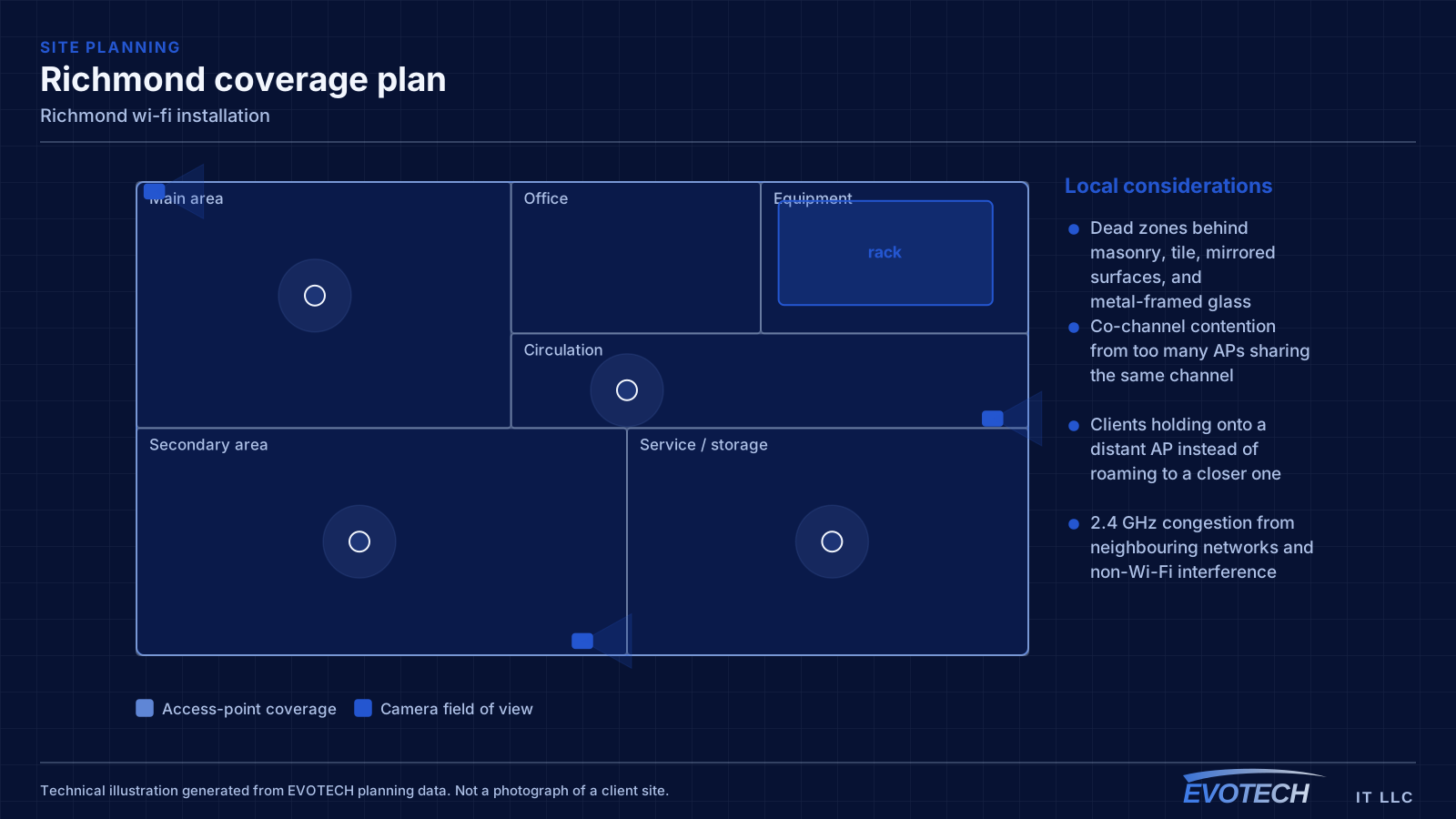
- Dead zones behind masonry, tile, mirrored surfaces, and metal-framed glass
- Co-channel contention from too many APs sharing the same channel
- Clients holding onto a distant AP instead of roaming to a closer one
- 2.4 GHz congestion from neighbouring networks and non-Wi-Fi interference
- Access points fed by repeaters instead of cable, halving effective throughput
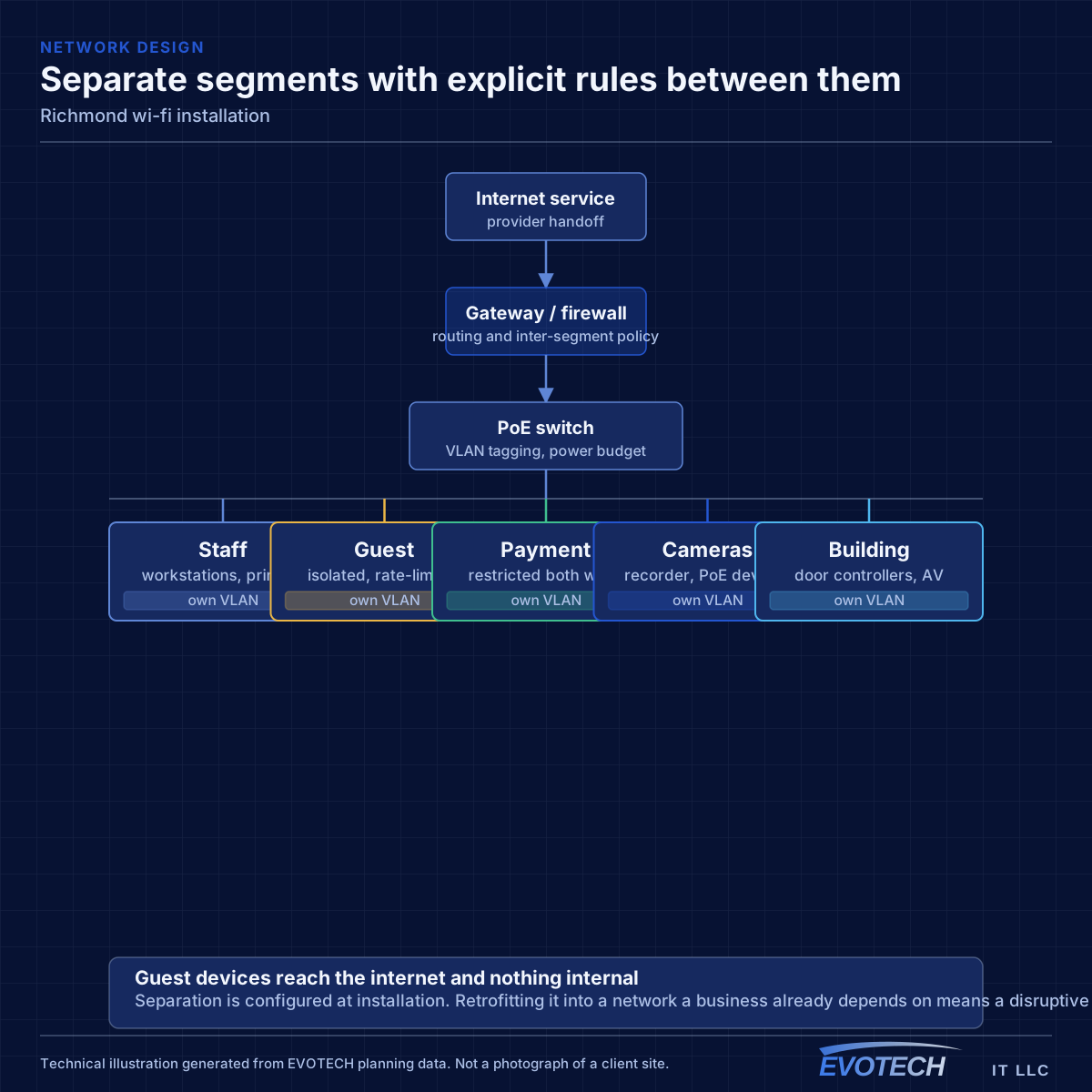
- Guest and business traffic sharing one network with no separation
Richmond property conditions that change the plan
When the walls are open, running cable anywhere is straightforward and running spare cable is nearly free. The value of the pre-rough-in conversation is entirely in deciding where things go, because that decision is what determines whether a future camera, access point, or display position is a simple addition or an impossibility.
Larger lots add a distance dimension that tighter suburban plots do not. A gate position, a detached workshop, or a driveway camera can sit far enough from the equipment room that copper is not the right answer, and that needs establishing during design rather than discovering during installation.
Three sets of decisions have a hard deadline. Device locations, because cable follows them. Pathway — conduit, sleeves, and rated penetrations — because those are built into the structure. And the equipment room, because its size, power, and ventilation are architectural rather than adjustable.
- Rough-in window between electrical and drywall as the controlling constraint
- Spare runs and sleeves to likely future positions while walls are open
- Long runs to gates, outbuildings, and driveway positions
- Distances checked against the 100 m copper channel limit
- Equipment room sized for every system, not just the network
- Device locations agreed and marked before rough-in
- Conduit and sleeves installed to positions that may be used later
- Rated penetrations sleeved and firestopped properly
- Equipment room with dedicated power, ventilation, and clearance
- Between-building routes decided before slabs and hardscape go in
Getting wi-fi installation done in Richmond
Wireless capacity comes from having multiple non-overlapping channels in use across a space. In North America, 2.4 GHz offers three non-overlapping 20 MHz channels, which is why it congests so quickly — in a dense building the neighbours are using them too. The 5 GHz band offers far more channels, including DFS channels that require radar detection and which many designs skip unnecessarily. The 6 GHz band, where equipment and regulations permit, adds substantially more spectrum with the caveat that only newer client devices can use it.
The rough-in window is controlled by trades upstream. Delays compress it without moving the completion date, so readiness matters more than anything — decisions made, materials on site, pathway plan settled before the window opens.
- Readiness before the window opens, since it cannot be extended
- Cable protected and clearly labeled during the gap to finish
- As-built documentation completed before drywall
- Coordination with electrical and mechanical trades on shared pathway
- Exterior and between-building routes planned before hardscape
Popular services nearby
Frequently searched near this area — the pages people look for most.
Frequently asked questions
Does EVOTECH have an office in Richmond?
No. This is a service-area page: EVOTECH serves Richmond without claiming a physical office there. The wording stays as coverage, not a location claim.
Why does a call drop when walking between rooms?
That is a roaming symptom. Either the coverage areas do not overlap enough, so the device holds a fading signal past the point of usefulness, or they overlap heavily on the same channel, so the handoff happens into a congested cell. Both are fixed by adjusting placement, power, and the channel plan rather than by adding another access point at the same settings.
How much spare cable should a new build include?
More than the current plan calls for, because the cost asymmetry is severe. A spare run during rough-in is inexpensive; the same run after drywall may cost several times as much or be impossible. Terminating and labeling spare runs to likely access-point, camera, and display positions is among the cheapest decisions in the whole project.