

Why this page exists
Network troubleshooting in Richmond is scoped around the same physical realities EVOTECH weighs everywhere — but read through Richmond's specific conditions: high proportion of new residential and commercial construction, making rough-in timing the dominant scheduling factor. This page pairs what the service actually involves with what the Richmond market changes about it.
Effective troubleshooting is a process of elimination against a specific, reproducible symptom. 'The internet is slow' is not yet a diagnosis — slow for whom, on which devices, wired or wireless, at what times, to which destinations. Those answers usually point at a layer before any equipment is touched.
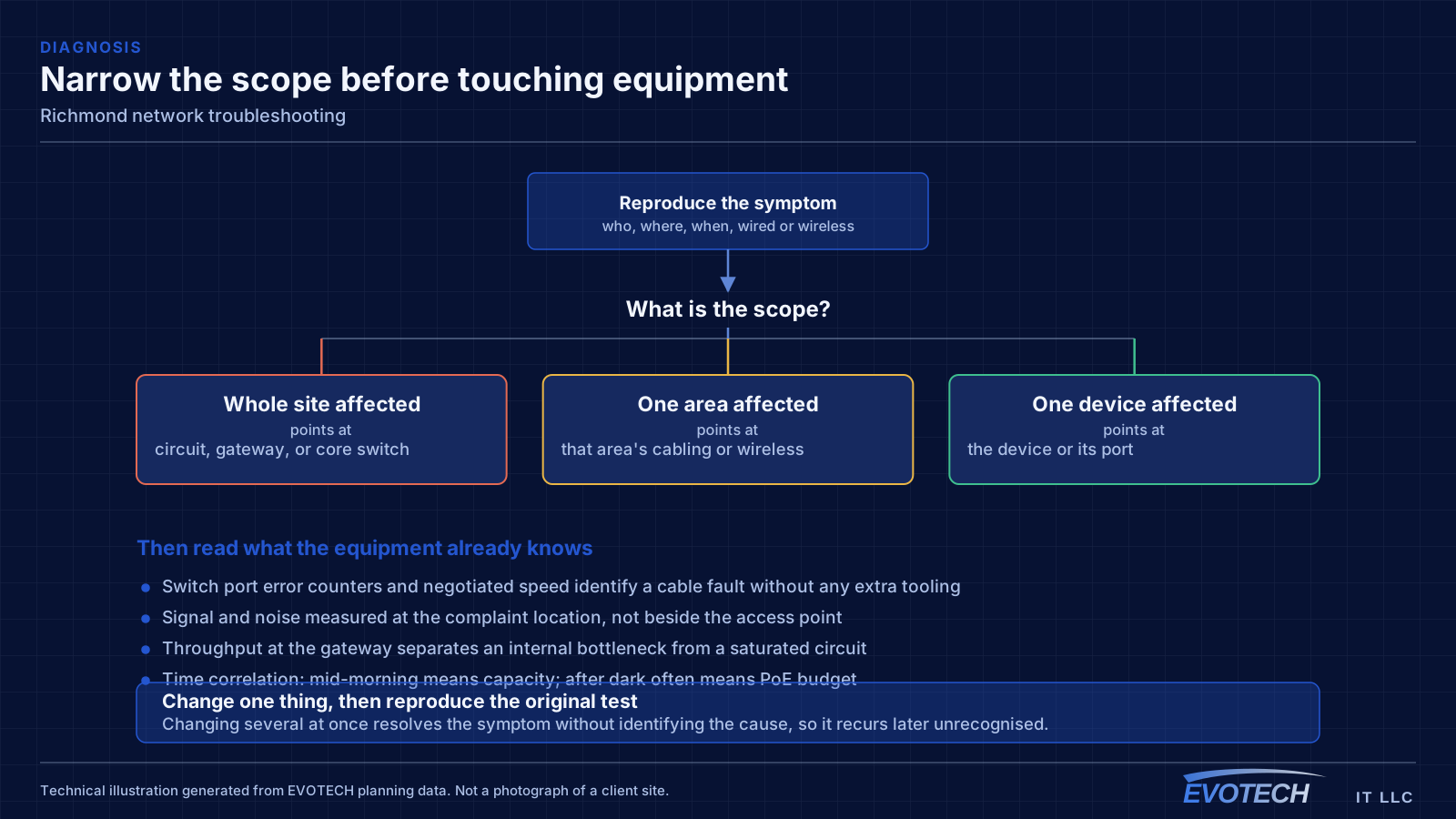
What network troubleshooting usually involves
The single most useful distinction is between a problem affecting everything and a problem affecting one device or area. Everything at once points toward the shared path — the circuit, the gateway, or the main switch. One area points toward that area's cabling, its access point, or its switch. One device points at the device or its port.
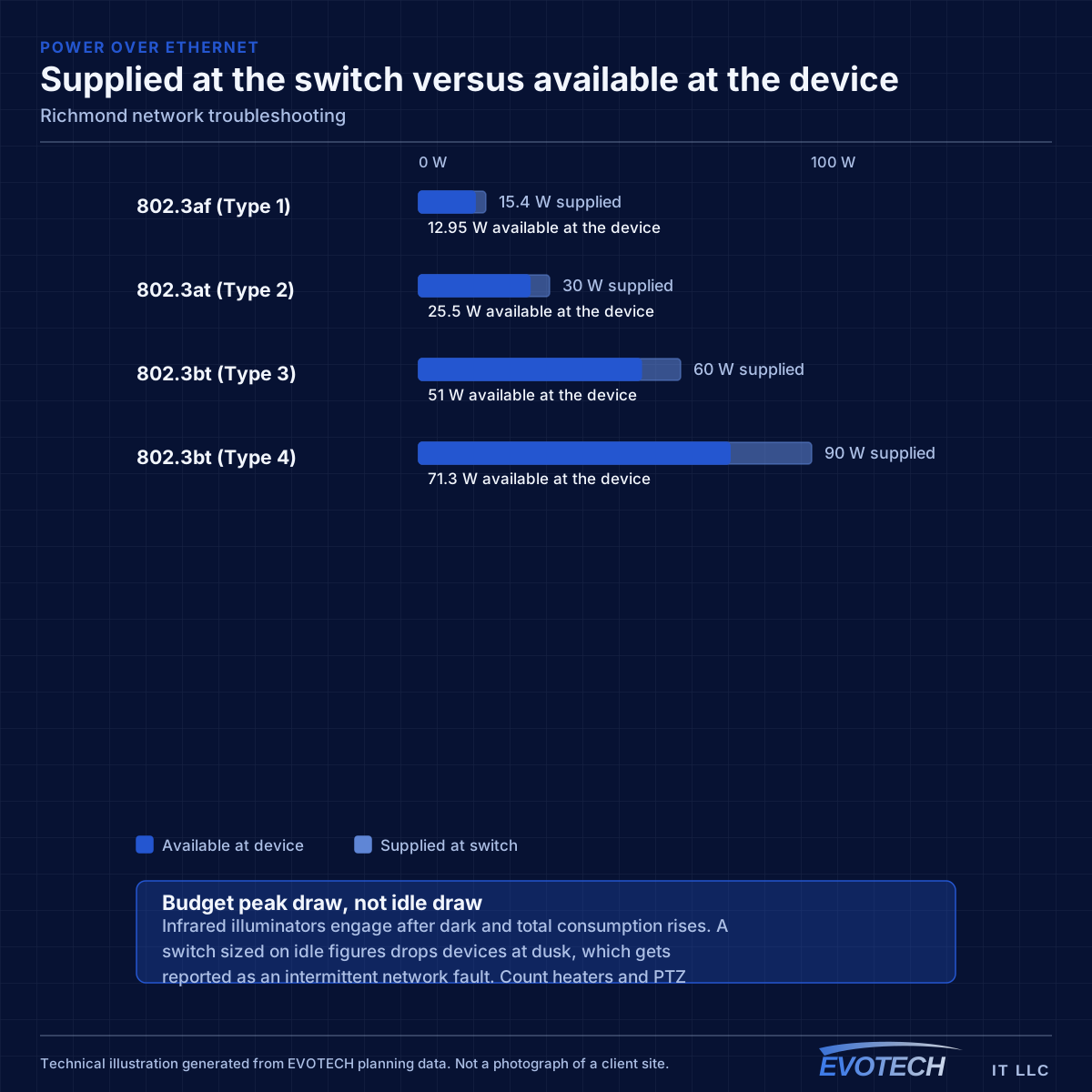
Timing is the second most useful clue. A problem that appears mid-morning and disappears at night is capacity related. A problem that appears after dark suggests something engaging on a schedule — camera illuminators pushing a PoE budget over is the classic example. A problem that appears at random is more often physical: a marginal termination, a failing port, or a cable that moves.
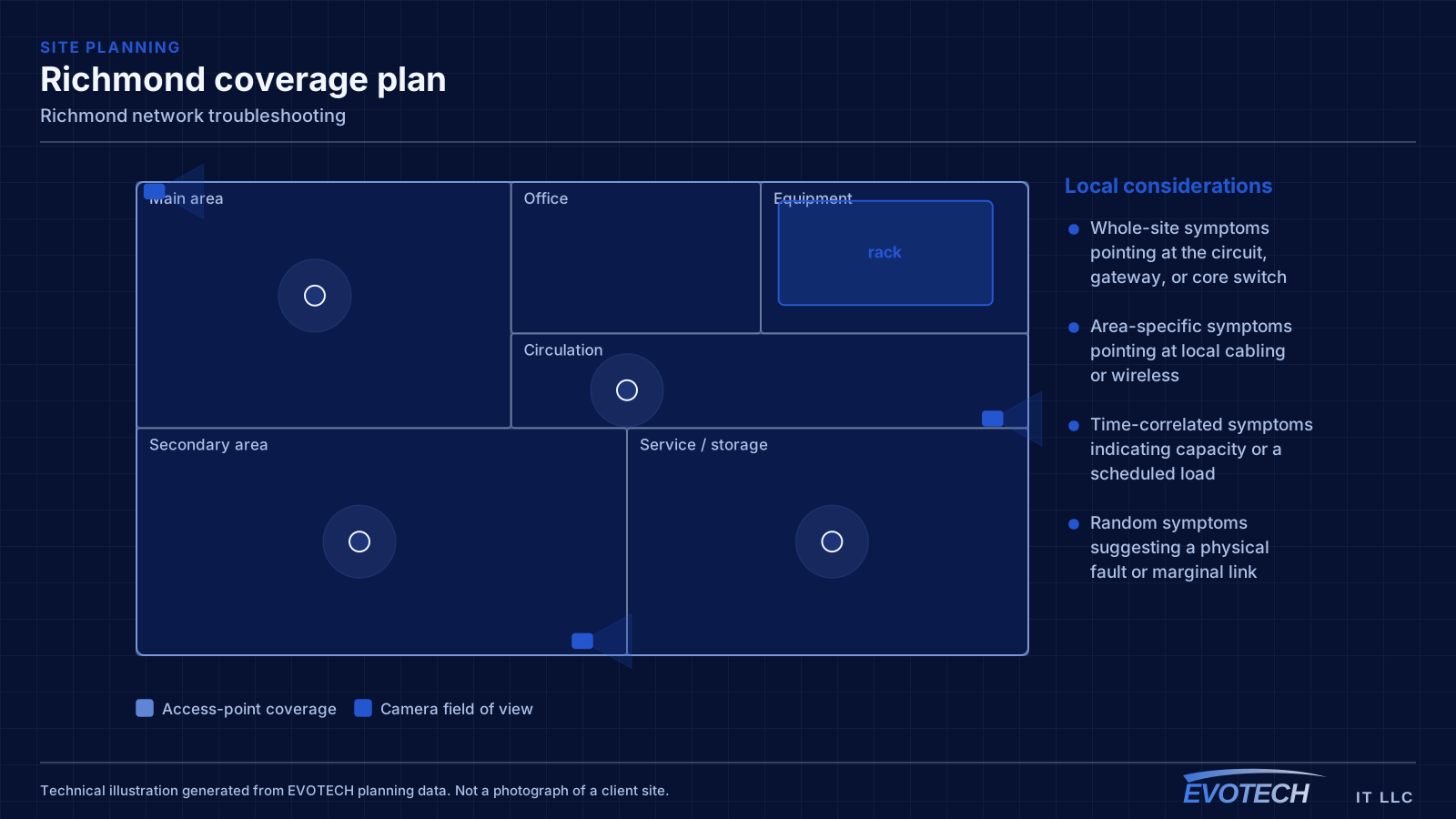
- Whole-site symptoms pointing at the circuit, gateway, or core switch
- Area-specific symptoms pointing at local cabling or wireless
- Time-correlated symptoms indicating capacity or a scheduled load
- Random symptoms suggesting a physical fault or marginal link
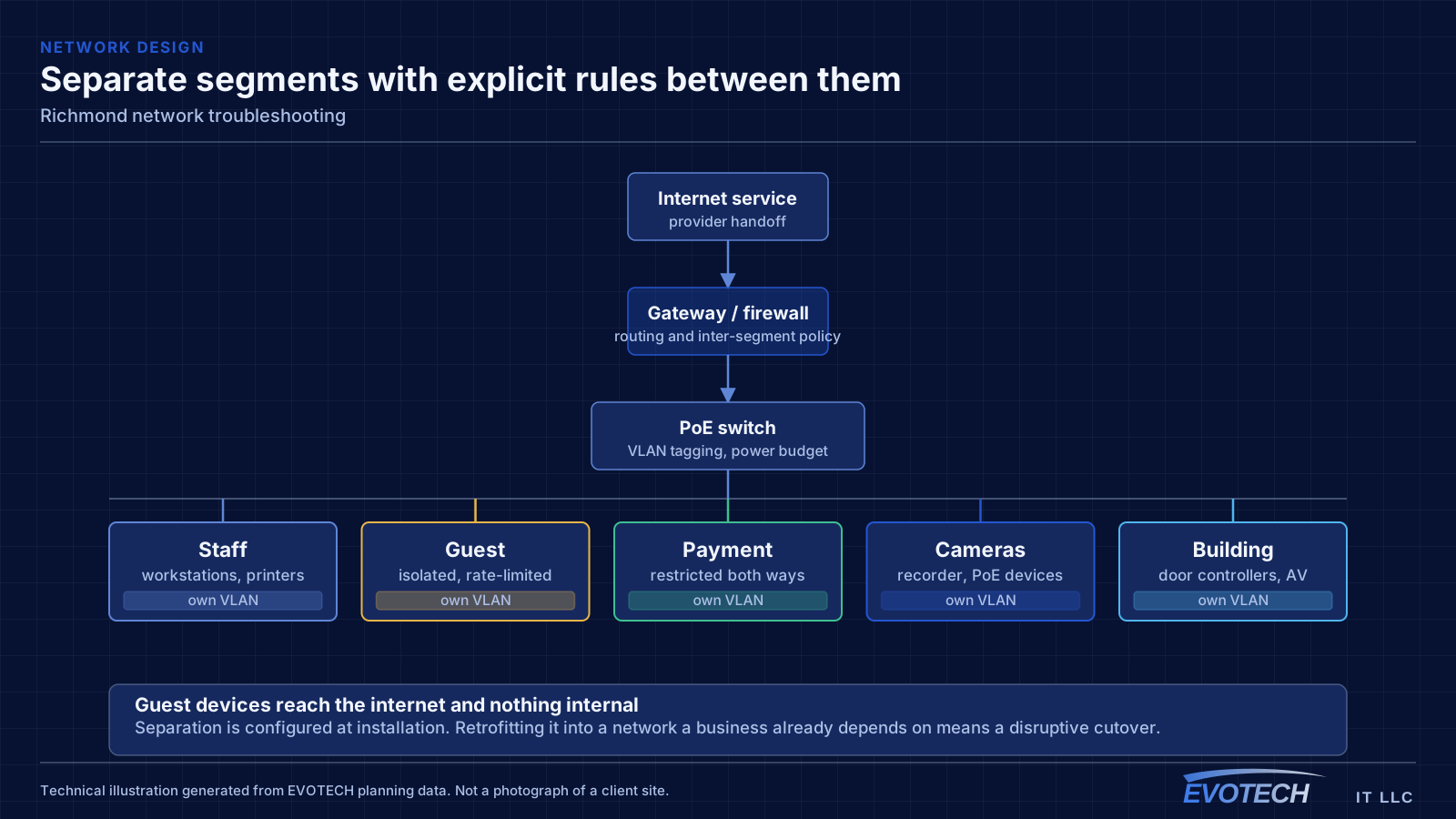
- Duplicate addressing or a rogue device handing out addresses
- Switching loops flooding a network after a cable was patched in twice
- Speed or duplex mismatches producing errors rather than outright failure
Richmond property conditions that change the plan
When the walls are open, running cable anywhere is straightforward and running spare cable is nearly free. The value of the pre-rough-in conversation is entirely in deciding where things go, because that decision is what determines whether a future camera, access point, or display position is a simple addition or an impossibility.
Larger lots add a distance dimension that tighter suburban plots do not. A gate position, a detached workshop, or a driveway camera can sit far enough from the equipment room that copper is not the right answer, and that needs establishing during design rather than discovering during installation.
Three sets of decisions have a hard deadline. Device locations, because cable follows them. Pathway — conduit, sleeves, and rated penetrations — because those are built into the structure. And the equipment room, because its size, power, and ventilation are architectural rather than adjustable.
- Rough-in window between electrical and drywall as the controlling constraint
- Spare runs and sleeves to likely future positions while walls are open
- Long runs to gates, outbuildings, and driveway positions
- Distances checked against the 100 m copper channel limit
- Equipment room sized for every system, not just the network
- Device locations agreed and marked before rough-in
- Conduit and sleeves installed to positions that may be used later
- Rated penetrations sleeved and firestopped properly
- Equipment room with dedicated power, ventilation, and clearance
- Between-building routes decided before slabs and hardscape go in
Getting network troubleshooting done in Richmond
Switch port statistics are the most underused diagnostic resource on most networks. Error counters, discards, and negotiated speed for each port are already being recorded, and a port showing rising errors identifies a cable or connector problem without any additional testing. A port that negotiated 100 Mbps when it should be at 1 Gbps points at a damaged pair or a marginal termination.
The rough-in window is controlled by trades upstream. Delays compress it without moving the completion date, so readiness matters more than anything — decisions made, materials on site, pathway plan settled before the window opens.
- Readiness before the window opens, since it cannot be extended
- Cable protected and clearly labeled during the gap to finish
- As-built documentation completed before drywall
- Coordination with electrical and mechanical trades on shared pathway
- Exterior and between-building routes planned before hardscape
Popular services nearby
Frequently searched near this area — the pages people look for most.
Frequently asked questions
Does EVOTECH have an office in Richmond?
No. This is a service-area page: EVOTECH serves Richmond without claiming a physical office there. The wording stays as coverage, not a location claim.
Why is the network slow only in the afternoon?
Time-correlated symptoms usually mean capacity rather than a fault. Something is consuming the shared resource at that time — backups, updates, more people on site, or a scheduled process. Measuring at the gateway during the slow period, and comparing it to a quiet period, distinguishes a saturated circuit from an internal bottleneck quickly.
How much spare cable should a new build include?
More than the current plan calls for, because the cost asymmetry is severe. A spare run during rough-in is inexpensive; the same run after drywall may cost several times as much or be impossible. Terminating and labeling spare runs to likely access-point, camera, and display positions is among the cheapest decisions in the whole project.