

Why this page exists
Ubiquiti UniFi installation in Fulshear is scoped around the same physical realities EVOTECH weighs everywhere — but read through Fulshear's specific conditions: predominantly recent residential construction, so prewire timing rather than retrofit access is the usual constraint. This page pairs what the service actually involves with what the Fulshear market changes about it.
A UniFi deployment puts the gateway, switching, wireless, and often cameras and door access under one controller. The practical benefit is operational rather than raw performance: one interface for network configuration, client visibility, firmware updates, and camera review, instead of separate systems that each need their own knowledge.
What ubiquiti unifi installation usually involves
The most common problem with an existing UniFi installation is that it was deployed as a set of boxes rather than as a design. Adopted devices on default settings, no VLANs, no channel plan, and firmware left wherever it landed will underperform, and the interface makes that easy to overlook because everything reports as online.
The second is powering. UniFi access points, cameras, and door hardware draw power over Ethernet at different classes, and a switch chosen on port count alone can run out of PoE budget before it runs out of ports. That shows up as devices rebooting under load rather than as an obvious power error.
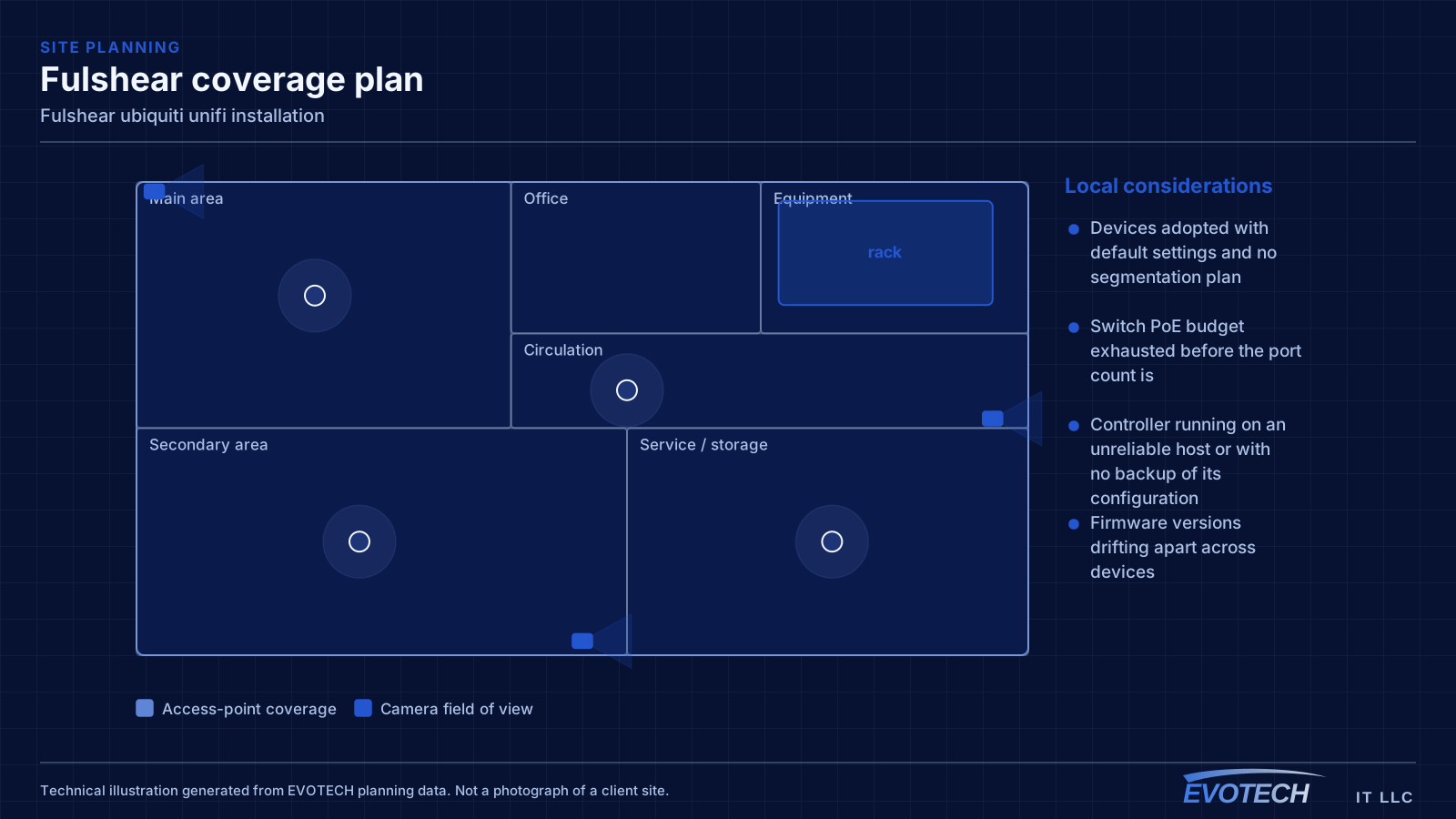
- Devices adopted with default settings and no segmentation plan
- Switch PoE budget exhausted before the port count is
- Controller running on an unreliable host or with no backup of its configuration
- Firmware versions drifting apart across devices
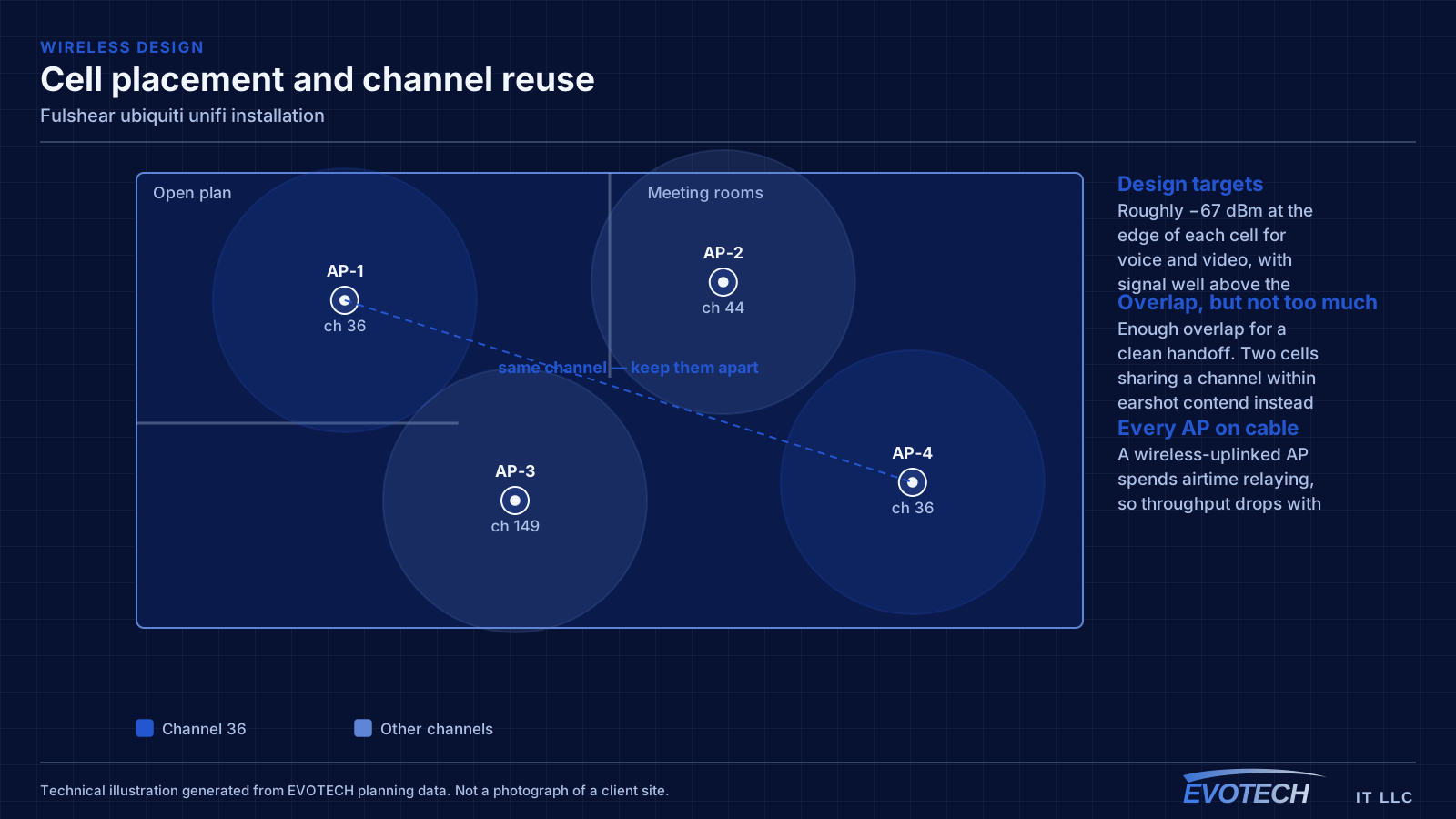
- Wireless left fully automatic in a dense environment where it needs guidance
- Camera storage sized without regard to retention expectations
Fulshear property conditions that change the plan
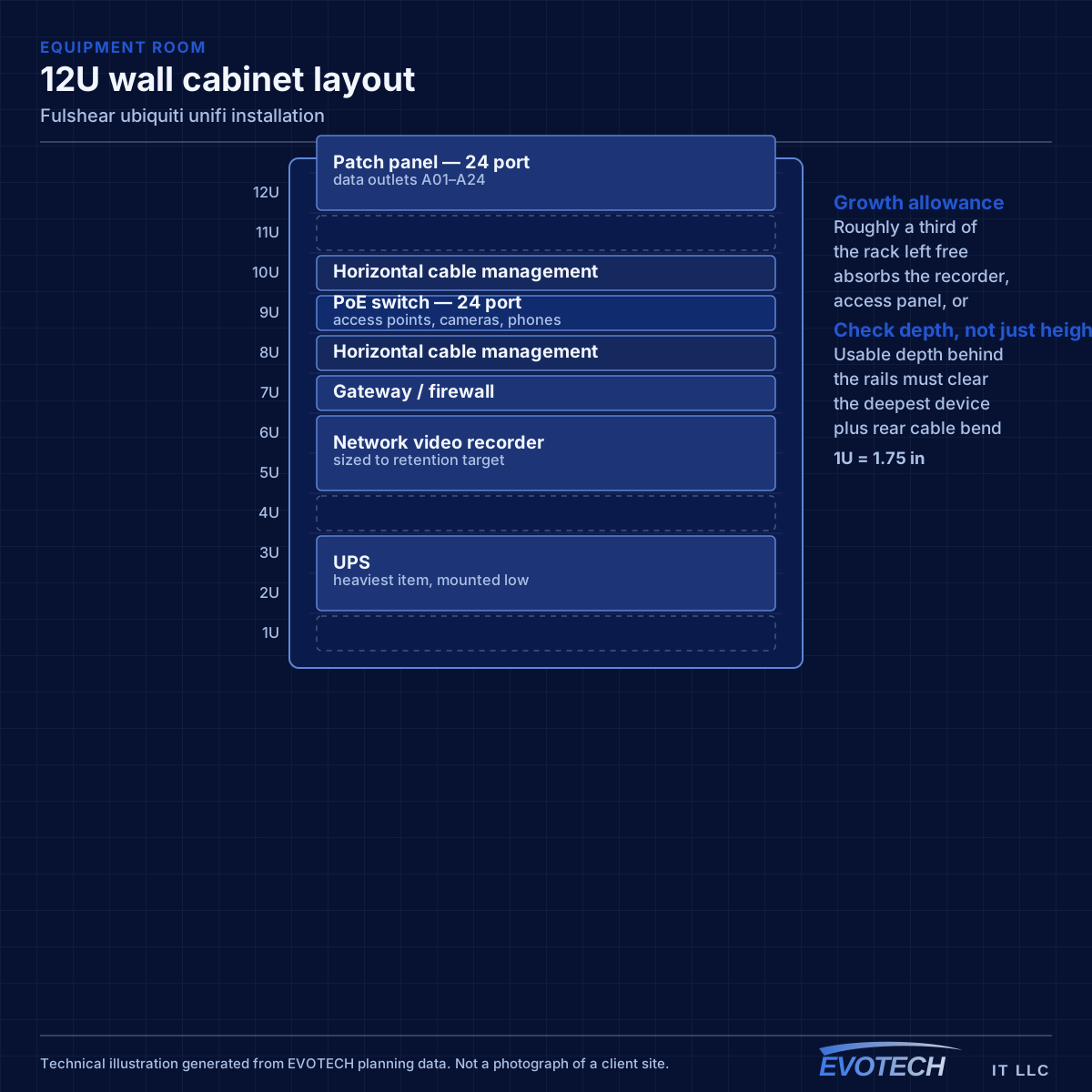
A builder media enclosure is designed to terminate cable, not to house an active network. They are frequently shallow, unventilated, and located in a garage or utility area. Putting a switch, a router, and a small recorder into one produces a hot box that shortens everything inside it.
The practical answers are either a larger ventilated enclosure or splitting the arrangement — leaving the builder panel as a termination point and siting active equipment somewhere conditioned with power and access. Either decision is much easier made during construction than after.
The list that repays itself: ceiling positions for access points on each floor, two runs at each likely equipment position, a doorbell run, camera runs to the entry and driveway approaches, runs to television positions, and an equipment location with power, ventilation, and enough depth for real equipment.
- Builder enclosures sized for termination, not for active equipment
- Ventilation frequently absent, and heat the main cause of shortened equipment life
- Garage and utility positions common and often unconditioned
- Larger ventilated enclosure or a split arrangement as the usual fix
- Ceiling access-point positions rarely included by builders
- Central ceiling positions for access points on each floor
- Two runs at each equipment and television position
- Doorbell and entry camera runs
- Driveway and approach camera positions
- Conduit to detached structures before hardscape
- Equipment location with power, ventilation, and depth
Getting ubiquiti unifi installation done in Fulshear
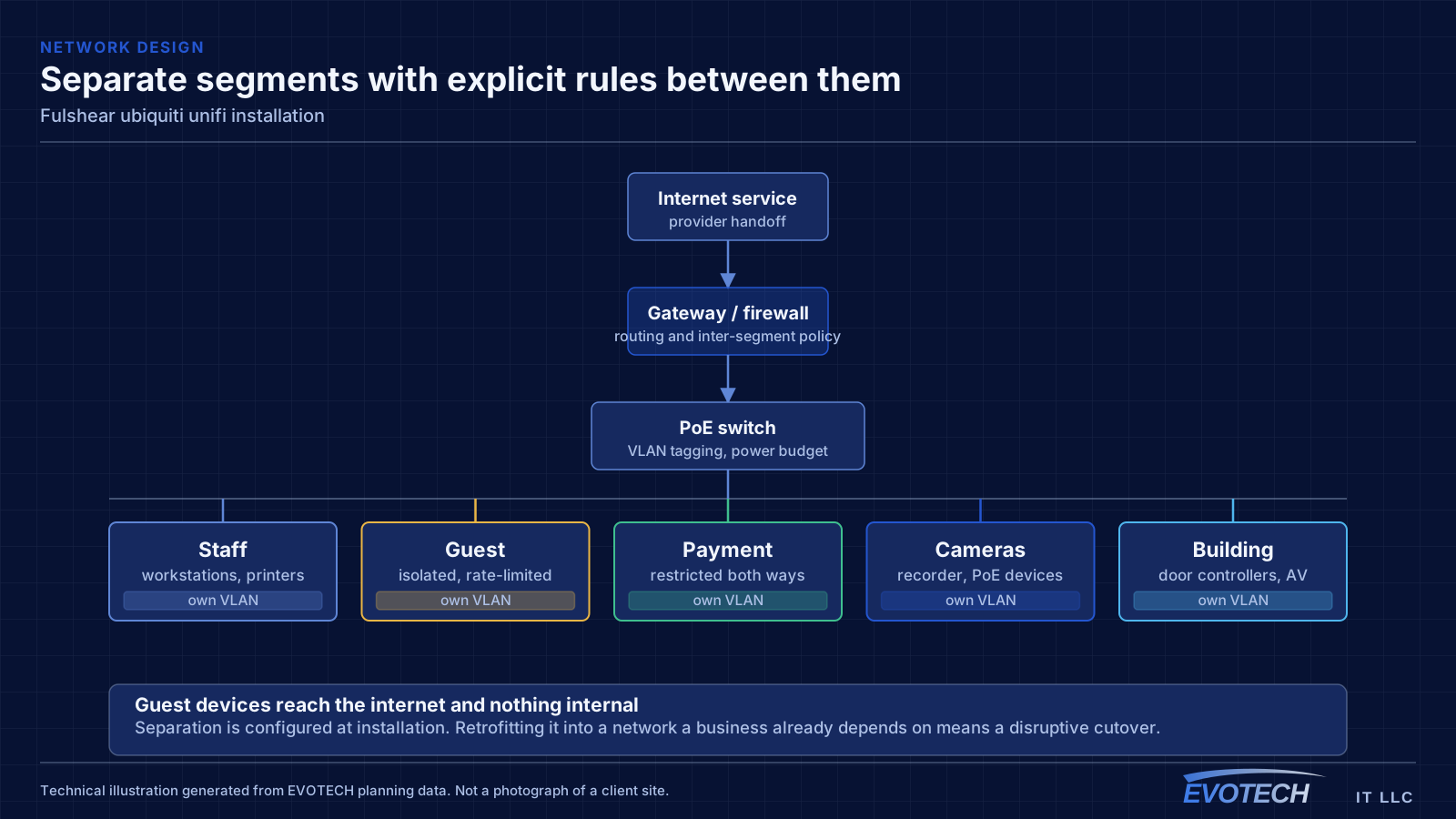
The gateway handles routing, firewalling, and inter-VLAN policy. Segmentation is where most of the practical value sits: separate networks for staff, guests, payment systems, cameras, and building devices, with rules controlling what may talk to what. A guest network that cannot reach the camera recorder is a meaningful improvement over a flat network, and it takes configuration rather than extra hardware.
For homes under construction, the rough-in window governs everything and it is set by trades upstream. For completed homes, attic access is generally good and the constraint is summer heat, so work is scheduled early in the day during the warmer months.
- Rough-in window controlling new-construction scheduling
- Good attic access in completed homes, constrained by summer heat
- Dust control and daily clear-down in occupied homes
- Drywall access, patching, and paint agreed before any cutting
- Detached-structure routes planned before landscaping
Frequently asked questions
Does EVOTECH have an office in Fulshear?
No. This is a service-area page: EVOTECH serves Fulshear without claiming a physical office there. The wording stays as coverage, not a location claim.
Is UniFi the right choice for a small business?
It suits sites that want proper segmentation, decent wireless, and cameras under one interface without employing a network administrator. The tradeoff is committing to one vendor's ecosystem. A mixed-vendor design gives more freedom to pick the best component for each role; the single-vendor version is easier to live with day to day. Both are defensible — it is worth choosing on purpose.
What should be prewired in a new home even if it is not needed yet?
Ceiling positions for access points on each floor, a doorbell run, camera runs to the entry and driveway approaches, and television positions. Each costs very little while the walls are open, and each is disproportionately awkward to retrofit — particularly the exterior camera positions, which end up behind finished soffit.