Why this page exists
Ubiquiti UniFi installation for professional offices is shaped by how the space is used, not just by the service itself. Professional offices bring their own operating constraints, and this page pairs what ubiquiti unifi installation actually involves with what that environment changes about it.
A UniFi deployment puts the gateway, switching, wireless, and often cameras and door access under one controller. The practical benefit is operational rather than raw performance: one interface for network configuration, client visibility, firmware updates, and camera review, instead of separate systems that each need their own knowledge.
Density is concentrated, not distributed
An office floor's network demand is not spread evenly. Individual desks are undemanding. Meeting rooms concentrate a dozen people, their laptops and phones, a display system, and a video call into one radio cell for an hour at a time. That concentration is where the design effort belongs.
The second characteristic is churn. Desk layouts change, teams grow, hot-desking arrives and departs. Offices benefit from more outlets than the current plan requires and from wireless coverage designed around areas rather than around today's seating chart.
- Demand concentrated in meeting and collaboration areas
- Desk layouts changing more often than the cabling can economically follow
- Video calls as the most visible and least forgiving workload
- Printers, phones, and access points adding to the wired device count
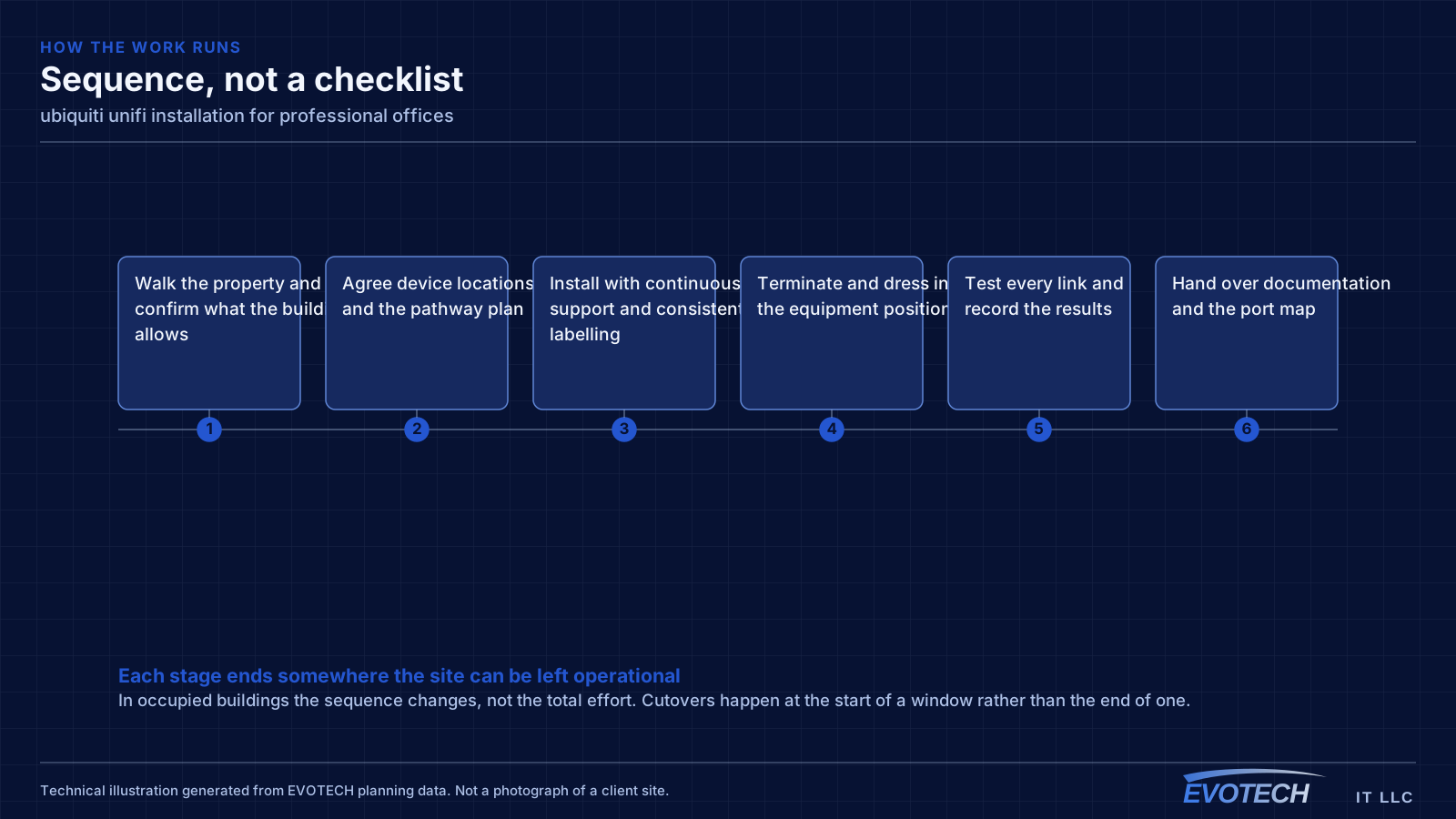
What ubiquiti unifi installation usually involves
The most common problem with an existing UniFi installation is that it was deployed as a set of boxes rather than as a design. Adopted devices on default settings, no VLANs, no channel plan, and firmware left wherever it landed will underperform, and the interface makes that easy to overlook because everything reports as online.
The second is powering. UniFi access points, cameras, and door hardware draw power over Ethernet at different classes, and a switch chosen on port count alone can run out of PoE budget before it runs out of ports. That shows up as devices rebooting under load rather than as an obvious power error.
- Devices adopted with default settings and no segmentation plan
- Switch PoE budget exhausted before the port count is
- Controller running on an unreliable host or with no backup of its configuration
- Firmware versions drifting apart across devices
- Wireless left fully automatic in a dense environment where it needs guidance
- Camera storage sized without regard to retention expectations
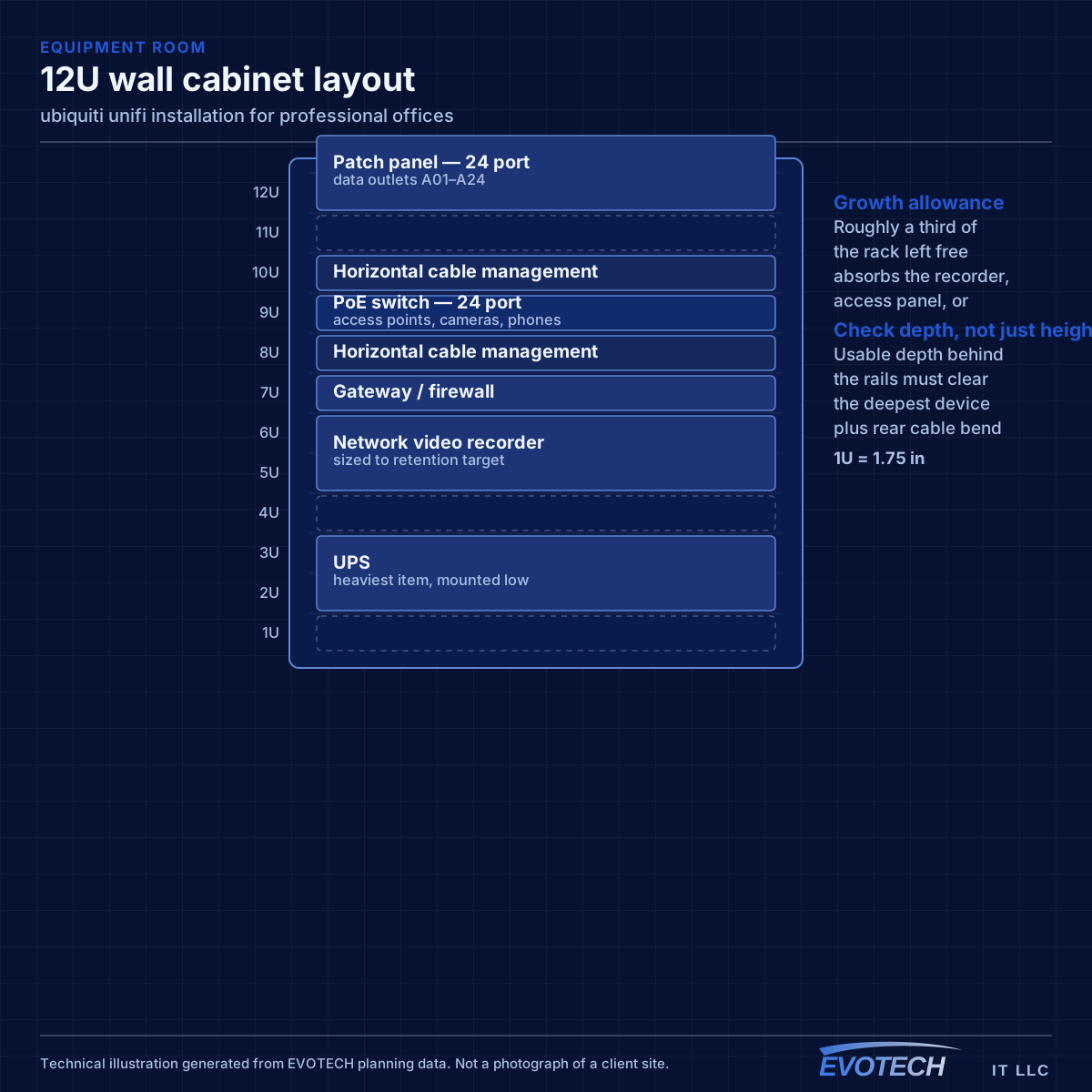
Capacity, segmentation, and the wired positions worth keeping
Wireless capacity should be planned from peak simultaneous use in each area. A floor with several meeting rooms in constant use needs more cells concentrated around them than its square footage would suggest, and those cells need a channel plan that stops them contending with each other.
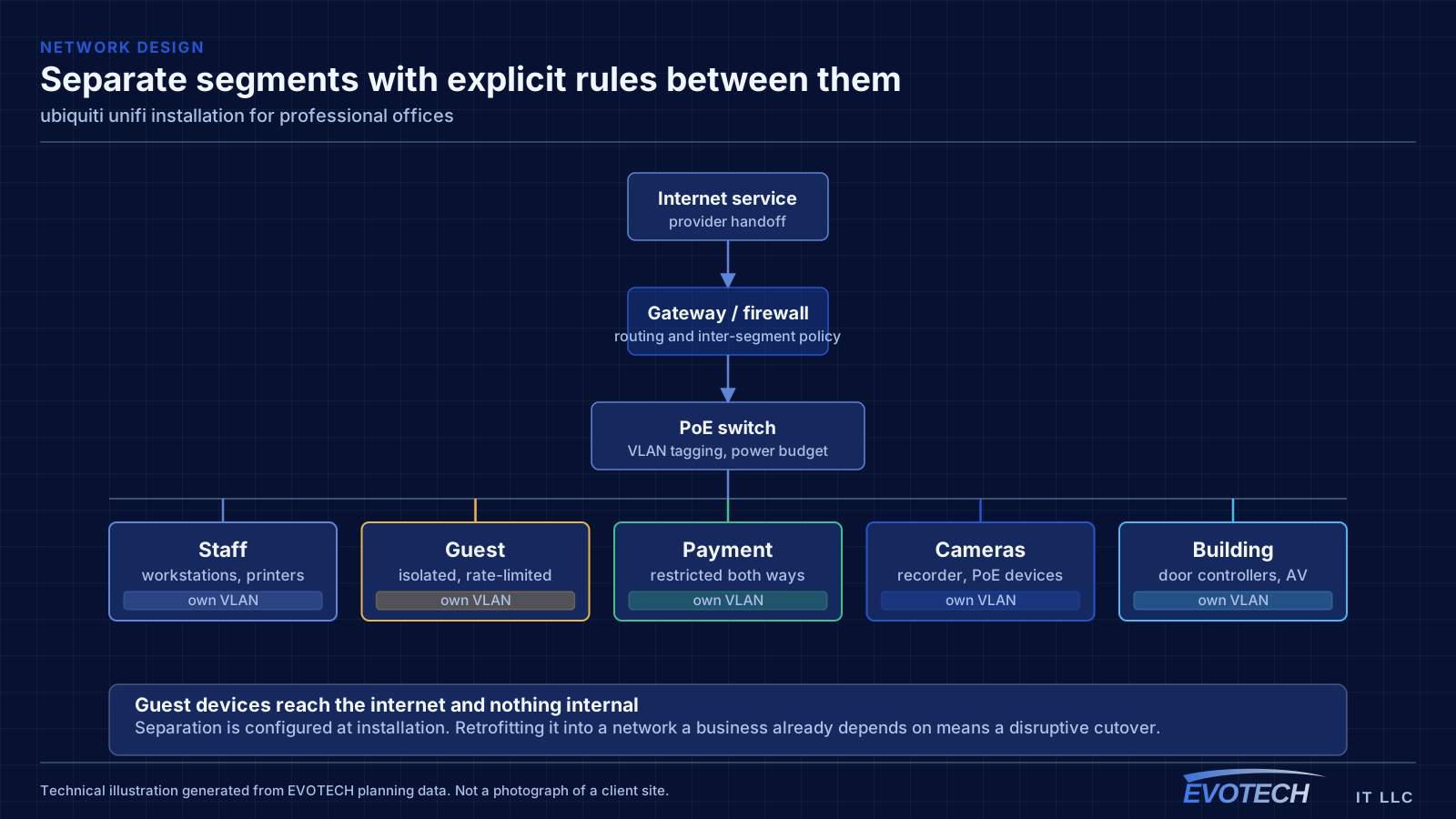
Segmentation in an office is usually simpler than in retail or clinical settings but still worth doing: staff devices, guest and visitor access, building systems such as cameras and door controllers, and any dedicated systems. Guests should reach the internet and nothing else.
Some positions are still worth wiring even in a wireless-first office. Meeting-room equipment, printers, desk phones, ceiling access points, and any position handling large files all benefit from cable, and the incremental cost during a fit-out is small.
- Capacity planned from peak simultaneous devices per area
- Staff, guest, and building-system traffic separated
- Meeting-room equipment, printers, and access points wired
- Channel plan set deliberately in multi-tenant buildings
- Switch PoE budget sized for access points, phones, and cameras together
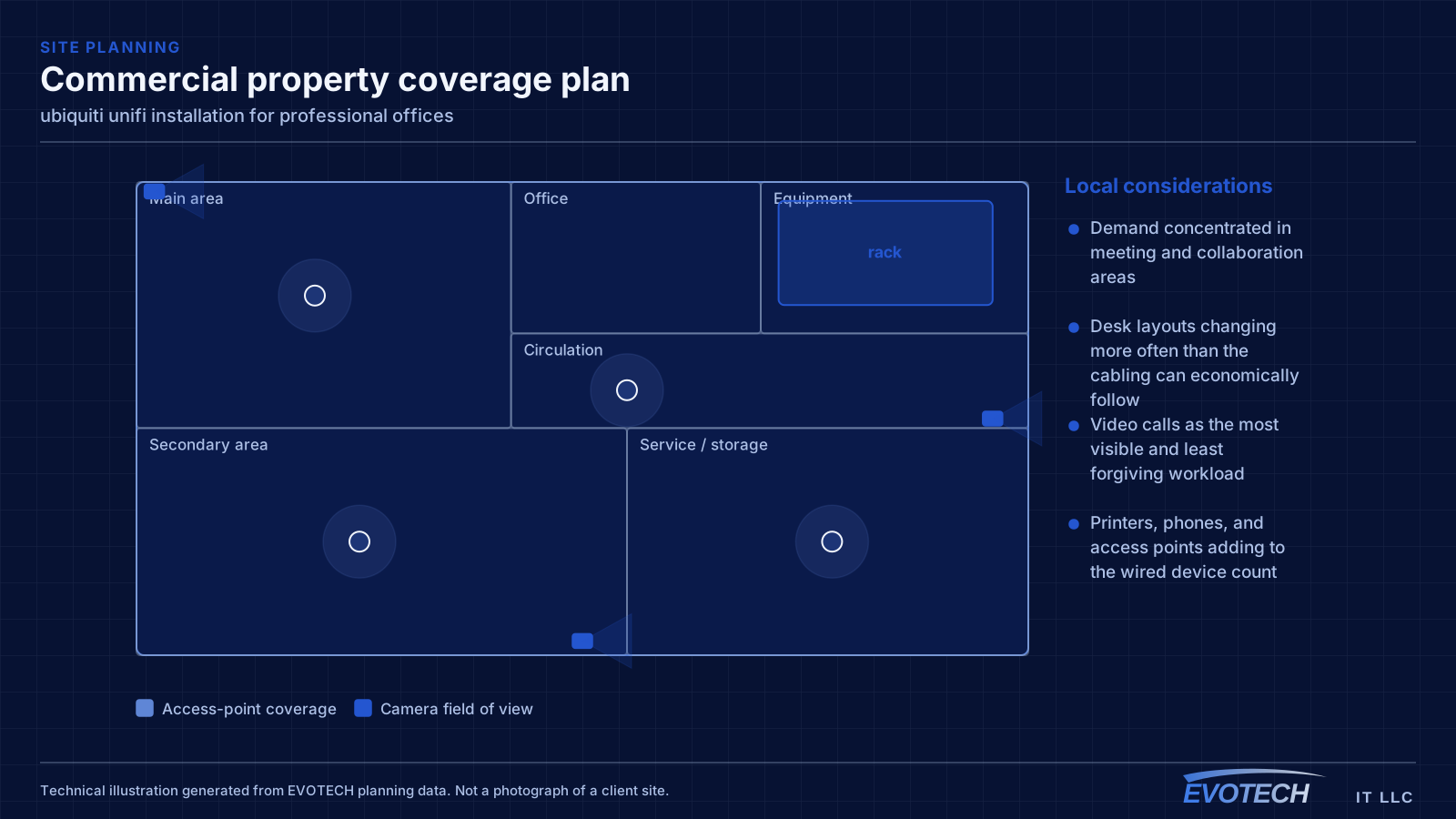
Gateway, switching, PoE budget, and controller placement
The gateway handles routing, firewalling, and inter-VLAN policy. Segmentation is where most of the practical value sits: separate networks for staff, guests, payment systems, cameras, and building devices, with rules controlling what may talk to what. A guest network that cannot reach the camera recorder is a meaningful improvement over a flat network, and it takes configuration rather than extra hardware.
- Segment staff, guest, payment, camera, and building traffic with explicit inter-network rules
- Size switches on PoE budget as well as port count, with headroom
- Account for higher-draw devices: PTZ cameras, illuminators, and door hardware
- Host the controller on reliable hardware and back up its configuration
- Keep firmware deliberately aligned rather than drifting
Frequently asked questions
What changes about ubiquiti unifi installation in professional offices?
The operating environment does. Professional offices bring specific constraints — how the space is used, when work can happen, and what has to keep running — and those shape the ubiquiti unifi installation plan as much as the service's own technical requirements.
Is UniFi the right choice for a small business?
It suits sites that want proper segmentation, decent wireless, and cameras under one interface without employing a network administrator. The tradeoff is committing to one vendor's ecosystem. A mixed-vendor design gives more freedom to pick the best component for each role; the single-vendor version is easier to live with day to day. Both are defensible — it is worth choosing on purpose.
How many outlets should each desk have?
Two is the practical minimum. A single outlet is fine until someone adds a docking station, a desk phone, or a second machine, at which point a small switch appears under the desk and the cabling design has quietly been overridden. Two outlets during a fit-out costs very little.