Why this page exists
TV mounting for professional offices is shaped by how the space is used, not just by the service itself. Professional offices bring their own operating constraints, and this page pairs what tv mounting actually involves with what that environment changes about it.
The mount has to transfer the display's weight into something structural. In wood-framed walls that means lag bolts into studs. In masonry it means appropriate anchors set into solid material rather than mortar joints. In metal-stud walls — common in commercial buildings — standard wood-stud technique does not apply, and larger displays generally need backing or a purpose-made metal-stud anchoring system.
Density is concentrated, not distributed
An office floor's network demand is not spread evenly. Individual desks are undemanding. Meeting rooms concentrate a dozen people, their laptops and phones, a display system, and a video call into one radio cell for an hour at a time. That concentration is where the design effort belongs.
The second characteristic is churn. Desk layouts change, teams grow, hot-desking arrives and departs. Offices benefit from more outlets than the current plan requires and from wireless coverage designed around areas rather than around today's seating chart.
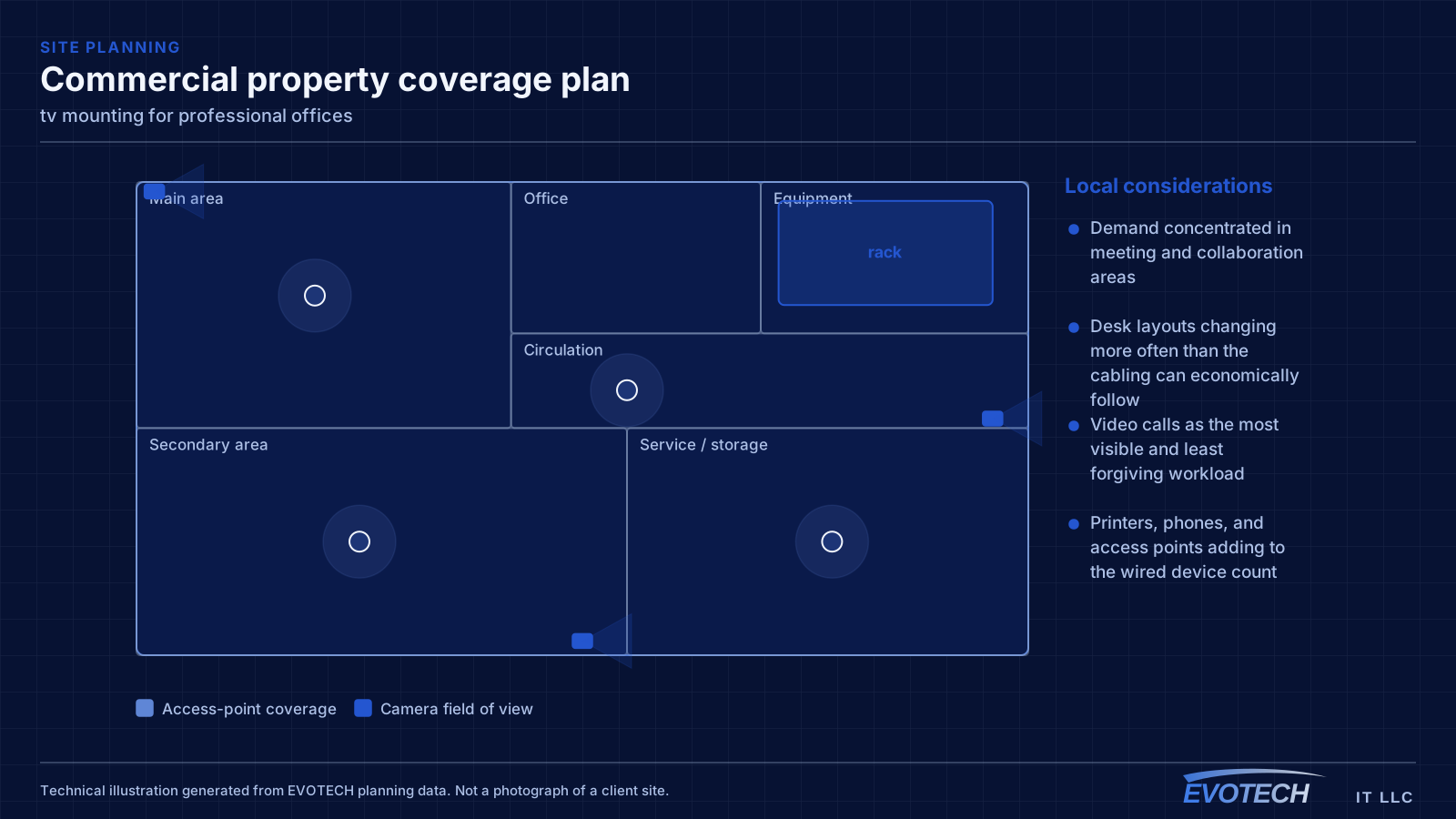
- Demand concentrated in meeting and collaboration areas
- Desk layouts changing more often than the cabling can economically follow
- Video calls as the most visible and least forgiving workload
- Printers, phones, and access points adding to the wired device count
What tv mounting usually involves
The serious problem is anchoring. A large display cantilevered on an articulating arm exerts substantial leverage on its fixings, and an arm anchored into drywall alone or into a single stud is a genuine hazard rather than an aesthetic issue. Metal-stud walls are the common commercial version of this, where fixings that feel solid during installation are not rated for sustained load.
The second problem is cabling. Running a power cord through a wall is not appropriate; the correct approach is either an in-wall rated power solution or a recessed outlet behind the display. Signal cables can be routed in-wall, but they need to be in place before the display goes up, because reaching behind a mounted display to fish a cable is unpleasant and often unsuccessful.
- Articulating arms anchored to insufficient structure
- Metal-stud walls treated as if they were wood framing
- Masonry anchors set into mortar joints rather than solid material
- Standard power cords routed inside walls
- Signal cables not run before mounting, leaving no route afterwards
- Viewing height chosen for the wall rather than for the seating
- Outdoor installations using indoor mounts that corrode
Capacity, segmentation, and the wired positions worth keeping
Wireless capacity should be planned from peak simultaneous use in each area. A floor with several meeting rooms in constant use needs more cells concentrated around them than its square footage would suggest, and those cells need a channel plan that stops them contending with each other.
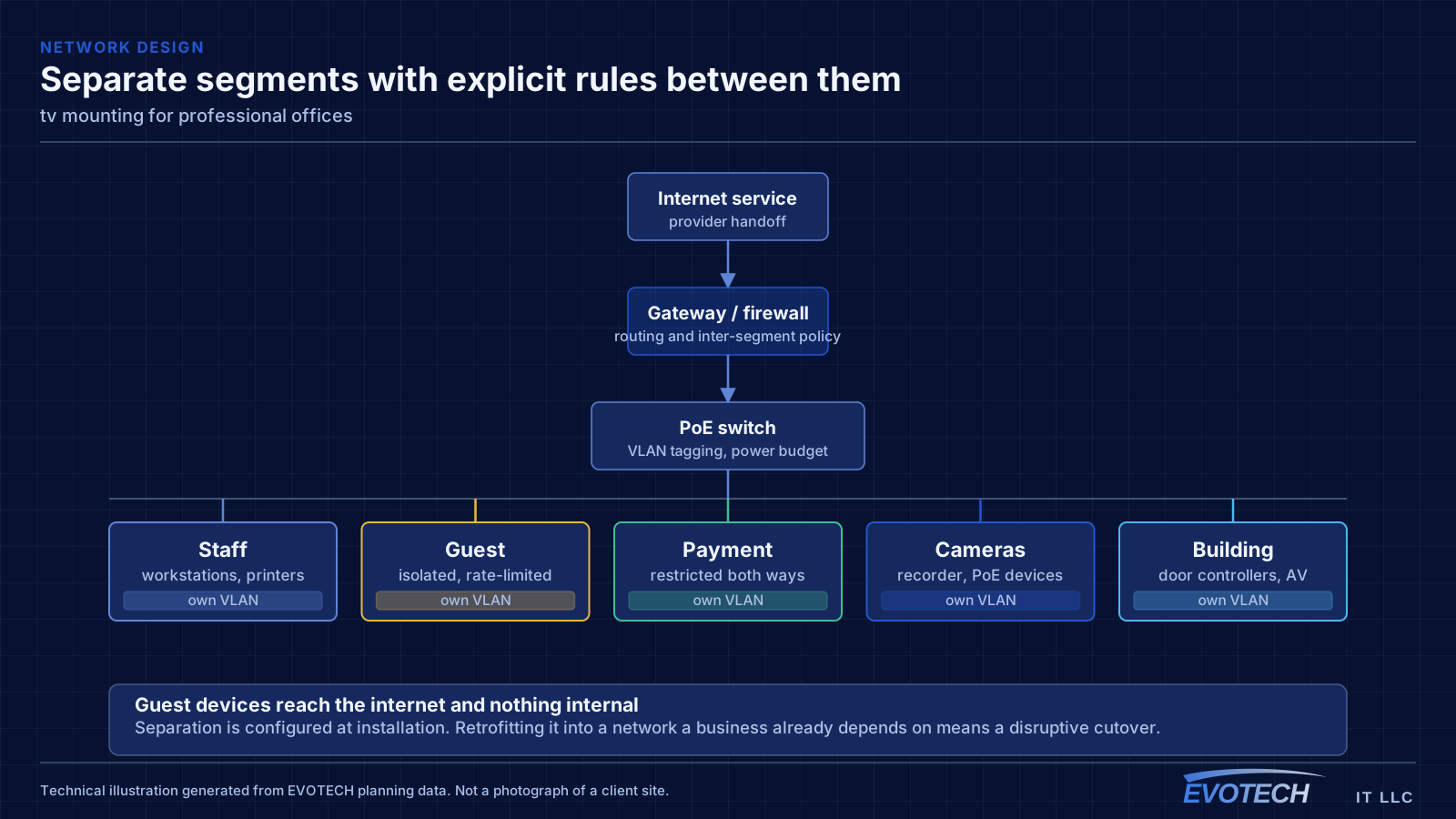
Segmentation in an office is usually simpler than in retail or clinical settings but still worth doing: staff devices, guest and visitor access, building systems such as cameras and door controllers, and any dedicated systems. Guests should reach the internet and nothing else.
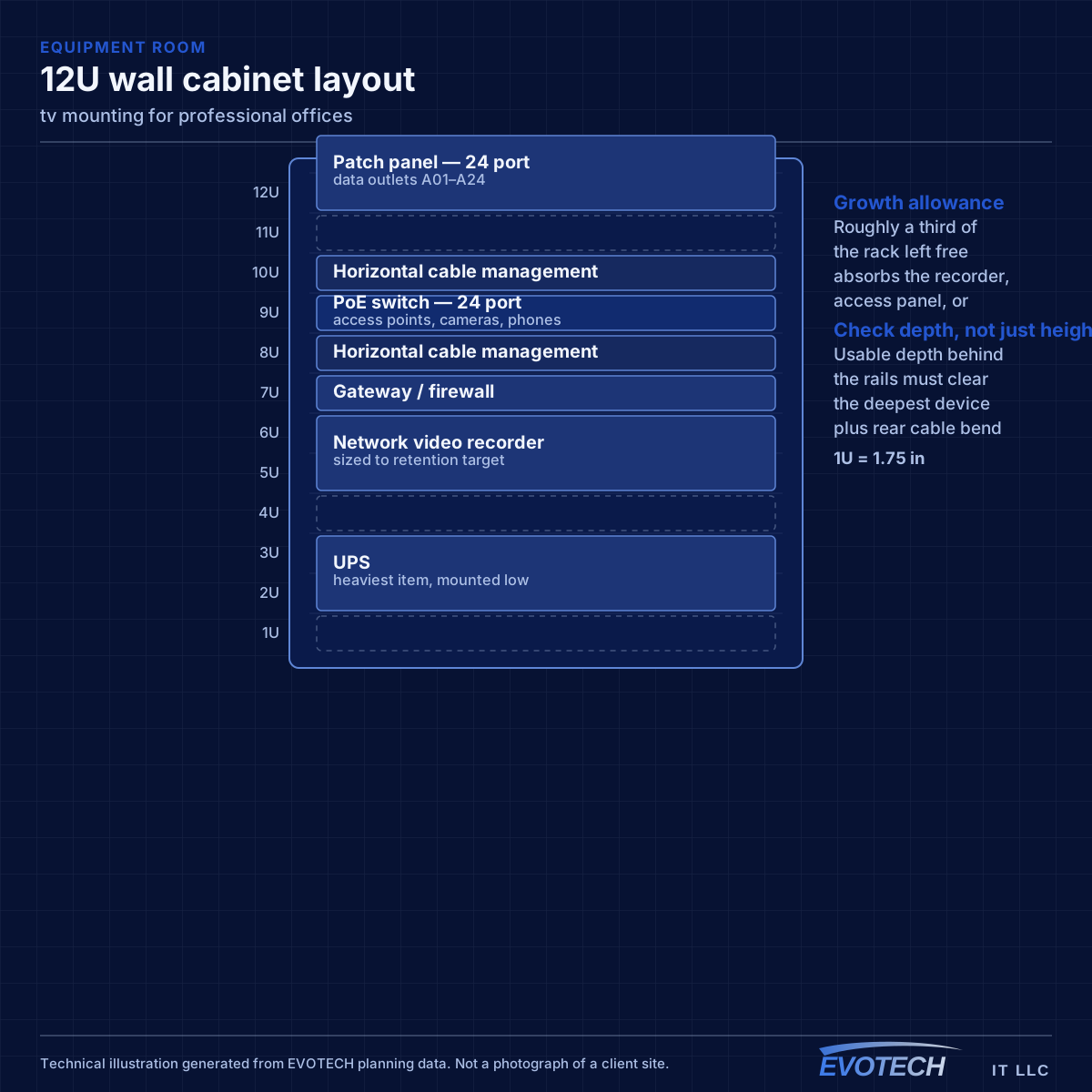
Some positions are still worth wiring even in a wireless-first office. Meeting-room equipment, printers, desk phones, ceiling access points, and any position handling large files all benefit from cable, and the incremental cost during a fit-out is small.
- Capacity planned from peak simultaneous devices per area
- Staff, guest, and building-system traffic separated
- Meeting-room equipment, printers, and access points wired
- Channel plan set deliberately in multi-tenant buildings
- Switch PoE budget sized for access points, phones, and cameras together
Anchoring by wall type, and getting the height right
In wood framing, fixings go into studs with lag bolts sized for the mount and the display weight, spanning two studs where the mount allows. In solid masonry, appropriate anchors go into the brick or block itself rather than the mortar, which is weaker. Metal-stud walls need either plywood backing installed behind the drywall — straightforward during construction, more involved afterwards — or a metal-stud anchoring system designed for the load, particularly for anything articulating.
- Wood framing: lag bolts into studs, spanning two where possible
- Masonry: anchors into solid material, not mortar joints
- Metal stud: plywood backing or a rated metal-stud anchoring system
- Articulating arms multiply leverage and demand the most anchoring
- Centre the display near seated eye level where the layout allows
- In-wall rated power solutions or a recessed outlet — never a standard cord in the wall
Popular services nearby
Frequently searched near this area — the pages people look for most.
Frequently asked questions
What changes about tv mounting in professional offices?
The operating environment does. Professional offices bring specific constraints — how the space is used, when work can happen, and what has to keep running — and those shape the tv mounting plan as much as the service's own technical requirements.
Can a TV be mounted on a metal-stud wall?
Yes, but not with wood-stud technique. Metal studs are thin and will not hold lag bolts under sustained load. The reliable approaches are plywood backing behind the drywall — easy during construction, more involved afterwards — or an anchoring system made for metal studs and rated for the display weight. This matters most with articulating arms, which multiply the load considerably.
How many outlets should each desk have?
Two is the practical minimum. A single outlet is fine until someone adds a docking station, a desk phone, or a second machine, at which point a small switch appears under the desk and the cabling design has quietly been overridden. Two outlets during a fit-out costs very little.