Network cabling for home offices, in Cypress
Network cabling for home offices in Cypress is a three-part question: what network cabling involves, what home offices need from it, and what Cypress changes about the install. Large newer residential floor plans that exceed single-position wireless coverage.
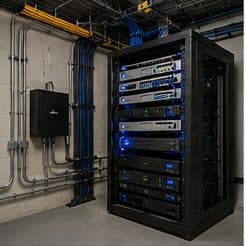
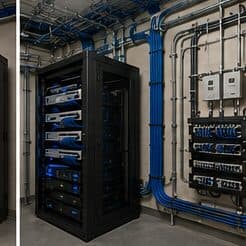
Network cabling is the permanent copper and fiber pathway between a building's equipment room and every device location. Done properly it is a structured system — horizontal runs from a patch panel out to labeled outlets, each one under the 90-metre permanent-link limit, each one tested and documented. Done casually it is a bundle of unlabeled patch cords stapled to a joist, and every future change costs someone an afternoon of tracing.
Wire the desk, then fix the coverage
The single highest-value change for a home office is a wired connection to the desk. It removes wireless variability entirely for the machine that matters, and it is usually one cable run.
After that: an access point positioned to serve the office area properly for the devices that stay wireless, and enough separation that work equipment is not sharing a flat network with everything else in the house.
- One wired run to the primary work position
- An access point positioned for the office end of the house
- Work equipment separated from household and guest devices
- Equipment position with power and ventilation, not a sealed cabinet
- Wired connections for stationary devices elsewhere that compete for airtime
Where network cabling goes wrong — and how it's avoided
The recurring mistakes are not exotic. They are the shortcuts that save an hour during installation and cost days later.
- Pulling cable before agreeing on a labeling scheme
- Sizing the rack and panel for today's port count with no spare capacity
- Running low-voltage cable alongside electrical for long parallel stretches
- Supporting cable on ceiling grid, sprinkler pipe, or other trades' hangers
- Skipping certification and discovering marginal links only when a device misbehaves
Cypress: what the location changes
Large newer residential floor plans that exceed single-position wireless coverage. In Cypress, that is where the plan begins, because it changes cable paths, device placement, and access-point counts before anything else does. Community and worship facilities with large main spaces and high ceilings requiring distributed coverage. Retail centres with substantial footprints and mixed ceiling construction between units. None of these are generic checklist items — each moves the design in a direction a citywide assumption would miss, and the honest recommendation always depends on what this particular property allows.
- Large newer residential floor plans that exceed single-position wireless coverage
- Community and worship facilities with large main spaces and high ceilings requiring distributed coverage
- Retail centres with substantial footprints and mixed ceiling construction between units
- Renovation and remodel work common, with pathway discovery a genuine part of the project rather than a formality
- Slab foundations with attic access as the standard residential retrofit route
Getting it done in Cypress
Testing is what separates a cabling installation from a cable pull. A basic continuity or wire-map check confirms the pairs land in the right order; it says nothing about whether the link will carry its rated bandwidth. Certification testing against the relevant TIA channel or permanent-link limits measures insertion loss, return loss, near-end crosstalk, and delay skew, and produces a per-port record.
Home office projects frequently expand slightly, because the same attic access and the same equipment position serve other things. A doorbell run, a camera at the driveway approach, a wired connection to a television, and an access point for the upstairs are all much cheaper done in the same visit than separately.
On site, the schedule and working method turn on conditions like these. Renovation and remodel work common, with pathway discovery a genuine part of the project rather than a formality. Slab foundations with attic access as the standard residential retrofit route. Both shape how and when a crew can actually operate, which is why EVOTECH scopes each Cypress job from the property itself rather than assuming one approach fits every address. Coverage is stated as a service area, never an office claim, and anything about Cypress that cannot be verified is left out instead of invented.
Frequently asked questions
Is network cabling for home offices different in Cypress?
The sector needs stay the same, but the install changes with the place. In Cypress, the conditions above — not the home offices label — decide routes, mounting, and equipment placement, which is why this page pairs all three.
How long can a single network cable run be?
The fixed cable between patch panel and outlet is limited to 90 metres, with patch cords at each end bringing the total channel to 100 metres. Beyond that, the answer is not a longer cable — it is either an intermediate equipment location or a fiber link to a secondary switch.