Network cabling for home offices, in Humble
Network cabling for home offices in Humble is a three-part question: what network cabling involves, what home offices need from it, and what Humble changes about the install. A retail and commercial hub with a broad mix of building ages.
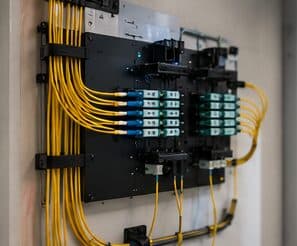
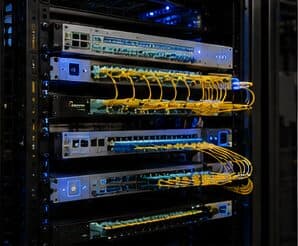
Network cabling is the permanent copper and fiber pathway between a building's equipment room and every device location. Done properly it is a structured system — horizontal runs from a patch panel out to labeled outlets, each one under the 90-metre permanent-link limit, each one tested and documented. Done casually it is a bundle of unlabeled patch cords stapled to a joist, and every future change costs someone an afternoon of tracing.
Related residential work
Home office projects frequently expand slightly, because the same attic access and the same equipment position serve other things. A doorbell run, a camera at the driveway approach, a wired connection to a television, and an access point for the upstairs are all much cheaper done in the same visit than separately.
The equipment position is the common dependency. Somewhere with power, ventilation, and access — a closet shelf or a small wall cabinet — serves the office network, any cameras, and the doorbell, and getting it right once avoids revisiting it three times.
- Doorbell and driveway camera runs sharing the same attic access
- Television and media positions wired at the same time
- Upstairs access point added while the pathway is open
- A single equipment position serving all of it
- Spare runs terminated for future use
Where network cabling goes wrong — and how it's avoided
The recurring mistakes are not exotic. They are the shortcuts that save an hour during installation and cost days later.
- Pulling cable before agreeing on a labeling scheme
- Sizing the rack and panel for today's port count with no spare capacity
- Running low-voltage cable alongside electrical for long parallel stretches
- Supporting cable on ceiling grid, sprinkler pipe, or other trades' hangers
- Skipping certification and discovering marginal links only when a device misbehaves
Humble: what the location changes
In Humble, the plan is built outward from the conditions that are actually here. A retail and commercial hub with a broad mix of building ages. Warehousing and distribution requiring aisle coverage and longer runs. Older commercial stock needing pathway remediation and rack cleanup. Each one changes where cable can run, where equipment can sit, and how coverage is shaped, which is why a walkthrough settles a Humble scope faster than any generic estimate.
- A retail and commercial hub with a broad mix of building ages
- Warehousing and distribution requiring aisle coverage and longer runs
- Older commercial stock needing pathway remediation and rack cleanup
- Retail point-of-sale environments requiring network segmentation
- Slab-foundation residential across established and newer neighbourhoods
Getting it done in Humble
Testing is what separates a cabling installation from a cable pull. A basic continuity or wire-map check confirms the pairs land in the right order; it says nothing about whether the link will carry its rated bandwidth. Certification testing against the relevant TIA channel or permanent-link limits measures insertion loss, return loss, near-end crosstalk, and delay skew, and produces a per-port record.
A home office shares its connection with everything else in the house, and household demand is highest during exactly the hours that matter least to the household and most to the person working. Streaming, gaming, backups, and connected devices all contend for the same circuit and, if the office is on wireless, for the same airtime.
Getting Humble work done means planning around the site as it actually is. Retail point-of-sale environments requiring network segmentation. Slab-foundation residential across established and newer neighbourhoods. Both matter as much as the design to how and when the work happens. The scope is drawn from the real property, the coverage is stated as a service area rather than an office, and unverifiable specifics about Humble are kept off the page on purpose.
Frequently asked questions
Is network cabling for home offices different in Humble?
The sector needs stay the same, but the install changes with the place. In Humble, the conditions above — not the home offices label — decide routes, mounting, and equipment placement, which is why this page pairs all three.
How long can a single network cable run be?
The fixed cable between patch panel and outlet is limited to 90 metres, with patch cords at each end bringing the total channel to 100 metres. Beyond that, the answer is not a longer cable — it is either an intermediate equipment location or a fiber link to a secondary switch.