The short answer
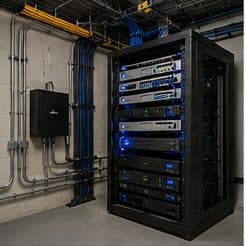
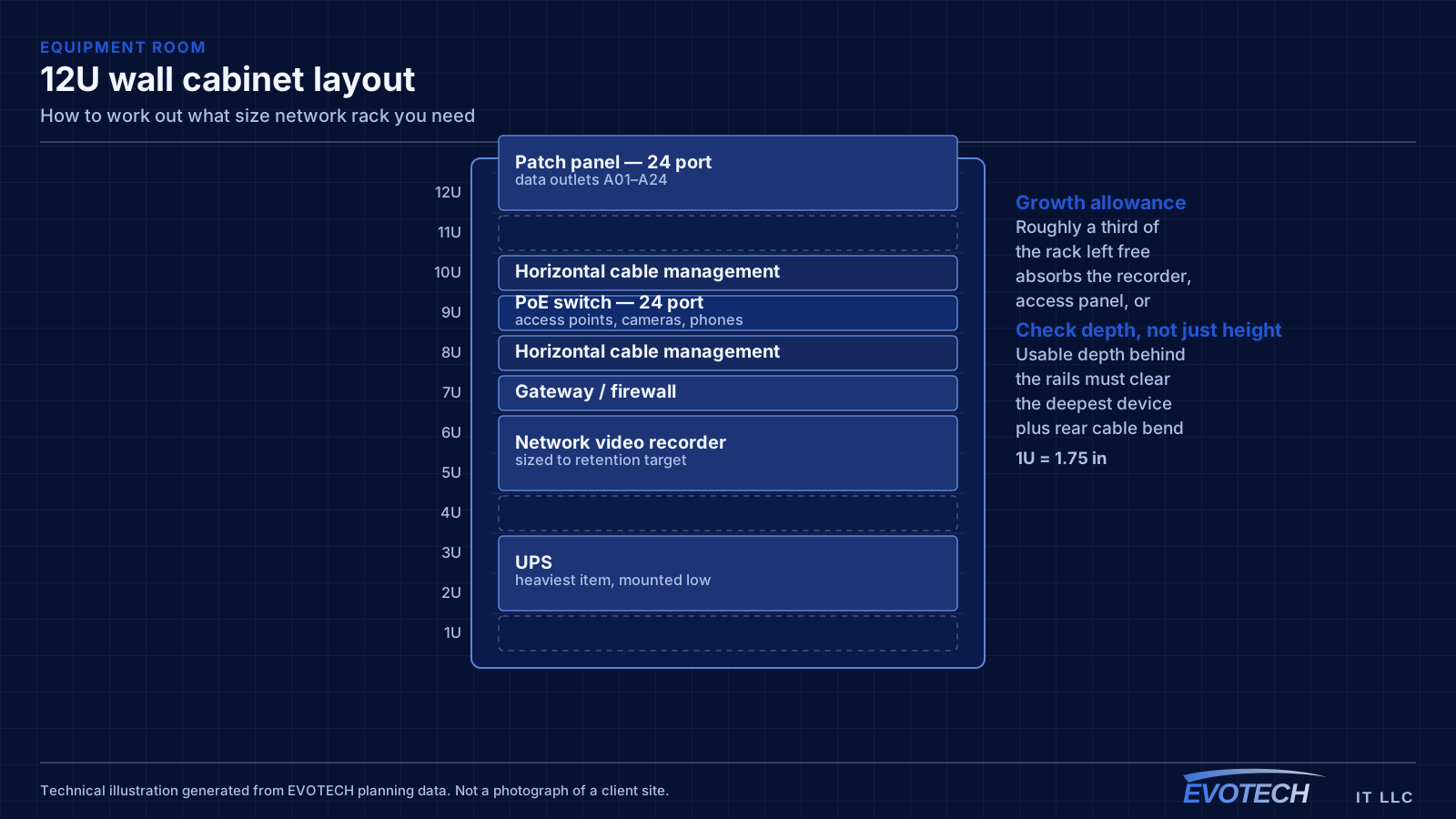
Size a rack by building a device list with each item's height in rack units, its depth, its weight, and its power draw. Add a rack unit of horizontal cable management between logical groups, add the patch panels, then add roughly a third again for growth. That total is the size to buy.
The number that catches people out is not height — it is depth. A cabinet that fits the available wall may not accept a deeper recorder or UPS once rear cable bend is allowed for, and that is discovered after the cabinet is mounted. Check usable depth behind the mounting rails against the deepest device you intend to install.
Starting from a real device list
A rack unit is 1.75 inches of vertical mounting space, and equipment is specified in whole units. A typical switch is 1U, a small recorder 1U or 2U, a patch panel 1U or 2U depending on port count, and a rack-mount UPS commonly 2U or more depending on capacity.
The list should include everything that will be mounted, not just the obvious network equipment. Patch panels, cable management bars, a shelf for anything that does not rack-mount, a power distribution unit, and a UPS all consume space, and collectively they often exceed the active equipment.
Once the list exists, the arithmetic is straightforward. What makes it wrong in practice is leaving items off — the access-control panel that arrives later, the second switch when the port count grows, the recorder added when cameras get installed the following year.
- 1U = 1.75 inches of vertical mounting space
- List patch panels, management, shelves, PDU, and UPS as well as active equipment
- Include anything planned within the next few years
- Non-rackmount items need a shelf, which occupies units too
- Cable management between groups is not optional space
Depth, the dimension that gets missed
Cabinets are specified by height and width, and both are easy to check against a wall. Depth is specified too, and it is the one that is usually assumed rather than verified.
The number that matters is usable depth behind the mounting rails, and the requirement is the deepest device plus room for its rear cabling to bend without violating radius. A recorder that is nominally shallower than the cabinet can still be impossible to install once cables enter the back of it.
Shallow wall-mount cabinets are frequently chosen because they intrude less into a corridor, and that is a legitimate reason. It just needs checking against the equipment first, because the alternative discovery point is with the cabinet already on the wall.
- Check usable depth behind the rails, not the external dimension
- Add allowance for rear cable bend radius
- The deepest device sets the requirement, not the average
- Shallow cabinets suit corridors but constrain equipment choice
- Verify before ordering rather than after mounting
Heat, ventilation, and the room itself
Every device dissipates heat, and inside an enclosed cabinet that heat has nowhere to go without a deliberate path. A vented door and a top vent give passive convection; fans give active movement. Either way, the heat ends up in the room, so the room needs to be able to absorb it.
This is where enclosed cabinets in sealed closets fail. The cabinet may be ventilated, but if the closet has no airflow path the ambient temperature simply rises until everything inside is operating warm permanently. It is a slow failure rather than an obvious one, which is why it gets overlooked.
In a warm climate the effect compounds. A closet against an exterior or unconditioned wall starts at a higher ambient temperature before any equipment is added, and the equipment then works from there.
- Enclosed cabinets need a genuine airflow path
- The closet needs somewhere for that heat to go, not just the cabinet
- Ambient temperature matters as much as the cabinet's ventilation
- Closets against unconditioned space start warmer
- Heat shortens equipment life gradually rather than obviously
Weight and power, discovered late otherwise
A populated rack is heavy, and most of the weight is the UPS. Wall-mount cabinets have a stated load rating, and mounting into structure rather than drywall anchors is what makes that rating meaningful. Heavier items belong low in the rack, both for stability and for the practical reason that lifting a UPS to head height is unpleasant.
Power needs a dedicated circuit and a mounted power distribution unit. Daisy-chaining consumer power strips is common, untidy, and a genuine hazard as the load grows. Sizing the circuit means totalling the draw of everything intended, with headroom.
If a UPS is included, its runtime is a separate calculation from its capacity. A UPS sized to carry the load may only do so for a few minutes, which may be exactly right for riding out brief interruptions or entirely inadequate if the intention was to keep cameras recording through a longer outage.
- Total loaded weight, dominated by the UPS, against the cabinet's rating
- Mount into structure rather than drywall anchors
- Heavier equipment positioned low
- Dedicated circuit and a mounted PDU rather than chained strips
- UPS runtime calculated separately from UPS capacity
Growth, and why a third is the right allowance
Racks fill. A network position that starts with a switch and a patch panel acquires a recorder when cameras go in, an access-control panel when doors get automated, a second switch when the port count grows, and a UPS when someone notices the first power cut.
A third of the rack left free absorbs that without a replacement. Less than that and the additions get stacked on top of the cabinet, sitting on a shelf, or balanced on the UPS — all of which are common sights and all of which mean the sizing decision was made once and regretted repeatedly.
The cost difference between rack sizes is small relative to replacing one, and much smaller than the disruption of migrating a live equipment position into a larger cabinet. Rounding up is the cheap decision.
- Add roughly a third above the calculated requirement
- Anticipate a recorder, an access panel, a second switch, and a UPS
- Undersized racks lead to equipment stacked rather than mounted
- Size difference costs far less than replacement and migration
- Round up rather than down when between two sizes
What to do with a rack you inherited
Most rack work is not a new installation. It is a position that grew organically — equipment added by several people over several years, patch cords that were never dressed, and no documentation of what connects where.
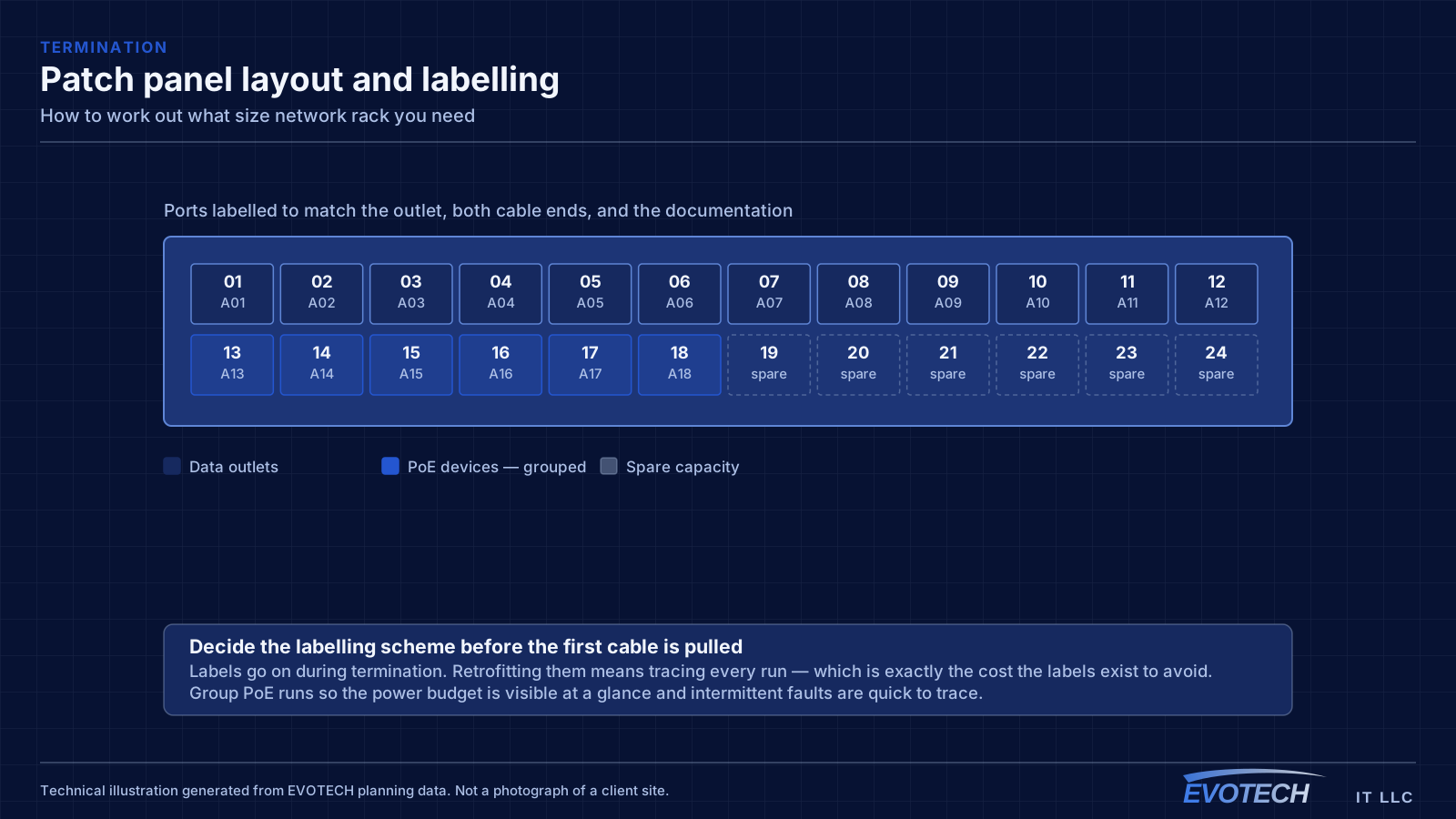
The instinct is to rip it out and start again, and that is frequently the wrong first move because the network is live and nobody knows what depends on what. A better sequence is to document first: photograph the rack face and rear, trace and label the ports that are actually in use, and identify what is connected but no longer needed.
That inventory usually shrinks the problem considerably. Racks accumulate abandoned equipment — an old switch nothing is patched into, a device replaced but never removed, patch cords running to nowhere — and removing those often recovers enough space and airflow that the rack becomes serviceable without replacement.
Where a replacement genuinely is needed, the documentation from the first step is what makes the migration a planned cutover rather than an improvised one. It is the difference between a scheduled evening and an unscheduled outage.
- Document before dismantling: photographs, port tracing, and labels
- Identify abandoned equipment and disconnected cords
- Removing what is unused often recovers enough space and airflow
- Re-dress and label what remains before adding anything new
- Where replacement is needed, the inventory turns it into a planned cutover
Frequently asked questions
What size rack does a small office need?
It depends on the device list rather than the office size, but a common small-office set — a patch panel or two, a switch, a small recorder, a PDU, management bars, and a UPS — usually lands larger than people first estimate. Building the list and adding a third is more reliable than any general recommendation.
Wall-mount cabinet or floor-standing rack?
Wall-mount suits modest device counts, shallow equipment, and light loads. Floor-standing suits larger counts, deeper equipment, and a substantial UPS. The two constraints that actually decide it are usable depth behind the rails and total loaded weight, both worth checking before ordering.
How much ventilation does a cabinet need?
Enough of a path that heat leaves rather than accumulating — a vented door and top vent for passive convection at modest loads, fans where the load is higher. The equally important half is the room: a well-ventilated cabinet in a sealed closet just warms the closet, and the equipment lives in that.
Is cable management worth the rack units it consumes?
Yes, and it repays them at the first change. A rack with dressed cable and clear labels makes an addition a short job; a rack with a woven mass of patch cords makes it an investigation with a real risk of disturbing working connections. Two units of management save that repeatedly.