

Why this page exists
Residential Wi-Fi in Baytown is scoped around the same physical realities EVOTECH weighs everywhere — but read through Baytown's specific conditions: an industrial and refining base with rugged operational environments. This page pairs what the service actually involves with what the Baytown market changes about it.
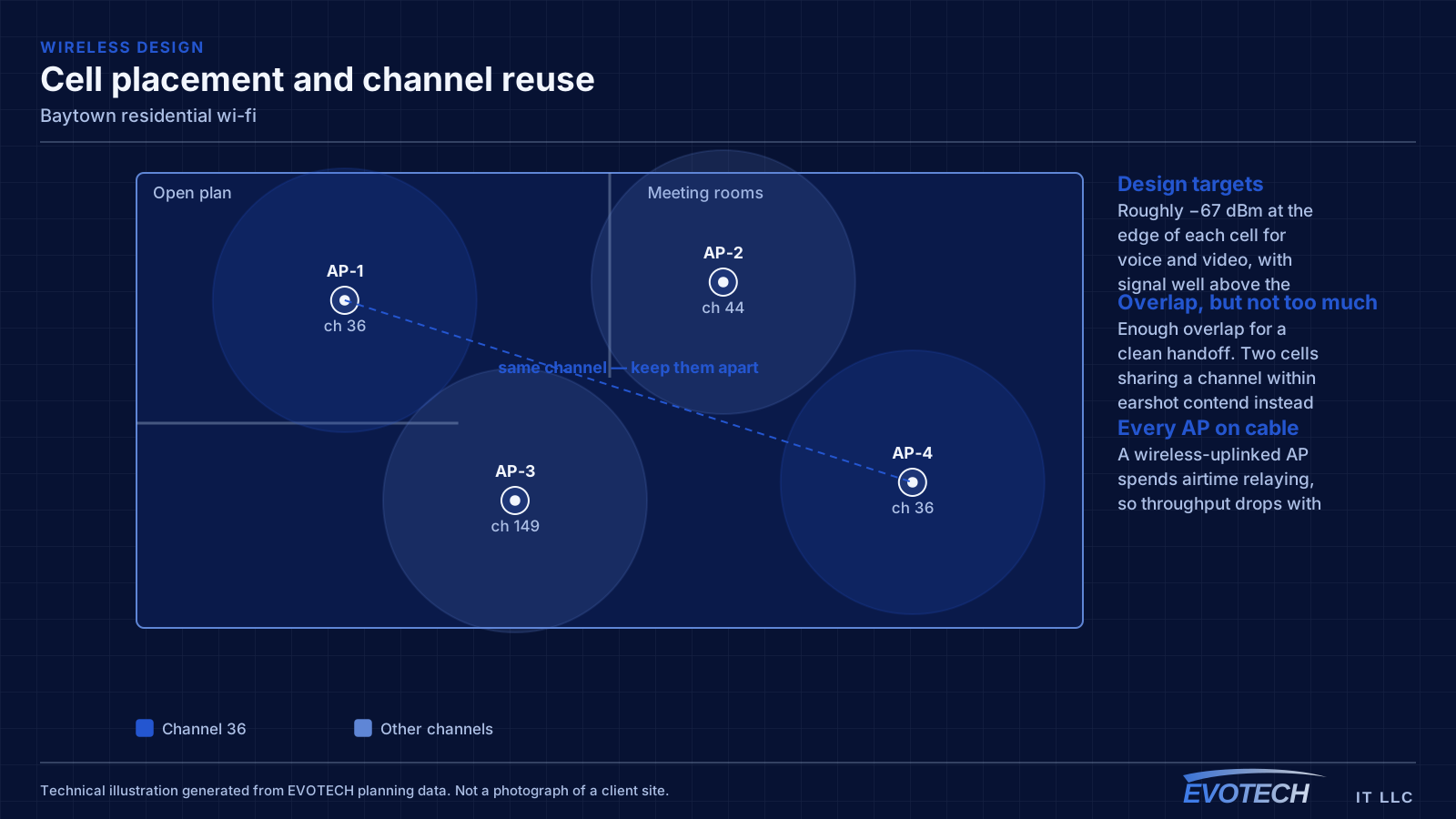
A single router placed wherever the internet service happens to enter the house is the root of most residential wireless complaints. That position is frequently a corner of the garage or a front closet, which means a large share of the signal is heading outdoors. Coverage improves dramatically when access points are placed centrally in the areas people use, and fed by cable.
What residential wi-fi usually involves
Range extenders are the most common cause of a network that looks fine and behaves badly. An extender receives and retransmits on the same radio, so throughput drops with each hop, and devices often stay connected to the extender long after they have walked back within range of the main router.
The second cause is construction. Tile, masonry, brick veneer, foil-backed insulation, mirrors, and metal-framed glass all attenuate signal noticeably. A floor plan will not tell you which wall is the problem — walking the house with a measurement tool will.
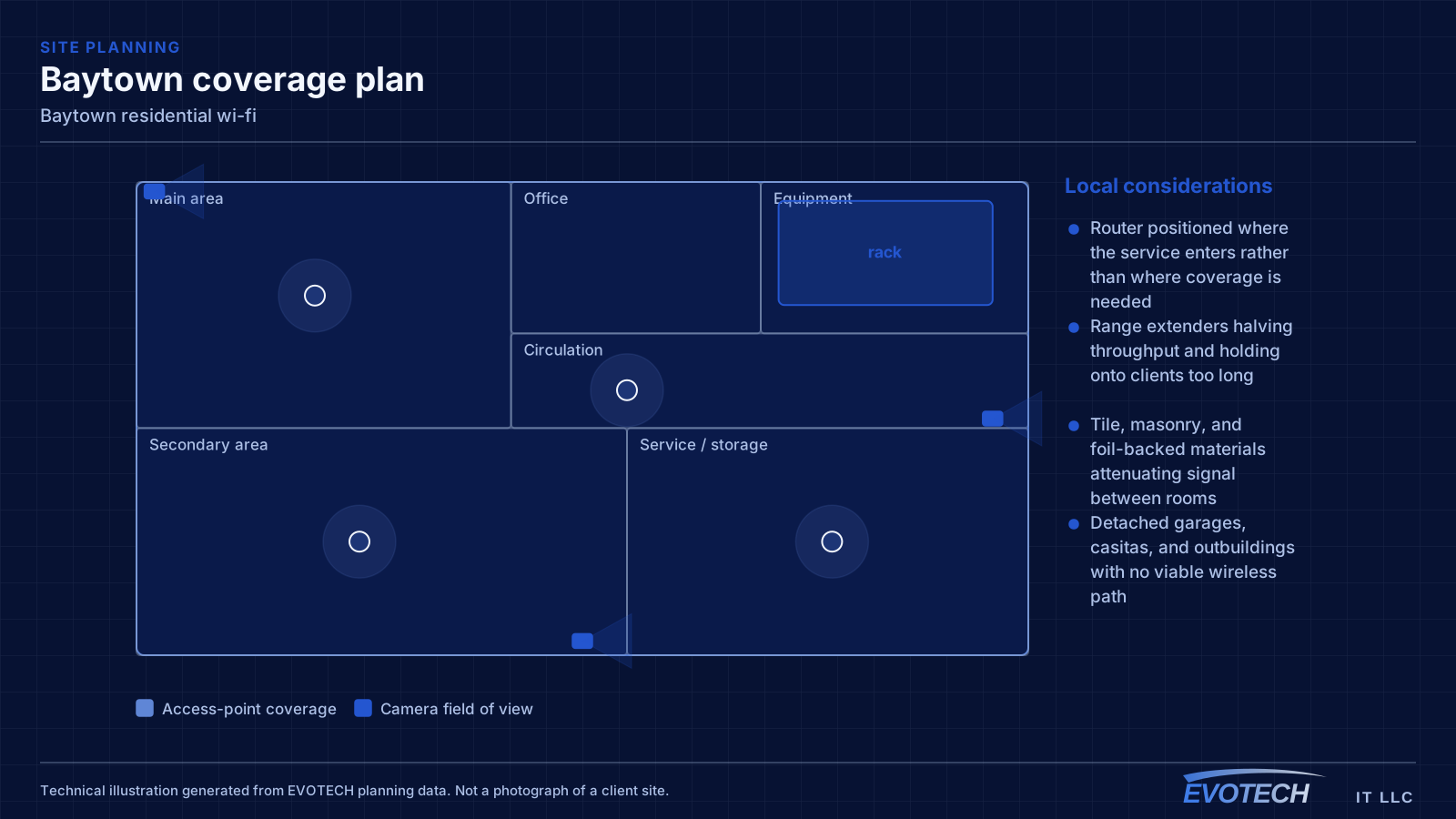
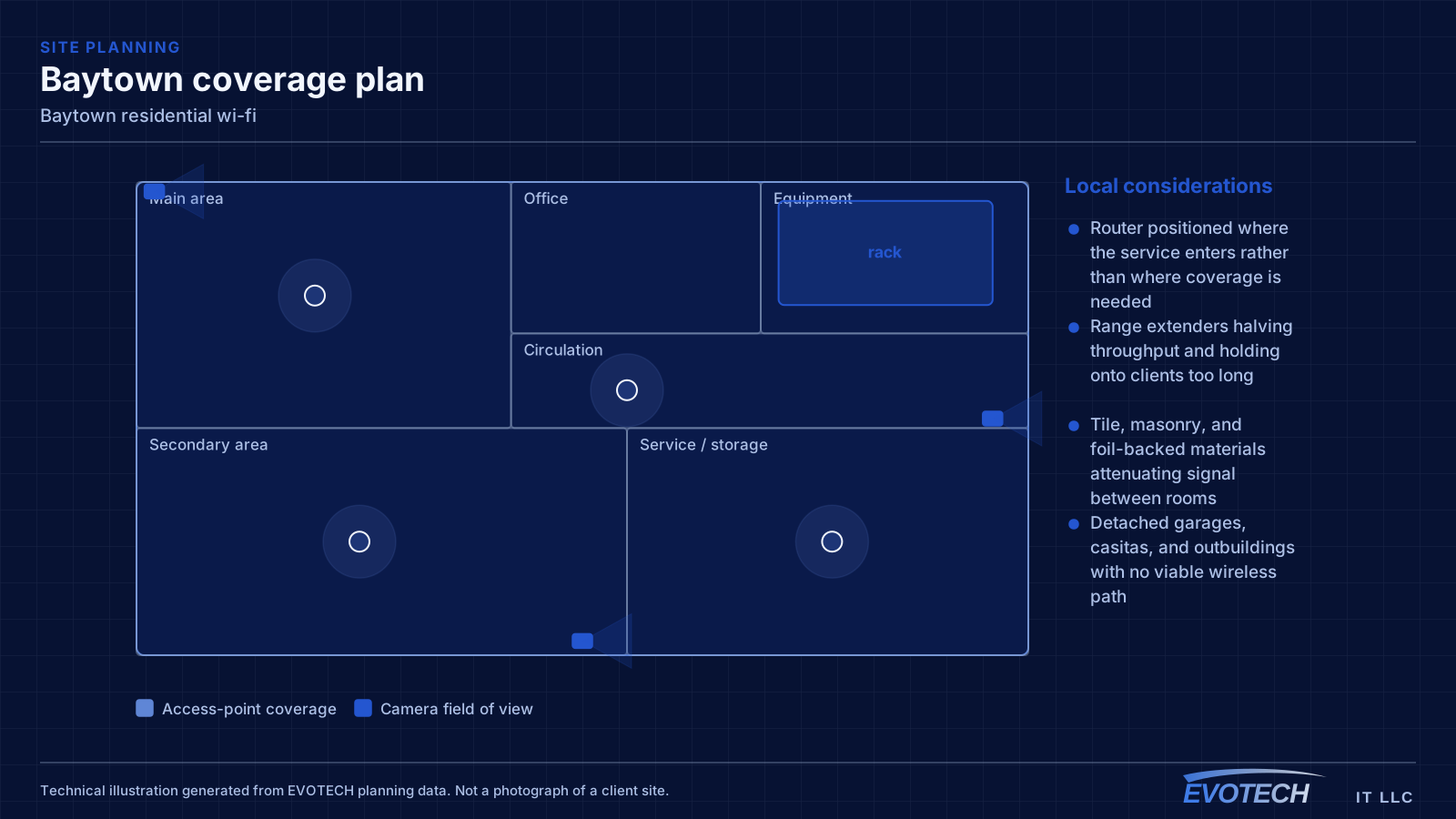
- Router positioned where the service enters rather than where coverage is needed
- Range extenders halving throughput and holding onto clients too long
- Tile, masonry, and foil-backed materials attenuating signal between rooms
- Detached garages, casitas, and outbuildings with no viable wireless path
- Equipment stacked in a closed cabinet with no ventilation
- Neighbouring networks congesting 2.4 GHz in dense subdivisions
Baytown property conditions that change the plan
Older functional commercial and industrial buildings — metal structure, hard ceilings, operational conditions — sit alongside newer retail with accessible grid. Equipment in operational or unconditioned areas needs protection from dust, heat, and vibration.
The coastal-industrial setting makes exterior durability a priority, and inherited network rooms frequently need remediation before expansion.
Projects often start by documenting and cleaning up inherited network rooms, then site equipment away from operational heat and dust. Exterior work is sealed and surge-protected for the coastal-industrial environment.
- Older functional industrial and commercial buildings
- Newer retail with accessible grid
- Operational environments with dust, heat, and vibration
- Inherited network rooms needing remediation
- Coastal exposure raising exterior durability needs
- Document and remediate inherited network rooms first
- Equipment sited away from operational heat and dust
- Rated housings, sealed penetrations, and surge protection
- Genuine retrofit for older residential without existing cable
- Aisle coverage validated with stock in industrial spaces
Getting residential wi-fi done in Baytown
Signal passes through a floor with significant loss, which is why a downstairs router rarely serves upstairs bedrooms properly. The reliable arrangement in a two-storey home is one access point per floor, positioned centrally in the used areas rather than at the perimeter, with the two connected by cable.
Work in operational areas is scheduled around activity, and exterior equipment needs housings and surge protection rated for a humid, coastal-industrial setting.
- Work scheduled around operational activity
- Rated exterior housings and surge protection
- Containment and dust control in occupied areas
- Residential attic work scheduled early in summer
- Lift access coordinated where high-level work is needed
Frequently asked questions
Does EVOTECH have an office in Baytown?
No. This is a service-area page: EVOTECH serves Baytown without claiming a physical office there. The wording stays as coverage, not a location claim.
Why is upstairs Wi-Fi bad when the router is right below?
Signal loses a meaningful amount of strength passing through a floor, and the router's pattern is not aimed upward. Turning the power up mostly increases interference. The dependable arrangement is a second access point upstairs, placed centrally and connected by cable to the equipment position downstairs.
Does EVOTECH have an office in Baytown?
No. This site does not claim a physical office in Baytown or anywhere else. Baytown is described as a service-area market — coverage, not a location claim.