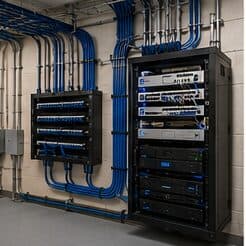
Why this page exists
Network-rack installation for schools and educational facilities is shaped by how the space is used, not just by the service itself. Schools and educational facilities bring their own operating constraints, and this page pairs what network-rack installation actually involves with what that environment changes about it.
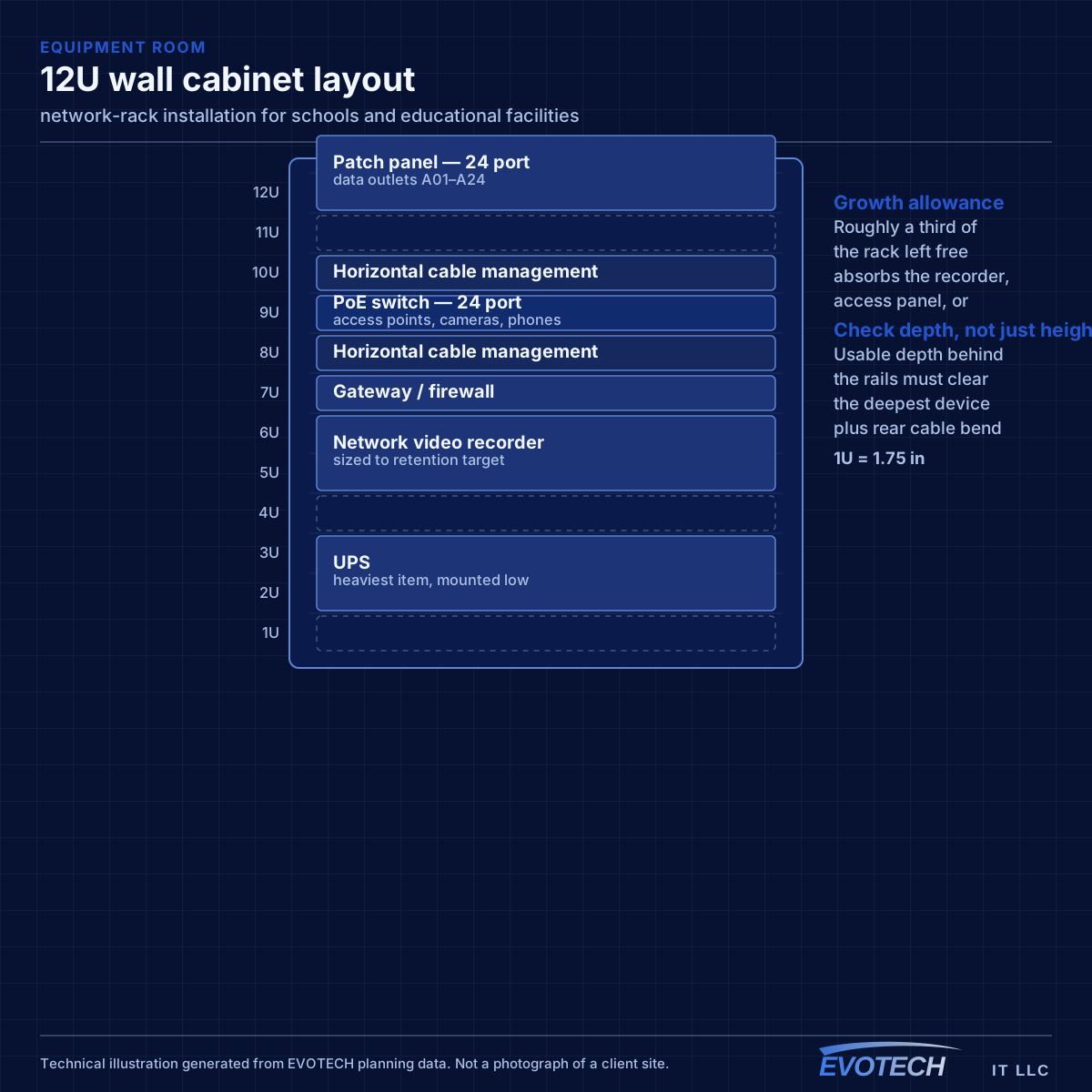
Rack sizing is measured in rack units — each U is 1.75 inches of vertical mounting space. Counting the equipment gives a starting number, but the useful sizing rule is to add space for cable management between device groups and leave roughly a third of the rack empty for whatever arrives later. A rack packed to capacity on day one is a rack that gets a switch balanced on top of it within a year.
Density in bursts, across a campus
A classroom with thirty students on devices is one of the densest wireless environments in any building type, and it happens simultaneously in every classroom on a bell schedule. That is a capacity problem of a specific shape: predictable, synchronised, and concentrated.
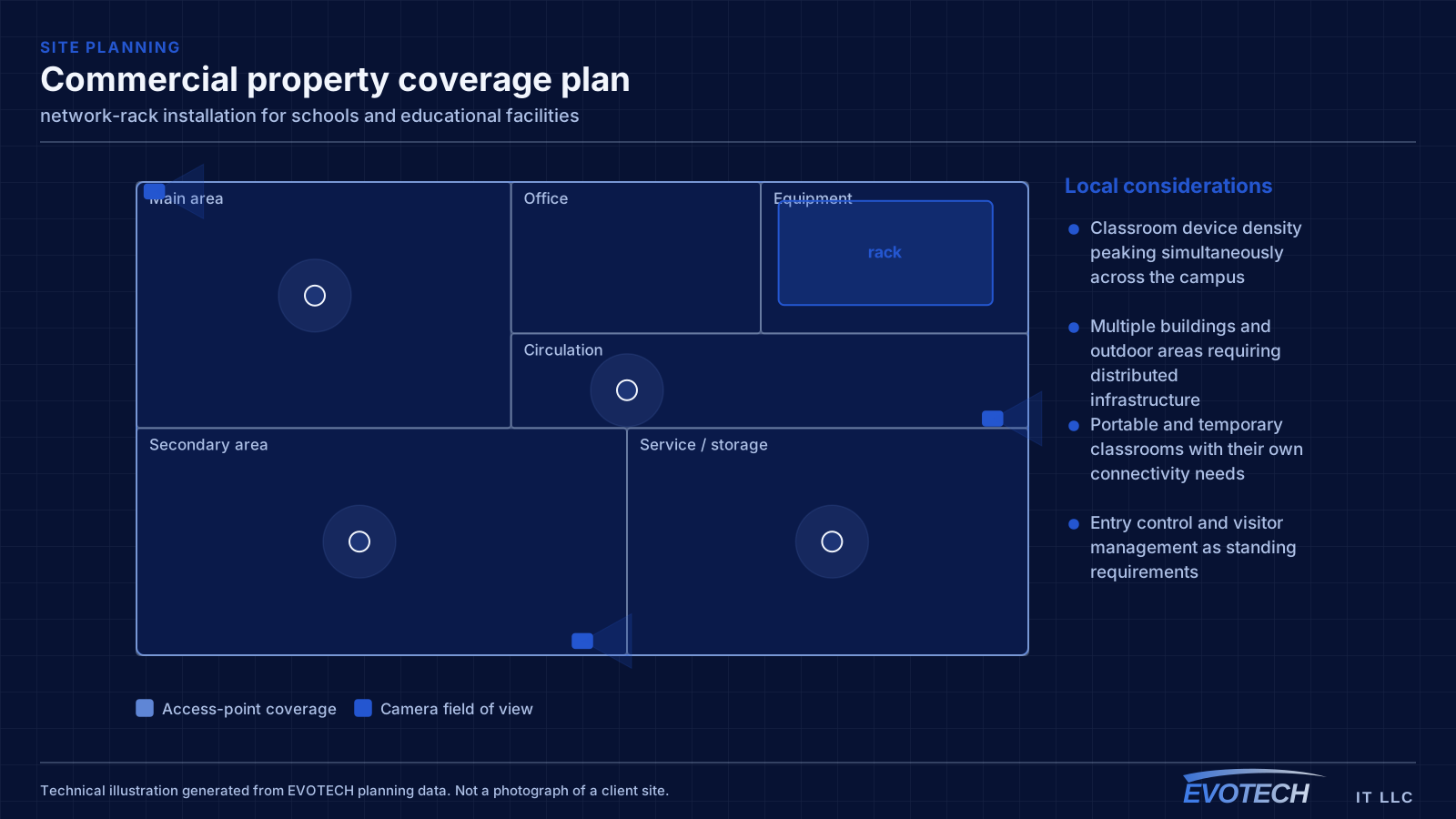
The campus dimension compounds it. Multiple buildings, outdoor circulation, portable classrooms, gymnasiums, and administrative areas each need coverage, and the distances involved usually exceed what copper alone can serve from one position.
- Classroom device density peaking simultaneously across the campus
- Multiple buildings and outdoor areas requiring distributed infrastructure
- Portable and temporary classrooms with their own connectivity needs
- Entry control and visitor management as standing requirements
What network-rack installation usually involves
Heat is the problem that shortens equipment life quietly. A sealed cabinet in a closet with no ventilation concentrates the heat of a switch, a recorder, and a UPS in a small volume, and the equipment inside runs hot for years before something fails. Enclosed cabinets need either passive ventilation with a genuine airflow path or active fans, and the closet itself needs somewhere for that heat to go.
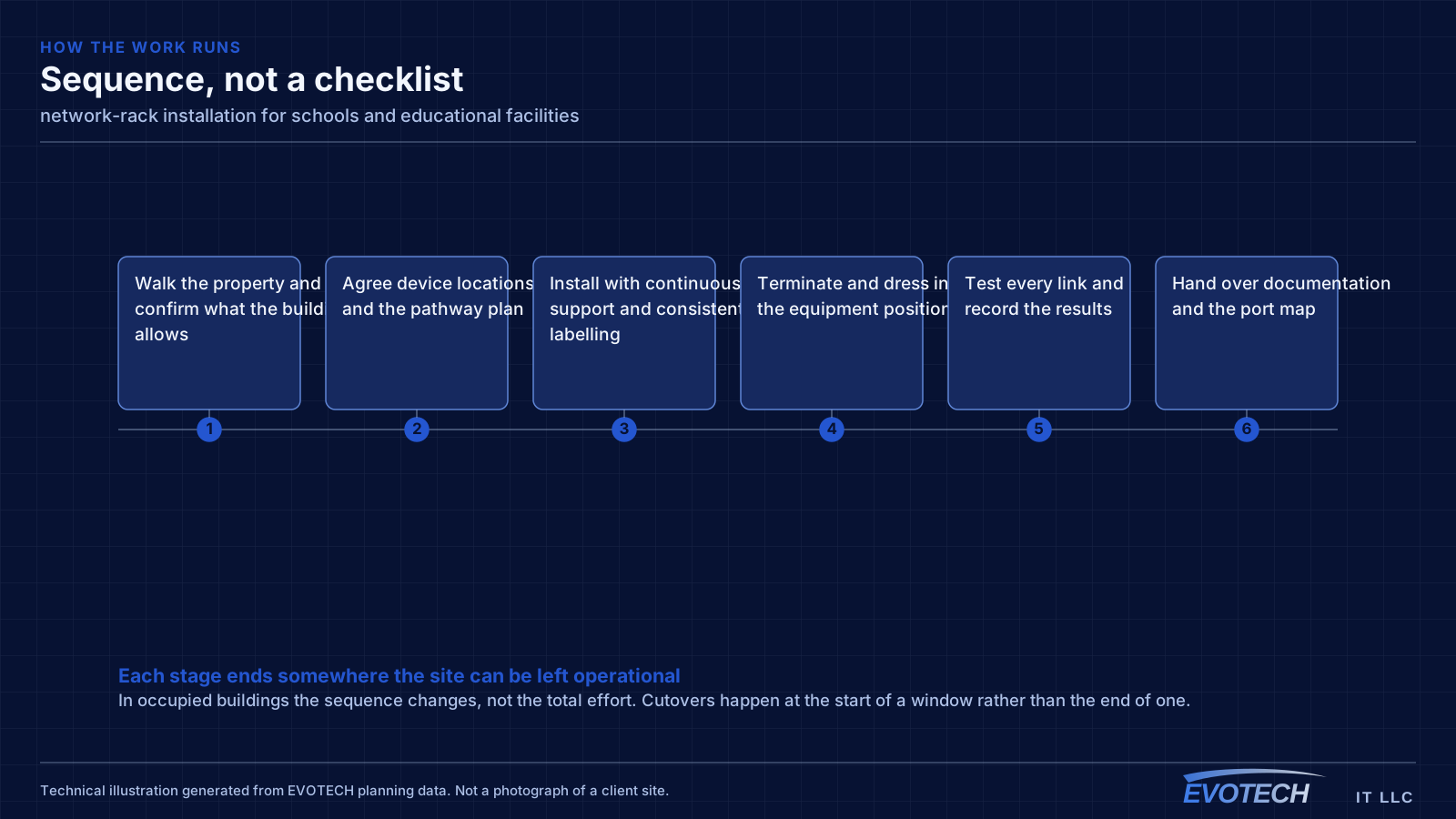
The second problem is serviceability. Racks built without horizontal management, without slack, and without labels make every subsequent change slow and risky. Pulling one patch cord out of a woven mass to trace it is how adjacent connections get knocked loose.
- Sealed cabinets with no ventilation path concentrating heat
- Depth insufficient for the deepest device once rear cable bend is included
- No horizontal cable management, so patch cords weave across the rack face
- Equipment resting on other equipment rather than mounted
- No spare U space, so additions get stacked on top
- Power strips daisy-chained instead of a properly mounted PDU
- No labels, so tracing a connection requires pulling on cables
Classroom capacity and campus topology
Classroom wireless is a capacity design. A single access point serving a full class of devices needs adequate spectrum, and neighbouring classrooms on the same channel will contend with each other through the wall. That makes the channel plan across a corridor of classrooms as important as the access-point count — a plan that ignores the neighbours produces a corridor where every room is slow.
Campus topology follows standard structured-cabling practice at a larger scale: a main equipment position, fiber to distribution points in each building or wing, and copper from those points out to classrooms within the distance limit. Between-building links are fiber for both distance and electrical isolation.
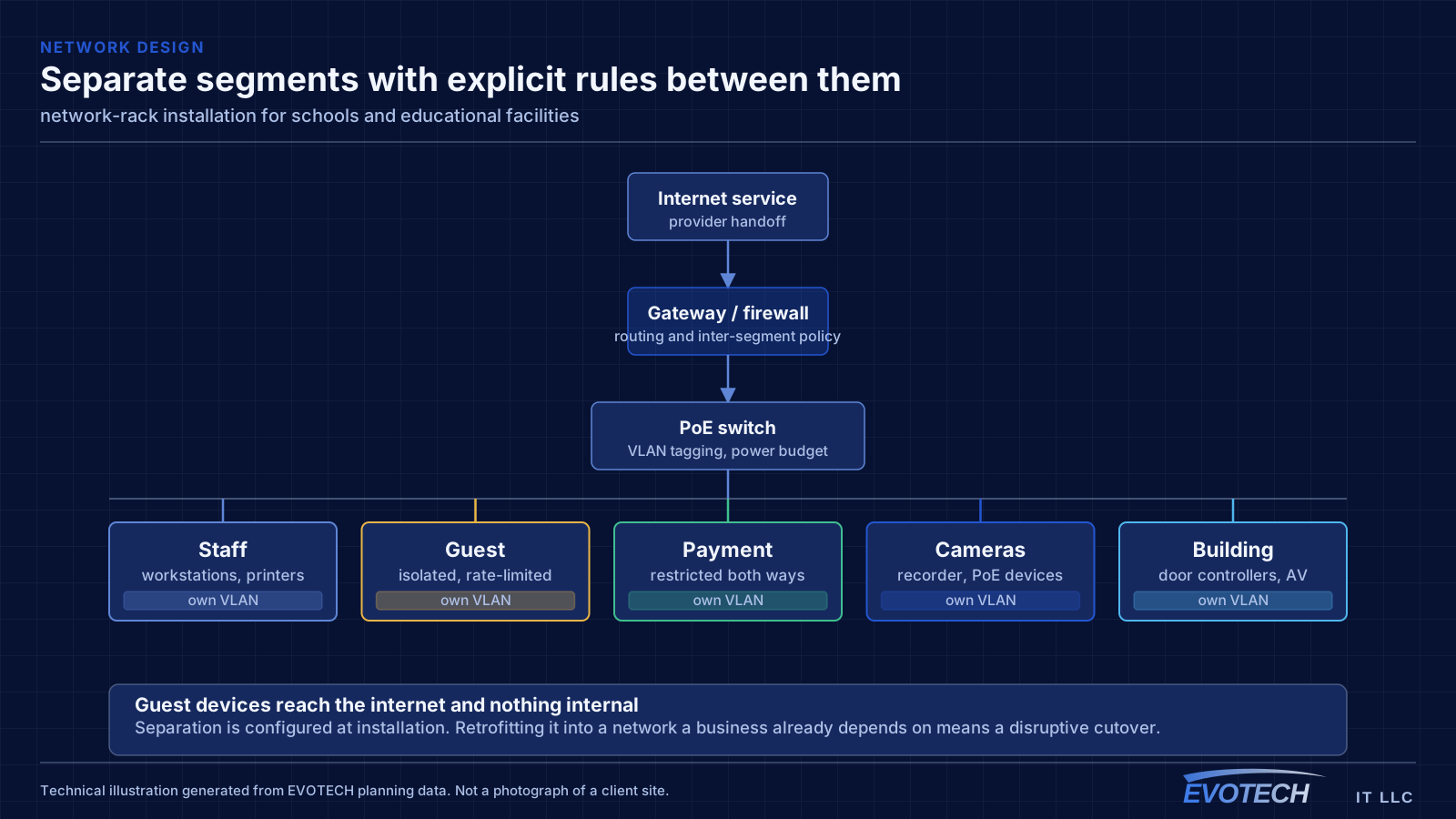
Segmentation separates student devices, staff devices, administrative systems, and building systems such as cameras and door controllers. Student access is typically the most restricted and the most heavily used, and separating it means student traffic cannot affect administrative systems.
- Capacity designed per classroom with a corridor-wide channel plan
- Fiber backbone between buildings and to per-building distribution
- Student, staff, administrative, and building-system segments
- Coverage for gymnasiums, libraries, cafeterias, and outdoor areas
- Portable classroom connectivity planned rather than improvised
Sizing, heat, weight, and power
Start from a device list with each item's U height and depth, add a U of management between logical groups, add the patch panels, and then add roughly a third again for growth. A 12U wall cabinet that appears generous for today's four devices often turns out to be the right size once panels, management, and a UPS are counted properly.
- 1U = 1.75 inches; size from a real device list plus management plus growth
- Check usable depth behind the rails against the deepest device plus rear cable bend
- Provide a genuine airflow path for enclosed cabinets
- Mount wall cabinets into structure, accounting for the loaded weight including a UPS
- Dedicated circuit and a mounted PDU rather than daisy-chained strips
- Horizontal management between panel and switch groups
Popular services nearby
Frequently searched near this area — the pages people look for most.
Frequently asked questions
What changes about network-rack installation in schools and educational facilities?
The operating environment does. Schools and educational facilities bring specific constraints — how the space is used, when work can happen, and what has to keep running — and those shape the network-rack installation plan as much as the service's own technical requirements.
What size rack is needed?
Add the U heights of every intended device, add a U of management between logical groups, add the patch panels, then add roughly a third for growth. The result is usually a size or two larger than the first instinct, and the extra space costs far less than the disruption of replacing an undersized cabinet later.
How many access points does a classroom need?
It is a capacity question rather than a coverage one. A classroom with a full class on devices concentrates demand into one cell, and neighbouring classrooms on the same channel contend through the wall. That usually means one access point per classroom with a corridor-wide channel plan, rather than fewer access points at higher power.