Why this page exists
Network troubleshooting for schools and educational facilities is shaped by how the space is used, not just by the service itself. Schools and educational facilities bring their own operating constraints, and this page pairs what network troubleshooting actually involves with what that environment changes about it.
Effective troubleshooting is a process of elimination against a specific, reproducible symptom. 'The internet is slow' is not yet a diagnosis — slow for whom, on which devices, wired or wireless, at what times, to which destinations. Those answers usually point at a layer before any equipment is touched.
Density in bursts, across a campus
A classroom with thirty students on devices is one of the densest wireless environments in any building type, and it happens simultaneously in every classroom on a bell schedule. That is a capacity problem of a specific shape: predictable, synchronised, and concentrated.
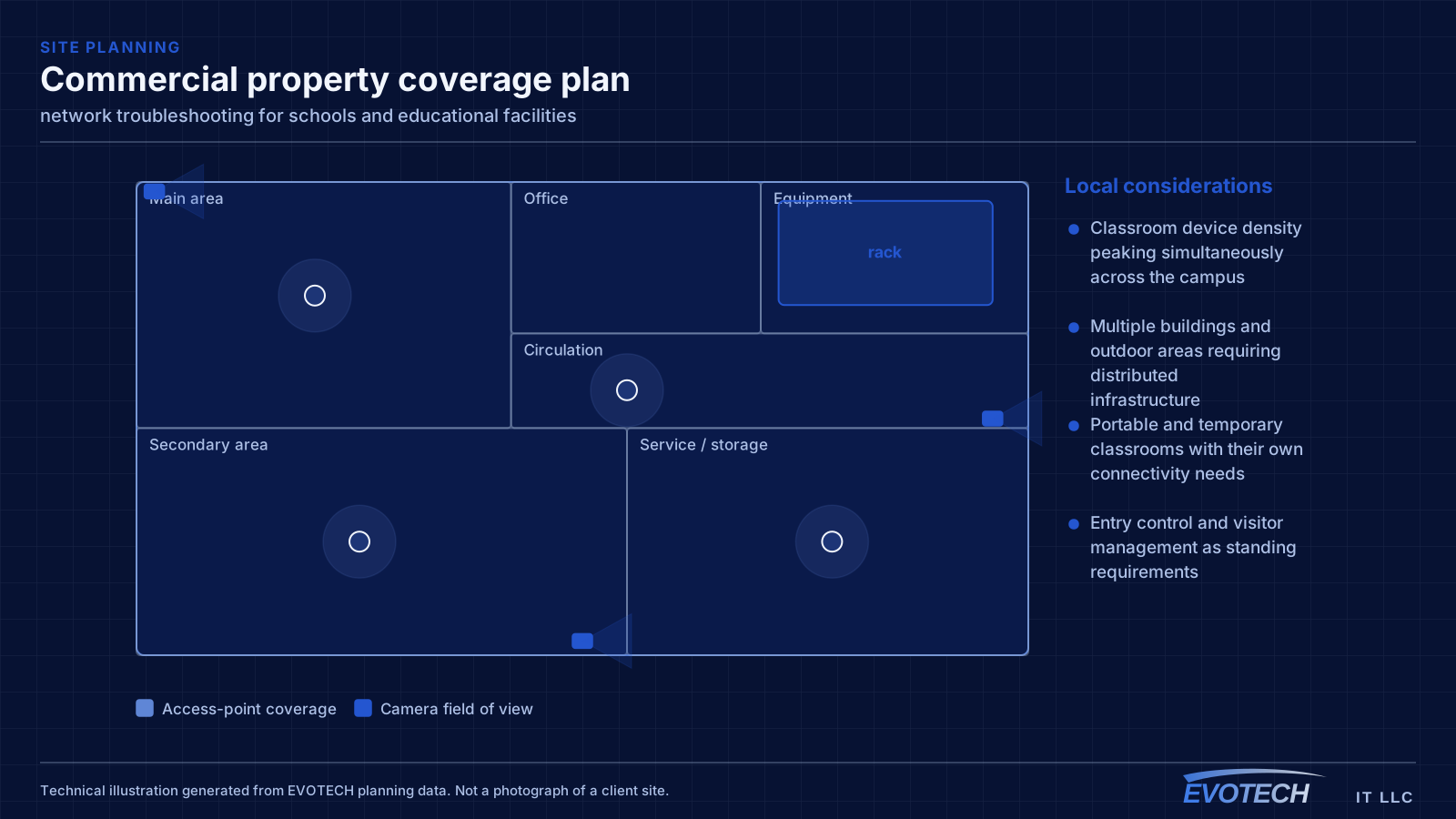
The campus dimension compounds it. Multiple buildings, outdoor circulation, portable classrooms, gymnasiums, and administrative areas each need coverage, and the distances involved usually exceed what copper alone can serve from one position.
- Classroom device density peaking simultaneously across the campus
- Multiple buildings and outdoor areas requiring distributed infrastructure
- Portable and temporary classrooms with their own connectivity needs
- Entry control and visitor management as standing requirements
What network troubleshooting usually involves
The single most useful distinction is between a problem affecting everything and a problem affecting one device or area. Everything at once points toward the shared path — the circuit, the gateway, or the main switch. One area points toward that area's cabling, its access point, or its switch. One device points at the device or its port.
Timing is the second most useful clue. A problem that appears mid-morning and disappears at night is capacity related. A problem that appears after dark suggests something engaging on a schedule — camera illuminators pushing a PoE budget over is the classic example. A problem that appears at random is more often physical: a marginal termination, a failing port, or a cable that moves.
- Whole-site symptoms pointing at the circuit, gateway, or core switch
- Area-specific symptoms pointing at local cabling or wireless
- Time-correlated symptoms indicating capacity or a scheduled load
- Random symptoms suggesting a physical fault or marginal link
- Duplicate addressing or a rogue device handing out addresses
- Switching loops flooding a network after a cable was patched in twice
- Speed or duplex mismatches producing errors rather than outright failure
Classroom capacity and campus topology
Classroom wireless is a capacity design. A single access point serving a full class of devices needs adequate spectrum, and neighbouring classrooms on the same channel will contend with each other through the wall. That makes the channel plan across a corridor of classrooms as important as the access-point count — a plan that ignores the neighbours produces a corridor where every room is slow.
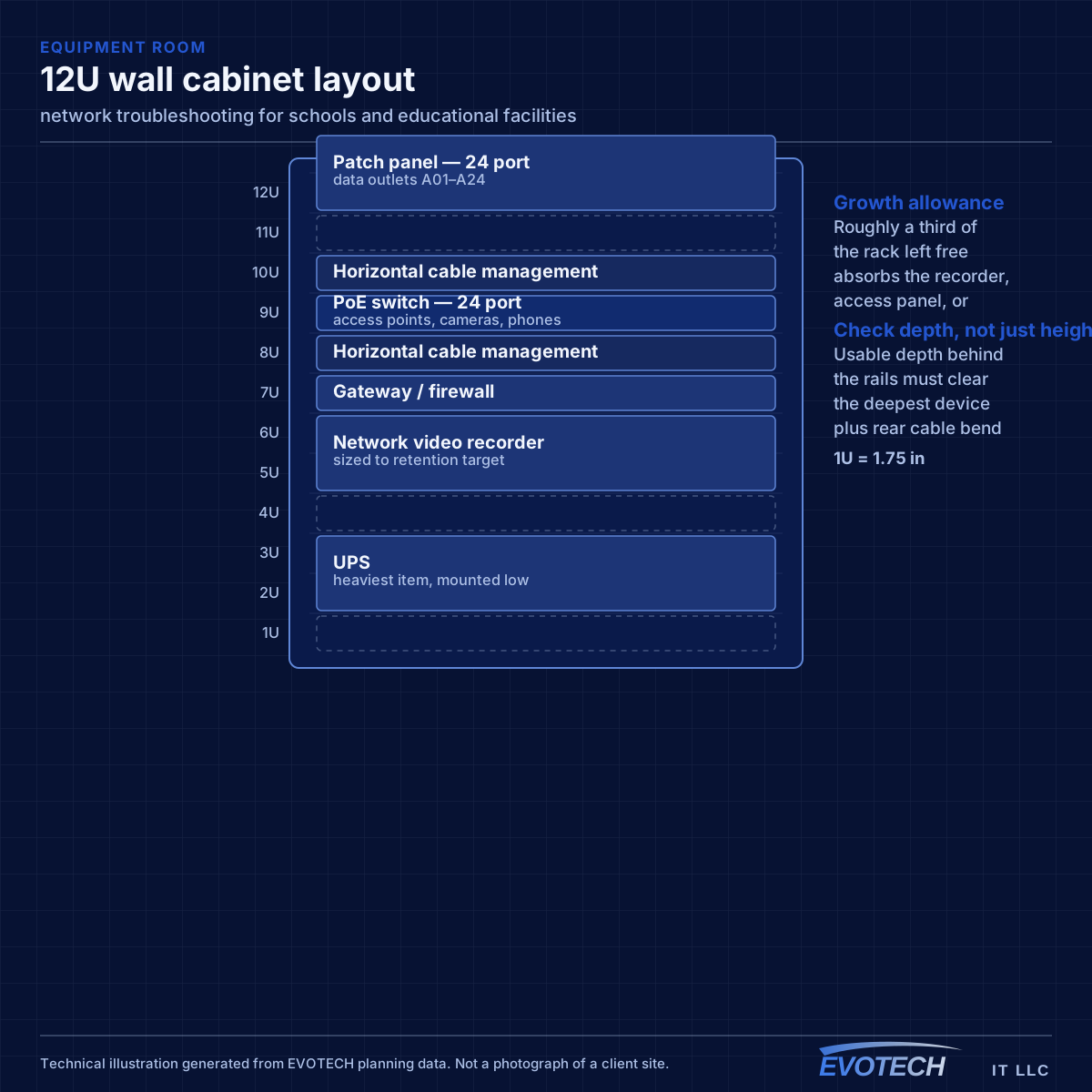
Campus topology follows standard structured-cabling practice at a larger scale: a main equipment position, fiber to distribution points in each building or wing, and copper from those points out to classrooms within the distance limit. Between-building links are fiber for both distance and electrical isolation.
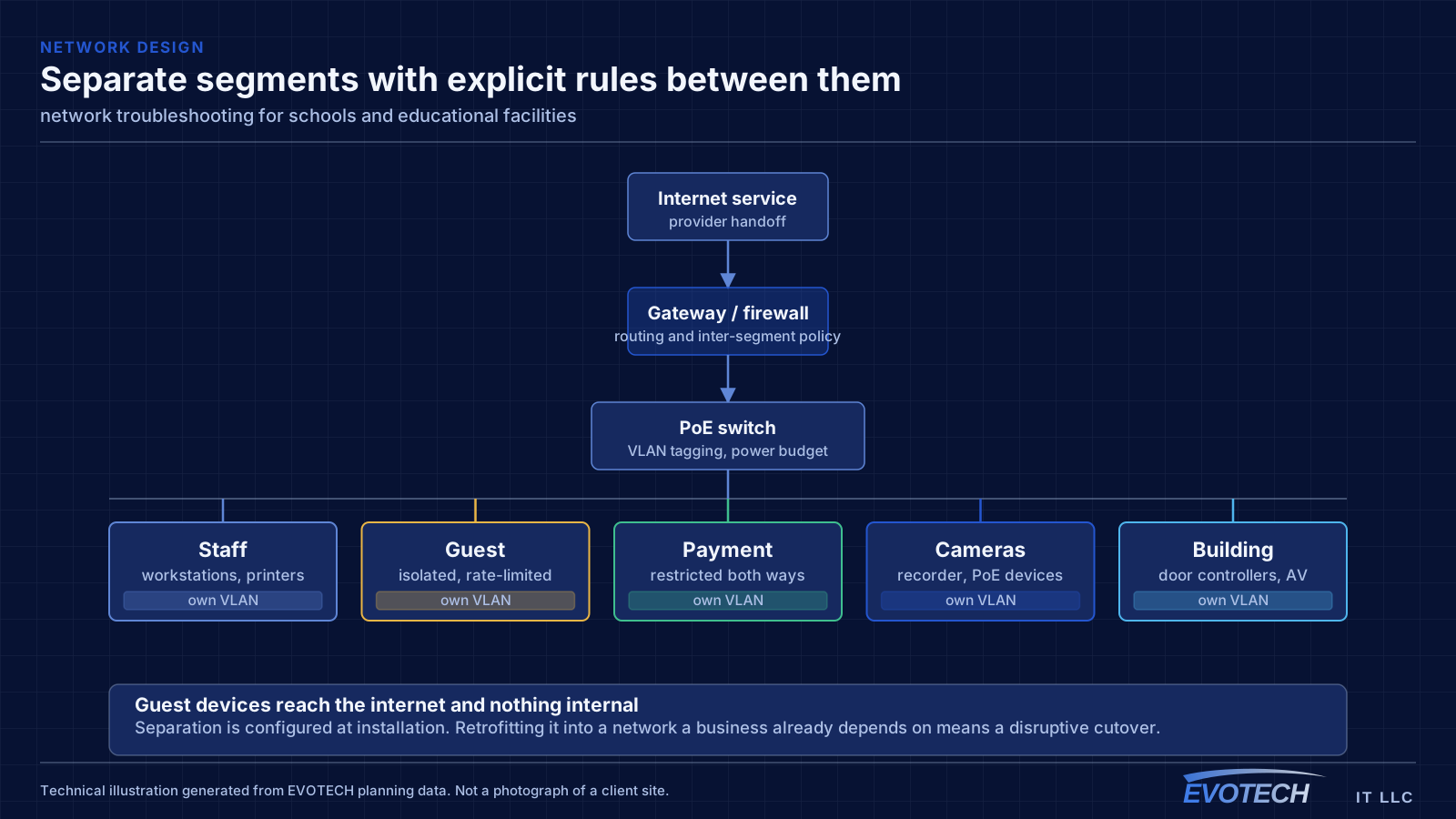
Segmentation separates student devices, staff devices, administrative systems, and building systems such as cameras and door controllers. Student access is typically the most restricted and the most heavily used, and separating it means student traffic cannot affect administrative systems.
- Capacity designed per classroom with a corridor-wide channel plan
- Fiber backbone between buildings and to per-building distribution
- Student, staff, administrative, and building-system segments
- Coverage for gymnasiums, libraries, cafeterias, and outdoor areas
- Portable classroom connectivity planned rather than improvised
Isolating the layer, and reading what the equipment already knows
Switch port statistics are the most underused diagnostic resource on most networks. Error counters, discards, and negotiated speed for each port are already being recorded, and a port showing rising errors identifies a cable or connector problem without any additional testing. A port that negotiated 100 Mbps when it should be at 1 Gbps points at a damaged pair or a marginal termination.
- Read switch port error counters, discards, and negotiated speeds first
- Measure wireless signal and noise at the complaint location, not at the access point
- Identify which AP and channel the affected client is actually using
- Measure at the gateway to separate internal problems from circuit problems
- Check for duplicate addressing and unexpected devices offering addresses
- Look for loops when a network degrades suddenly after a change
Frequently asked questions
What changes about network troubleshooting in schools and educational facilities?
The operating environment does. Schools and educational facilities bring specific constraints — how the space is used, when work can happen, and what has to keep running — and those shape the network troubleshooting plan as much as the service's own technical requirements.
Why is the network slow only in the afternoon?
Time-correlated symptoms usually mean capacity rather than a fault. Something is consuming the shared resource at that time — backups, updates, more people on site, or a scheduled process. Measuring at the gateway during the slow period, and comparing it to a quiet period, distinguishes a saturated circuit from an internal bottleneck quickly.
How many access points does a classroom need?
It is a capacity question rather than a coverage one. A classroom with a full class on devices concentrates demand into one cell, and neighbouring classrooms on the same channel contend through the wall. That usually means one access point per classroom with a corridor-wide channel plan, rather than fewer access points at higher power.