Wi-Fi installation for restaurants, in Rosenberg
Wi-Fi installation for restaurants in Rosenberg is a three-part question: what wi-fi installation involves, what restaurants need from it, and what Rosenberg changes about the install. Warehousing and light-industrial buildings along the highway corridor, with metal construction that reflects wireless signal and needs proper cable support.
Good Wi-Fi comes from deciding where signal needs to be strong, then placing access points so that each area gets a solid signal from one AP without excessive overlap from others. The target most designs work to is around -67 dBm at the edge of each coverage area for voice and video, with signal comfortably above the local noise floor. Placement follows from that number and from the walls between the AP and the users.
Segmentation and the point-of-sale question
The payment environment should sit on its own network segment with restricted access to and from everything else. That is standard practice, it simplifies any compliance conversation the operator has with their payment provider, and it means a compromised guest device cannot reach a terminal. Building it in at installation is straightforward; retrofitting it into a flat network during business hours is not.
Operations traffic — kitchen display screens, tablets, printers, back-office computers, phone systems — belongs on a third segment. These need reliability more than bandwidth, and several of them work better wired than wireless. A kitchen display or receipt printer on a cable stops being a wireless troubleshooting problem permanently.
Guest Wi-Fi should be isolated from everything internal, isolated from other guest devices, and rate-limited. Without a limit, a handful of guests streaming can degrade the connection that the payment system depends on, which turns a hospitality feature into an operational risk.
- Payment systems on a dedicated segment with restricted cross-network access
- Kitchen displays, printers, and back-office equipment wired where practical
- Guest network isolated from internal systems and from other guest devices
- Guest bandwidth capped so it cannot starve operations at peak
- Access points covering the dining room, bar, and patio as distinct areas
Where wi-fi installation goes wrong — and how it's avoided
Most wireless disappointment traces back to a small number of repeated decisions.
- Adding access points to fix congestion, which increases contention instead
- Mounting APs inside closets, above ceiling tiles, or behind ductwork
- Leaving every radio on maximum power, which enlarges cells and worsens overlap
- Using wireless uplinks where cable was available
- Running wide channels in a dense deployment
- Judging the network by the signal bars rather than by measured signal and noise
Rosenberg: what the location changes
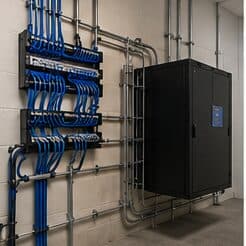
Warehousing and light-industrial buildings along the highway corridor, with metal construction that reflects wireless signal and needs proper cable support. In Rosenberg, that is where the plan begins, because it changes cable paths, device placement, and access-point counts before anything else does. An older rail-town commercial core with masonry buildings and limited existing pathway. Newer suburban subdivisions on slab foundations following the regional attic-routing pattern. None of these are generic checklist items — each moves the design in a direction a citywide assumption would miss, and the honest recommendation always depends on what this particular property allows.
- Warehousing and light-industrial buildings along the highway corridor, with metal construction that reflects wireless signal and needs proper cable support
- An older rail-town commercial core with masonry buildings and limited existing pathway
- Newer suburban subdivisions on slab foundations following the regional attic-routing pattern
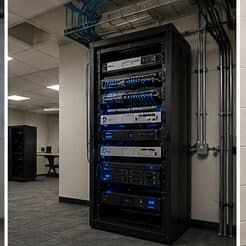
- Dust exposure in industrial and distribution environments, affecting rack and equipment placement
- Gulf Coast humidity and driven-rain events requiring rated exterior housings and sealed penetrations
Getting it done in Rosenberg
A wireless installation is validated by walking it. Signal level, signal-to-noise ratio, and the channel each AP settled on are measured at the places people actually work, not from the middle of the room.
Nearly all restaurant installation happens outside operating hours. That does not usually change the total labour, but it changes the sequencing: every session has to end with the site fully operational, because the doors open regardless of whether the project is finished.
On site, the schedule and working method turn on conditions like these. Dust exposure in industrial and distribution environments, affecting rack and equipment placement. Gulf Coast humidity and driven-rain events requiring rated exterior housings and sealed penetrations. Both shape how and when a crew can actually operate, which is why EVOTECH scopes each Rosenberg job from the property itself rather than assuming one approach fits every address. Coverage is stated as a service area, never an office claim, and anything about Rosenberg that cannot be verified is left out instead of invented.
Popular services nearby
Frequently searched near this area — the pages people look for most.
Frequently asked questions
Is wi-fi installation for restaurants different in Rosenberg?
The sector needs stay the same, but the install changes with the place. In Rosenberg, the conditions above — not the restaurants label — decide routes, mounting, and equipment placement, which is why this page pairs all three.
Why does a call drop when walking between rooms?
That is a roaming symptom. Either the coverage areas do not overlap enough, so the device holds a fading signal past the point of usefulness, or they overlap heavily on the same channel, so the handoff happens into a congested cell. Both are fixed by adjusting placement, power, and the channel plan rather than by adding another access point at the same settings.