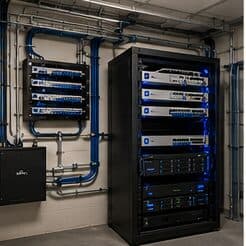
Wi-Fi installation for multifamily properties, in West University Place
Wi-Fi installation for multifamily properties in West University Place is a three-part question: what wi-fi installation involves, what multifamily properties need from it, and what West University Place changes about the install. Dense established homes on small residential lots.
Good Wi-Fi comes from deciding where signal needs to be strong, then placing access points so that each area gets a solid signal from one AP without excessive overlap from others. The target most designs work to is around -67 dBm at the edge of each coverage area for voice and video, with signal comfortably above the local noise floor. Placement follows from that number and from the walls between the AP and the users.
Two audiences, one building
A multifamily property runs two distinct technology environments. Residents have their own connectivity inside their units, generally provided by whatever service they select. The property operates everything else: common-area wireless, controlled entry, intercom, package rooms, amenity spaces, cameras, and the office network.
The property-operated side is what needs design. It has to work for a resident population that turns over continuously, be administrable by on-site staff who also turn over, and survive being used by everyone in the building without a support desk.
- Resident in-unit service separate from property-operated systems
- Continuous resident turnover requiring rapid credential issue and revocation
- On-site staff administering systems without specialist training
- Common areas, amenity spaces, and package rooms all needing coverage
Where wi-fi installation goes wrong — and how it's avoided
Most wireless disappointment traces back to a small number of repeated decisions.
- Adding access points to fix congestion, which increases contention instead
- Mounting APs inside closets, above ceiling tiles, or behind ductwork
- Leaving every radio on maximum power, which enlarges cells and worsens overlap
- Using wireless uplinks where cable was available
- Running wide channels in a dense deployment
- Judging the network by the signal bars rather than by measured signal and noise
West University Place: what the location changes
Dense established homes on small residential lots. In West University Place, that is where the plan begins, because it changes cable paths, device placement, and access-point counts before anything else does. Continuous teardown-and-rebuild activity, making prewire valuable. High finish expectations with limited space for equipment positions. None of these are generic checklist items — each moves the design in a direction a citywide assumption would miss, and the honest recommendation always depends on what this particular property allows.
- Dense established homes on small residential lots
- Continuous teardown-and-rebuild activity, making prewire valuable
- High finish expectations with limited space for equipment positions
- Slab foundations with attic-to-interior-wall retrofit routing
- Compact footprints keeping runs short but concealment demanding
Getting it done in West University Place
A wireless installation is validated by walking it. Signal level, signal-to-noise ratio, and the channel each AP settled on are measured at the places people actually work, not from the middle of the room.
The property network carries cameras, door controllers, intercom, the leasing office, and common-area wireless. These belong on separate segments from each other — common-area guest wireless in particular should reach the internet and nothing else, since it is used by residents, visitors, and anyone within range of an amenity space.
On site, the schedule and working method turn on conditions like these. Slab foundations with attic-to-interior-wall retrofit routing. Compact footprints keeping runs short but concealment demanding. Both shape how and when a crew can actually operate, which is why EVOTECH scopes each West University Place job from the property itself rather than assuming one approach fits every address. Coverage is stated as a service area, never an office claim, and anything about West University Place that cannot be verified is left out instead of invented.
Popular services nearby
Frequently searched near this area — the pages people look for most.
Frequently asked questions
Is wi-fi installation for multifamily properties different in West University Place?
The sector needs stay the same, but the install changes with the place. In West University Place, the conditions above — not the multifamily properties label — decide routes, mounting, and equipment placement, which is why this page pairs all three.
Why does a call drop when walking between rooms?
That is a roaming symptom. Either the coverage areas do not overlap enough, so the device holds a fading signal past the point of usefulness, or they overlap heavily on the same channel, so the handoff happens into a congested cell. Both are fixed by adjusting placement, power, and the channel plan rather than by adding another access point at the same settings.