Why this page exists
PoE camera installation for multifamily properties is shaped by how the space is used, not just by the service itself. Multifamily properties bring their own operating constraints, and this page pairs what poe camera installation actually involves with what that environment changes about it.
A PoE camera takes its power from the same Ethernet cable that carries its video, which removes the need for a local outlet at every mounting position. That is the entire practical appeal: one run per camera, no electrician at each soffit, and centralised power that can sit behind a UPS so the cameras stay up during a short outage.
Two audiences, one building
A multifamily property runs two distinct technology environments. Residents have their own connectivity inside their units, generally provided by whatever service they select. The property operates everything else: common-area wireless, controlled entry, intercom, package rooms, amenity spaces, cameras, and the office network.
The property-operated side is what needs design. It has to work for a resident population that turns over continuously, be administrable by on-site staff who also turn over, and survive being used by everyone in the building without a support desk.
- Resident in-unit service separate from property-operated systems
- Continuous resident turnover requiring rapid credential issue and revocation
- On-site staff administering systems without specialist training
- Common areas, amenity spaces, and package rooms all needing coverage
What poe camera installation usually involves
The characteristic PoE problem is a camera that reboots under specific conditions — usually at night when its infrared illuminator switches on and its draw rises. If the switch is near its budget, the additional load pushes it over and devices drop. Because it happens after dark, it often gets reported as an intermittent network fault.
The second problem is distance. PoE inherits the same 100-metre channel limit as any Ethernet run, and voltage drop over long runs on thin conductors reduces the power actually reaching the camera. A run that works at 60 metres may be marginal at 95 with a high-draw device on the end.
- Switch PoE budget exceeded once illuminators or heaters engage at night
- Long runs delivering less power at the camera than the switch reports sending
- Higher-draw devices such as PTZ cameras and heated housings mis-budgeted
- Thin or copper-clad-aluminium cable increasing resistance and voltage drop
- Dense PoE bundles heating and raising insertion loss
- No UPS on the switch, so cameras drop with any brief power interruption
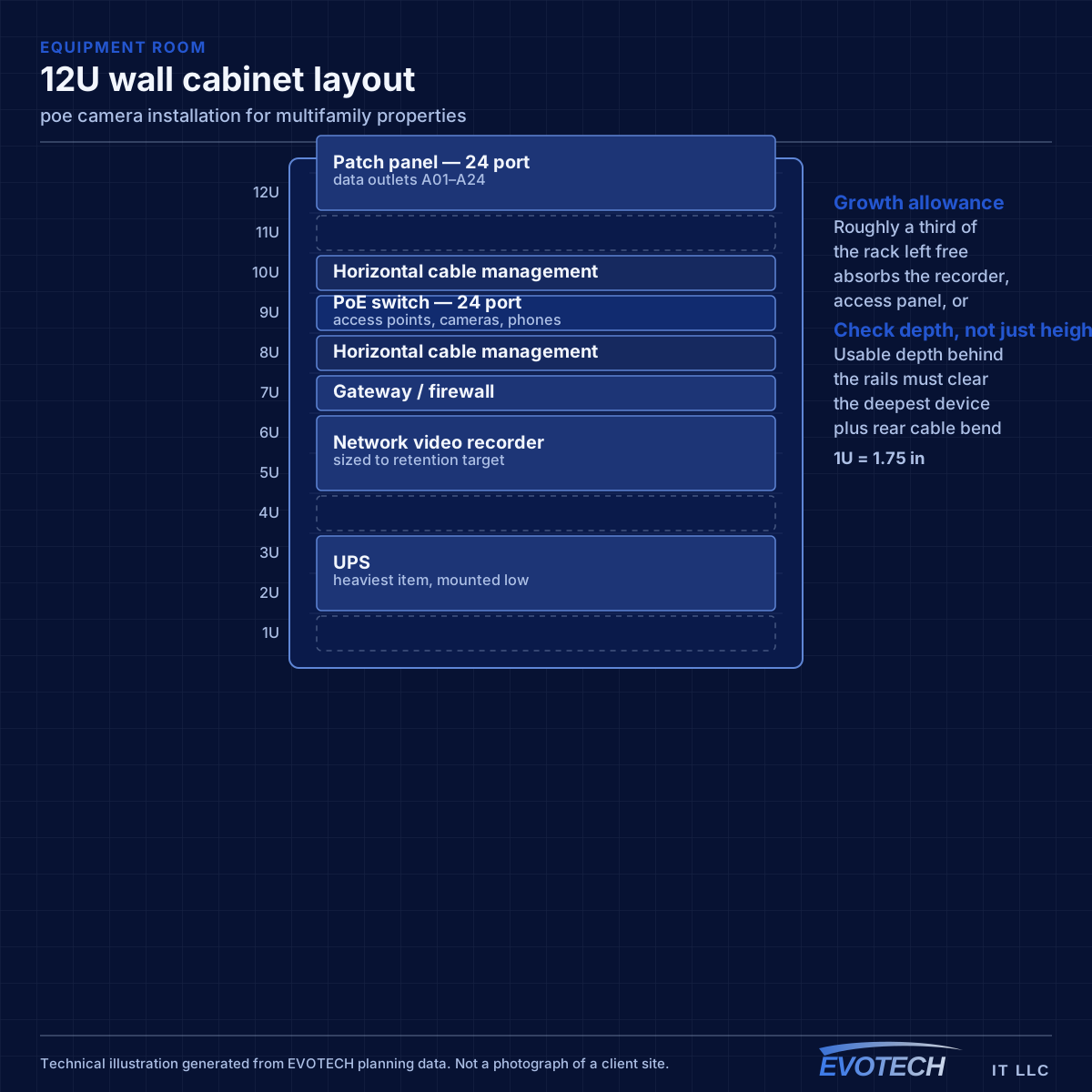
Property systems and common-area coverage
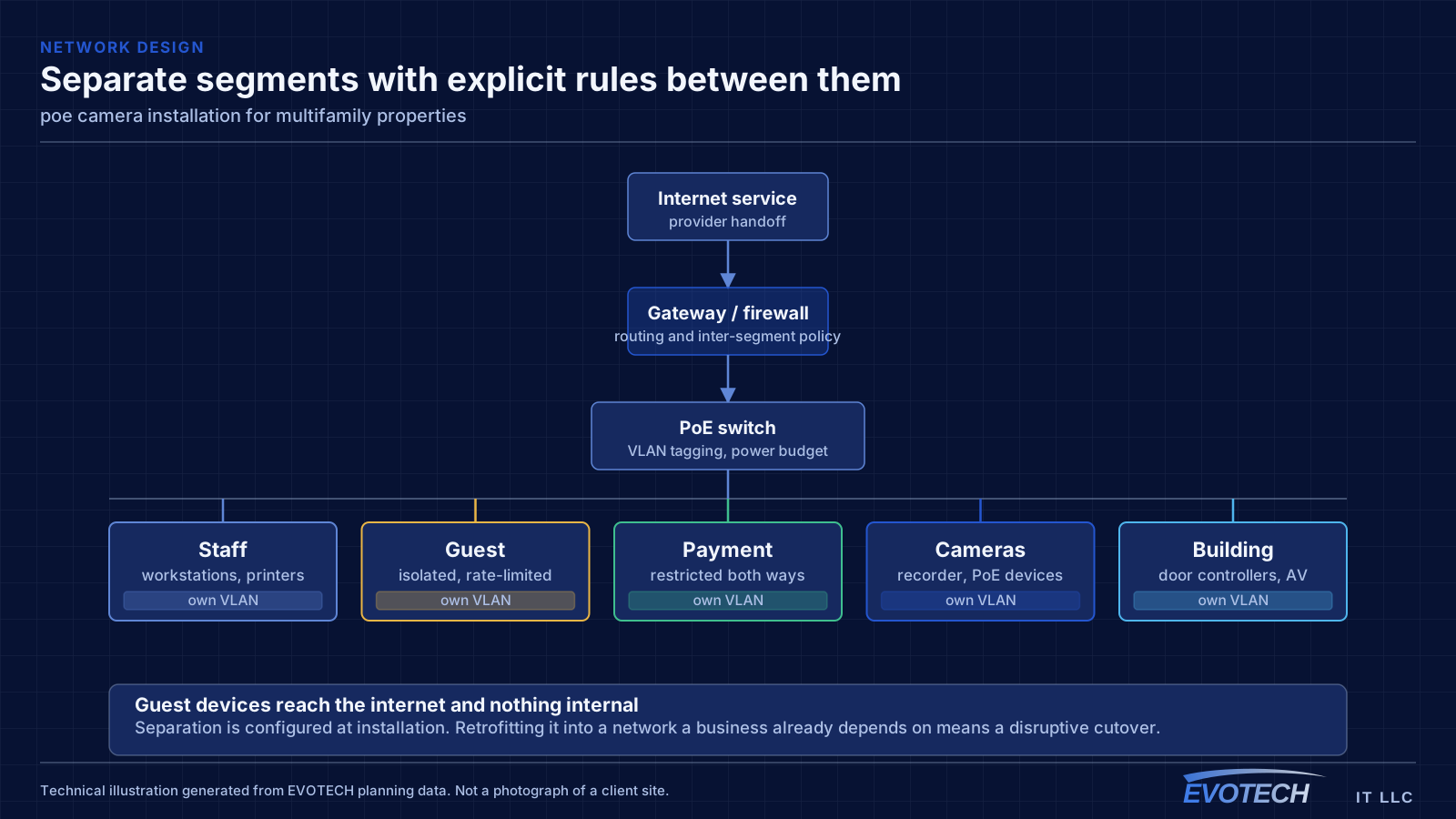
The property network carries cameras, door controllers, intercom, the leasing office, and common-area wireless. These belong on separate segments from each other — common-area guest wireless in particular should reach the internet and nothing else, since it is used by residents, visitors, and anyone within range of an amenity space.
Common-area coverage is a distributed problem. Lobbies, corridors, fitness rooms, clubhouses, pool areas, and parking structures each have different construction and different demand, and outdoor amenity areas need equipment rated for the exposure. Corridor coverage in particular tends to be underestimated, since corridors are long, narrow, and full of doors.
Where a property spans multiple buildings, the links between them are fiber, for the same distance and electrical-isolation reasons that apply on any campus.
- Property systems segmented from common-area guest wireless
- Amenity spaces, corridors, and outdoor areas as distinct coverage zones
- Outdoor-rated equipment for pool decks and exterior amenity areas
- Fiber between buildings on multi-building properties
- Leasing office network separated from resident-facing systems
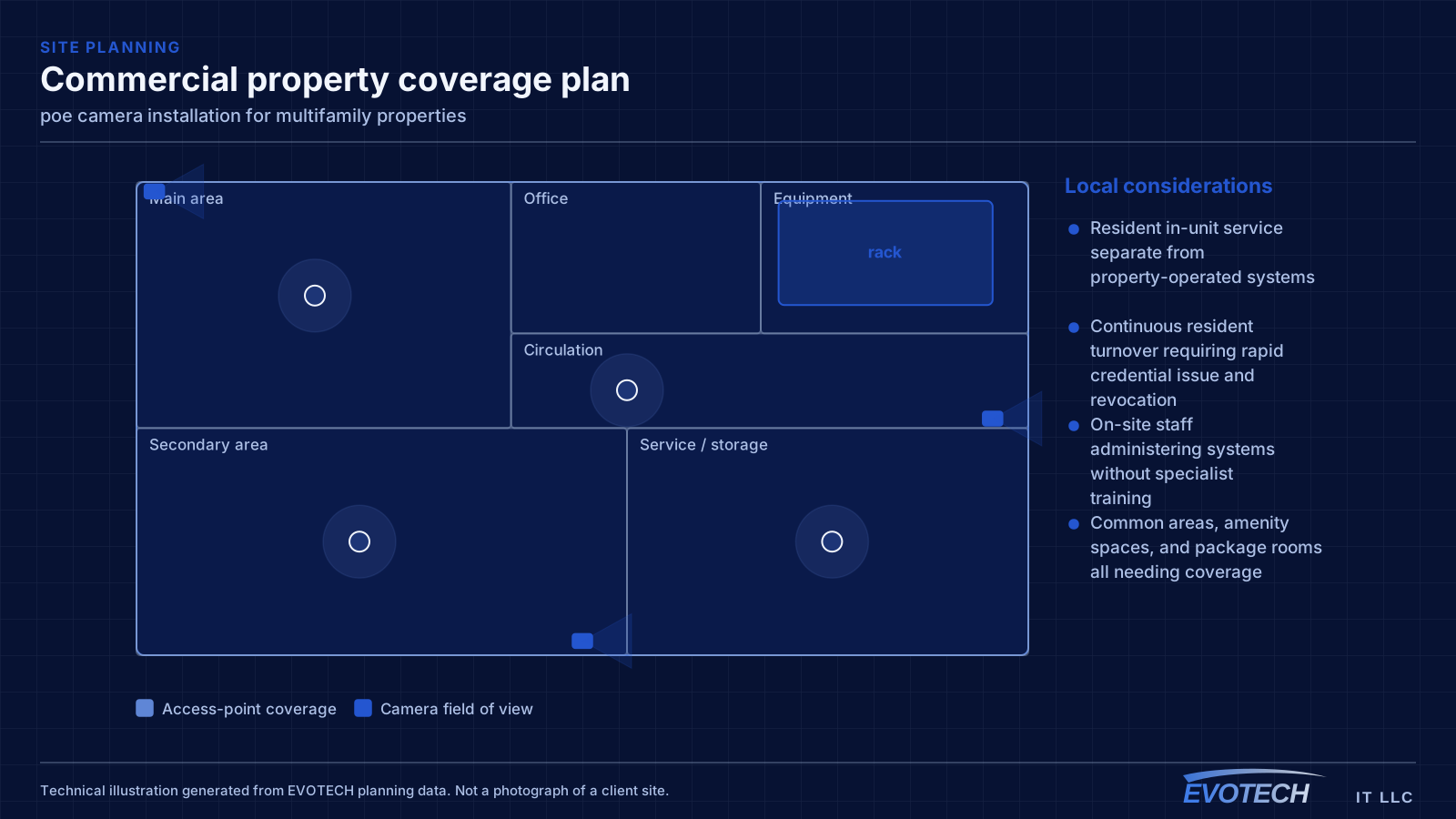
PoE classes, budget arithmetic, and distance
The standards define escalating power classes. Type 1 (802.3af) supplies up to about 15.4 W at the switch with roughly 12.95 W available at the device. Type 2 (802.3at) raises that to about 30 W supplied and 25.5 W available. Type 3 and Type 4 under 802.3bt reach roughly 60 W and 90 W supplied, with about 51 W and 71 W available respectively. The gap between supplied and available is the loss in the cable, and it grows with length and with thinner conductors.
- 802.3af up to ~15.4 W supplied; 802.3at up to ~30 W; 802.3bt to ~60 W and ~90 W
- Budget on peak draw with illuminators, heaters, and motors engaged
- Same 100 m channel limit as any Ethernet run
- Full-copper conductors of correct gauge; avoid copper-clad aluminium on PoE runs
- Keep PoE bundles loose enough to shed heat
- Put the switch on a UPS so cameras survive short outages
Frequently asked questions
What changes about poe camera installation in multifamily properties?
The operating environment does. Multifamily properties bring specific constraints — how the space is used, when work can happen, and what has to keep running — and those shape the poe camera installation plan as much as the service's own technical requirements.
Why do cameras reboot at night but work fine during the day?
Almost always PoE budget. Infrared illuminators engage after dark and the total draw rises, pushing the switch past its budget. It presents as intermittent camera dropouts and gets misdiagnosed as a network fault. The fix is a switch with sufficient budget and headroom, calculated from peak draw rather than idle.
Does the property provide internet inside the units?
That varies by property and is a business decision rather than a technical one. What the property always operates is the common-area and building-systems side: entry, intercom, package rooms, amenity wireless, cameras, and the leasing office network. That is where the design work sits.