Why this page exists
Residential Wi-Fi for multifamily properties is shaped by how the space is used, not just by the service itself. Multifamily properties bring their own operating constraints, and this page pairs what residential wi-fi actually involves with what that environment changes about it.
A single router placed wherever the internet service happens to enter the house is the root of most residential wireless complaints. That position is frequently a corner of the garage or a front closet, which means a large share of the signal is heading outdoors. Coverage improves dramatically when access points are placed centrally in the areas people use, and fed by cable.
Two audiences, one building
A multifamily property runs two distinct technology environments. Residents have their own connectivity inside their units, generally provided by whatever service they select. The property operates everything else: common-area wireless, controlled entry, intercom, package rooms, amenity spaces, cameras, and the office network.
The property-operated side is what needs design. It has to work for a resident population that turns over continuously, be administrable by on-site staff who also turn over, and survive being used by everyone in the building without a support desk.
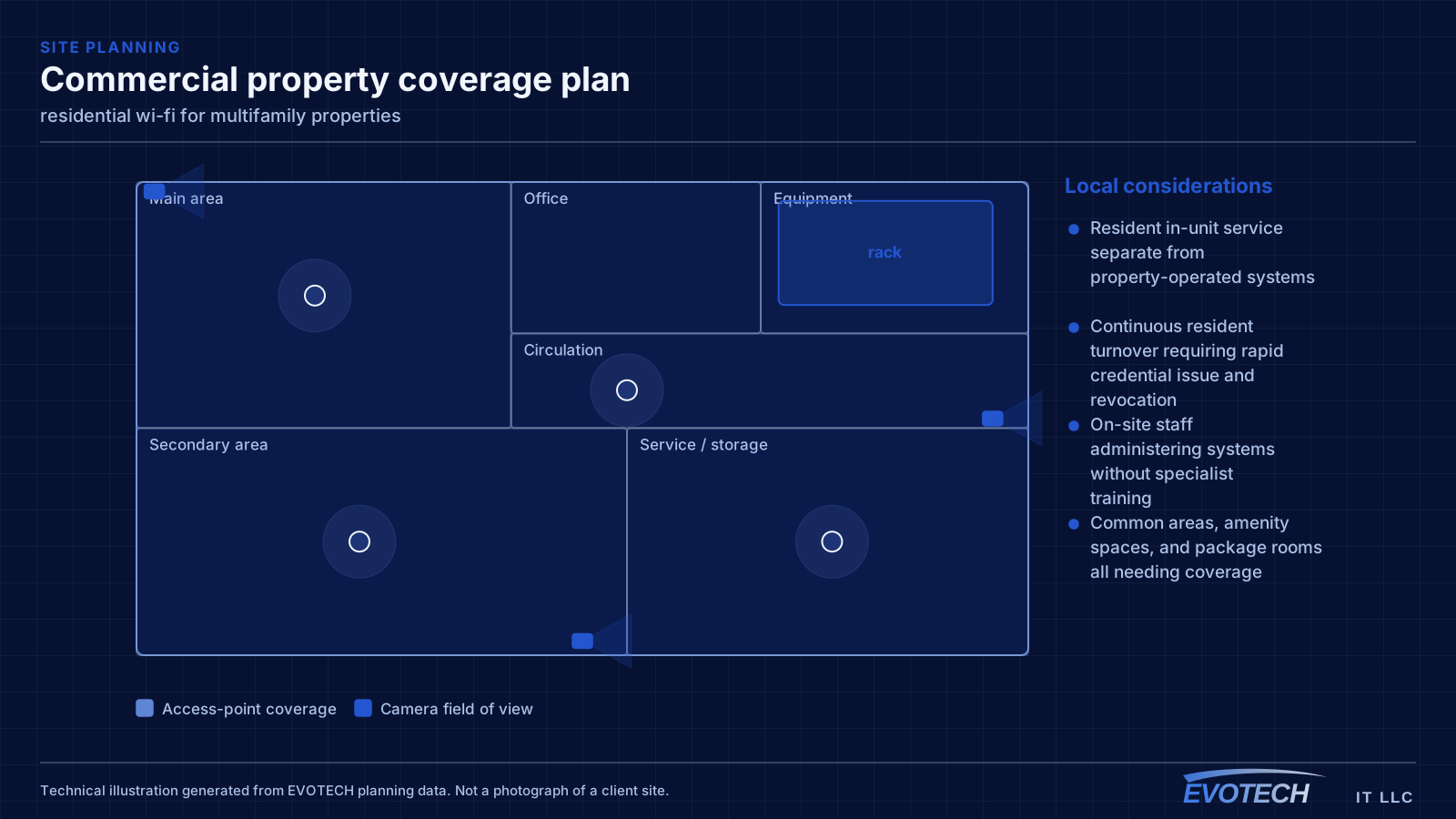
- Resident in-unit service separate from property-operated systems
- Continuous resident turnover requiring rapid credential issue and revocation
- On-site staff administering systems without specialist training
- Common areas, amenity spaces, and package rooms all needing coverage
What residential wi-fi usually involves
Range extenders are the most common cause of a network that looks fine and behaves badly. An extender receives and retransmits on the same radio, so throughput drops with each hop, and devices often stay connected to the extender long after they have walked back within range of the main router.
The second cause is construction. Tile, masonry, brick veneer, foil-backed insulation, mirrors, and metal-framed glass all attenuate signal noticeably. A floor plan will not tell you which wall is the problem — walking the house with a measurement tool will.
- Router positioned where the service enters rather than where coverage is needed
- Range extenders halving throughput and holding onto clients too long
- Tile, masonry, and foil-backed materials attenuating signal between rooms
- Detached garages, casitas, and outbuildings with no viable wireless path
- Equipment stacked in a closed cabinet with no ventilation
- Neighbouring networks congesting 2.4 GHz in dense subdivisions
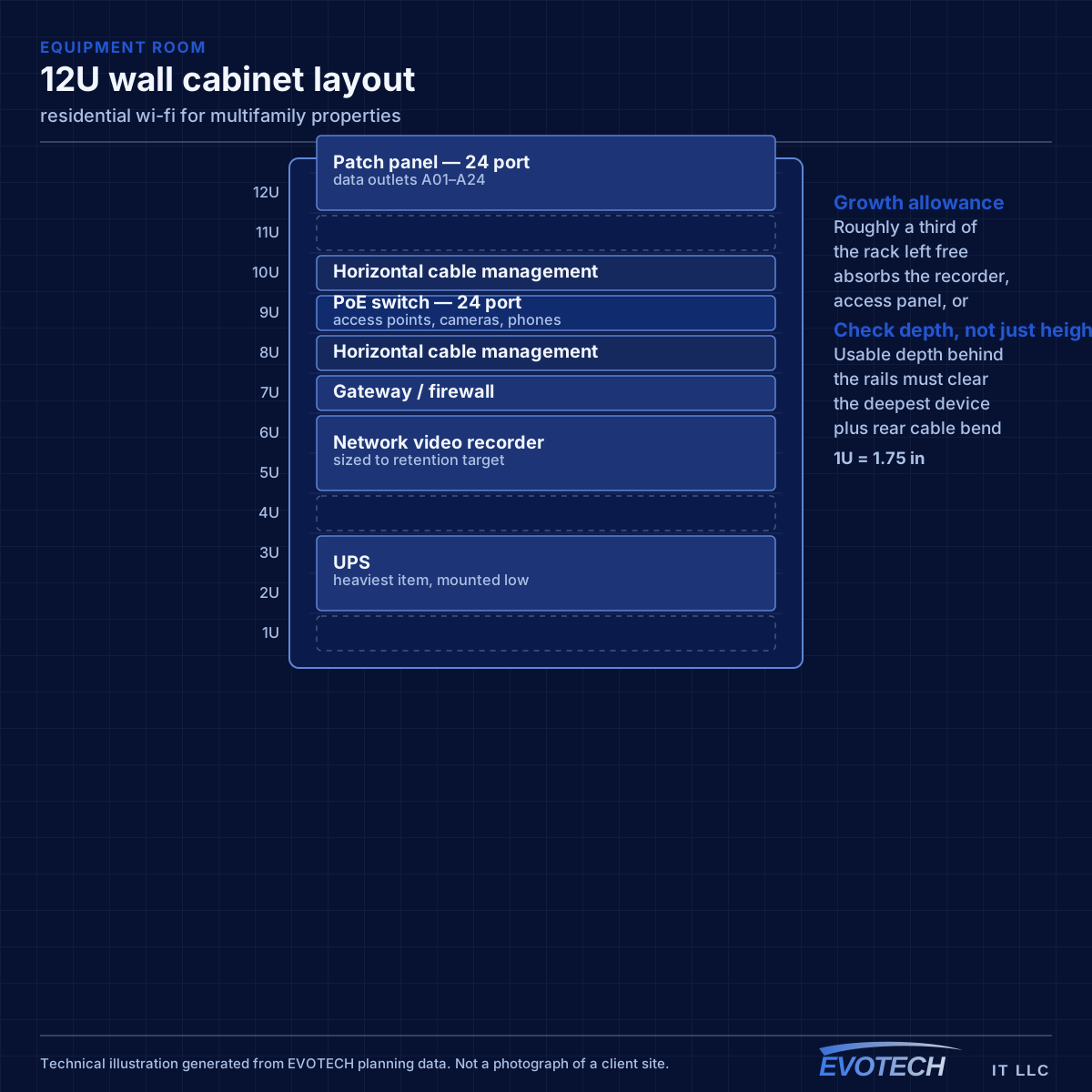
Property systems and common-area coverage
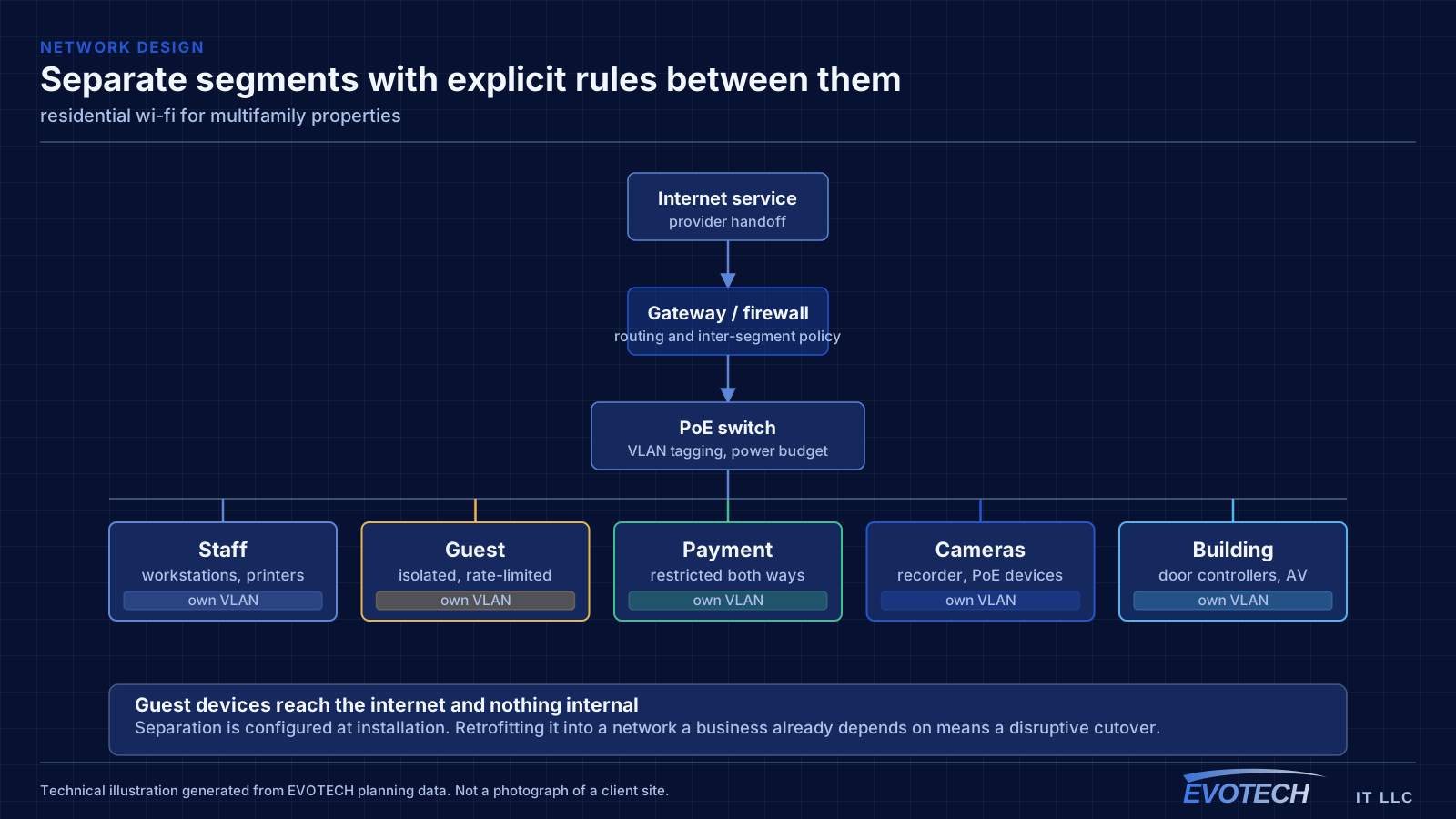
The property network carries cameras, door controllers, intercom, the leasing office, and common-area wireless. These belong on separate segments from each other — common-area guest wireless in particular should reach the internet and nothing else, since it is used by residents, visitors, and anyone within range of an amenity space.
Common-area coverage is a distributed problem. Lobbies, corridors, fitness rooms, clubhouses, pool areas, and parking structures each have different construction and different demand, and outdoor amenity areas need equipment rated for the exposure. Corridor coverage in particular tends to be underestimated, since corridors are long, narrow, and full of doors.
Where a property spans multiple buildings, the links between them are fiber, for the same distance and electrical-isolation reasons that apply on any campus.
- Property systems segmented from common-area guest wireless
- Amenity spaces, corridors, and outdoor areas as distinct coverage zones
- Outdoor-rated equipment for pool decks and exterior amenity areas
- Fiber between buildings on multi-building properties
- Leasing office network separated from resident-facing systems
Placement, floors, and why the wired run matters more than the hardware
Signal passes through a floor with significant loss, which is why a downstairs router rarely serves upstairs bedrooms properly. The reliable arrangement in a two-storey home is one access point per floor, positioned centrally in the used areas rather than at the perimeter, with the two connected by cable.
- One access point per floor as the baseline in two-storey homes
- Central placement in used areas rather than at the building perimeter
- Wired backhaul via attic and interior wall in slab construction
- Ceiling mounting to use the intended radiation pattern
- Outdoor and detached-structure coverage planned separately, not as an afterthought
Frequently asked questions
What changes about residential wi-fi in multifamily properties?
The operating environment does. Multifamily properties bring specific constraints — how the space is used, when work can happen, and what has to keep running — and those shape the residential wi-fi plan as much as the service's own technical requirements.
Why is upstairs Wi-Fi bad when the router is right below?
Signal loses a meaningful amount of strength passing through a floor, and the router's pattern is not aimed upward. Turning the power up mostly increases interference. The dependable arrangement is a second access point upstairs, placed centrally and connected by cable to the equipment position downstairs.
Does the property provide internet inside the units?
That varies by property and is a business decision rather than a technical one. What the property always operates is the common-area and building-systems side: entry, intercom, package rooms, amenity wireless, cameras, and the leasing office network. That is where the design work sits.