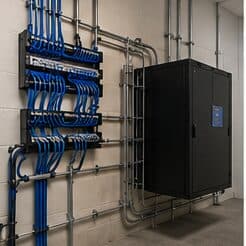
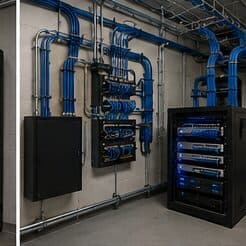
Residential Wi-Fi for multifamily properties, in Katy
Residential Wi-Fi for multifamily properties in Katy is a three-part question: what residential wi-fi involves, what multifamily properties need from it, and what Katy changes about the install. Housing stock skewed toward newer, larger single-family construction with wide floor plans that exceed single-router coverage.
For a larger two-storey house, two or three well-placed access points usually outperform any single device regardless of specification. The reason is physical: signal weakens through floors and walls, and no amount of transmit power at one end of a house creates a usable signal at the other without also creating interference everywhere in between.
Occupied buildings and turnover
Multifamily properties are occupied continuously, which means work in corridors and common areas happens around residents, with containment, clear signage, and attention to noise during reasonable hours. Access to individual units, where required, needs the property's own notice procedures.
Turnover shapes the administrative design more than the physical one. Credentials need to be issued and revoked quickly and by on-site staff, which means the system's day-to-day administration has to be genuinely simple. A system requiring a specialist to add a resident will not be maintained accurately.
- Continuous occupancy requiring containment and noise consideration
- Unit access following the property's notice procedures
- Credential administration simple enough for on-site staff
- Phased work across buildings to limit disruption
- Documentation that survives staff turnover
Where residential wi-fi goes wrong — and how it's avoided
Household wireless problems usually persist because of a small set of choices.
- Replacing a router with a more expensive router instead of adding a second location
- Chaining extenders and expecting the throughput to hold
- Leaving the equipment in a sealed cabinet where it overheats
- Mounting an access point on a shelf against an exterior wall
- Covering an outdoor patio by turning the indoor access point's power up
- Skipping the cable run because the wireless uplink appeared to work on the day
Katy: what the location changes
The starting point for any Katy job is one local fact. Housing stock skewed toward newer, larger single-family construction with wide floor plans that exceed single-router coverage. That single condition shapes where cable can run, where equipment can sit, and how coverage is laid out — more than any spec sheet does. Two more conditions weigh on it. Structured media panels commonly present but frequently located in a garage or perimeter utility space rather than centrally. Builder-installed cable often terminated to a panel but not extended to ceiling positions suitable for access points. Together they make the route specific to this pocket, which is why a short walkthrough or a few clear photos settle the scope faster than a floor plan can.
- Housing stock skewed toward newer, larger single-family construction with wide floor plans that exceed single-router coverage
- Structured media panels commonly present but frequently located in a garage or perimeter utility space rather than centrally
- Builder-installed cable often terminated to a panel but not extended to ceiling positions suitable for access points
- Slab foundations with accessible attics, making attic-to-interior-wall routing the standard retrofit path
- Suburban commercial development in retail pads and medical suites with suspended-grid ceilings and comparatively straightforward pathway
Getting it done in Katy
Validation is a walk through the house with a measurement tool, checking the rooms that prompted the call in the first place.
The systems residents notice are entry and packages. An entry system that reliably lets residents in and lets them grant access to visitors, and a package room that works, generate more satisfaction than any other technology on the property.
Getting Katy work done means planning around the site as it actually is. Slab foundations with accessible attics, making attic-to-interior-wall routing the standard retrofit path. Suburban commercial development in retail pads and medical suites with suspended-grid ceilings and comparatively straightforward pathway. Both matter as much as the design to how and when the work happens. The scope is drawn from the real property, the coverage is stated as a service area rather than an office, and unverifiable specifics about Katy are kept off the page on purpose.
Frequently asked questions
Is residential wi-fi for multifamily properties different in Katy?
The sector needs stay the same, but the install changes with the place. In Katy, the conditions above — not the multifamily properties label — decide routes, mounting, and equipment placement, which is why this page pairs all three.
Why is upstairs Wi-Fi bad when the router is right below?
Signal loses a meaningful amount of strength passing through a floor, and the router's pattern is not aimed upward. Turning the power up mostly increases interference. The dependable arrangement is a second access point upstairs, placed centrally and connected by cable to the equipment position downstairs.