Why this page exists
Technology for medical offices in the Texas Medical Center area sits where two things meet: how medical offices actually operate, and what the Texas Medical Center area specifically brings to the building. 77030 is the Texas Medical Center — dense institutional, research, and high-rise medical buildings where nearly all work is commercial-grade inside managed facilities.
Three priorities dominate. Separate the networks so patient-facing guest access cannot reach clinical systems. Control access to the areas that require it, with records that show who entered and when. Plan any cutover so clinical operations are not interrupted mid-session.
Separation, access, and continuity
Three priorities dominate. Separate the networks so patient-facing guest access cannot reach clinical systems. Control access to the areas that require it, with records that show who entered and when. Plan any cutover so clinical operations are not interrupted mid-session.
Everything else — coverage quality, cable tidiness, camera placement — matters, but these three are the ones with consequences beyond inconvenience.
- Guest, staff, clinical, and building-system networks kept separate
- Access control on records, medication, and treatment areas as appropriate
- Cutovers scheduled around clinical sessions, not around installer convenience
- Wired connections for imaging and other equipment that depends on throughput
- Equipment position secured against casual access
the Texas Medical Center area: what the location adds
The starting point for any the Texas Medical Center area job is one local fact. 77030 is the Texas Medical Center — dense institutional, research, and high-rise medical buildings where nearly all work is commercial-grade inside managed facilities. That single condition shapes where cable can run, where equipment can sit, and how coverage is laid out — more than any spec sheet does. Two more conditions weigh on it. Riser, plenum, and MDF/IDF access is controlled by facility engineering, so escorts, badging, and after-hours windows govern the schedule. Concrete structures and interior rooms with no exterior walls make wired coverage and careful access-point planning essential. Together they make the route specific to this pocket, which is why a short walkthrough or a few clear photos settle the scope faster than a floor plan can.
- 77030 is the Texas Medical Center — dense institutional, research, and high-rise medical buildings where nearly all work is commercial-grade inside managed facilities
- Riser, plenum, and MDF/IDF access is controlled by facility engineering, so escorts, badging, and after-hours windows govern the schedule
- Concrete structures and interior rooms with no exterior walls make wired coverage and careful access-point planning essential
- Surrounding high-rise residential and hotel stock is also concrete-framed, sharing the same fish-versus-surface-route constraints
- Life-safety and continuous-operation requirements mean cutovers are staged so systems are never fully down
Segmentation and clinical connectivity
Clinical systems belong on their own segment, separate from staff general-purpose devices, separate again from patient guest access, and separate from building systems such as cameras and door controllers. This limits what any single compromised device can reach and makes the network far easier to reason about when something misbehaves.
For clinical equipment that moves large files — imaging in particular — wired connections are worth insisting on where the equipment supports them. Wireless is fine for tablets and general staff use, but a modality pushing studies across a congested wireless cell produces exactly the kind of intermittent slowness that is difficult to diagnose and disruptive to a clinic day.
Guest access in a waiting area should be isolated from everything internal and rate-limited. It is a courtesy, and it should be architecturally incapable of touching anything clinical.
- Clinical, staff, guest, and building-system traffic on separate segments
- Wired connections for imaging and other high-throughput clinical equipment
- Waiting-area guest access isolated and capped
- Access points placed for coverage in treatment rooms without relying on corridor spill
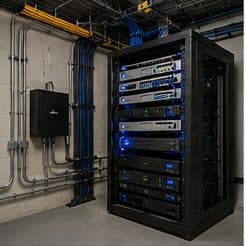
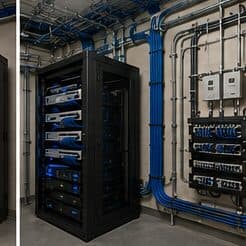
- Equipment room secured, since it holds the systems everything depends on
Installing in the Texas Medical Center area
Camera coverage in medical settings is deliberately limited in scope. Entrances, corridors leading to controlled areas, medication storage approaches, parking areas, and after-hours coverage of the perimeter are the usual placements. Treatment areas are not camera locations, and this is worth stating plainly during design so the boundary is explicit.
Execution in the Texas Medical Center area is planned around real conditions, not a template. Surrounding high-rise residential and hotel stock is also concrete-framed, sharing the same fish-versus-surface-route constraints. Life-safety and continuous-operation requirements mean cutovers are staged so systems are never fully down. These decide the sequence, the access, and the method as much as the design does. EVOTECH describes the Texas Medical Center area as coverage rather than a place it occupies, and omits any area detail it cannot confirm — building and site conditions only, no invented landmarks or promised arrival times.
Popular services nearby
Frequently searched near this area — the pages people look for most.
Frequently asked questions
What do medical offices in the Texas Medical Center area usually need first?
It varies by site, but the pattern for medical offices holds in the Texas Medical Center area: get the network and cabling backbone right, then layer cameras and access on top. What the Texas Medical Center area changes is the physical install — the conditions listed above drive routes and equipment placement more than the sector alone does.
Should patient guest Wi-Fi be offered?
It is common in waiting areas, and the requirement is that it is architecturally isolated: unable to reach clinical systems, staff devices, or building systems, and rate-limited so it cannot affect anything operational. Configured that way it is a low-risk courtesy; configured as a shared flat network it is not.