Why this page exists
Cat6 cabling for churches is shaped by how the space is used, not just by the service itself. Churches bring their own operating constraints, and this page pairs what cat6 cabling actually involves with what that environment changes about it.
Cat6 carries gigabit Ethernet across the full 100-metre channel without drama, and that covers the overwhelming majority of what plugs into an office or home wall plate: computers, phones, printers, access points, cameras, and door controllers. Where it gets interesting is 10 gigabit. Cat6 can carry 10GBASE-T, but only to roughly 55 metres, and that figure assumes a favourable alien-crosstalk environment — cables not bundled tightly with many neighbours carrying the same signal.
Built for volunteers, used intermittently
The defining constraint in church technology is who operates it. Systems are typically run by volunteers who rotate, may have limited technical background, and are operating live in front of a congregation. A system that requires specialist knowledge to start is a system that will fail publicly.
The second constraint is the building. Sanctuaries are large, often with high ceilings and hard reflective surfaces, and were frequently not designed with audio or cable pathways in mind. Older buildings add masonry walls, limited ceiling access, and additions built across several decades.
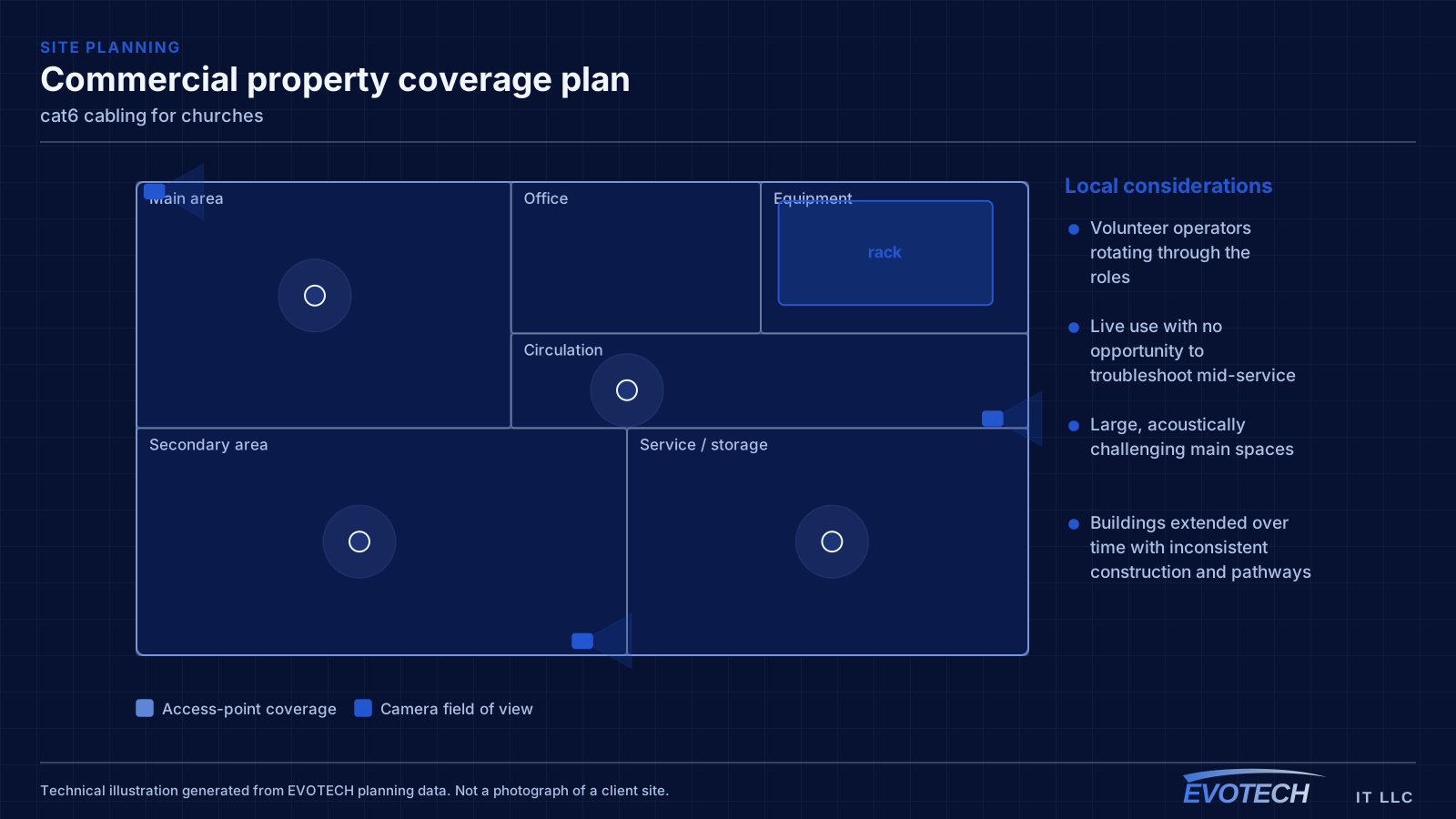
- Volunteer operators rotating through the roles
- Live use with no opportunity to troubleshoot mid-service
- Large, acoustically challenging main spaces
- Buildings extended over time with inconsistent construction and pathways
- Many small rooms used intermittently rather than continuously
What cat6 cabling usually involves
The failure mode with Cat6 is rarely the cable itself. It is the assumption that anything with eight conductors performs the same. Bulk cable sold as Cat6 varies in construction, and a run that skips the certification test may sit just inside or just outside the limits without anyone knowing until a device starts renegotiating its link speed.
The second problem is bundling. Alien crosstalk — interference between adjacent cables rather than between pairs inside one cable — is the specific mechanism that constrains Cat6 at 10G. A run that would be fine alone can degrade when it is cinched into a bundle of forty identical cables sharing a tray.
- Assuming 10G will work at any distance because the cable is labelled Cat6
- Tight bundling that raises alien crosstalk exactly where it matters most
- Mixing component categories so a Cat6 run terminates on a Cat5e jack
- Over-cinched tie-wraps deforming pair geometry along the run
- No certification record, so marginal links are invisible until something misbehaves
Campus coverage and the systems that share it
Church networks often have to cover a surprising spread: a sanctuary, classrooms, offices, a fellowship hall, and sometimes separate buildings. Where separate structures are involved, the link between them should be fiber rather than copper, both for distance and because a copper run between buildings carries genuine electrical risk.
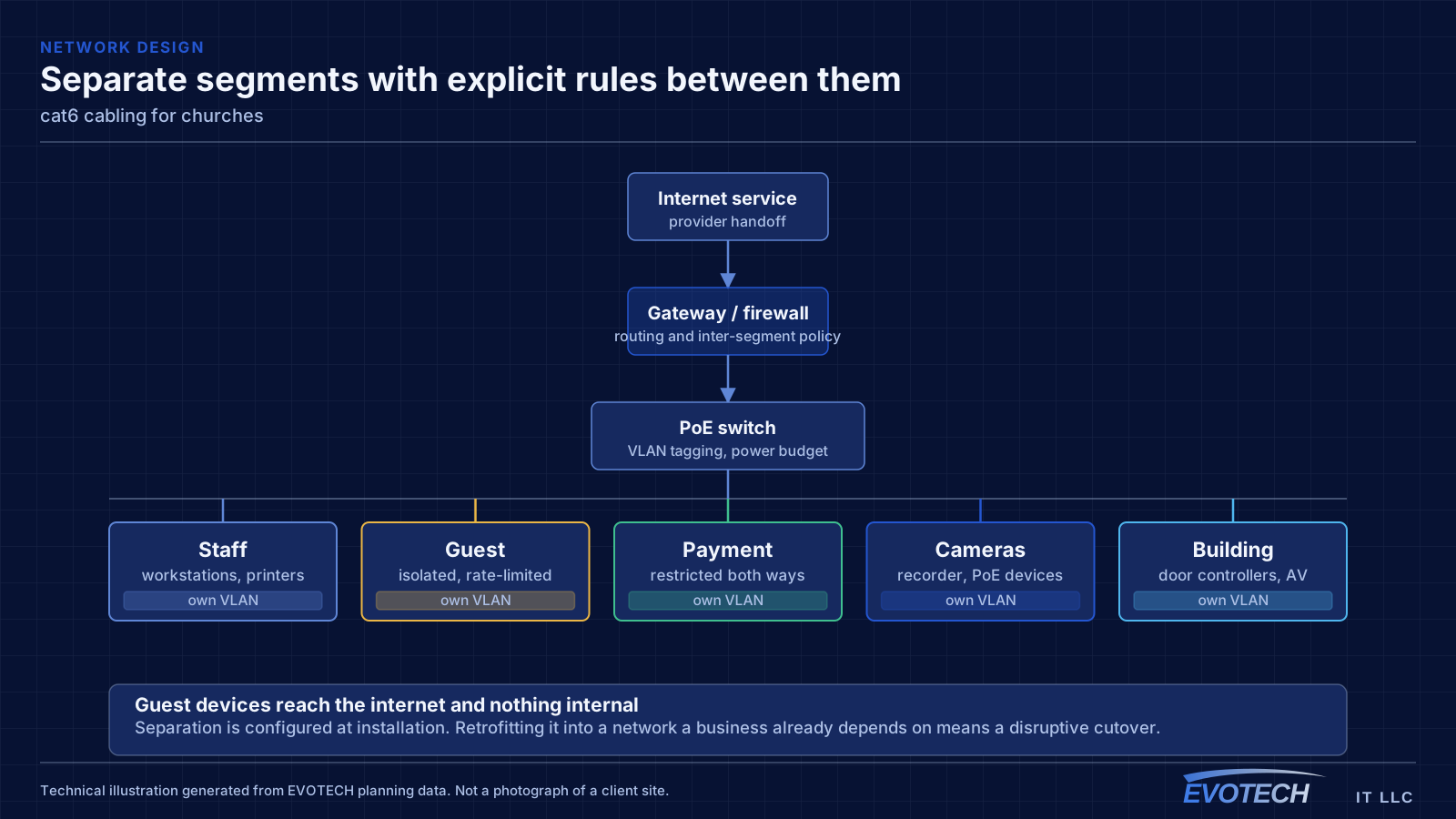
Segmentation is worth doing here for a specific reason: churches typically offer guest wireless, run children's-ministry check-in systems, operate AV equipment on the network, and have office computers handling sensitive information. Those should not share one flat network, and separating them is straightforward at installation.
Streaming has become a standard requirement, and it adds an upload-bandwidth dependency that most other building systems do not have. Confirming the circuit's upload capacity, and separating streaming traffic so it does not contend with guest use during a service, is worth doing before rather than after the first stream.
- Fiber between separate buildings on the campus
- Separate segments for guest, office, AV, and check-in systems
- Upload bandwidth confirmed where services are streamed
- Coverage extended to classrooms and fellowship areas, not just the sanctuary
- AV control devices wired rather than depending on wireless during a service
The 55-metre figure, and what actually causes it
Cat6 is specified to 250 MHz. That bandwidth comfortably supports 1000BASE-T over a 100-metre channel. 10GBASE-T needs roughly 500 MHz of usable bandwidth, which is why the supported distance drops. The published guidance places Cat6 10G support at around 55 metres, and reduces it further in dense bundles where alien crosstalk is high.
- Cat6 specified to 250 MHz; Cat6A to 500 MHz
- 1000BASE-T over Cat6 to the full 100 m channel
- 10GBASE-T over Cat6 to approximately 55 m, less in dense bundles
- Alien crosstalk between adjacent cables is the limiting mechanism, not pair-to-pair noise
- Jacks, patch panels, and cords must match the intended category for the channel to hold it
Popular services nearby
Frequently searched near this area — the pages people look for most.
Frequently asked questions
What changes about cat6 cabling in churches?
The operating environment does. Churches bring specific constraints — how the space is used, when work can happen, and what has to keep running — and those shape the cat6 cabling plan as much as the service's own technical requirements.
Is Cat6 enough, or should everything be Cat6A?
For most device locations Cat6 is enough, because most devices need gigabit and will for a long time. Cat6A earns its place on runs that must carry 10G at distance, runs sitting in dense bundles, and uplinks between equipment positions. Specifying Cat6A for the whole building is rarely wrong technically, but it costs pathway space and termination time that a mixed design keeps.
What makes a church AV system volunteer-friendly?
A small number of clearly labeled controls that produce the normal configuration reliably, with complexity hidden behind them. If starting a service requires selecting sources, adjusting levels, and remembering a sequence, it will eventually fail during a service. The design goal is that a new volunteer can run the routine case on their first attempt.