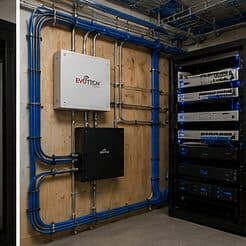
The short answer
A wired access point receives traffic on a cable and transmits it on its radio. A wireless extender receives traffic on its radio and retransmits it on the same radio, which means every packet crosses the air twice and the available throughput roughly halves per hop. That is a structural difference, not a product-quality difference, and no amount of specification changes it.
The practical recommendation follows directly: run cable wherever cable can reach. Use a wireless relay only where a cable genuinely cannot go — a detached structure, a listed building, a rental where drilling is not permitted — and treat it as the compromise it is rather than an equivalent option.
What actually happens on the air
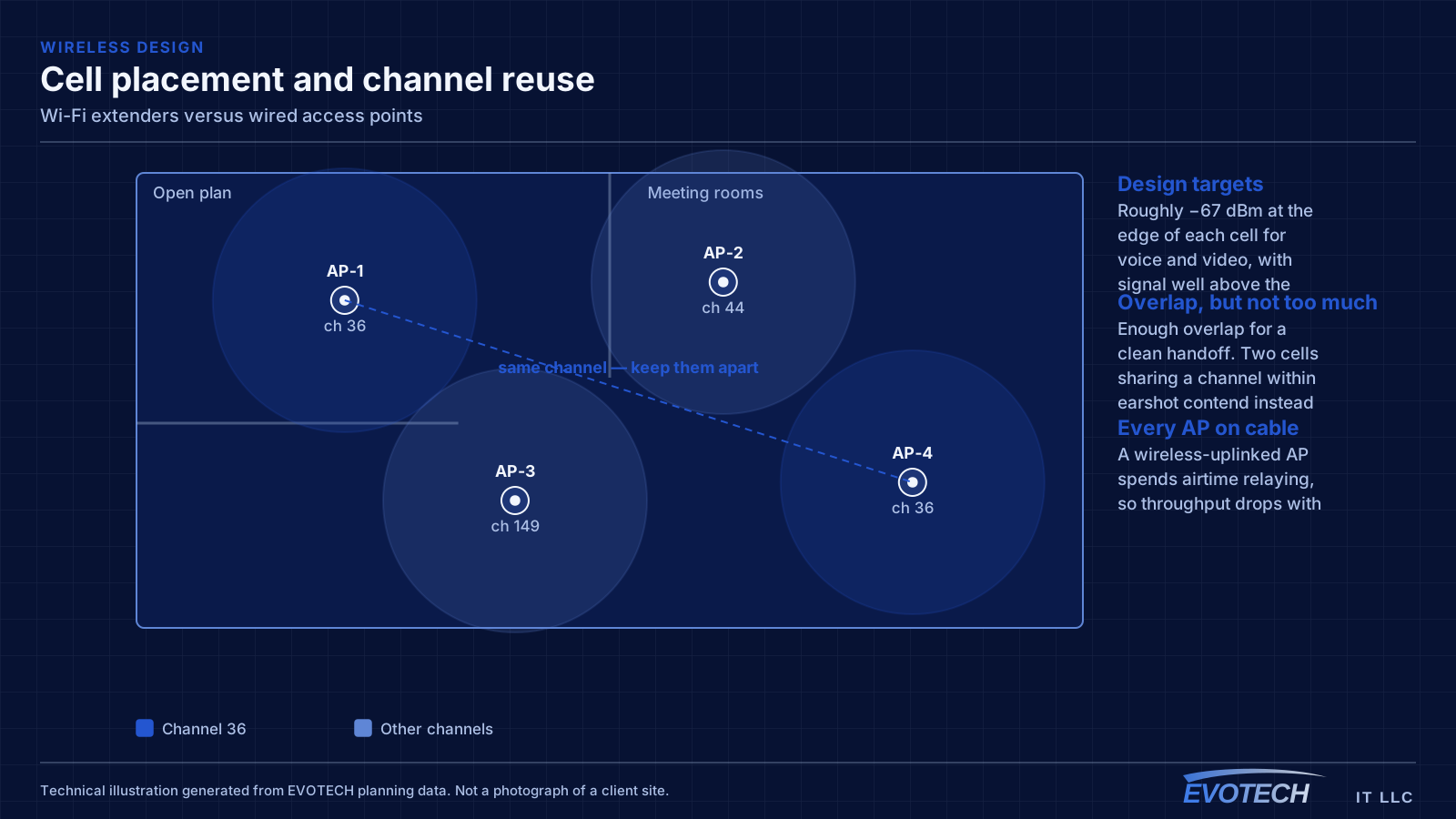
A radio can transmit or receive at a given moment, not both. When an extender relays traffic, it receives a frame from the client and then transmits that same frame to the router, consuming airtime twice for one packet's journey. Add a second hop and the airtime cost multiplies again.
Some devices mitigate this by using a separate radio for the backhaul — a dedicated band reserved for relaying rather than shared with clients. That genuinely helps and is what distinguishes a well-designed mesh system from a basic repeater. It still costs spectrum that could otherwise serve clients, and it still adds latency at each hop.
The second and less discussed problem is client stickiness. A device that connects to an extender frequently stays connected to it after walking back within range of the main access point, because the extender's signal is still adequate. The result is a phone getting relayed throughput while standing next to a perfectly good access point.
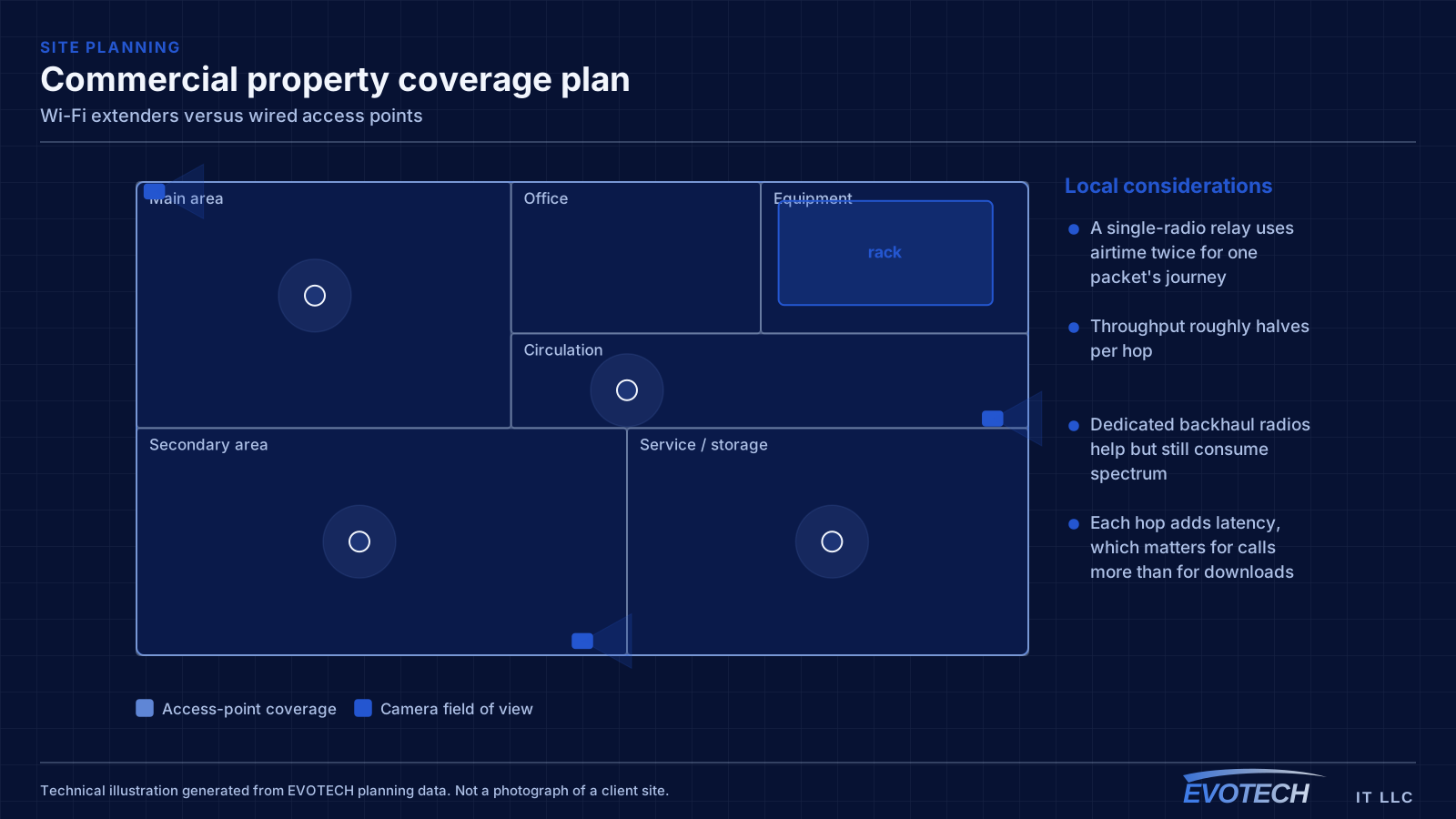
- A single-radio relay uses airtime twice for one packet's journey
- Throughput roughly halves per hop
- Dedicated backhaul radios help but still consume spectrum
- Each hop adds latency, which matters for calls more than for downloads
- Clients frequently stay attached to a relay longer than they should
When a relay is genuinely the right answer
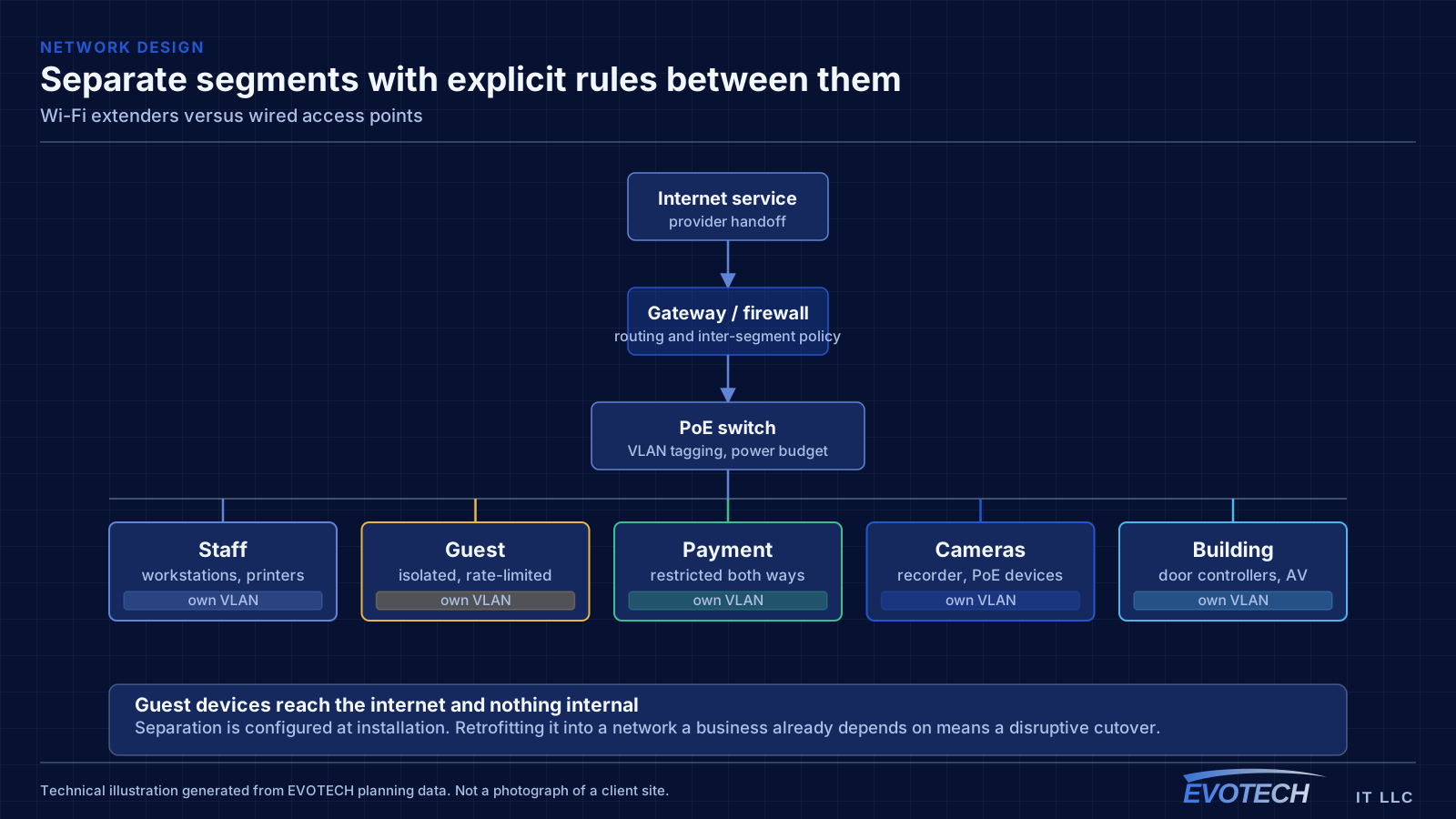
There are real situations where cable is not an option. A detached garage or workshop across a yard, a rental property where drilling is not permitted, a historic building with protected finishes, or a temporary arrangement that will be undone in six months are all legitimate cases.
In those cases, a mesh system with a dedicated backhaul radio, placed within good signal of the main unit rather than at the far edge of its range, will produce an acceptable result. Placement matters enormously: a relay positioned where it barely receives the main signal has poor input to work with, and everything downstream inherits that.
What is not a legitimate case is 'the cable run looked like effort.' In slab-foundation construction an attic route to an interior wall is usually straightforward, and the difference in outcome is large enough to justify it. The relay is a fallback, not a shortcut.
- Detached structures where no cable route exists
- Rentals and buildings where drilling is not permitted
- Temporary arrangements that will be removed
- Place any relay within strong signal of its parent, not at the edge
- Prefer systems with a dedicated backhaul radio
Mesh systems: the honest version
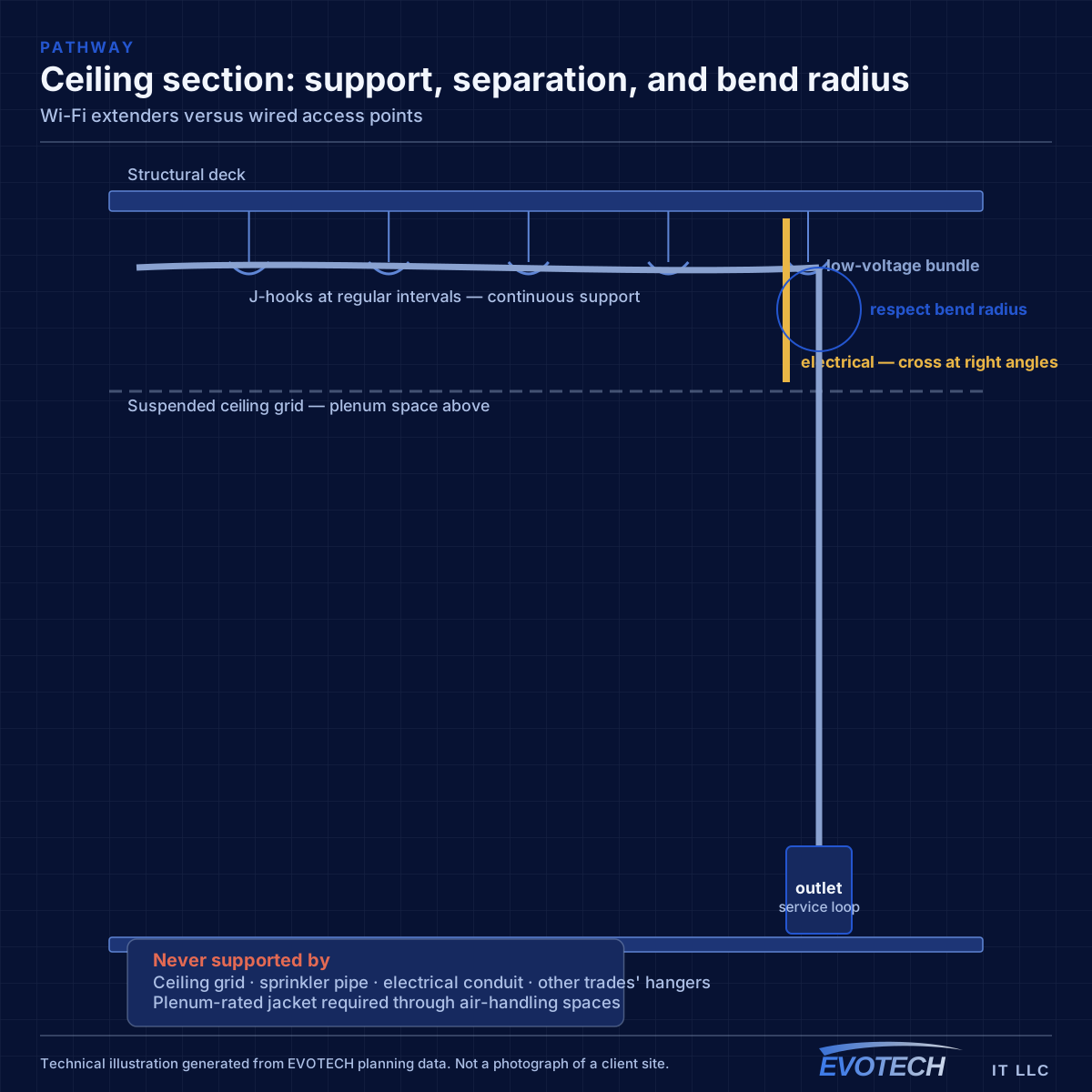
Mesh systems get marketed as an alternative to wiring, and they are genuinely good products that solve a real problem — coverage in buildings where running cable is impractical. What gets understated is that every mesh node supports a wired connection, and that using it converts the node into an ordinary well-placed access point with none of the relay penalty.
So the most useful thing to know about a mesh system is that its best configuration is the wired one. A three-node mesh with all three nodes wired is an excellent small network. The same three nodes relaying in a chain is a substantially worse one, using the same hardware.
Where only some nodes can be wired, wire those and let the remainder relay from them. A single relay hop from a wired node is much better than a chain, because the penalty compounds with each additional hop.
- Mesh nodes almost always support wired backhaul
- A wired mesh node is simply a well-placed access point
- The same hardware performs very differently wired versus relaying
- Wire what you can; let the remainder relay from a wired node
- Avoid chains — the penalty compounds per hop
How to tell whether a relay is the current problem
The symptom pattern is distinctive. Throughput measured next to the main router is good; throughput measured next to the extender is roughly half or worse; and throughput on a device that has walked back toward the router but stayed attached to the extender is poor despite the device showing strong signal.
That last case is the confusing one, because the device reports excellent signal — it genuinely has excellent signal to the extender. The problem is what happens after that, which the device has no way to display.
The diagnostic step is checking which access point a device is actually associated with, then comparing throughput on the same device when forced onto the main unit. If the difference is large, the relay is the constraint and a cable to that position is the fix.
- Good throughput at the router, roughly half at the extender
- Poor throughput on devices showing strong signal to a relay
- Check which access point a device is actually associated with
- Compare throughput on the same device forced onto the main unit
- Latency variation shows up on calls before it shows on downloads
What running the cable actually involves
In most slab-foundation homes the route is attic to interior wall: up above the equipment position, across the attic, and down into the cavity of an interior wall at the destination. Where the destination wall is interior and its top plate is accessible, this is straightforward.
Exterior walls are harder — insulation, bracing, and veneer all interfere — and older homes sometimes have fire blocking that stops a fish tape partway. Those are the cases where a genuine conversation about alternatives is warranted: a small access cut that gets patched, a surface raceway, or moving the intended position to a wall that can be reached.
For a ceiling-mounted access point the destination is the ceiling rather than a wall, which is often easier, since the run comes straight down from the attic to a mounting bracket without needing to enter a wall cavity at all.
- Attic to interior wall is the standard residential route
- Ceiling positions are frequently easier than wall drops
- Exterior walls with insulation and veneer are harder
- Fire blocking can interrupt a cavity partway
- Alternatives worth discussing before cutting rather than mid-run
The hybrid arrangement most buildings actually end up with
Very few real installations are entirely wired or entirely relayed. The usual outcome is a majority of positions on cable and one or two that genuinely cannot be reached, and the design question becomes which positions to prioritise for the cable budget.
The answer is to wire the positions carrying the most traffic and the ones furthest from the equipment. Wiring the nearest position and relaying the far one is exactly backwards, because the far relay then has the weakest parent link and the largest area to serve. Wiring the far position and letting a nearby one relay from it produces a much better result with the same amount of cable.
The other consideration is which position serves devices that cannot tolerate variability. If the home office, the conference room, or the point-of-sale area is served by a particular access point, that is the one to wire regardless of distance, because those are the workloads where relay latency shows up first.
- Wire the highest-traffic and furthest positions first
- A relay attached to a wired far position beats a relay at the far end of a chain
- Prioritise positions serving calls, payments, or other latency-sensitive work
- Every relay should have exactly one hop to a wired parent
- Revisit the arrangement whenever a new position is added
Frequently asked questions
Do modern mesh systems still have the halving problem?
Systems with a dedicated backhaul radio avoid the worst of it, because the relay traffic does not share airtime with client traffic. They still consume spectrum that could serve clients, still add latency per hop, and still perform noticeably better wired. The improvement is real; the wired option remains better.
Is a powerline adapter a reasonable alternative to cable?
Sometimes, and it is genuinely worth trying where no cable route exists, since it costs little to test. Performance depends heavily on the building's electrical wiring — which circuits the two outlets are on, and what else is on them — and it is unpredictable enough that it should be tested in the actual positions before being relied on.
My extender shows a strong signal. Why is it still slow?
The signal it shows is the signal to the extender, which is only half the path. If the extender's own connection back to the router is weak, or if it is relaying on the same radio it serves you with, throughput drops regardless of how strong your local link looks. That is precisely why the indicator is misleading.
How many extenders is too many?
More than one in a chain is usually already too many, because the penalty compounds per hop. Several relays each connecting directly to a wired parent is a different and much more workable arrangement than a chain, which is why wiring at least some positions changes the whole design.