

Why this page exists
Wi-Fi installation in The Woodlands is scoped around the same physical realities EVOTECH weighs everywhere — but read through The Woodlands's specific conditions: mature tree cover on many residential lots, attenuating outdoor wireless signal and generating constant motion in camera scenes. This page pairs what the service actually involves with what the The Woodlands market changes about it.
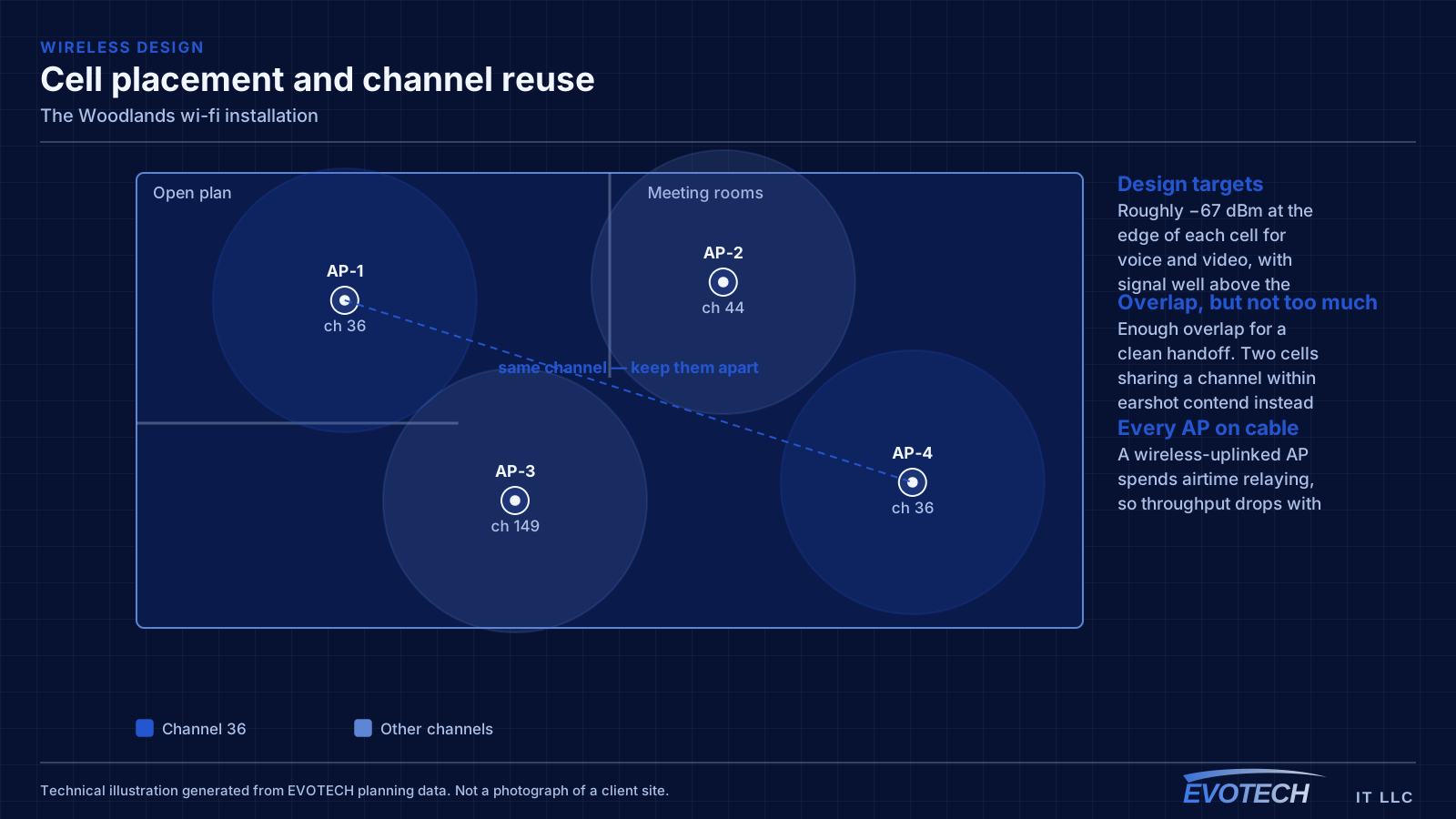
Good Wi-Fi comes from deciding where signal needs to be strong, then placing access points so that each area gets a solid signal from one AP without excessive overlap from others. The target most designs work to is around -67 dBm at the edge of each coverage area for voice and video, with signal comfortably above the local noise floor. Placement follows from that number and from the walls between the AP and the users.
What wi-fi installation usually involves
The most common complaint is a call dropping when someone walks from one room to another. That is a roaming problem, and it usually traces back to coverage design: either the cells overlap too little, so the client hangs onto a dying signal, or they overlap too much on the same channel, so everything is contending.
The second recurring problem is that the wireless network is blamed for a wired or internet issue. A device showing full signal bars and still performing badly is pointing at something past the access point — an oversubscribed uplink, a saturated internet circuit, or a switch port negotiating incorrectly.
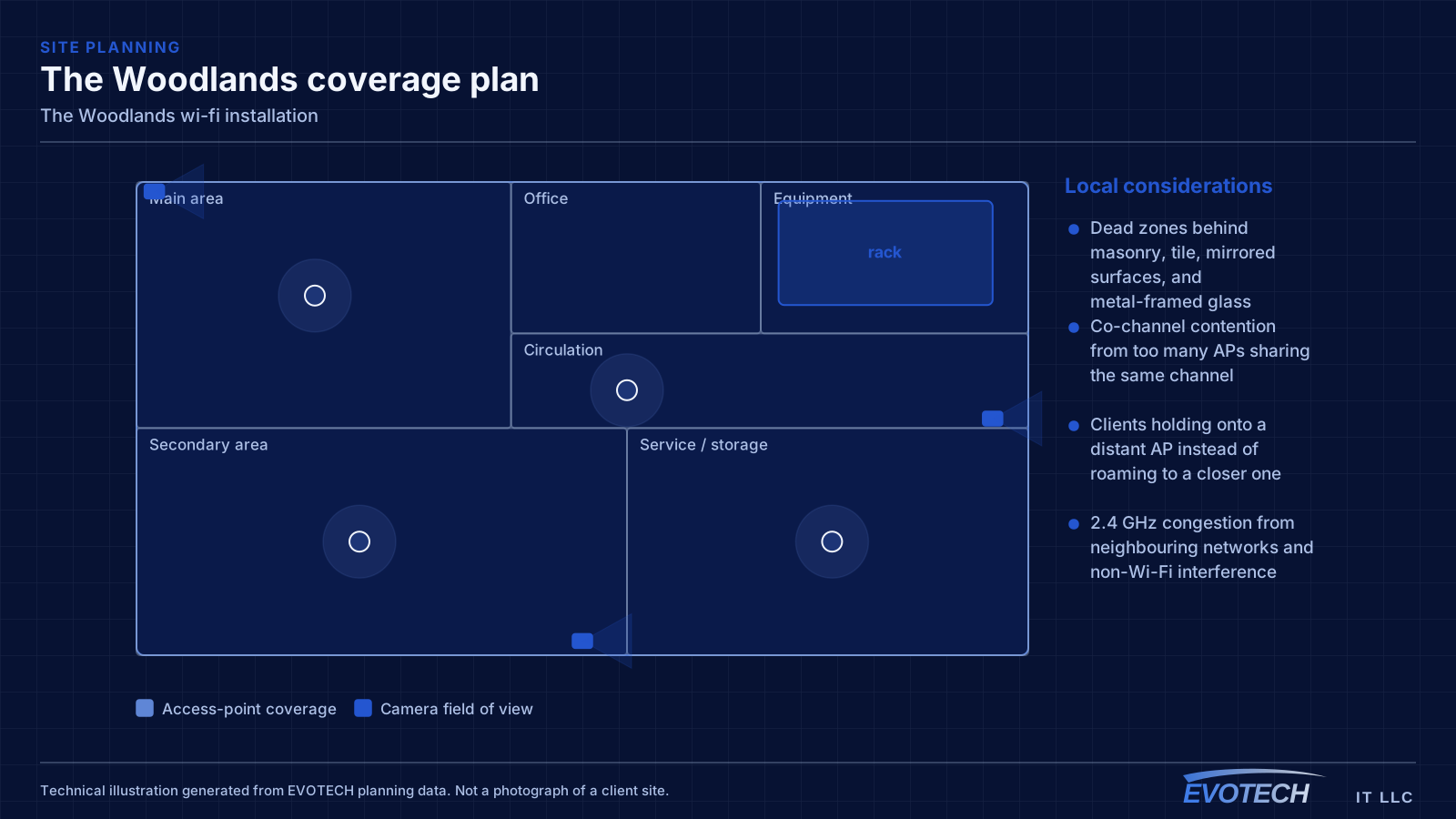
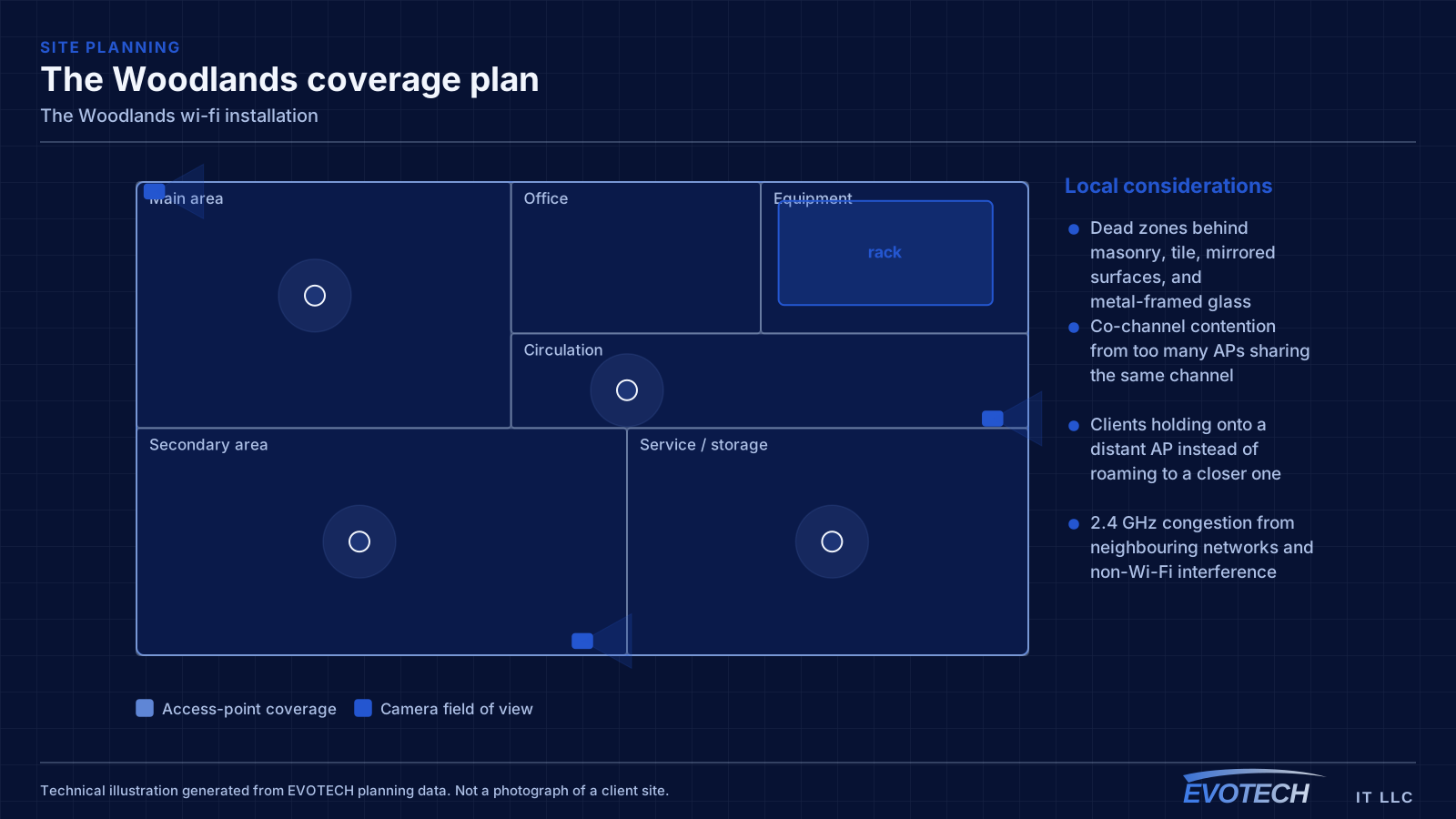
- Dead zones behind masonry, tile, mirrored surfaces, and metal-framed glass
- Co-channel contention from too many APs sharing the same channel
- Clients holding onto a distant AP instead of roaming to a closer one
- 2.4 GHz congestion from neighbouring networks and non-Wi-Fi interference
- Access points fed by repeaters instead of cable, halving effective throughput
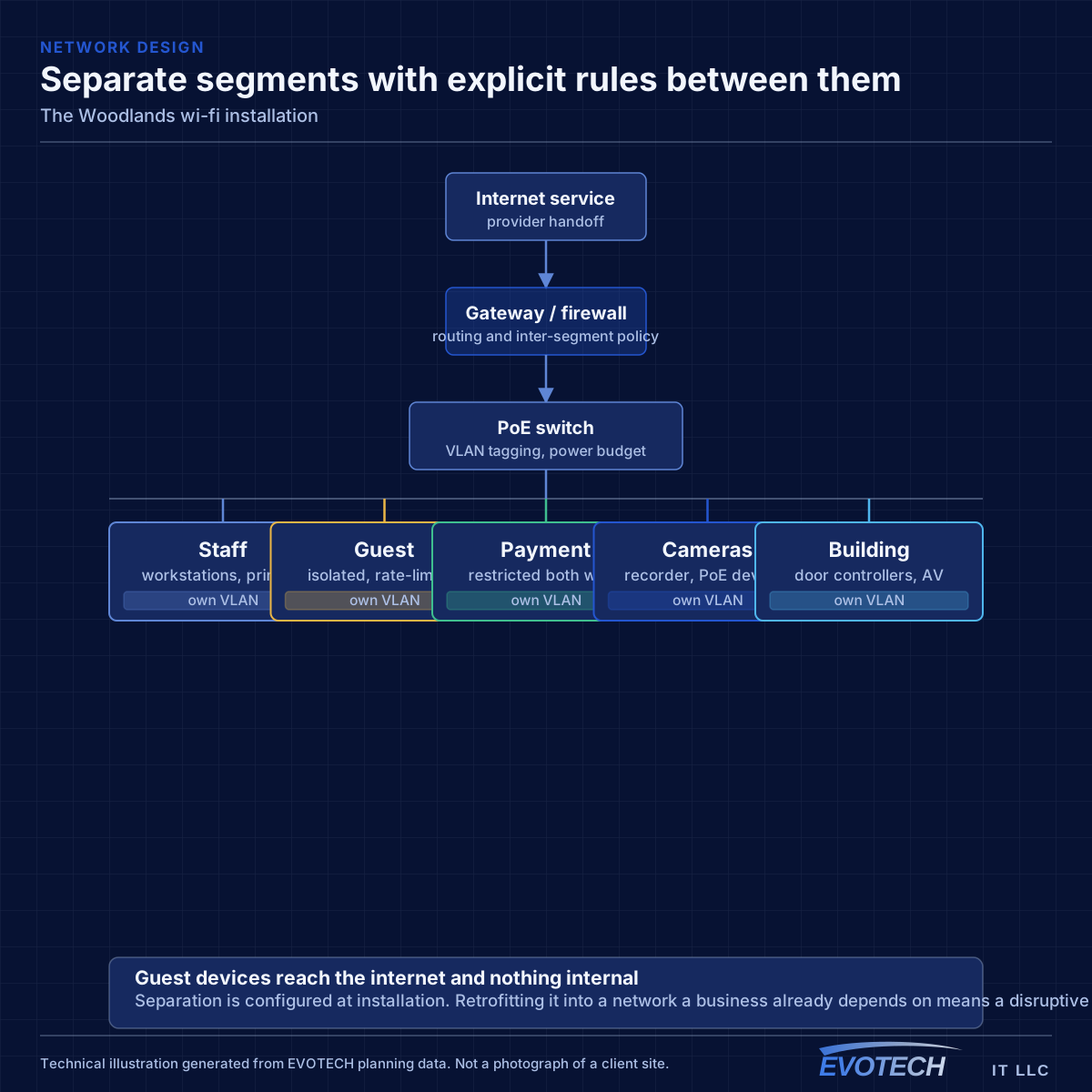
- Guest and business traffic sharing one network with no separation
The Woodlands property conditions that change the plan
Office space here tends toward newer construction with accessible ceilings and reasonable existing pathway, which makes the physical work straightforward. What is less straightforward is capacity: these are offices with a lot of meeting rooms, and meeting rooms concentrate demand into single cells in a way that a coverage-based design will not anticipate.
Residential lots are often larger and heavily wooded, with detached garages, workshops, and pool structures that sit well beyond where house wireless can usefully reach. Those need their own cable or a deliberately designed link rather than an attempt to push coverage outward.
Foliage attenuates wireless signal, and unlike a wall it changes with season and moves constantly in wind. A link between a house and a detached workshop that works in winter can degrade noticeably once the canopy fills in. Where a wireless link is genuinely the only option, that seasonal variation is worth planning for rather than discovering.
- Newer commercial construction with accessible ceilings and existing pathway
- High meeting-room density concentrating wireless demand
- Larger residential lots with detached structures
- Mature tree cover between the house and outbuildings
- Outdoor amenity areas — patios, pool decks — needing rated equipment
- Cable to detached structures preferred over a wireless link through canopy
- Seasonal foliage variation accounted for where a wireless link is unavoidable
- Camera framing that excludes moving vegetation from the scene
- Detection zones tuned so wind does not generate constant events
- Meeting-room capacity planned explicitly on the commercial side
Getting wi-fi installation done in The Woodlands
Wireless capacity comes from having multiple non-overlapping channels in use across a space. In North America, 2.4 GHz offers three non-overlapping 20 MHz channels, which is why it congests so quickly — in a dense building the neighbours are using them too. The 5 GHz band offers far more channels, including DFS channels that require radar detection and which many designs skip unnecessarily. The 6 GHz band, where equipment and regulations permit, adds substantially more spectrum with the caveat that only newer client devices can use it.
Runs to detached structures on wooded lots are usually the most involved part of a residential project here — the route matters, and burial or conduit is generally preferable to anything aerial through trees. That is a planning conversation rather than an afternoon's work.
- Buried or conduit routes to outbuildings rather than aerial through trees
- Surge protection on any run between separate structures
- Exterior equipment rated for humidity and driven rain
- Commercial work scheduled around meeting-room availability
- Base-building rules confirmed for leased office space
Popular services nearby
Frequently searched near this area — the pages people look for most.
Frequently asked questions
Does EVOTECH have an office in The Woodlands?
No. This is a service-area page: EVOTECH serves The Woodlands without claiming a physical office there. The wording stays as coverage, not a location claim.
Why does a call drop when walking between rooms?
That is a roaming symptom. Either the coverage areas do not overlap enough, so the device holds a fading signal past the point of usefulness, or they overlap heavily on the same channel, so the handoff happens into a congested cell. Both are fixed by adjusting placement, power, and the channel plan rather than by adding another access point at the same settings.
Can a detached workshop be covered by extending house Wi-Fi?
Rarely well, particularly with mature trees in between. Foliage attenuates signal and the attenuation changes with the season and with wind. A cable to the structure — buried or in conduit — gives a predictable result, and where the two structures are separately grounded, fiber removes the electrical risk that a copper run would introduce.