

Why this page exists
Network troubleshooting in Katy is scoped around the same physical realities EVOTECH weighs everywhere — but read through Katy's specific conditions: housing stock skewed toward newer, larger single-family construction with wide floor plans that exceed single-router coverage. This page pairs what the service actually involves with what the Katy market changes about it.
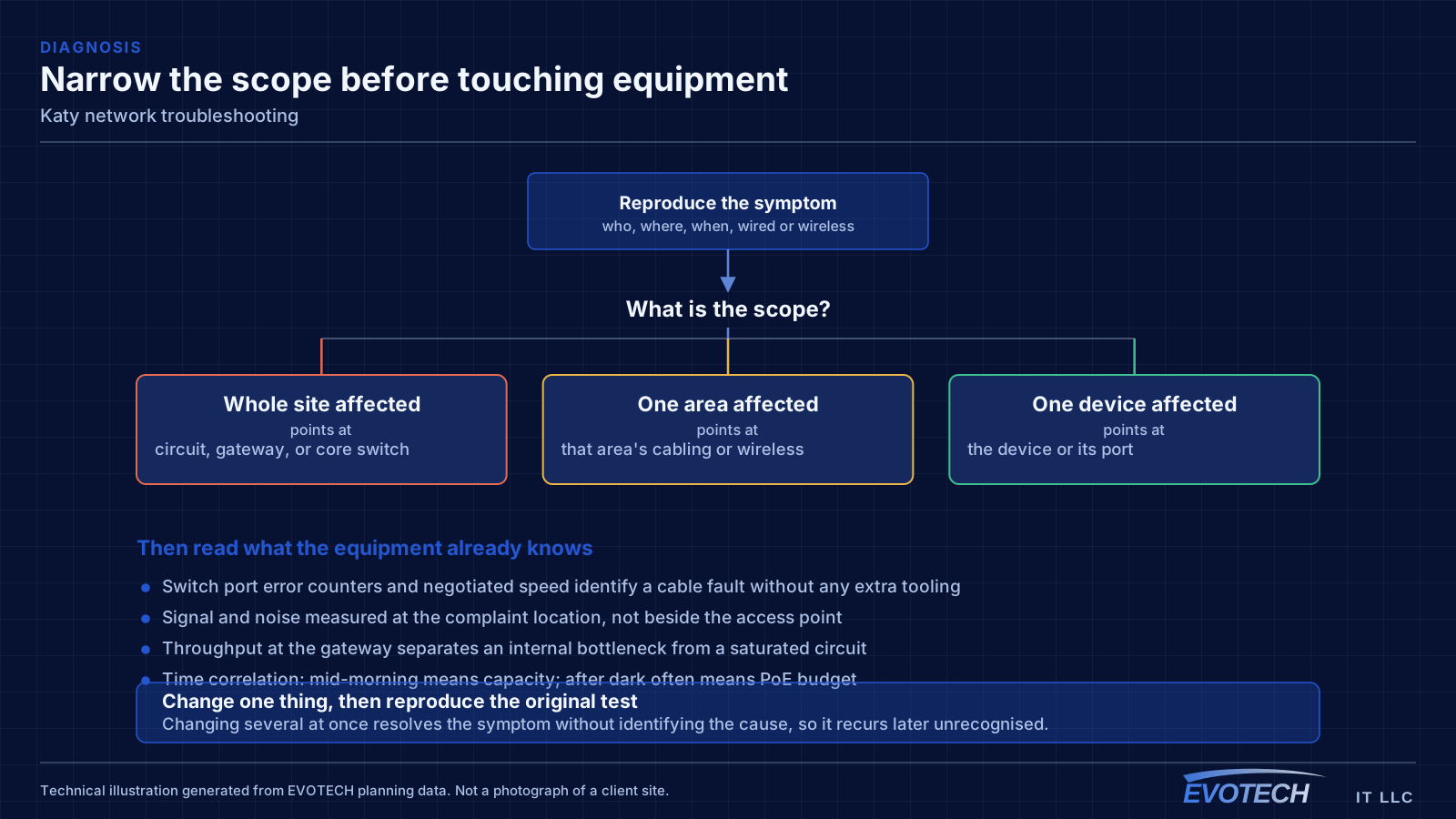
Effective troubleshooting is a process of elimination against a specific, reproducible symptom. 'The internet is slow' is not yet a diagnosis — slow for whom, on which devices, wired or wireless, at what times, to which destinations. Those answers usually point at a layer before any equipment is touched.
What network troubleshooting usually involves
The single most useful distinction is between a problem affecting everything and a problem affecting one device or area. Everything at once points toward the shared path — the circuit, the gateway, or the main switch. One area points toward that area's cabling, its access point, or its switch. One device points at the device or its port.
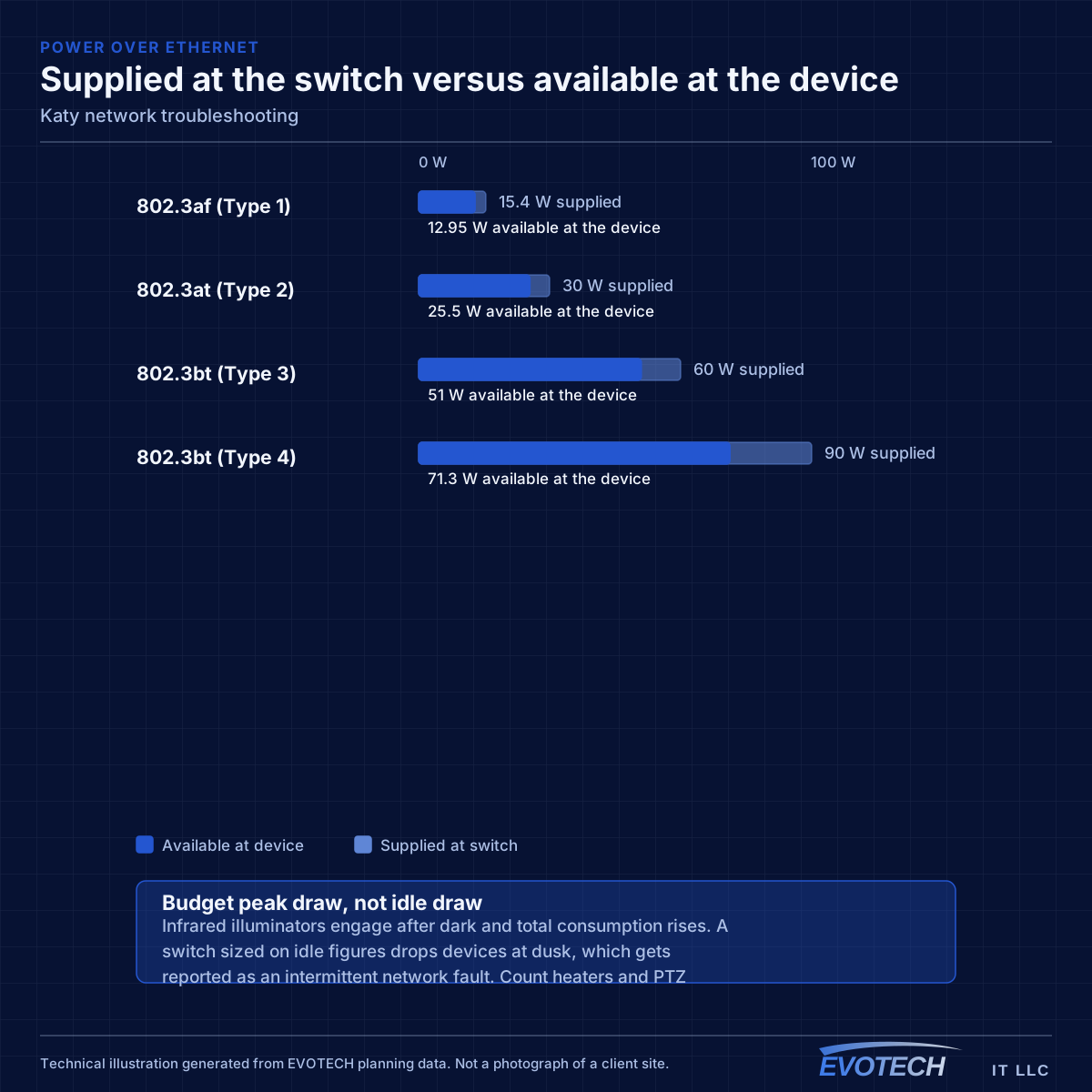
Timing is the second most useful clue. A problem that appears mid-morning and disappears at night is capacity related. A problem that appears after dark suggests something engaging on a schedule — camera illuminators pushing a PoE budget over is the classic example. A problem that appears at random is more often physical: a marginal termination, a failing port, or a cable that moves.
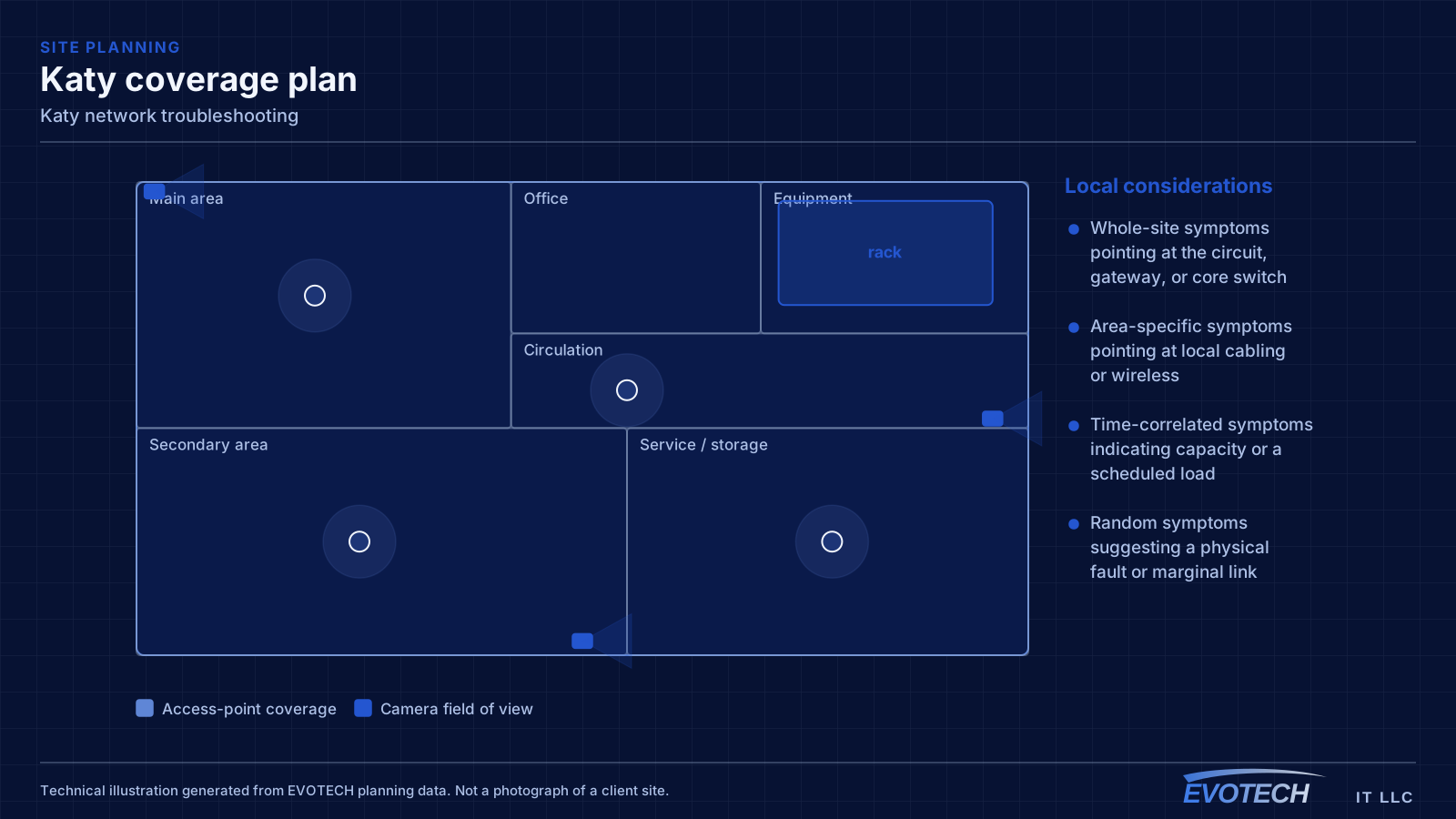
- Whole-site symptoms pointing at the circuit, gateway, or core switch
- Area-specific symptoms pointing at local cabling or wireless
- Time-correlated symptoms indicating capacity or a scheduled load
- Random symptoms suggesting a physical fault or marginal link
- Duplicate addressing or a rogue device handing out addresses
- Switching loops flooding a network after a cable was patched in twice
- Speed or duplex mismatches producing errors rather than outright failure
Katy property conditions that change the plan
The characteristic Katy residential project involves a house with more area than a single wireless position can cover and an equipment location chosen by the builder for cable convenience rather than for coverage. A media panel in the garage is a fine place to terminate cable and a poor place to originate a wireless signal from.
The useful consequence is that the cable often already exists. Builder-installed runs to bedrooms and living areas can frequently be repurposed — tested, re-terminated where necessary, and patched into a proper switch — which reduces the work to adding the runs that are genuinely missing, usually ceiling positions for access points.
The work divides into three parts. First, establish what the builder actually installed and whether it tests clean — a panel full of terminated cable is only useful if the runs are sound and land somewhere helpful. Second, decide where the access points need to be, which in a wide floor plan usually means two or three central ceiling positions rather than one. Third, sort out the equipment position, which often means adding a switch at the panel and sometimes relocating the primary equipment somewhere with ventilation.
- Wide single- and two-storey floor plans exceeding single-position coverage
- Media panels commonly in garages or perimeter utility spaces
- Builder cable frequently reusable after testing and re-termination
- Ceiling access-point positions usually absent and needing to be added
- Attic access generally good, making added runs straightforward
- Test and inventory existing builder-installed cable before planning new runs
- Two or three central ceiling positions rather than one high-power router
- Switch and equipment provision at the media panel
- Consider relocating primary equipment where the panel has no ventilation
- Outdoor coverage for patios and detached structures planned separately
Getting network troubleshooting done in Katy
Switch port statistics are the most underused diagnostic resource on most networks. Error counters, discards, and negotiated speed for each port are already being recorded, and a port showing rising errors identifies a cable or connector problem without any additional testing. A port that negotiated 100 Mbps when it should be at 1 Gbps points at a damaged pair or a marginal termination.
Attic access in this housing stock is generally good, which makes added runs comparatively efficient — the constraint is heat rather than access, so summer work is scheduled early. Garage-located media panels are frequently unconditioned, which matters for equipment placement: a switch in a hot garage cabinet has a shorter life than the same switch in a conditioned closet.
- Good attic access, with heat rather than geometry as the constraint
- Garage media panels often unconditioned, affecting equipment life
- Detached structures needing their own cable or a deliberate wireless link
- Outdoor patio coverage as a common addition
- Occupied-home working practice: dust control and daily clear-down
Frequently asked questions
Does EVOTECH have an office in Katy?
No. This is a service-area page: EVOTECH serves Katy without claiming a physical office there. The wording stays as coverage, not a location claim.
Why is the network slow only in the afternoon?
Time-correlated symptoms usually mean capacity rather than a fault. Something is consuming the shared resource at that time — backups, updates, more people on site, or a scheduled process. Measuring at the gateway during the slow period, and comparing it to a quiet period, distinguishes a saturated circuit from an internal bottleneck quickly.
The house has a media panel with cables already in it — is that enough?
It is a useful head start and rarely the whole answer. Builder cable typically runs to wall outlets rather than to ceiling positions where access points belong, and the panel is often in a garage rather than centrally. The usual work is testing what exists, adding the ceiling runs, and sorting out equipment placement.