Why this page exists
Ubiquiti UniFi installation for retail stores is shaped by how the space is used, not just by the service itself. Retail stores bring their own operating constraints, and this page pairs what ubiquiti unifi installation actually involves with what that environment changes about it.
A UniFi deployment puts the gateway, switching, wireless, and often cameras and door access under one controller. The practical benefit is operational rather than raw performance: one interface for network configuration, client visibility, firmware updates, and camera review, instead of separate systems that each need their own knowledge.
The floor plan is not permanent
Retail interiors get reset. Fixtures move, register positions shift for seasonal layouts, and a stockroom gets reorganised around whatever the current inventory demands. A network installed as if the layout were fixed becomes an obstacle within a couple of resets.
That argues for a specific design posture: more outlets than currently needed at likely fixture positions, ceiling access points placed to cover zones rather than aimed at current register locations, and a rack with spare capacity because the device count only ever goes up.
- Fixture and register positions change with seasonal resets
- Stockroom and receiving areas need connectivity that survives reorganisation
- Customer-facing technology increases the device count over time
- Coverage has to work with shelving in place, not in an empty store
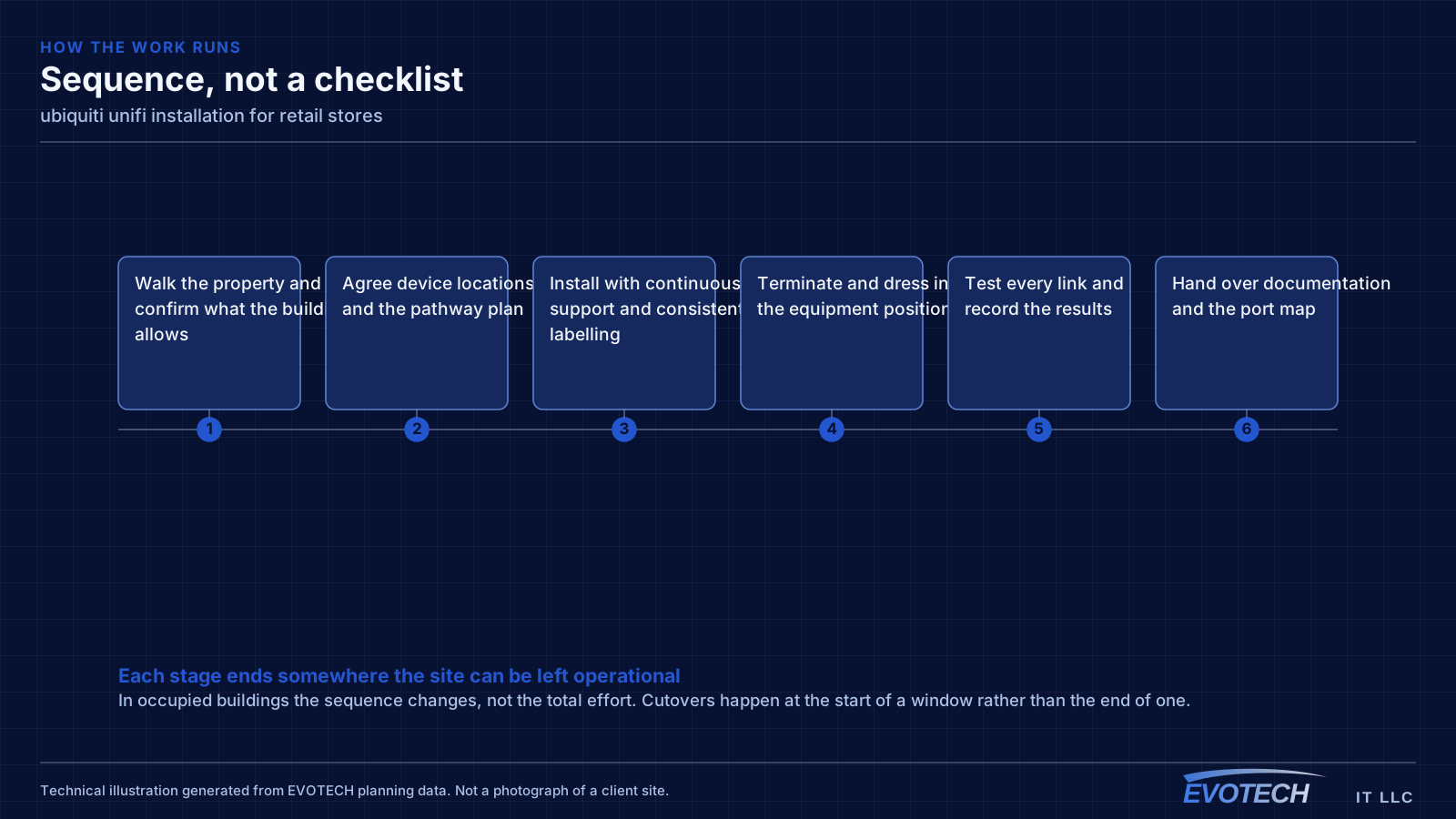
What ubiquiti unifi installation usually involves
The most common problem with an existing UniFi installation is that it was deployed as a set of boxes rather than as a design. Adopted devices on default settings, no VLANs, no channel plan, and firmware left wherever it landed will underperform, and the interface makes that easy to overlook because everything reports as online.
The second is powering. UniFi access points, cameras, and door hardware draw power over Ethernet at different classes, and a switch chosen on port count alone can run out of PoE budget before it runs out of ports. That shows up as devices rebooting under load rather than as an obvious power error.
- Devices adopted with default settings and no segmentation plan
- Switch PoE budget exhausted before the port count is
- Controller running on an unreliable host or with no backup of its configuration
- Firmware versions drifting apart across devices
- Wireless left fully automatic in a dense environment where it needs guidance
- Camera storage sized without regard to retention expectations
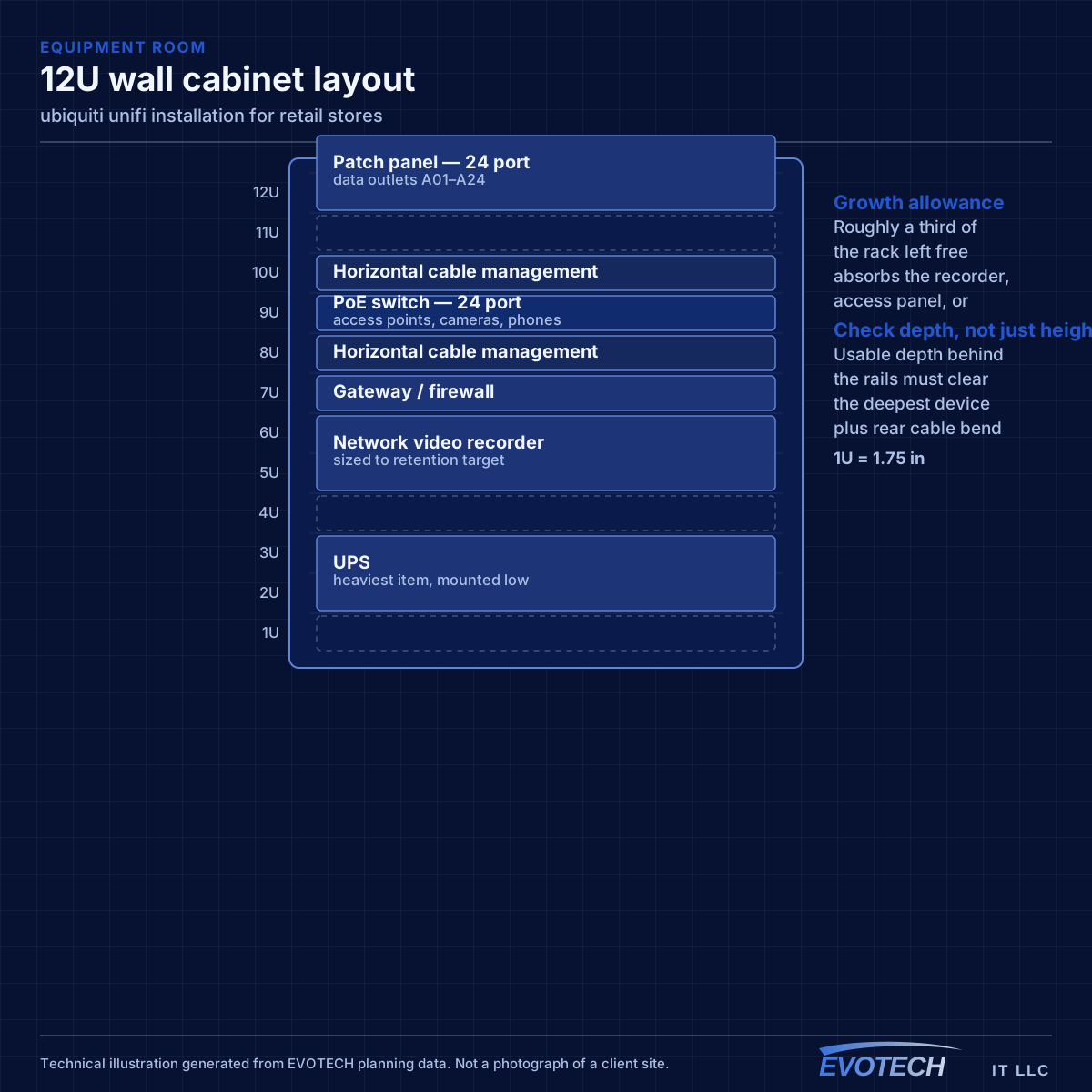
Registers, handhelds, and the guest question
Payment systems sit on their own segment for the same reasons they do in food service. What differs in retail is the number of mobile devices: handheld scanners, mobile checkout tablets, and inventory devices that move continuously across the floor and depend on clean roaming between access points.
Roaming is therefore a first-class design concern rather than an afterthought. A scanner that drops its session walking from the sales floor into the stockroom generates a support call every day. That means coverage areas need to overlap enough for a clean handoff, with a channel plan that keeps adjacent cells from contending.
Guest Wi-Fi in retail is a marketing decision as much as a technical one. Where it exists, it needs isolation and a bandwidth cap. Where it does not, saying so plainly is better than an open network nobody maintains.
- Payment systems on a dedicated segment
- Coverage designed for clean roaming across the sales floor and into the stockroom
- Handheld and mobile checkout devices treated as the primary wireless clients
- Guest access isolated and rate-limited where offered
- Back-office and inventory systems separated from customer-facing traffic
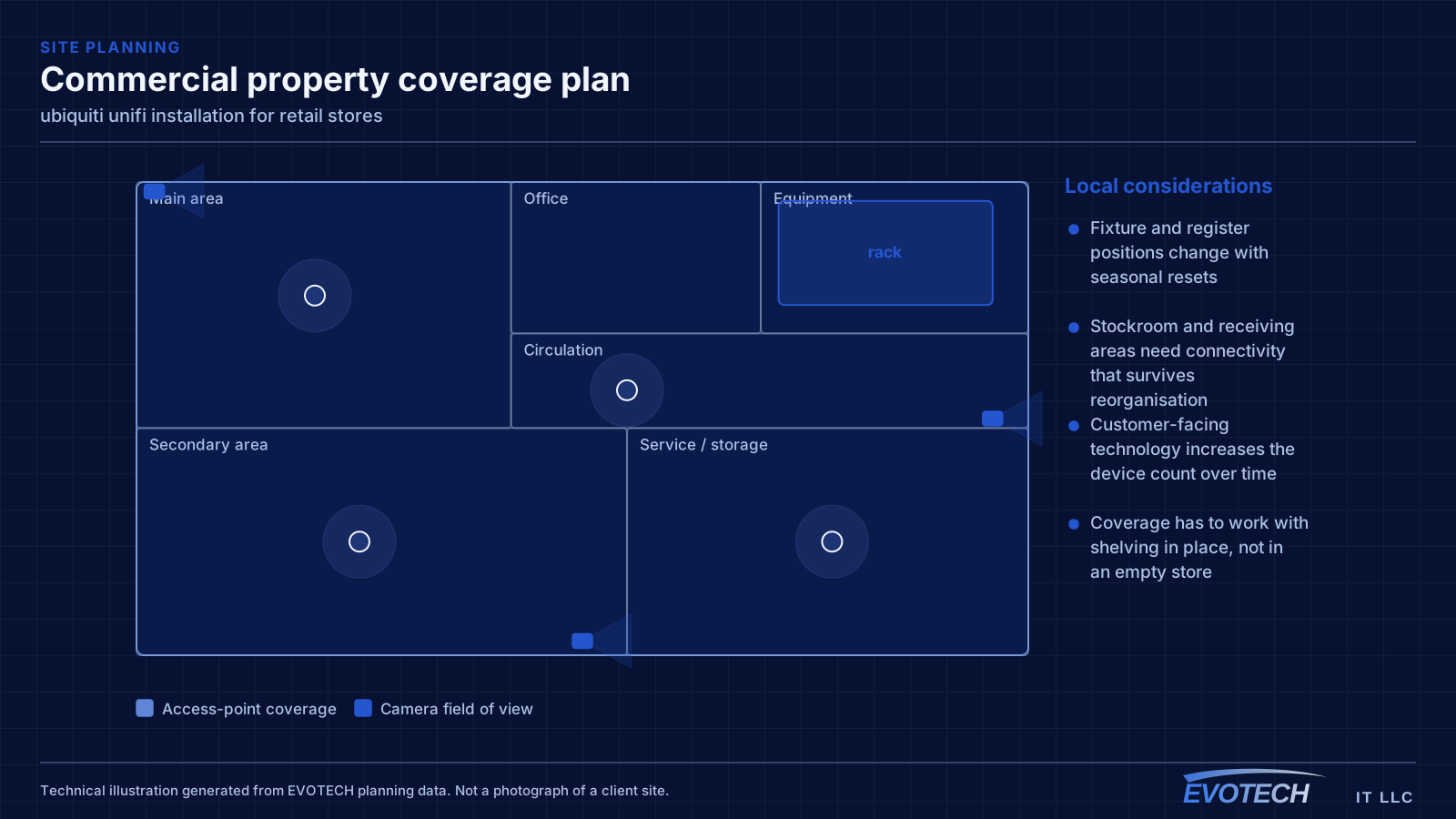
Gateway, switching, PoE budget, and controller placement
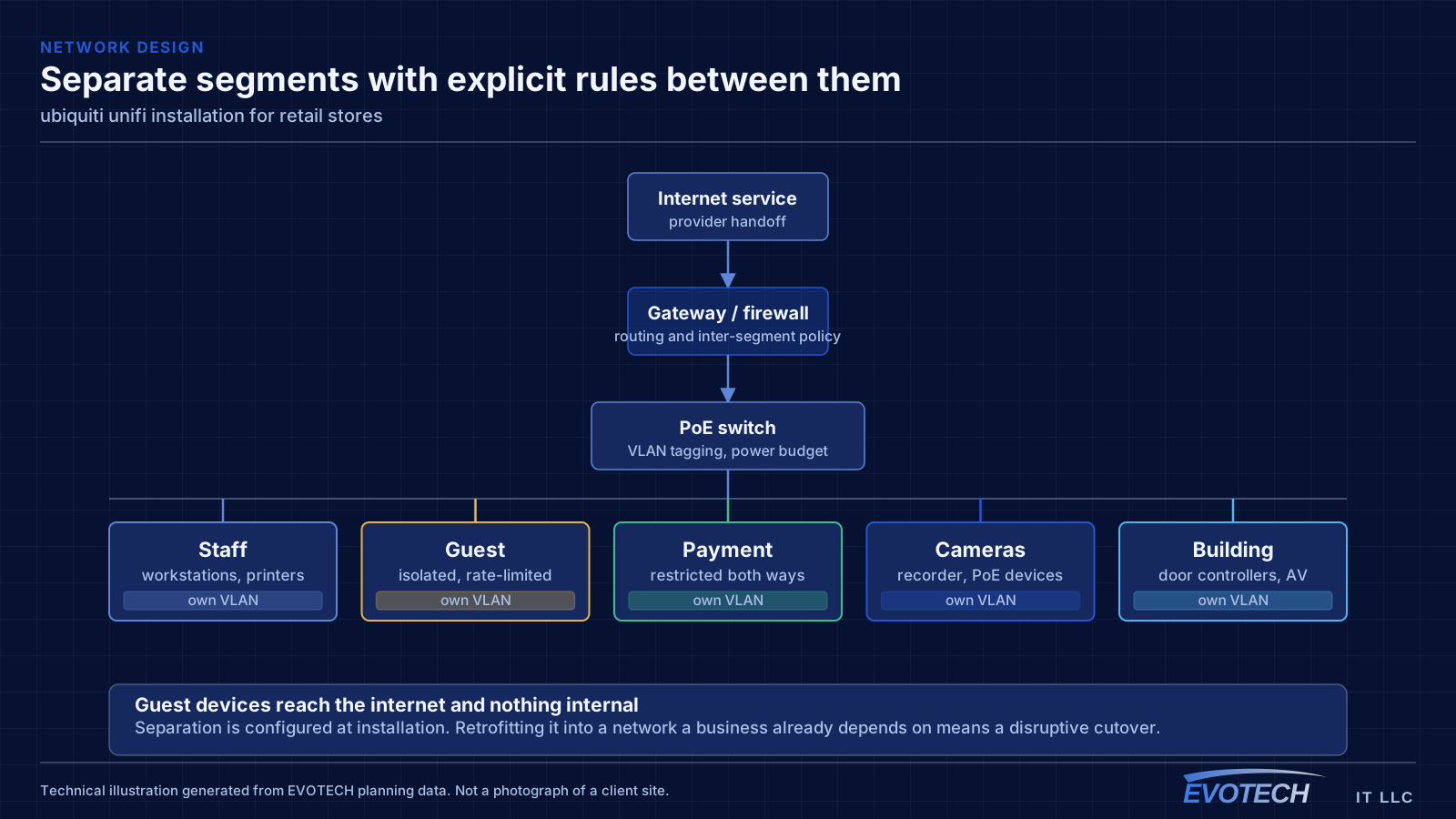
The gateway handles routing, firewalling, and inter-VLAN policy. Segmentation is where most of the practical value sits: separate networks for staff, guests, payment systems, cameras, and building devices, with rules controlling what may talk to what. A guest network that cannot reach the camera recorder is a meaningful improvement over a flat network, and it takes configuration rather than extra hardware.
- Segment staff, guest, payment, camera, and building traffic with explicit inter-network rules
- Size switches on PoE budget as well as port count, with headroom
- Account for higher-draw devices: PTZ cameras, illuminators, and door hardware
- Host the controller on reliable hardware and back up its configuration
- Keep firmware deliberately aligned rather than drifting
Popular services nearby
Frequently searched near this area — the pages people look for most.
Frequently asked questions
What changes about ubiquiti unifi installation in retail stores?
The operating environment does. Retail stores bring specific constraints — how the space is used, when work can happen, and what has to keep running — and those shape the ubiquiti unifi installation plan as much as the service's own technical requirements.
Is UniFi the right choice for a small business?
It suits sites that want proper segmentation, decent wireless, and cameras under one interface without employing a network administrator. The tradeoff is committing to one vendor's ecosystem. A mixed-vendor design gives more freedom to pick the best component for each role; the single-vendor version is easier to live with day to day. Both are defensible — it is worth choosing on purpose.
How many network outlets should a retail space have?
More than the current fixture plan suggests. Retail layouts get reset, and adding a run while the ceiling is open costs a fraction of retrofitting one across a finished sales floor. Terminated spare runs at likely register and fixture positions are among the cheapest insurance in a retail fit-out.