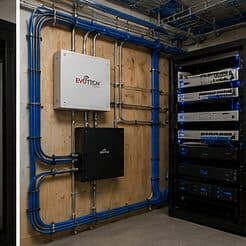
Why this page exists
PoE camera installation for retail stores is shaped by how the space is used, not just by the service itself. Retail stores bring their own operating constraints, and this page pairs what poe camera installation actually involves with what that environment changes about it.
A PoE camera takes its power from the same Ethernet cable that carries its video, which removes the need for a local outlet at every mounting position. That is the entire practical appeal: one run per camera, no electrician at each soffit, and centralised power that can sit behind a UPS so the cameras stay up during a short outage.
The floor plan is not permanent
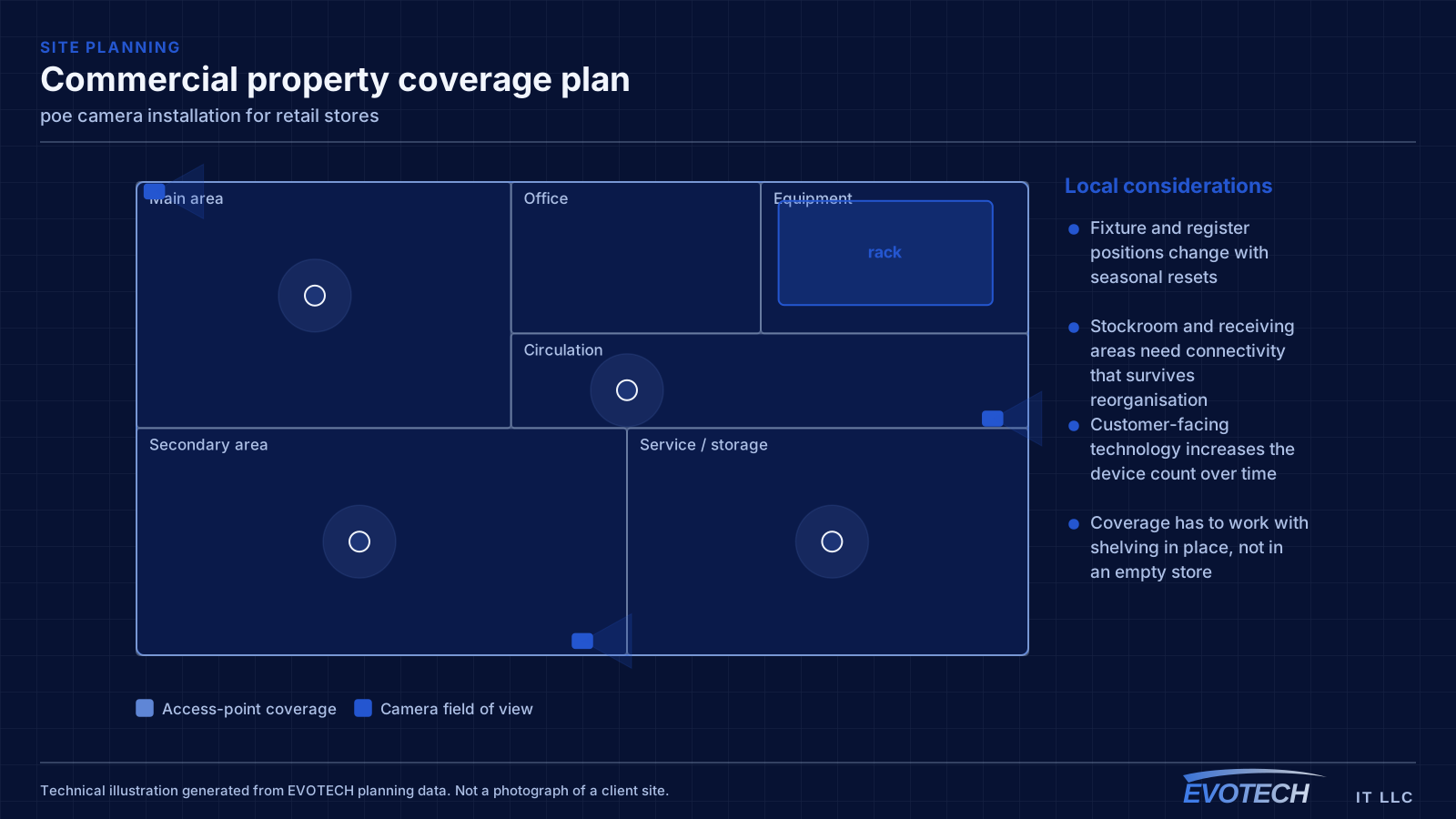
Retail interiors get reset. Fixtures move, register positions shift for seasonal layouts, and a stockroom gets reorganised around whatever the current inventory demands. A network installed as if the layout were fixed becomes an obstacle within a couple of resets.
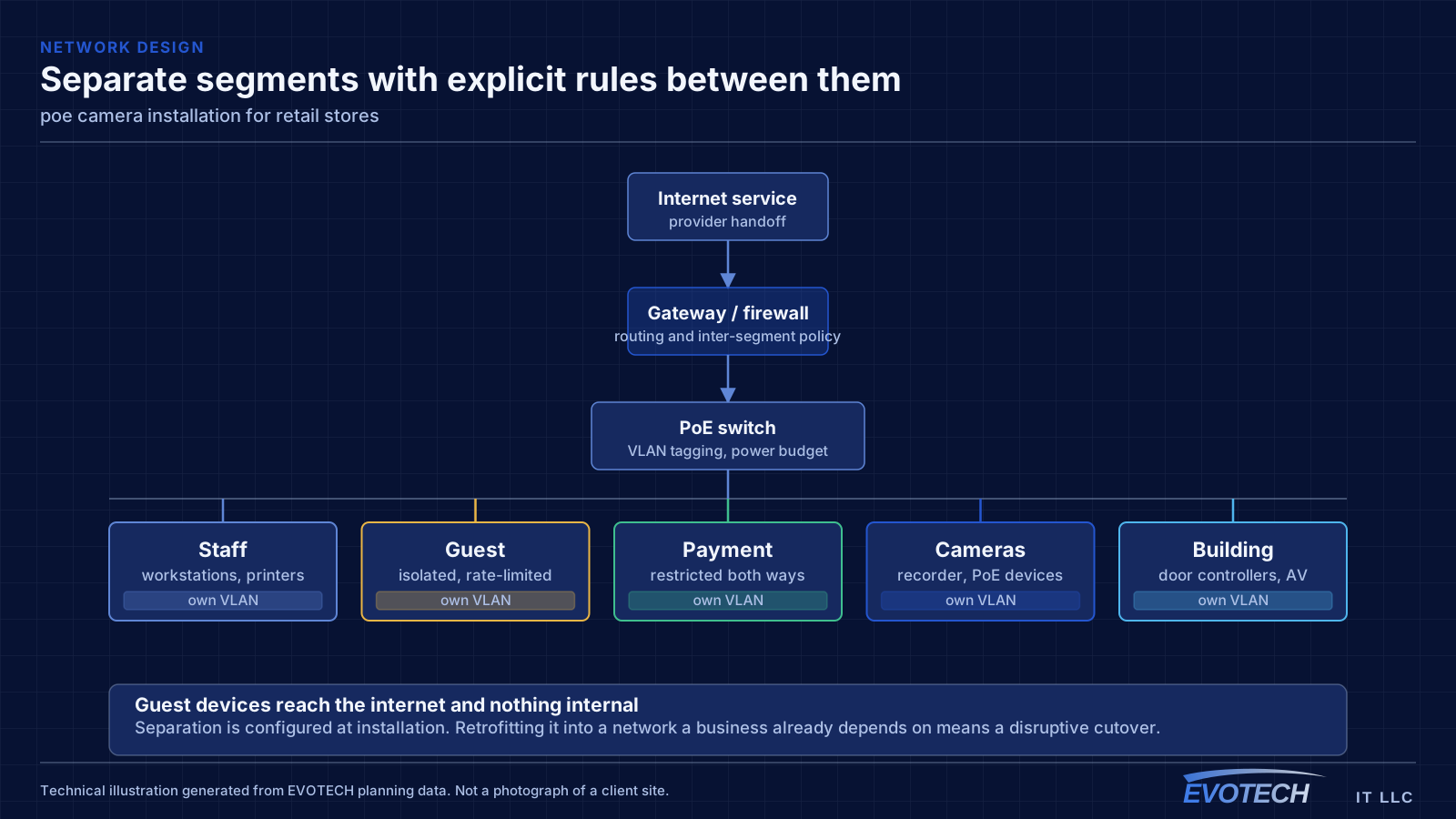
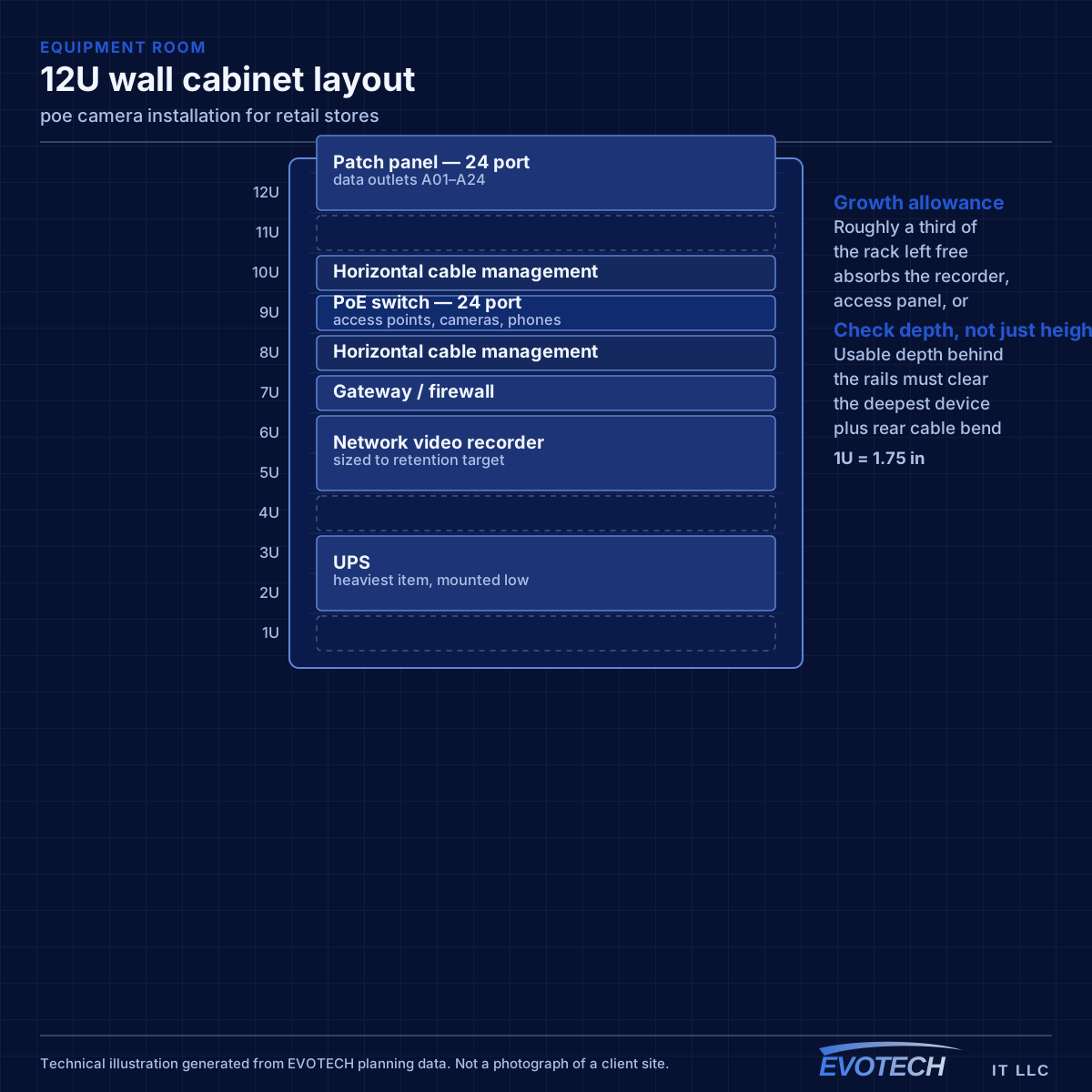
That argues for a specific design posture: more outlets than currently needed at likely fixture positions, ceiling access points placed to cover zones rather than aimed at current register locations, and a rack with spare capacity because the device count only ever goes up.
- Fixture and register positions change with seasonal resets
- Stockroom and receiving areas need connectivity that survives reorganisation
- Customer-facing technology increases the device count over time
- Coverage has to work with shelving in place, not in an empty store
What poe camera installation usually involves
The characteristic PoE problem is a camera that reboots under specific conditions — usually at night when its infrared illuminator switches on and its draw rises. If the switch is near its budget, the additional load pushes it over and devices drop. Because it happens after dark, it often gets reported as an intermittent network fault.
The second problem is distance. PoE inherits the same 100-metre channel limit as any Ethernet run, and voltage drop over long runs on thin conductors reduces the power actually reaching the camera. A run that works at 60 metres may be marginal at 95 with a high-draw device on the end.
- Switch PoE budget exceeded once illuminators or heaters engage at night
- Long runs delivering less power at the camera than the switch reports sending
- Higher-draw devices such as PTZ cameras and heated housings mis-budgeted
- Thin or copper-clad-aluminium cable increasing resistance and voltage drop
- Dense PoE bundles heating and raising insertion loss
- No UPS on the switch, so cameras drop with any brief power interruption
Registers, handhelds, and the guest question
Payment systems sit on their own segment for the same reasons they do in food service. What differs in retail is the number of mobile devices: handheld scanners, mobile checkout tablets, and inventory devices that move continuously across the floor and depend on clean roaming between access points.
Roaming is therefore a first-class design concern rather than an afterthought. A scanner that drops its session walking from the sales floor into the stockroom generates a support call every day. That means coverage areas need to overlap enough for a clean handoff, with a channel plan that keeps adjacent cells from contending.
Guest Wi-Fi in retail is a marketing decision as much as a technical one. Where it exists, it needs isolation and a bandwidth cap. Where it does not, saying so plainly is better than an open network nobody maintains.
- Payment systems on a dedicated segment
- Coverage designed for clean roaming across the sales floor and into the stockroom
- Handheld and mobile checkout devices treated as the primary wireless clients
- Guest access isolated and rate-limited where offered
- Back-office and inventory systems separated from customer-facing traffic
PoE classes, budget arithmetic, and distance
The standards define escalating power classes. Type 1 (802.3af) supplies up to about 15.4 W at the switch with roughly 12.95 W available at the device. Type 2 (802.3at) raises that to about 30 W supplied and 25.5 W available. Type 3 and Type 4 under 802.3bt reach roughly 60 W and 90 W supplied, with about 51 W and 71 W available respectively. The gap between supplied and available is the loss in the cable, and it grows with length and with thinner conductors.
- 802.3af up to ~15.4 W supplied; 802.3at up to ~30 W; 802.3bt to ~60 W and ~90 W
- Budget on peak draw with illuminators, heaters, and motors engaged
- Same 100 m channel limit as any Ethernet run
- Full-copper conductors of correct gauge; avoid copper-clad aluminium on PoE runs
- Keep PoE bundles loose enough to shed heat
- Put the switch on a UPS so cameras survive short outages
Popular services nearby
Frequently searched near this area — the pages people look for most.
Frequently asked questions
What changes about poe camera installation in retail stores?
The operating environment does. Retail stores bring specific constraints — how the space is used, when work can happen, and what has to keep running — and those shape the poe camera installation plan as much as the service's own technical requirements.
Why do cameras reboot at night but work fine during the day?
Almost always PoE budget. Infrared illuminators engage after dark and the total draw rises, pushing the switch past its budget. It presents as intermittent camera dropouts and gets misdiagnosed as a network fault. The fix is a switch with sufficient budget and headroom, calculated from peak draw rather than idle.
How many network outlets should a retail space have?
More than the current fixture plan suggests. Retail layouts get reset, and adding a run while the ceiling is open costs a fraction of retrofitting one across a finished sales floor. Terminated spare runs at likely register and fixture positions are among the cheapest insurance in a retail fit-out.