

Why this page exists
Network troubleshooting for restaurants is shaped by how the space is used, not just by the service itself. Restaurants bring their own operating constraints, and this page pairs what network troubleshooting actually involves with what that environment changes about it.
Effective troubleshooting is a process of elimination against a specific, reproducible symptom. 'The internet is slow' is not yet a diagnosis — slow for whom, on which devices, wired or wireless, at what times, to which destinations. Those answers usually point at a layer before any equipment is touched.
The environment is harder on equipment than the traffic is
Restaurant networks do not carry much data. What makes them difficult is everything else: heat and grease near the kitchen, wash-down areas, a guest population that will connect anything to anything, payment systems that must not share a network with either, and an operating schedule that leaves a narrow window for anyone to work.
The result is that restaurant technology projects are planned around constraints rather than capacity. Where equipment can physically live, how it stays clean and cool, what has to stay isolated, and when a technician is allowed on a ladder are the questions that shape the design.
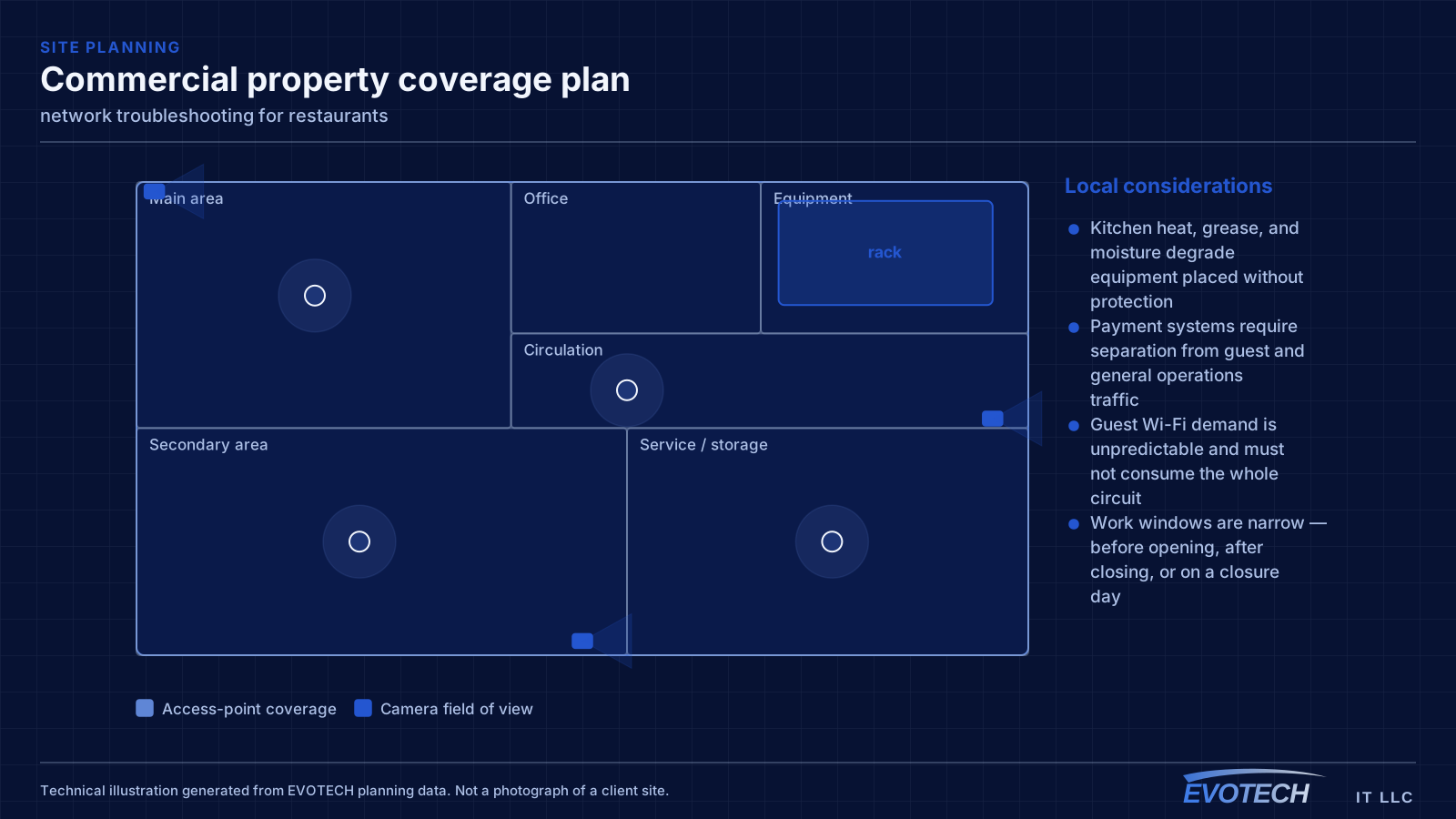
- Kitchen heat, grease, and moisture degrade equipment placed without protection
- Payment systems require separation from guest and general operations traffic
- Guest Wi-Fi demand is unpredictable and must not consume the whole circuit
- Work windows are narrow — before opening, after closing, or on a closure day
What network troubleshooting usually involves
The single most useful distinction is between a problem affecting everything and a problem affecting one device or area. Everything at once points toward the shared path — the circuit, the gateway, or the main switch. One area points toward that area's cabling, its access point, or its switch. One device points at the device or its port.
Timing is the second most useful clue. A problem that appears mid-morning and disappears at night is capacity related. A problem that appears after dark suggests something engaging on a schedule — camera illuminators pushing a PoE budget over is the classic example. A problem that appears at random is more often physical: a marginal termination, a failing port, or a cable that moves.
- Whole-site symptoms pointing at the circuit, gateway, or core switch
- Area-specific symptoms pointing at local cabling or wireless
- Time-correlated symptoms indicating capacity or a scheduled load
- Random symptoms suggesting a physical fault or marginal link
- Duplicate addressing or a rogue device handing out addresses
- Switching loops flooding a network after a cable was patched in twice
- Speed or duplex mismatches producing errors rather than outright failure
Segmentation and the point-of-sale question
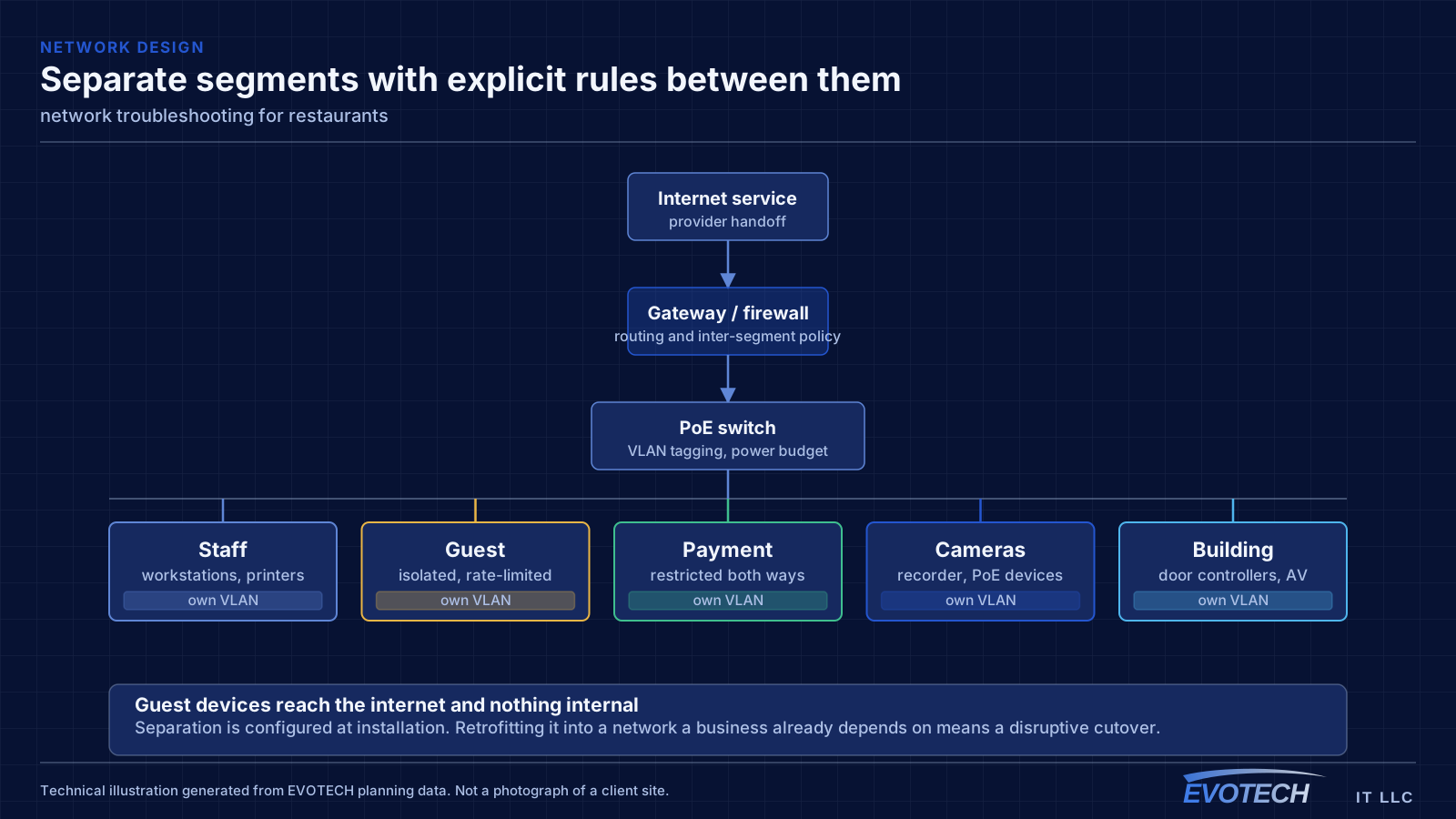
The payment environment should sit on its own network segment with restricted access to and from everything else. That is standard practice, it simplifies any compliance conversation the operator has with their payment provider, and it means a compromised guest device cannot reach a terminal. Building it in at installation is straightforward; retrofitting it into a flat network during business hours is not.
Operations traffic — kitchen display screens, tablets, printers, back-office computers, phone systems — belongs on a third segment. These need reliability more than bandwidth, and several of them work better wired than wireless. A kitchen display or receipt printer on a cable stops being a wireless troubleshooting problem permanently.
Guest Wi-Fi should be isolated from everything internal, isolated from other guest devices, and rate-limited. Without a limit, a handful of guests streaming can degrade the connection that the payment system depends on, which turns a hospitality feature into an operational risk.
- Payment systems on a dedicated segment with restricted cross-network access
- Kitchen displays, printers, and back-office equipment wired where practical
- Guest network isolated from internal systems and from other guest devices
- Guest bandwidth capped so it cannot starve operations at peak
- Access points covering the dining room, bar, and patio as distinct areas
Isolating the layer, and reading what the equipment already knows
Switch port statistics are the most underused diagnostic resource on most networks. Error counters, discards, and negotiated speed for each port are already being recorded, and a port showing rising errors identifies a cable or connector problem without any additional testing. A port that negotiated 100 Mbps when it should be at 1 Gbps points at a damaged pair or a marginal termination.
- Read switch port error counters, discards, and negotiated speeds first
- Measure wireless signal and noise at the complaint location, not at the access point
- Identify which AP and channel the affected client is actually using
- Measure at the gateway to separate internal problems from circuit problems
- Check for duplicate addressing and unexpected devices offering addresses
- Look for loops when a network degrades suddenly after a change
Popular services nearby
Frequently searched near this area — the pages people look for most.
Frequently asked questions
What changes about network troubleshooting in restaurants?
The operating environment does. Restaurants bring specific constraints — how the space is used, when work can happen, and what has to keep running — and those shape the network troubleshooting plan as much as the service's own technical requirements.
Why is the network slow only in the afternoon?
Time-correlated symptoms usually mean capacity rather than a fault. Something is consuming the shared resource at that time — backups, updates, more people on site, or a scheduled process. Measuring at the gateway during the slow period, and comparing it to a quiet period, distinguishes a saturated circuit from an internal bottleneck quickly.
Should the point-of-sale system be on the guest Wi-Fi?
No. Payment systems belong on their own network segment with restricted access to and from everything else. Beyond the security argument, it also removes a real operational risk: guests saturating the connection should never be able to slow down payment processing.


