Why this page exists
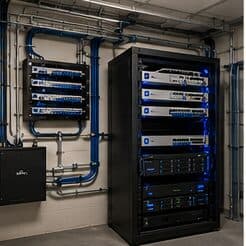
Access-control installation for professional offices is shaped by how the space is used, not just by the service itself. Professional offices bring their own operating constraints, and this page pairs what access-control installation actually involves with what that environment changes about it.
An access-control system manages who may open which door and when, and records each attempt. The immediate operational benefit over keys is revocation: a lost credential is disabled in seconds instead of prompting a rekey. The secondary benefit is the audit record, which turns 'who was here on Saturday' into a query rather than a guess.
Density is concentrated, not distributed
An office floor's network demand is not spread evenly. Individual desks are undemanding. Meeting rooms concentrate a dozen people, their laptops and phones, a display system, and a video call into one radio cell for an hour at a time. That concentration is where the design effort belongs.
The second characteristic is churn. Desk layouts change, teams grow, hot-desking arrives and departs. Offices benefit from more outlets than the current plan requires and from wireless coverage designed around areas rather than around today's seating chart.
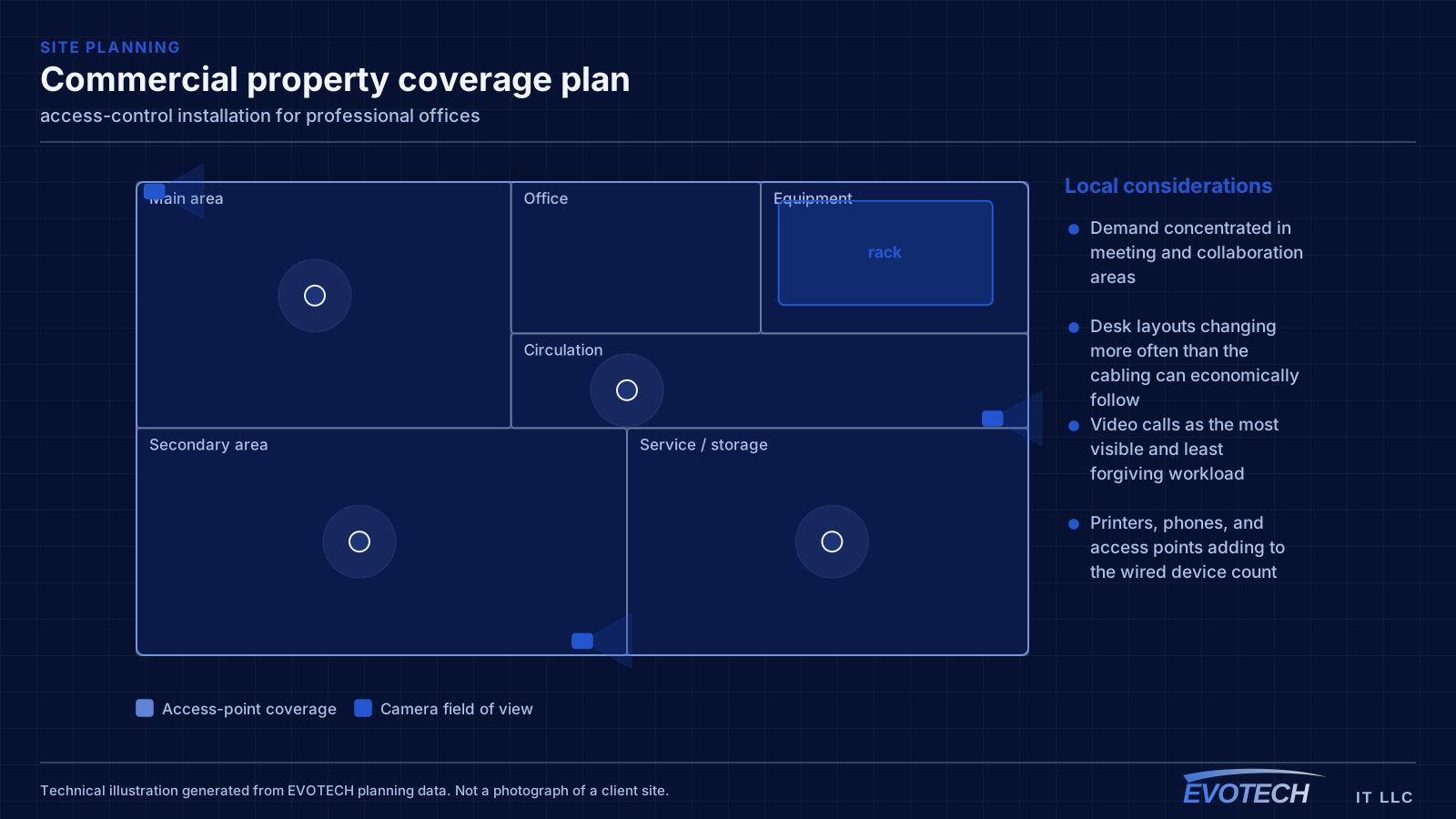
- Demand concentrated in meeting and collaboration areas
- Desk layouts changing more often than the cabling can economically follow
- Video calls as the most visible and least forgiving workload
- Printers, phones, and access points adding to the wired device count
What access-control installation usually involves
Most operational access-control problems come from doors, not from software. A door that does not close fully leaves a held-open alarm that people learn to ignore. A misaligned strike causes intermittent failures that get blamed on credentials. A magnetic lock installed without correct release arrangements is a genuine safety issue rather than an inconvenience.
The second cluster is administrative. Credentials issued to people who left, shared credentials that make the audit log meaningless, and no defined process for issuing or revoking access all erode the value the system was installed to provide.
- Door closers and alignment causing intermittent latch failures
- Held-open alarms so frequent they get ignored
- Credentials never revoked when someone leaves
- Shared credentials making the audit trail unusable
- Request-to-exit devices missing, misaligned, or not covering the approach
- Controllers installed on the unsecured side of the door they control
Capacity, segmentation, and the wired positions worth keeping
Wireless capacity should be planned from peak simultaneous use in each area. A floor with several meeting rooms in constant use needs more cells concentrated around them than its square footage would suggest, and those cells need a channel plan that stops them contending with each other.
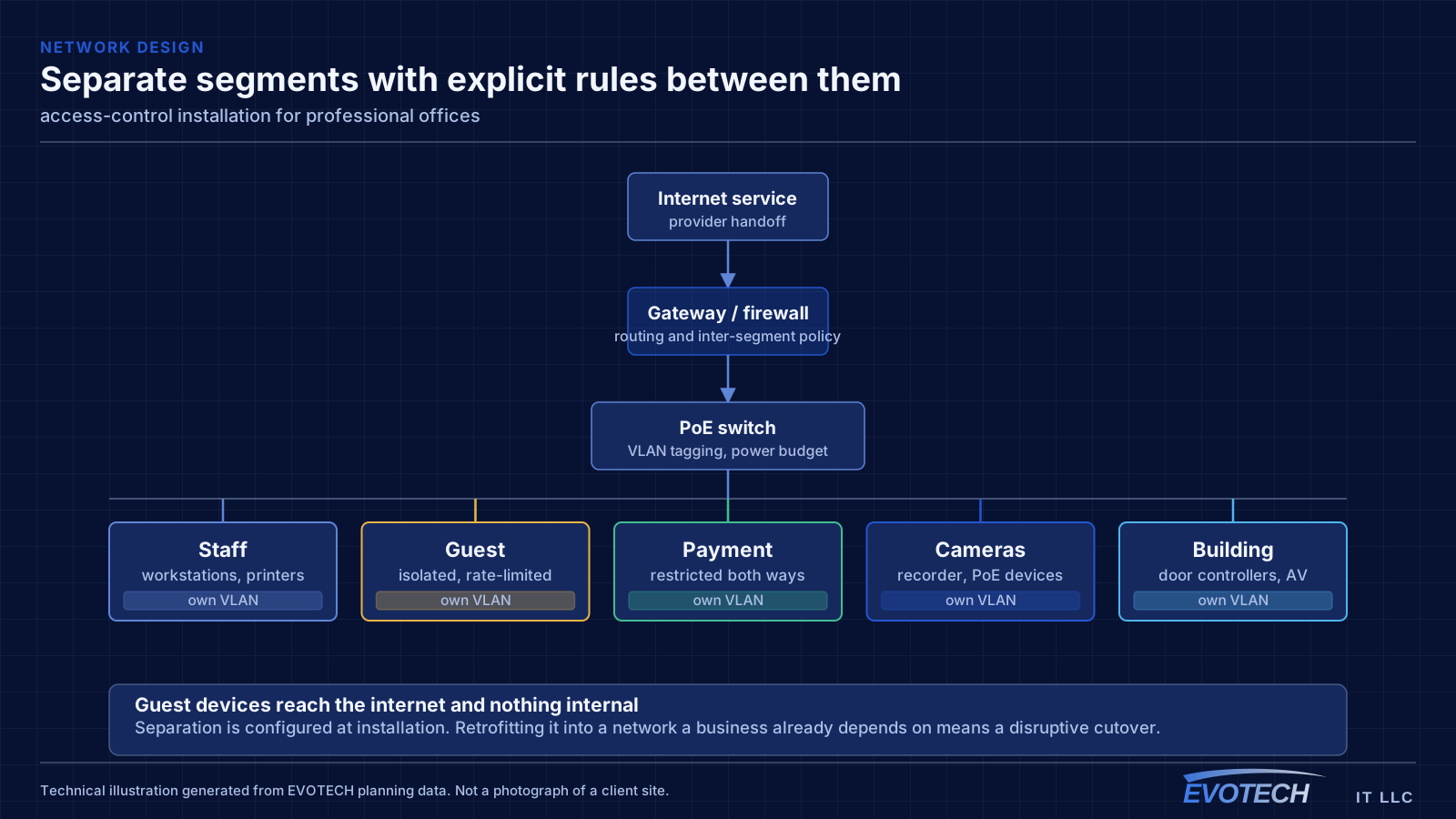
Segmentation in an office is usually simpler than in retail or clinical settings but still worth doing: staff devices, guest and visitor access, building systems such as cameras and door controllers, and any dedicated systems. Guests should reach the internet and nothing else.
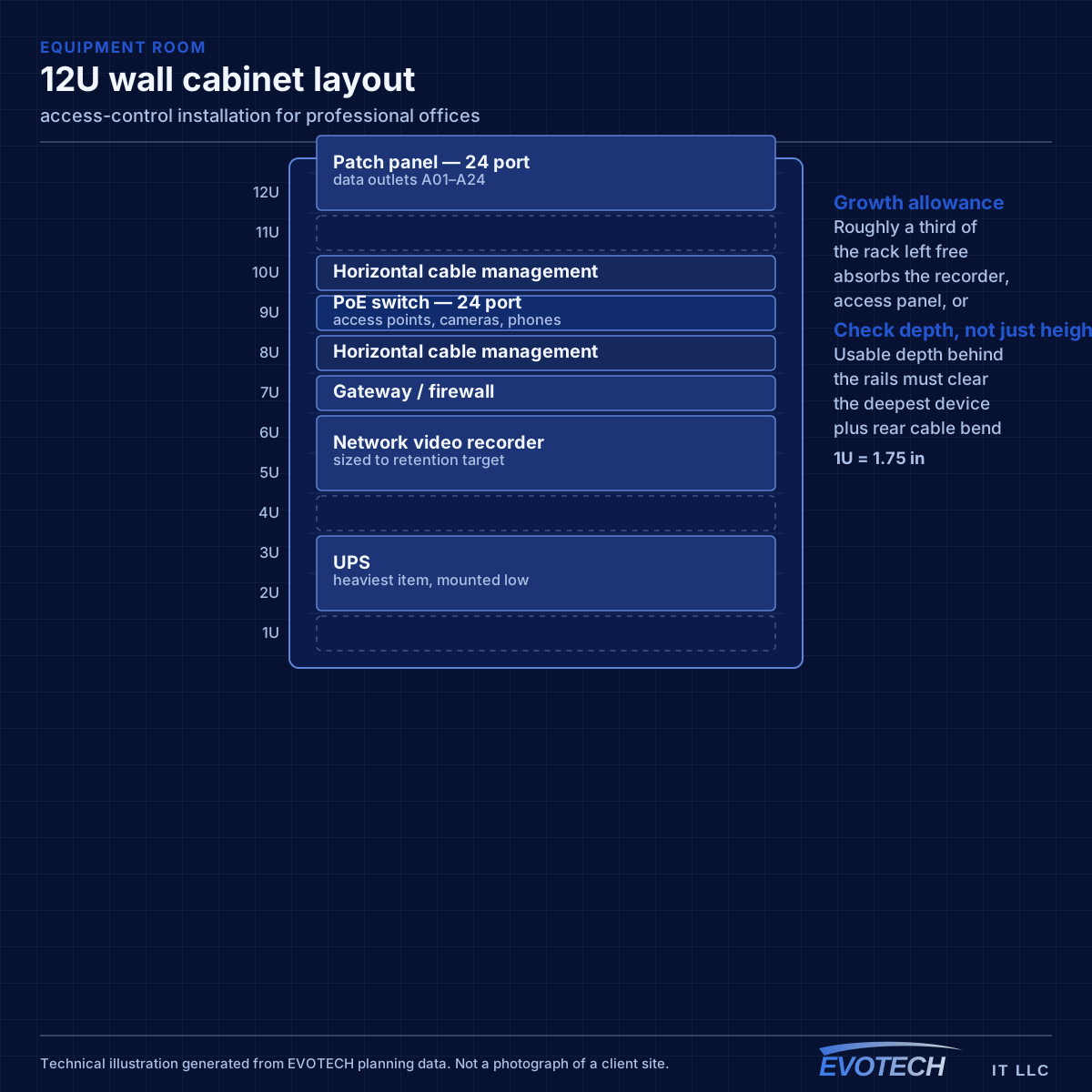
Some positions are still worth wiring even in a wireless-first office. Meeting-room equipment, printers, desk phones, ceiling access points, and any position handling large files all benefit from cable, and the incremental cost during a fit-out is small.
- Capacity planned from peak simultaneous devices per area
- Staff, guest, and building-system traffic separated
- Meeting-room equipment, printers, and access points wired
- Channel plan set deliberately in multi-tenant buildings
- Switch PoE budget sized for access points, phones, and cameras together
Locks, egress, and where the controller belongs
Electric strikes and magnetic locks behave oppositely on power loss. A magnetic lock is fail-safe — it releases when power is removed, so the door is passable during an outage or alarm. A standard electric strike is typically fail-secure — it stays locked without power, though the door can still be opened from the inside by its mechanical hardware. Which is appropriate depends on the door's role and on the applicable life-safety requirements, and it is not an interchangeable preference.
- Magnetic locks fail safe on power loss; standard electric strikes fail secure
- Free egress must be preserved by mechanical hardware and request-to-exit devices
- Fire-alarm interface required where controlled doors must release on alarm
- Controller and wiring on the secured side of the door
- Prefer modern encrypted or mobile credentials over legacy proximity formats
- Door position sensors to detect held-open and forced conditions
Frequently asked questions
What changes about access-control installation in professional offices?
The operating environment does. Professional offices bring specific constraints — how the space is used, when work can happen, and what has to keep running — and those shape the access-control installation plan as much as the service's own technical requirements.
What is the difference between fail-safe and fail-secure?
It describes what happens when power is lost. Fail-safe hardware — typically a magnetic lock — releases and the door becomes passable. Fail-secure hardware — typically a standard electric strike — stays locked, though the door can still be opened from the inside by its mechanical hardware. Which is correct for a given opening depends on its role and on applicable life-safety requirements, so it is a design decision rather than a preference.
How many outlets should each desk have?
Two is the practical minimum. A single outlet is fine until someone adds a docking station, a desk phone, or a second machine, at which point a small switch appears under the desk and the cabling design has quietly been overridden. Two outlets during a fit-out costs very little.