Residential Wi-Fi for new construction, in Katy
Residential Wi-Fi for new construction in Katy is a three-part question: what residential wi-fi involves, what new construction need from it, and what Katy changes about the install. Housing stock skewed toward newer, larger single-family construction with wide floor plans that exceed single-router coverage.
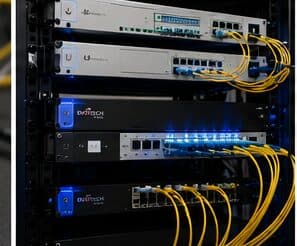
A single router placed wherever the internet service happens to enter the house is the root of most residential wireless complaints. That position is frequently a corner of the garage or a front closet, which means a large share of the signal is heading outdoors. Coverage improves dramatically when access points are placed centrally in the areas people use, and fed by cable.
One window, and it does not reopen
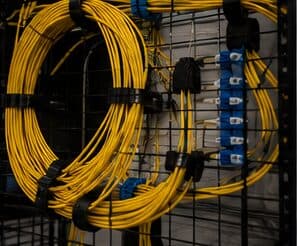
Low-voltage rough-in happens in a specific slot: after framing and electrical, before insulation and drywall. Inside that window, running a cable anywhere is straightforward. Once drywall goes up, the same cable costs many times more and sometimes cannot be run at all.
The asymmetry is the whole story of new-construction low voltage. Decisions made cheaply during rough-in become expensive or impossible afterwards, which is why the pre-rough-in planning conversation is worth more than any equipment choice made later.
- Rough-in window sits between electrical and drywall
- Upstream delays compress the window without extending the deadline
- Post-drywall changes cost many times more, if they are possible at all
- Finish work happens months later, after paint and ceilings
Where residential wi-fi goes wrong — and how it's avoided
Household wireless problems usually persist because of a small set of choices.
- Replacing a router with a more expensive router instead of adding a second location
- Chaining extenders and expecting the throughput to hold
- Leaving the equipment in a sealed cabinet where it overheats
- Mounting an access point on a shelf against an exterior wall
- Covering an outdoor patio by turning the indoor access point's power up
- Skipping the cable run because the wireless uplink appeared to work on the day
Katy: what the location changes
Housing stock skewed toward newer, larger single-family construction with wide floor plans that exceed single-router coverage. In Katy, that is where the plan begins, because it changes cable paths, device placement, and access-point counts before anything else does. Structured media panels commonly present but frequently located in a garage or perimeter utility space rather than centrally. Builder-installed cable often terminated to a panel but not extended to ceiling positions suitable for access points. None of these are generic checklist items — each moves the design in a direction a citywide assumption would miss, and the honest recommendation always depends on what this particular property allows.
- Housing stock skewed toward newer, larger single-family construction with wide floor plans that exceed single-router coverage
- Structured media panels commonly present but frequently located in a garage or perimeter utility space rather than centrally
- Builder-installed cable often terminated to a panel but not extended to ceiling positions suitable for access points
- Slab foundations with accessible attics, making attic-to-interior-wall routing the standard retrofit path
- Suburban commercial development in retail pads and medical suites with suspended-grid ceilings and comparatively straightforward pathway
Getting it done in Katy
Validation is a walk through the house with a measurement tool, checking the rooms that prompted the call in the first place.
Full system design is often not finished when the rough-in window arrives. That is normal, and it is not a reason to skip the pathway. Running conduit or sleeves to likely positions preserves the option cheaply even when the eventual equipment is undecided.
On site, the schedule and working method turn on conditions like these. Slab foundations with accessible attics, making attic-to-interior-wall routing the standard retrofit path. Suburban commercial development in retail pads and medical suites with suspended-grid ceilings and comparatively straightforward pathway. Both shape how and when a crew can actually operate, which is why EVOTECH scopes each Katy job from the property itself rather than assuming one approach fits every address. Coverage is stated as a service area, never an office claim, and anything about Katy that cannot be verified is left out instead of invented.
Frequently asked questions
Is residential wi-fi for new construction different in Katy?
The sector needs stay the same, but the install changes with the place. In Katy, the conditions above — not the new construction label — decide routes, mounting, and equipment placement, which is why this page pairs all three.
Why is upstairs Wi-Fi bad when the router is right below?
Signal loses a meaningful amount of strength passing through a floor, and the router's pattern is not aimed upward. Turning the power up mostly increases interference. The dependable arrangement is a second access point upstairs, placed centrally and connected by cable to the equipment position downstairs.