Ubiquiti UniFi installation for new construction, in Brookshire
Ubiquiti UniFi installation for new construction in Brookshire is a three-part question: what ubiquiti unifi installation involves, what new construction need from it, and what Brookshire changes about the install. Large warehousing and distribution buildings along the I-10 corridor.
A UniFi deployment puts the gateway, switching, wireless, and often cameras and door access under one controller. The practical benefit is operational rather than raw performance: one interface for network configuration, client visibility, firmware updates, and camera review, instead of separate systems that each need their own knowledge.
Decide locations, claim pathways, leave capacity
Three things matter more than everything else combined: agreeing device locations before rough-in, claiming pathway before the other trades fill the ceiling, and running more capacity than the current plan requires.
The third is the one most often skipped and most often regretted. An extra run to a likely future access point, camera, or display position costs very little while the walls are open.
- Device locations agreed and marked before rough-in begins
- Pathway claimed early, since low voltage is usually last into the ceiling
- Spare runs to likely future positions while walls are open
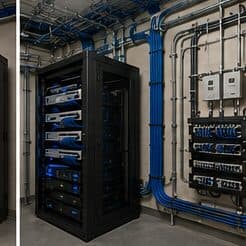
- Equipment room sized for every system, with power and ventilation
- Rated penetrations sleeved and firestopped properly
What drives the cost of ubiquiti unifi installation here
Equipment is visible, but configuration and cabling usually decide the total.
- Device count across gateway, switching, wireless, cameras, and access
- Cable runs and their difficulty
- Storage capacity for the camera retention target
- Number of segments and depth of the policy configuration
- Migration complexity from existing equipment
- Whether structured documentation and handover training are included
Brookshire: what the location changes
In Brookshire, the plan is built outward from the conditions that are actually here. Large warehousing and distribution buildings along the I-10 corridor. Metal construction that reflects wireless signal and complicates coverage. Building footprints frequently exceeding the 100 m copper channel limit. Each one changes where cable can run, where equipment can sit, and how coverage is shaped, which is why a walkthrough settles a Brookshire scope faster than any generic estimate.
- Large warehousing and distribution buildings along the I-10 corridor
- Metal construction that reflects wireless signal and complicates coverage
- Building footprints frequently exceeding the 100 m copper channel limit
- Unconditioned operational areas affecting equipment placement
- Long cable runs and yard/dock areas needing distinct approaches
Getting it done in Brookshire
Validation covers the network design as well as the radio coverage, because segmentation that was configured but not tested is not yet segmentation.
Camera positions are among the cheapest things to prewire and among the most annoying to retrofit, because they are usually exterior, high, and behind finished soffit. Running cable to likely positions during rough-in preserves the option at almost no cost.
Getting Brookshire work done means planning around the site as it actually is. Unconditioned operational areas affecting equipment placement. Long cable runs and yard/dock areas needing distinct approaches. Both matter as much as the design to how and when the work happens. The scope is drawn from the real property, the coverage is stated as a service area rather than an office, and unverifiable specifics about Brookshire are kept off the page on purpose.
Frequently asked questions
Is ubiquiti unifi installation for new construction different in Brookshire?
The sector needs stay the same, but the install changes with the place. In Brookshire, the conditions above — not the new construction label — decide routes, mounting, and equipment placement, which is why this page pairs all three.
Is UniFi the right choice for a small business?
It suits sites that want proper segmentation, decent wireless, and cameras under one interface without employing a network administrator. The tradeoff is committing to one vendor's ecosystem. A mixed-vendor design gives more freedom to pick the best component for each role; the single-vendor version is easier to live with day to day. Both are defensible — it is worth choosing on purpose.