Why this page exists
Intercom installation for multifamily properties is shaped by how the space is used, not just by the service itself. Multifamily properties bring their own operating constraints, and this page pairs what intercom installation actually involves with what that environment changes about it.
An intercom connects an entry station to one or more answering points, so someone inside can see and speak to a visitor and release the door or gate without walking to it. The design work is deciding where the answering points are, whether they are physical stations or applications on phones, and how the door release is wired.
Two audiences, one building
A multifamily property runs two distinct technology environments. Residents have their own connectivity inside their units, generally provided by whatever service they select. The property operates everything else: common-area wireless, controlled entry, intercom, package rooms, amenity spaces, cameras, and the office network.
The property-operated side is what needs design. It has to work for a resident population that turns over continuously, be administrable by on-site staff who also turn over, and survive being used by everyone in the building without a support desk.
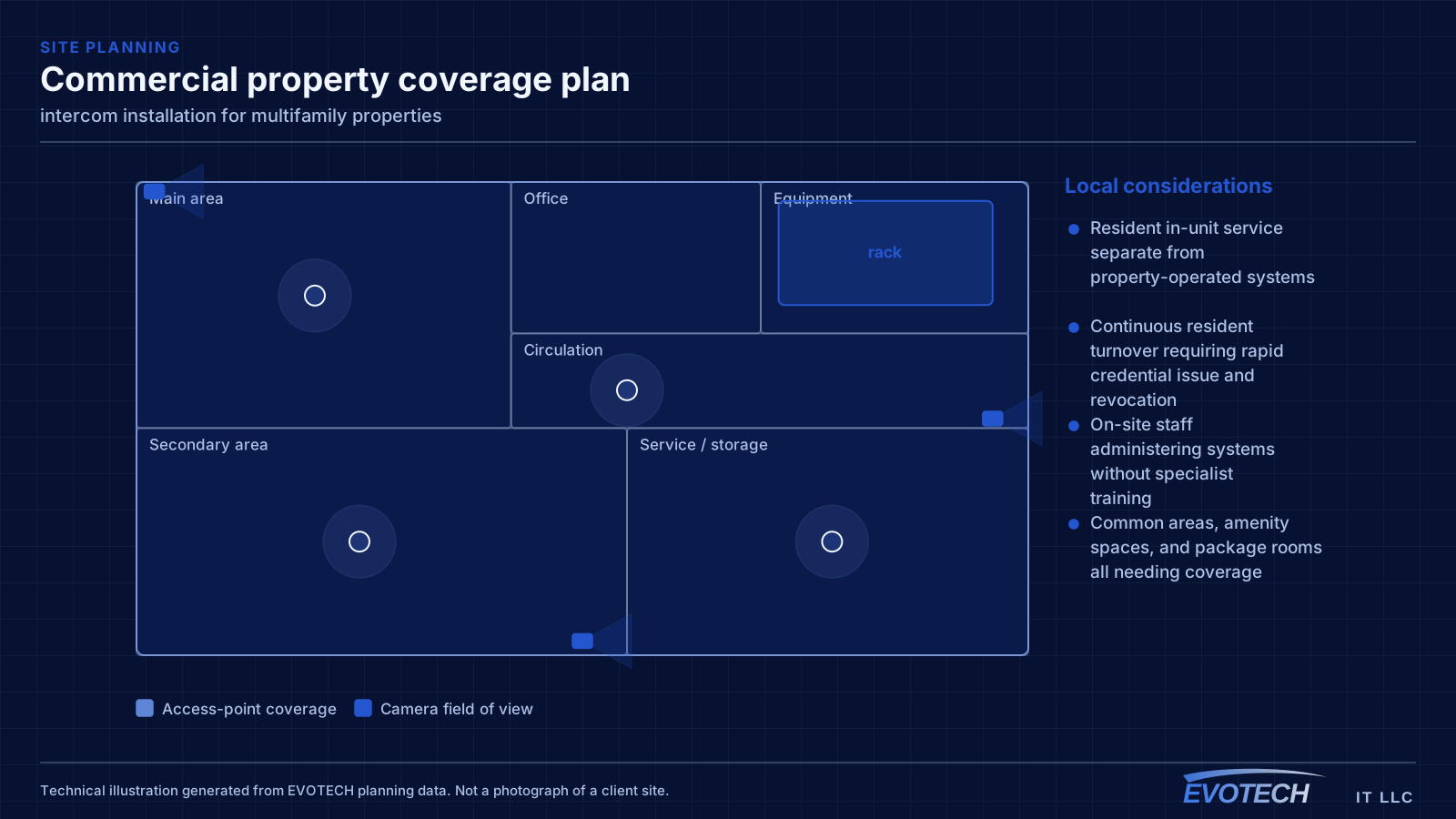
- Resident in-unit service separate from property-operated systems
- Continuous resident turnover requiring rapid credential issue and revocation
- On-site staff administering systems without specialist training
- Common areas, amenity spaces, and package rooms all needing coverage
What intercom installation usually involves
The most common problem is intelligibility rather than video. Entry stations sit outdoors near traffic, air-conditioning units, and hard reflective surfaces, and a station positioned without regard to that produces audio nobody can understand. Placement away from noise sources and out of direct wind exposure does more than any setting.
The second is exposure. An entry station on a west-facing wall in this climate takes sustained afternoon sun and heat, and a gate station takes driven rain. Stations installed without appropriate rating or without a hood weather badly, and the failure shows up as a dead station months later.
- Entry-station audio degraded by traffic, mechanical noise, or wind
- Camera at the station backlit by afternoon sun or a bright background
- Stations exposed to driven rain or sustained direct sun without protection
- Long gate runs with power and network reach not planned for
- Door release wired without regard to egress requirements
- No answering point where people actually are during the day
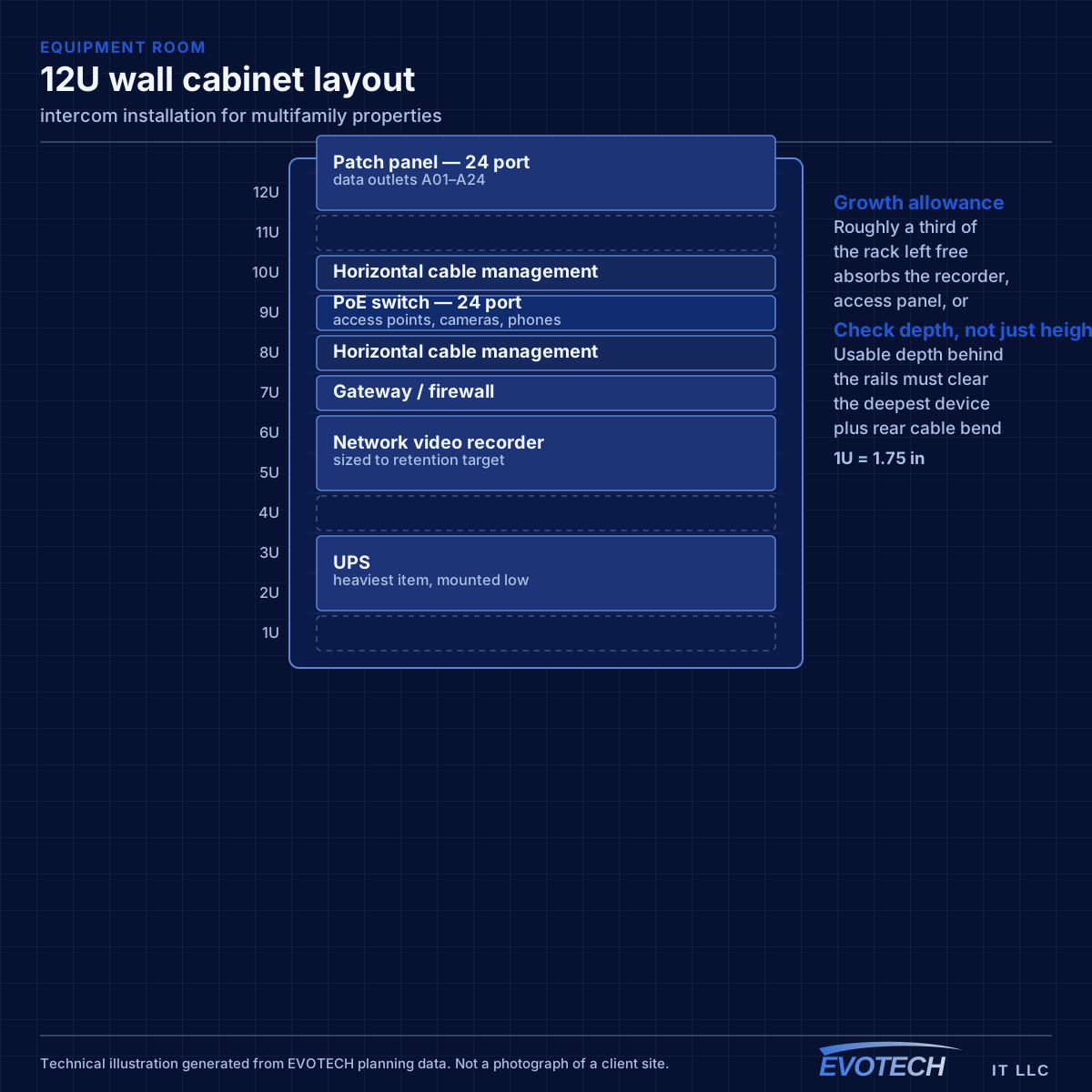
Property systems and common-area coverage
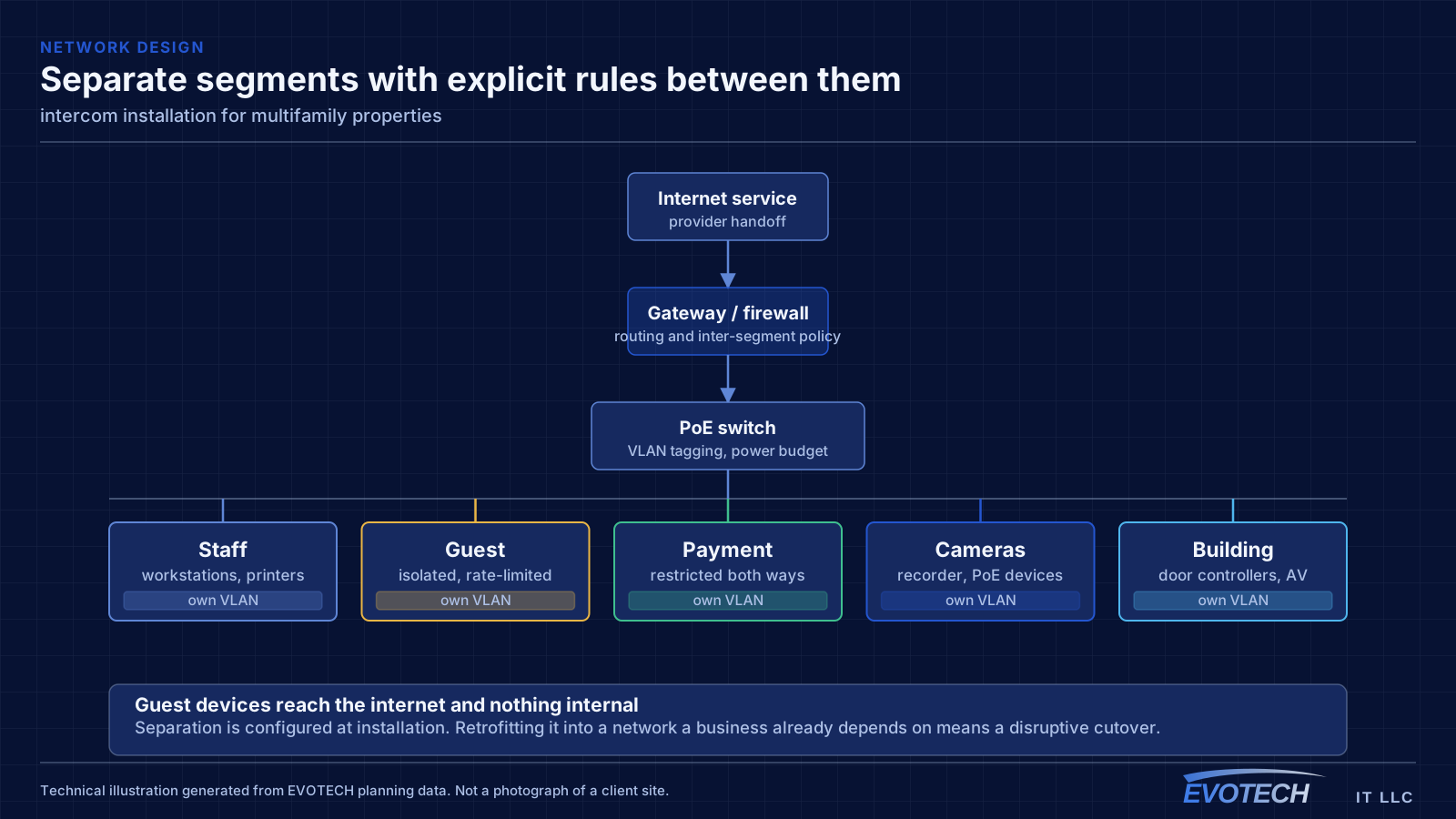
The property network carries cameras, door controllers, intercom, the leasing office, and common-area wireless. These belong on separate segments from each other — common-area guest wireless in particular should reach the internet and nothing else, since it is used by residents, visitors, and anyone within range of an amenity space.
Common-area coverage is a distributed problem. Lobbies, corridors, fitness rooms, clubhouses, pool areas, and parking structures each have different construction and different demand, and outdoor amenity areas need equipment rated for the exposure. Corridor coverage in particular tends to be underestimated, since corridors are long, narrow, and full of doors.
Where a property spans multiple buildings, the links between them are fiber, for the same distance and electrical-isolation reasons that apply on any campus.
- Property systems segmented from common-area guest wireless
- Amenity spaces, corridors, and outdoor areas as distinct coverage zones
- Outdoor-rated equipment for pool decks and exterior amenity areas
- Fiber between buildings on multi-building properties
- Leasing office network separated from resident-facing systems
Station placement, release wiring, and getting to the gate
Entry stations should sit at a height that frames a standing adult's face, sheltered where possible, and away from the loudest nearby sources. A recessed or hooded mount helps with both sun and rain. Where the station faces west, a hood is close to essential in this climate.
- Mount stations at face height, sheltered, and away from noise sources
- Hood or recess west-facing and rain-exposed stations
- Coordinate door release with egress requirements and any access-control system
- Plan gate runs as outdoor installations with conduit and surge protection
- Place answering points where people actually are, including mobile answering where useful
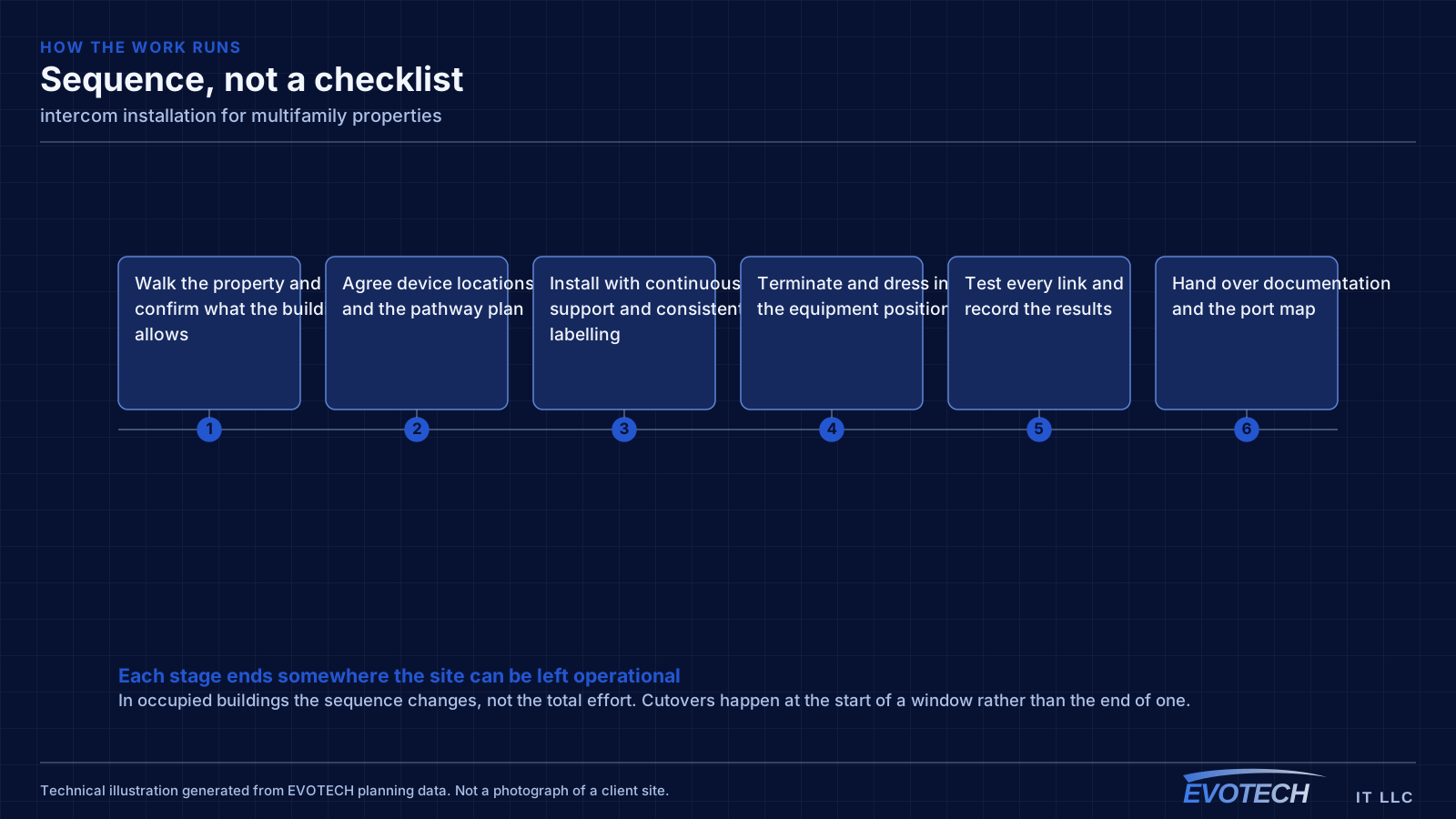
- Confirm network reach and power at the entry position before committing
Frequently asked questions
What changes about intercom installation in multifamily properties?
The operating environment does. Multifamily properties bring specific constraints — how the space is used, when work can happen, and what has to keep running — and those shape the intercom installation plan as much as the service's own technical requirements.
Can an intercom release the door as well as show who is there?
Yes, and that is usually the point. The release is wired to the door's lock hardware, and the choice of lock determines power-loss behaviour. Where the door is also part of an access-control system, the two should be coordinated so the release is logged and the systems do not conflict over the same hardware.
Does the property provide internet inside the units?
That varies by property and is a business decision rather than a technical one. What the property always operates is the common-area and building-systems side: entry, intercom, package rooms, amenity wireless, cameras, and the leasing office network. That is where the design work sits.