PoE camera installation for multifamily properties, in Humble
PoE camera installation for multifamily properties in Humble is a three-part question: what poe camera installation involves, what multifamily properties need from it, and what Humble changes about the install. A retail and commercial hub with a broad mix of building ages.
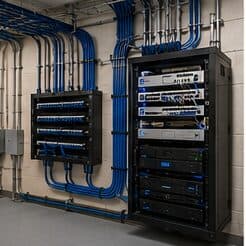
A PoE camera takes its power from the same Ethernet cable that carries its video, which removes the need for a local outlet at every mounting position. That is the entire practical appeal: one run per camera, no electrician at each soffit, and centralised power that can sit behind a UPS so the cameras stay up during a short outage.
Entry, packages, and parking
Camera coverage focuses on the points where the property has a legitimate operational interest: building entries, package rooms, parking areas and garages, amenity spaces, and the leasing office. Framing at entries should be tight enough for identification; parking coverage is usually about vehicle movement rather than identifying individuals.
Package areas have become one of the most-requested views, and they are also one of the easier ones to get right: a controlled room with an access record and a camera framed on the door covers most of what gets asked.
Cameras are not positioned to view into individual units, private balconies, or windows. That boundary is set at design and is not negotiable regardless of how a request is framed.
- Building entries framed for identification
- Package room door with access records alongside footage
- Parking areas and garages framed for vehicle movement
- Amenity spaces and leasing office
- No camera positioned to view into units, balconies, or windows
What drives the cost of poe camera installation here
The power design and the cable routes dominate.
- Camera count and their power classes
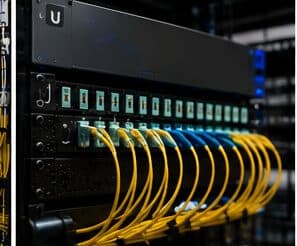
- Switch capacity, both ports and PoE budget
- Cable run count, length, and route difficulty
- Exterior mounting hardware and weather sealing
- UPS sizing
- Elevated access requirements
Humble: what the location changes
A retail and commercial hub with a broad mix of building ages. In Humble, that is where the plan begins, because it changes cable paths, device placement, and access-point counts before anything else does. Warehousing and distribution requiring aisle coverage and longer runs. Older commercial stock needing pathway remediation and rack cleanup. None of these are generic checklist items — each moves the design in a direction a citywide assumption would miss, and the honest recommendation always depends on what this particular property allows.
- A retail and commercial hub with a broad mix of building ages
- Warehousing and distribution requiring aisle coverage and longer runs
- Older commercial stock needing pathway remediation and rack cleanup
- Retail point-of-sale environments requiring network segmentation
- Slab-foundation residential across established and newer neighbourhoods
Getting it done in Humble
The meaningful PoE test is under peak load after dark, because that is the condition that exposes budget problems.
A multifamily property runs two distinct technology environments. Residents have their own connectivity inside their units, generally provided by whatever service they select. The property operates everything else: common-area wireless, controlled entry, intercom, package rooms, amenity spaces, cameras, and the office network.
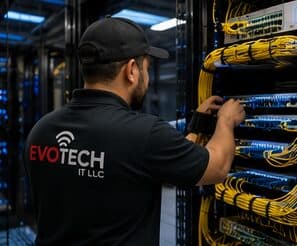
On site, the schedule and working method turn on conditions like these. Retail point-of-sale environments requiring network segmentation. Slab-foundation residential across established and newer neighbourhoods. Both shape how and when a crew can actually operate, which is why EVOTECH scopes each Humble job from the property itself rather than assuming one approach fits every address. Coverage is stated as a service area, never an office claim, and anything about Humble that cannot be verified is left out instead of invented.
Frequently asked questions
Is poe camera installation for multifamily properties different in Humble?
The sector needs stay the same, but the install changes with the place. In Humble, the conditions above — not the multifamily properties label — decide routes, mounting, and equipment placement, which is why this page pairs all three.
Why do cameras reboot at night but work fine during the day?
Almost always PoE budget. Infrared illuminators engage after dark and the total draw rises, pushing the switch past its budget. It presents as intermittent camera dropouts and gets misdiagnosed as a network fault. The fix is a switch with sufficient budget and headroom, calculated from peak draw rather than idle.